




Product
Featured




Before we dive in, take a moment to watch our latest product update video. In this month’s video, Mac walks through all the new features and improvements now live in WorkflowMAX - from flexible quoting options and phase-by-phase invoicing, to smarter reporting tools, easier document management, and the latest integration updates. You’ll see what’s changed, how it can help in your day-to-day work, and what’s coming soon.
Re-quoting jobs just got easier. When you create a new quote for a job that’s already got one, you can now choose how you want to build that quote:
Pick what works for you, maybe you want to keep things the same as your last quote, or perhaps you’d like to update your pricing based on what’s currently in the job.
There’s more: when you accept a new quote, you’ll get a quick pop-up if your job tasks don’t match your quote. You can make the quote the ‘source of truth’ by updating your job, or you can just adjust the bits you want and leave the rest as they are.
In short, it’s now even easier to manage quotes.
If your projects have different stages or ‘phases’- like design, planning, or construction, you can now pick exactly which phases you want to invoice for, each time you send an invoice.
That means you can easily charge for the work you’ve done, as soon as it’s finished, and keep your invoicing neat and organised.
And this is just one of many improvements we’re making to invoicing, so keep an eye out for more updates soon!

Reporting just got easier. With ‘filter views’ in Custom Reports, you can quickly look at different information without having to set up lots of separate reports.
Let’s say you want to run a timesheet report for each employee at the end of the month. Instead of making different reports for each employee, you’ll just set up different filters, one for each person. Switch between them with a click, or share these views with your team.
It saves you time and keeps things neat and simple.
You can now see your lead activities as a list or on a calendar- whichever helps you stay organised. It’s easy to switch between views and set things up to match how you like to work.
This means you can keep track of who to contact next, spot important dates at a glance, and make sure you never miss a step with potential customers.
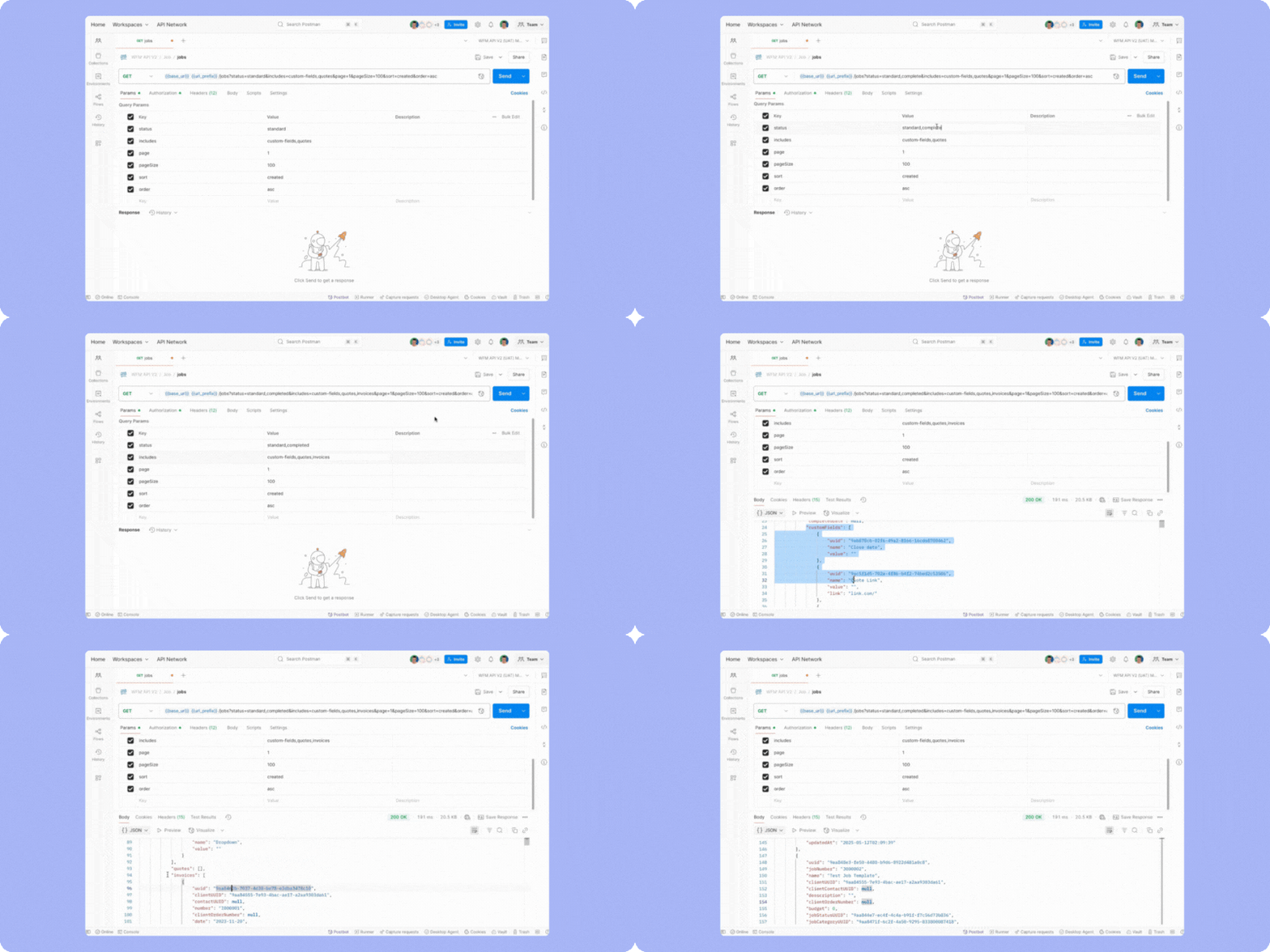
Our brand new API V2 is in beta testing, and the feedback has been great so far. It’s easier to use, lets you receive more information in one request, and has better support for custom fields. We’re opening up the second round of beta access soon, if you’re interested in testing, contact our support team to get on the list.
That’s a wrap for this month! For more details, check out our full release notes. We’ll be back next month with more news, especially around reporting and purchase orders. Have questions? Reach out via support - we'd love to hear from you. As always, thanks for being part of WorkflowMAX and for sharing your feedback.
TL;DR: Small agencies often struggle with balancing multiple client projects simultaneously resulting in missed deadlines, overworked teams, and profit leaks. This article explores how better workload management improves performance and client satisfaction. With features like time tracking, job costing, and real-time reporting, WorkflowMAX gives small agencies the visibility and control they need to optimise resources and drive profitability.
For architects, engineers, accountants, and designers in small agencies, managing just one project can be challenging. But managing multiple projects at once? That’s where things often unravel especially without a clear, centralised system.
Disorganised workload distribution leads to:
In service-based industries, your reputation and your bottom line depend on delivering results without overextending your team. A well-balanced project pipeline is what keeps teams busy without burning margins.
Small agencies often lack the tools to visualise where their people are working and how their time is spent across projects. They rely on:
This results in fragmented visibility team leads are guessing rather than knowing where workloads are heavy, underutilised, or misaligned. And when a deadline shifts or a new project lands unexpectedly, there's no central source of truth to rebalance tasks and timelines.
Here’s how teams actually keep workloads balanced:
Map each project not just by task, but as a complete job budgets, milestones, timelines, and team assignments all included. This lets you assess the true weight of each project before assigning it to a team member.
With WorkflowMAX, jobs are the foundation. Every project starts with a job that can be scoped, quoted, and assigned. You can see exactly what each team member is working on and what stage each job is in.
Too often, project planning is static. But client requests, internal delays, and scope creep don’t follow your Gantt chart. That’s why agencies need real-time workload visibility.
Ask:
Time tracking and job status updates sync across the platform, making it easy to spot team overload or idle time. Weekly work-in-progress (WIP) reports give leaders visibility to rebalance on the fly.
Not all work is equal and neither are all team members. Architects may excel in concept design but struggle with compliance drawings. A junior accountant might breeze through payroll but need supervision for audits.
Smart workload balancing means aligning people to the work they’re best at, not just filling slots.
With WorkflowMAX you can tag team members by role or skillset and filter assignments to make sure the right people are on the right jobs.
Balancing workloads is efficient and profitable.
Low-margin jobs that take up too much of your team’s time can strangle more lucrative work. By understanding job-level profitability, you can prioritise projects that matter most.
Job costing gives you instant insight into budgeted vs actual hours and expenses. This helps you prioritise high-value work and adjust allocations when jobs go off track.
Small teams wear many hats but not every task deserves your team’s attention. Automating admin-heavy tasks like quoting, invoicing, and reporting frees up headspace to focus on delivery.
With WorkflowMaAX:
Many WorkflowMAX customers are small agencies just like yours running multiple projects with lean teams. What they love is that everything lives in one place:
As one partner put it: “It means they’re not on a spreadsheet.” WorkflowMAX helps teams spend less time on manual tasks and more time delivering results.
Workload balancing isn’t just about making sure no one’s too busy. It’s about keeping the whole business healthy.
With WorkflowMAX as your central system of record, you can:
In short, you regain control and with that comes profitability.
WorkflowMAX helps you see everything in one place so you can balance your team’s time, hit deadlines, and drive profit with confidence.
TL;DR: Professionals in architecture, engineering, accounting, and design firms often struggle to get real-time visibility into project health, budgets, and team performance. A well-designed KPI dashboard changes that, providing clarity and control across the entire delivery cycle. WorkflowMAX helps unify job costing, time tracking, and profitability reporting into one powerful view making smarter, faster project decisions possible.
If you're a project-delivery professional, you already know that execution isn't just about doing the work, it's about delivering results on time, on budget, and with profitability intact. But without real-time insight into what's really happening across jobs, teams and costs, it's easy for things to spiral.
Here’s what we see time and time again: Projects run late. Budgets blow out. Clients are surprised. Teams burn out. And often, the business doesn’t know until it’s too late to fix it.
That's where KPI dashboards come in. Think of them as your live control panel pulling together project data from across your systems into one smart, visual interface.
With the right KPI dashboard, you can:
Whether you’re leading a five-person design studio or a 100-person engineering consultancy, the goal is the same: Better visibility. Better control. Better decisions.
Let’s face it: Most firms are drowning in data but starving for insight. Here’s why:
Without a unified view of project delivery, most teams are flying blind. They rely on gut feel instead of data. That’s risky.
A high-performance KPI dashboard isn’t just a pretty chart, it's a strategic tool that ties together the metrics that matter most.
Here’s what a strong project-performance dashboard should include:
These metrics give your business the early-warning system it needs. You can fix problems before they cost you margin, time, or reputation.
Job costing, time tracking, invoicing, reporting. WorkflowMAX keeps them in one system, instead of spread across spreadsheets and half-connected tools.
What powers KPI tracking inside WorkflowMAX:
The real win is that WorkflowMAX offers one unified source of truth so your KPI dashboard isn’t just real-time, it’s reliable.
To get the most out of your project dashboards:
What do you want to improve? Margin, delivery speed, team performance? Let that guide your KPIs.
Choose 5–7 key metrics. Too many numbers = no insight.
Real-time is ideal, but at minimum, dashboards should refresh weekly.
Your ops lead wants detail. Your directors want summary views. Clients want clarity.
Display team dashboards on office screens or make them easy to access from anywhere.
You can’t fix what you can’t see. That’s why KPI dashboards are so critical to modern project delivery.
With the right setup, you’ll:
WorkflowMAX gives you the foundation to build powerful dashboards and the control to improve every job, client, and outcome.
Ready to build your profitability dashboard?Discover how WorkflowMAX helps firms like yours get clarity, control and confidence across the project lifecycle. Start your free trial today.
TL;DR: In service-based industries like architecture, engineering, and design, managing time and project schedules can be chaotic and costly. Disconnected tools lead to data silos, untracked hours, and project overruns. This article explores how integrated timesheet and scheduling workflows solve these issues by improving efficiency, compliance, and profitability. WorkflowMAX empowers businesses with a unified platform that connects time tracking, job costing, and scheduling into one streamlined system.
For firms that sell time and expertise like architects, engineers, creative studios, and accountants time is money. Yet, far too often, time tracking and project scheduling are handled separately: spreadsheets, email reminders, whiteboards, or disconnected software.
This disjointed approach introduces risk: untracked hours, delayed deadlines, underbilled work, and misaligned resources. And the consequences are real profit erosion, frustrated teams, and unhappy clients.
Integrated timesheet and project scheduling workflows have become a strategic requirement.. When these elements are centralised and automated, businesses gain visibility, accountability, and the ability to act in real time.
Time and project scheduling are two sides of the same coin but in many firms, they operate in silos. The result?
Up to 38% of billable hours go untracked, especially in activities like emails and meetings. That’s revenue slipping through the cracks.
Without a clear, real-time picture of scheduling against budgeted hours, scope creep silently undermines project profitability. Overruns of 25–50% are common in unmanaged environments.
Using separate tools for scheduling, time tracking, and reporting adds unnecessary admin. Staff double-handle data, creating room for errors and wasting time they could be billing.
When time data isn’t linked to projects, managers can’t forecast accurately, reallocate resources, or spot risks early.
With disparate tools like spreadsheets, Trello, Harvest and Xero Projects there’s no single source of truth. Decisions are made on gut feel rather than facts.
For project-led firms, time is the most valuable (and expensive) resource. Integrating time tracking with scheduling is a game changer and here’s why:
When scheduling and timesheets feed into a centralised system, teams and managers gain real-time visibility of:
You can see where time is going, not just that it’s going.
Live job boards and time tracking dashboards offer up-to-the-minute insights on project performance with WorkflowMAX
Integrated workflows make it easier for staff to enter time (because it’s tied to their scheduled tasks) and for managers to monitor accuracy.
With WorkflowMAX, time entries link directly to jobs and tasks, reducing errors and making audit trails effortless.
When timesheets are aligned with project schedules and budgets, invoicing becomes seamless. You know what’s billable, what’s overrun, and what needs to be flagged before it becomes a surprise for clients.
With WorkflowMAX, automated job costing, invoicing and WIP reporting provide clarity on earned revenue and outstanding billables.
Managers can identify at-risk projects early. If tasks are running behind schedule or budgets are being blown, integrated workflows provide the data to act before profitability suffers.
Smart reporting and dashboards surface issues early so you can fix them before they become expensive mistakes.
To get the most from integrated timesheet and scheduling workflows:
Avoid cobbling together tools. Instead, use a unified platform that ties together quoting, scheduling, time tracking, costing, and invoicing.
WorkflowMAX integrates project management, time tracking, and financial tools in one place with no need for duplicate data entry.
Let teams log time with minimal effort ideally straight from the project schedule or task list.
Use job-specific time entry forms and mobile-friendly input options to reduce friction.
Base your project plans on historical data, team capacity, and actual job costs, not wishful thinking. Integrated reporting helps refine future estimates.
Train teams to log hours daily. Use visual dashboards to track progress. Daily visibility enables weekly course corrections monthly is too late.
WorkflowMAX is purpose-built to support integrated time and scheduling workflows. Features include:
Combined, these features give you a Job Profitability Operating System not just a task list or timer.
Disconnected tools make it hard to manage what matters, time, costs and project performance. Integrated timesheet and scheduling workflows transform how teams plan, work, and get paid.
Architecture studios, engineering firms, and creative agencies all run different projects, but the same truth applies: visibility equals profitability.
WorkflowMAX offers an integrated solution that empowers teams to plan smarter, track better, and bill faster all in one place.
Discover how WorkflowMAX can streamline your time tracking and scheduling. Start a free trial or book a demo to see how integration drives performance.
TL;DR: Project-based businesses like architects, engineers, designers, and accountants face delays and revenue leaks due to manual quoting and invoicing processes. With quote-to-invoice automation, firms can eliminate inefficiencies, reduce errors, and improve cash flow. WorkflowMAX helps service professionals manage this process from quote to final invoice ensuring clarity, compliance and profitability.
In service-based industries, the workflow from quoting a job to issuing the final invoice is often fragmented. Professionals are juggling spreadsheets, chasing time entries, and manually reconciling project costs all while trying to maintain service quality and compliance.
This inefficiency doesn’t just slow things down; it hits where it hurts most: profitability and cash flow.
That’s where quote-to-invoice automation steps in. By digitising and connecting every step quote, job, time tracking and invoice, firms can focus on delivering great work, not paperwork.
Across architecture, design, engineering, and consultancy, firms face the same bottlenecks:
Creating quotes manually leads to inconsistent pricing, scope creep, and missed profit margins. There’s often little connection between what's quoted and how a job is delivered.
Team members forget to log hours or record them too late, resulting in unbilled time. In fact, 38% of billable hours go untracked across service businesses.
Invoices are often issued weeks after the work is done, based on incomplete data. This creates cash flow delays and increases the risk of disputes or missed payments.
When quoting tools, time tracking, and invoicing systems don’t speak to each other, admin tasks multiply and errors creep in.
Quote-to-invoice automation creates a seamless flow from estimating to billing. That means:
For mid-sized service businesses, this becomes a clear competitive advantage.
Use pre-built templates to ensure consistency in scope, rates, and margins. In WorkflowMAX, quoting tools pull from your job cost database, so estimates reflect real inputs not guesswork.
Pro tip: Include assumptions and exclusions in your quotes to reduce risk of scope creep.
Every accepted quote should trigger a job record. This ensures that every task, resource, and time entry is tied to a budget from the start.
With WorkflowMAX, quotes convert directly into jobs, preserving cost estimates and timelines. This improves job visibility and ensures you're tracking to profit.
Real-time visibility into hours worked and expenses logged is key. Tools like time-sheet reminders, mobile entry, and cost auto-allocation remove friction from the process.
With WorkflowMAX, time tracking is built into the job card, and costs are automatically assigned. Integration with Xero or QuickBooks streamlines expense reconciliation.
Rather than relying on manual reminders, trigger invoices based on:
This supports predictable cash flow and accurate billing.
Automation isn’t just about speed, it's about control. Custom dashboards and profitability reports give leaders insight into which jobs are on track, which clients are profitable, and where to course-correct.
Use WIP (Work In Progress) and job profitability reports to make data-driven decisions, reduce revenue leakage, and improve pricing models.
Unlike generic project management tools that stop at task management, WorkflowMAX is designed around the financial lifecycle of a job from quote to invoice.
These tools work together to give firms complete control without the manual effort.
Quote-to-invoice automation is no longer a “nice-to-have.” For service businesses looking to scale, it’s the foundation for financial clarity, operational efficiency, and client trust.
WorkflowMAX makes it easier to quote accurately, track diligently, and invoice confidently all from one central system.
Because when every job starts with a strong quote and ends with a paid invoice, your business thrives.
Discover how WorkflowMAX helps you build clarity, control, and profitability into every job.Book a Demo or Start a Free Trial
TL;DR: Delayed payments and poor visibility over Days Sales Outstanding (DSO) remain a persistent challenge for service-based industries like architecture, engineering, and creative agencies. With the adoption of e-invoicing analytics, businesses can uncover payment patterns, reduce DSO, and improve cash flow. WorkflowMAX, with its robust job costing and invoicing tools, empowers users to not only send compliant e-invoices but also derive actionable insights that drive financial health and operational clarity.
In industries like architecture, consulting, and design, where billing cycles are complex and margins are tight, getting paid on time is critical.
Yet many firms still struggle with:
E-invoicing is changing that. But it’s not just about compliance or digital delivery, it’s about data. The real opportunity lies in the analytics behind e-invoicing specifically around DSO (Days Sales Outstanding) and payment behaviour.
For firms using job-based billing or milestone payments, understanding how clients pay can directly impact:
Let’s explore how e-invoicing analytics can unlock this insight and how WorkflowMAX helps service businesses get ahead.
DSO is the average number of days it takes to collect payment after issuing an invoice. For service firms, high DSO means:
Many businesses only review DSO retroactively, often too late to change course. Without proactive tools, they’re flying blind.
Traditional invoicing processes are:
Even with accounting platforms like Xero or QuickBooks, many teams still lack visibility into:
These insights are vital. But they’re usually buried.
With e-invoicing analytics, you can track:
This allows for better decision-making in pricing, terms, and future projects.
Use built-in reporting tools to track jobs by client and link invoicing behaviour directly to job types and profitability.
You can break down:
By identifying bottlenecks in your own billing process (not just client delays), firms can shave days off DSO.
With WorkflowMAX automate invoice generation directly from job milestones, and reduce admin delays that stretch the invoice lifecycle.
E-invoicing data helps teams monitor:
This can inform credit policies and internal forecasting.
The custom reporting feature enables monthly or quarterly DSO reports, giving visibility across all projects and clients in one dashboard.
Instead of one-size-fits-all payment terms, segment your clients:
Set automated alerts when invoices cross 30, 45, or 60 days. Combine this with behavioural data (e.g. a usually prompt client who is suddenly late) to flag risks early.
Use Xero or QuickBooks integrations to sync receivables and trigger aged debt follow-up automatically.
High DSO often correlates with:
By comparing DSO with project profitability, you uncover which types of work or clients may not be worth it long-term.
Job costing and profitability tools reveal which projects look good on paper but quietly erode margins through slow payments or scope creep.
While WorkflowMAX isn’t an accounting platform, it plays a critical role in bridging project data with financial insight. When combined with platforms like Xero, it becomes a powerful operational hub that enhances how you bill, track, and collect.
Key Features That Support E‑Invoicing Analytics:
For service-based firms managing complex, long-term work, WorkflowMAX provides the clarity needed to turn invoice data into financial foresight.
E‑invoicing is more than a digital upgrade; it's a strategic advantage.
By unlocking e-invoicing analytics, firms gain:
With WorkflowMAX, service-based businesses can connect the dots between project performance and financial outcomes giving them the tools to invoice smarter, follow up faster, and grow stronger.
Take control of your cash flow. Start using e‑invoicing data to reduce DSO and boost project profitability powered by WorkflowMAX.
TL;DR: Adopting e‑invoicing can streamline cash flow, reduce administrative errors, and improve compliance but success hinges on effective supplier and client onboarding. For architects, engineers, creatives, and accountants, the key is creating a smooth transition for stakeholders through clear communication and integration with tools like WorkflowMAX. With features like automated invoicing, job costing, and deep integration with Xero or QuickBooks, WorkflowMAX provides a structured environment to make e‑invoicing work seamlessly.
If you're an architect, engineer, designer, or accountant, you're already familiar with the slow, error-prone nature of manual invoicing. From delayed payments to reconciliation headaches, traditional invoicing methods are increasingly out of step with modern expectations and compliance regulations.
Enter e‑invoice adoption: a transformative solution offering faster payments, lower error rates, and greater visibility. But here’s the catch: switching to e‑invoicing doesn’t just require internal readiness. You need your suppliers and clients on board too. And that’s often where the process hits friction.
Here’s a practical look at the onboarding process, what to expect, and how WorkflowMAX fits into the transition.
Manual invoicing leads to issues like duplicated data, lost PDFs, and delayed approvals. E‑invoicing automates the exchange of invoices in a standardised digital format, reducing admin time and improving accuracy.
Many businesses adopting e‑invoicing see improved Days Sales Outstanding (DSO) due to quicker processing and fewer disputes. For service firms reliant on predictable cash flow, this can be game-changing.
With governments in Australia, New Zealand, and the UK tightening compliance regulations (e.g., Peppol standards), e‑invoicing helps ensure that your invoicing practices align with legal expectations.
But while the benefits are clear, the transition involves more than flicking a switch. The real challenge? Supplier and client onboarding.
Suppliers and clients may be reluctant to shift from PDFs and emails to structured e‑invoice formats especially if they don’t see an immediate benefit or perceive it as a technical burden.
Not all stakeholders are at the same level of digital maturity. While your business might be using integrated job management tools, your client could still be sending Word docs and printing cheques.
While standards like Peppol aim to unify e‑invoice formats, regional and software-specific variations still lead to inconsistencies especially when working with international stakeholders.
If you’re scaling or juggling multiple projects, onboarding suppliers and clients can feel like just another administrative hurdle unless you have a clear, repeatable process.
Before engaging others, ensure your own systems and workflows are optimised for e‑invoicing:
Not everyone needs the same approach. Group stakeholders into tiers based on size, digital readiness, and importance to your cash flow.
A good onboarding experience includes:
The best tools support structured data formats and integrations across your ecosystem.
Don’t spring e‑invoicing on clients during crunch time. Start the conversation early, and position the change as a shared benefit.
For example:
“We’re adopting e‑invoicing to make your experience faster, more accurate, and more secure. You’ll see fewer errors, and we’ll both save time.”
A monthly newsletter, a client portal update, or a project kickoff call can all be good moments to introduce the topic.
After the initial wave of onboarding:
This isn’t a one-time exercise. It improves over time as feedback and financial impact become clearer.
Whether you’re onboarding 5 clients or 500 suppliers, WorkflowMAX simplifies the back-end so you can focus on growth, not admin.
Ensure that invoice values are accurate and reflect current job status.
Make it easy to format invoice exports for compatibility with e‑invoicing platforms or government portals.
Keep your finance stack tightly connected, no double-handling or sync errors.
Attach invoices directly to client records and provide a clear audit trail.
Automate recurring billing and reduce manual errors with scheduled invoice generation and alerts.
WorkflowMAX doesn’t just generate invoices, it enables better project visibility, faster billing cycles, and ultimately, healthier margins.
E‑invoicing is no longer optional for growing service businesses, it's a compliance must-have and an efficiency booster. But real transformation depends on bringing your clients and suppliers along for the ride.
By segmenting your stakeholders, preparing onboarding resources, and leveraging tools like WorkflowMAX, you can reduce friction and fast-track adoption. The result? Better cash flow, tighter operations, and less admin all round.
WorkflowMAX helps architects, engineers, designers and accountants manage jobs, track time, and invoice with clarity and confidence.
TL;DR:Service-based professionals like architects, engineers, accountants, and designers are under increasing pressure to streamline operations and remain compliant with changing financial regulations. One critical step forward is e‑invoicing integration with platforms like Xero and ERP systems. In this post, we explore how integrated e‑invoicing improves efficiency, compliance, and cash flow and how WorkflowMAX supports this shift through seamless connection with Xero and powerful job-costing workflows.
Traditional invoicing is starting to show its limits. Paper-based or PDF invoices slow payments, introduce errors, and increase compliance risk, especially as governments across Australia, New Zealand, the UK, and Europe move toward mandatory e-invoicing standards like Peppol.
For professionals managing complex workflows from architectural firms to accounting consultancies the invoicing process is not just a financial function. It's a vital link between project delivery and profitability. Delays in invoicing often result in cash flow bottlenecks, scope creep, or missed revenue opportunities.
To stay competitive and scalable, firms need more than automation. They need integration.
Many service businesses operate using a patchwork of tools, project management software, spreadsheets, time trackers, and separate accounting platforms. While these tools may work independently, the lack of integration leads to silos, double-handling, and missing data.
Here’s what that often looks like:
These disconnected workflows create a reactive, rather than proactive, invoicing cycle and reduce your ability to maintain real-time job profitability.
E‑invoicing refers to the structured digital exchange of invoice information between systems typically through a common standard like Peppol. Unlike PDFs or scanned images, e‑invoices are automatically validated and received by the client’s accounting software.
This means:
When e‑invoicing is integrated into your project and job management workflow, you unlock some serious operational gains:
Invoices generated from WorkflowMAX (based on time tracked, costs incurred, or milestones achieved) can be pushed directly to Xero. This ensures:
With e‑invoicing and API-powered connections to platforms like Xero, your team no longer has to manually copy figures or re-check invoice line items. This reduces the risk of:
As governments adopt Peppol frameworks (already mandated in parts of Europe and Australia), being able to send compliant e‑invoices directly from your system is critical. WorkflowMAX supports compliant integration with Xero, which is Peppol-enabled in supported countries.
E‑invoicing shortens the payment cycle by ensuring invoices arrive in the right format, in the right place, instantly. Combined with workflow automation and integrated job costing, this helps service businesses:
To make the most of e‑invoicing integration, here’s a roadmap for service firms:
Identify all points where data is manually entered, re-entered, or prone to error. Focus on how job data flows into your invoices and where it breaks.
If your team is still tracking hours in spreadsheets or disconnected tools, shift to a centralised platform. WorkflowMAX allows time to be tracked by job and staff, making it easy to convert time into accurate billable data.
When connected to Xero, finalised invoices move from WorkflowMAX into the accounting system automatically, removing the need for manual copying.
For teams using other ERP solutions, a custom integration layer (via API or connector tools like Zapier) can streamline data flow even further.
Standardising templates ensures invoices are always formatted correctly for People compliance and client systems. Train your admin and project teams on when to invoice (by milestone, completion, or retainer), and what details to include.
Use built-in reporting to track:
This moves invoicing from a task to a strategic lever for performance and growth.
WorkflowMAX isn’t just about creating invoices. It provides a full end-to-end workflow from quoting, to job tracking, to time entry, to billing. Here’s how it links up:
Create invoices directly from tracked time, milestones, or costs ensuring nothing is missed and everything is tied to a job.
Send invoices from WorkflowMAX to Xero with one click. Changes sync automatically making reconciliation a breeze.
Avoid invoicing errors by tracking time and job costs in real time. Eliminate guesswork and ensure accuracy.
Use branded, compliant invoice templates that suit your country’s standards helping ensure Peppol alignment where applicable.
Access profitability reports that connect invoicing to real business outcomes like margin tracking and scope creep detection.
As professional services firms scale, the complexity of billing, compliance, and profitability increases. E‑invoicing integration gives you more than just speed it gives you:
WorkflowMAX bridges the operational and financial sides of your business, enabling job profitability at scale, not just admin automation.
E-invoicing integration is becoming a baseline requirement rather than a nice to have. For architects, engineers, accountants, and creative professionals, it plays a key role in operational clarity and financial control.
When WorkflowMAX and Xero are connected, firms can simplify workflows, support compliance, and shorten payment cycles while maintaining visibility into project profitability.
See how WorkflowMAX can streamline your billing process and help you take control of your job profitability. Start your free trial or Book a demo today.
TL;DR:Many architects, engineers, designers, and accountants face compliance risks and operational delays from outdated invoicing systems. Digital signatures and secure transmission protocols offer a fast, compliant way to manage e‑invoicing. WorkflowMAX supports secure, end-to-end invoicing that improves cash flow, accuracy and trust without the admin headache.
In service-led fields like architecture, engineering, design, and accountancy, speed, security, and compliance keep the business running and credible.
With increasing regulations around electronic invoicing (e.g., PEPPOL in Australia and the EU, IRP mandates in India, and real-time VAT systems), firms must shift away from manual processes to digital-first, compliant e‑invoicing systems.
At the heart of this transition are two pillars: digital signatures and secure transmission protocols. These support both the authenticity of the invoice and the security of sensitive financial data..
Despite the growth in cloud tools, many businesses still rely on outdated or fragmented systems for invoicing manually generating PDFs, emailing them insecurely, or storing them without proper audit trails.
Here are some of the common issues:
Without a verified digital signature, it's easy for invoices to be tampered with, duplicated, or challenged.
Manual invoice handling breaks the chain of trust data that can be altered or miscommunicated between systems, resulting in reconciliation issues.
When invoices aren’t automatically authenticated, every step from sending to approval to payment, slows down, hitting cash flow.
In countries enforcing digital invoice standards, non-compliance can result in fines, rejected invoices, or tax audit risks.
Modern e‑invoicing frameworks solve these challenges by embedding trust and compliance into every transaction. Here's how:
A digital signature is an encrypted stamp of authenticity. It ensures that the invoice:
Digital signatures are based on public key infrastructure (PKI) and comply with international standards such as:
These protocols ensure that invoices are sent securely, directly between systems with no risky email attachments or insecure web portals.
Examples include:
For architecture and engineering firms of different sizes, staying ahead often comes down to this:
Choose tools that allow for secure e‑invoicing with embedded digital signatures or integrations to e‑invoicing gateways like PEPPOL.
Avoid using spreadsheets, PDF templates, or multiple disconnected tools. One central platform ensures a full audit trail.
Set up internal rules for invoice approval and digital signing, ensuring that finance, operations, and project managers are all aligned.
Ensure your team knows why invoice security matters. Equip them with the right habits from using secure platforms to avoiding manual email sharing of sensitive docs.
Our platform helps professionals streamline and secure the invoicing process in ways that directly support digital signature and transmission best practices:
Every invoice created in WorkflowMAX is linked to a specific job, client, and time/cost entry creating a clear audit path for compliance.
WorkflowMAX uses modern encryption protocols (TLS/HTTPS) to protect data in transit and at rest no unsecured email invoices.
WorkflowMAX’s native integration with Xero enables automated invoice syncing, including Xero's compliance with e‑invoicing frameworks like PEPPOL in AU/NZ.
Users can track invoice status (sent, viewed, paid) within the platform, ensuring control and clarity at every step.
Because invoices are linked to job costing, time tracking and quotes, data doesn’t need to be re-entered, minimising mistakes and disputes.
Global trends in taxation and compliance are moving toward mandatory e‑invoicing. Governments are tightening controls, especially for professional services industries where fraud risk is high and job-based billing is common.
By adopting systems with digital signature capabilities and secure data transmission, firms can not only meet compliance demands but also:
By linking invoicing with job management, WorkflowMAX supports accuracy, compliance, and clearer visibility across work.
Whether you're an architect quoting complex builds or an accountant managing multiple clients, WorkflowMAX helps you:
In a digital-first economy, invoice security simply it's expected. Professionals who get ahead of the compliance curve with secure, integrated systems will gain faster payments, stronger relationships, and a healthier bottom line.
WorkflowMAX is your partner in building that future secure, connected, and profitable.
Secure your invoicing process. Get started with workflowMAX and experience the clarity, control and compliance your business deserves.
TL;DR: Service firms like architecture, design, engineering, and accounting operate on tight timelines and even tighter margins.Real-time invoice tracking and reconciliation isn’t just a finance feature, it's a business survival tool. This guide outlines the challenges of traditional invoicing, the benefits of automation, and how WorkflowMAX empowers firms with visibility, accuracy, and control over billing.
Consistent cash flow underpins every decision and delivery in professional services. Lose visibility, and it turns into the quiet bane of daily operations. Architects, engineers, and creative teams often face the same billing bottlenecks: slow approvals, missed payments, and manual reconciliations that make month-end a nightmare.
When time is billable and margins are thin, real-time invoice tracking and reconciliation becomes a critical lever for financial health. Getting paid is the outcome. Trust, compliance, and visibility are what actually keep the business healthy.
Most service firms still operate across fragmented systems: time tracked in one tool, invoices in another, spreadsheets somewhere else. This leads to:
For teams working across multiple clients and projects, this creates a dangerous mix of uncertainty, friction, and administrative bloat.
In fact, research shows that delayed invoicing disrupts cash flow, contributing to a 30% increase in late payments across service businesses.
With real-time visibility into which invoices are sent, opened, overdue, or paid, your finance team can act fast without needing to chase down status updates.
Instead of awkward emails like “Just following up…”, teams can send automated reminders or client-specific reports showing payment status, improving transparency and reducing friction.
When your invoicing, job costs, and time logs are linked in one system, reconciliations become streamlined and accurate. No more guesswork, mismatched entries, or surprises during audits.
Staying compliant means having a clear, accessible audit trail. Real-time invoice logs allow you to demonstrate when work was done, how it was costed, and what was invoiced all in one view.
Siloed data is a liability and you can quote us on that. Service firms should aim to manage time tracking, job costs, and invoicing from a single platform. This ensures consistency and reduces the risk of double-handling or data loss.
By combining job costing and invoicing, WorkflowMAX keeps time, work, and payment aligned in one place.
Use automation to track invoice status (e.g., sent, viewed, overdue) and trigger reminders or workflows based on real-time data.
Users can set invoice templates, auto-fill billing data from jobs, and integrate directly with Xero or QuickBooks to reconcile payments automatically.
Invoice based on actual project progress not just time elapsed. This ensures billing accuracy and keeps clients aligned with project delivery.
With milestone-based billing and job-stage tracking, firms can invoice when value is delivered, not just at arbitrary intervals.
Use monthly or quarterly audits to review discrepancies, check for unbilled work, and track trends in delayed payments.
Real-time reporting makes it easy to pull custom invoice reports, filtered by client, job, or status no manual compiling required.
Glennis Stuckey, a long-time WorkflowMAX partner, explained how clients used to suffer through delayed payments because they lacked a centralised view of job progress and invoice status. Now, with WorkflowMAX’s integration to Xero, they know what’s sent, what’s paid, and what’s late in real time.
Implementation expert Liz Tobin notes that clients often start using WorkflowMAX simply to get off disconnected spreadsheets. But the real value is revealed when job boards, client data, and invoice records come together in one source of truth.
While not intended as a feature list, it's worth highlighting how WorkflowMAX naturally supports streamlined invoicing and reconciliation:
Across architecture, engineering, and creative teams, this leads to smoother workflows and fewer financial surprises.”
Real-time invoice tracking reflects a broader shift toward e-invoicing, driven by automation, compliance requirements, and rising client expectations.
For service businesses in the UK, AU, and NZ where compliance requirements are tightening and digital transformation is accelerating real-time invoice reconciliation is no longer a nice-to-have. It’s essential.
WorkflowMAX sits at the centre of this evolution, helping teams:
Invoicing isn’t just a finance function it’s the final step in delivering value. Delays, errors, and silos hurt both profitability and client relationships.
By adopting real-time invoice tracking and reconciliation practices supported by platforms like WorkflowMAX service businesses can unlock faster payments, better reporting, and tighter control over profitability.
Don’t leave your margins to chance. Build your billing process on a platform that gives you clarity at every stage.
Explore how WorkflowMAX can streamline your billing and reconciliation workflows so you get paid faster, with less hassle.
TL;DR: Quote-to-cash (QTC) inefficiencies cost service-based firms significant time and money. Automating this process particularly through integrated e-invoicing can streamline workflows, improve accuracy, and strengthen compliance. WorkflowMAX enables architects, engineers, designers, and accountants to automate from quote to invoice, offering visibility, financial control, and reduced admin burden.
In project-driven industries like architecture, engineering, design, and accounting, the journey from first proposal to final payment, known as the quote-to-cash cycle can be riddled with friction:
For mid-sized firms juggling multiple projects, these challenges create a cascade of inefficiencies. The result? Untracked hours, late payments, poor project profitability, and a frustrated finance team.
E-invoicing, when built into an end-to-end system, helps solve these issues.
Most service businesses use a mix of spreadsheets, proposal templates, time trackers, and separate accounting software. This creates:
According to industry benchmarks:
The quote-to-cash journey should be seamless, not a chain of disconnected admin tasks.
Quote-to-cash automation connects the dots from proposal to payment:
E-invoicing, digitally exchanging invoices between systems, brings added advantages:
In markets like Australia and New Zealand, People e-invoicing is becoming standard. WorkflowMAX is aligned to support this shift, helping firms stay ahead of regulatory changes.
Our platform provides a fully integrated platform that connects quoting, job tracking, and invoicing in one place. For service-based industries like architecture and engineering, that means:
WorkflowMAX acts as the backbone of operational clarity, keeping teams on track and finances in check.
Quote-to-cash automation with e-invoicing enables clarity, consistency and control. By eliminating manual steps and integrating key functions, firms can:
For service-based firms operating under tight margins and complex workflows, WorkflowMAX provides the clarity needed to run a more profitable business.
Start your journey to quote-to-cash clarity with WorkflowMAX today.
TL;DR: Revenue leakage from delayed or partial billing chips away at profits. By streamlining documentation, automating invoicing, confirming insurance eligibility upfront, and training staff regularly, you ensure every service is billed accurately and on time. Tools like WorkflowMAX and its Xero integration make it easier to protect your revenue and improve cash flow.
Revenue leakage from delayed or partial billing is a silent drain on your business's finances. When your billing processes aren't up to scratch, you risk missing out on revenue that's rightfully yours. Errors in documentation and inefficient billing practices are common culprits.
Imagine sending out an invoice late or missing a line item. These small slip-ups might seem minor, but they add up quickly. Over time, they can significantly impact your bottom line. It's crucial to tighten up these processes to ensure every penny earned is captured.
Addressing these challenges isn't just about plugging holes. It's about maintaining a healthy revenue cycle. By streamlining billing and eliminating errors, you can maximise your earnings and keep cash flow steady. This means more accurate invoicing and timely payments, which are essential for sustaining business growth.
Efficient billing is key. It not only secures revenue but also fosters trust with clients. When your invoicing is clear and prompt, clients are more likely to pay on time and maintain a positive relationship with your business. Guaranteeing your billing processes are smooth and error-free is an investment in your company's financial health.
Efficient claims processing is vital for reducing administrative overhead. Automating claims and using reliable software ensures that everything is processed quickly and accurately. This minimises errors and enhances operational efficiency.
Staff training plays a significant role in successful revenue cycle management. Well-trained staff can handle documentation, billing, and claims processing more effectively.
Proactive insurance discovery is crucial in identifying coverage and reducing eligibility-related denials. It helps minimise revenue leakage by ensuring accurate billing from the start.
Insurance discovery means checking a patient's insurance coverage before providing services. This ensures you have all the needed information, reducing claim denials and speeding up reimbursements. With correct coverage details, your billing becomes more precise, cutting down errors and revenue loss.
Front-end discovery lets healthcare providers confirm patient eligibility and benefits. This determines what patients will pay and ensures claims go to the right payers. Patients like knowing their costs upfront, which makes billing smoother for everyone. Fewer billing surprises build trust in your practice.
Adding automated systems streamlines this process even more. Automation cuts manual tasks and errors, freeing staff to handle complex issues. Real-time data helps you manage revenue better and keep operations running smoothly.
Technology and automation improve billing efficiency. Automated systems boost accuracy, cut admin work, and speed up revenue cycles. Custom software integrates billing and coding tasks, ensuring nothing gets missed.
Automation reduces errors and speeds up processes. This makes your operations more efficient and lets staff focus on important tasks. Our invoicing software creates custom invoices, which helps you get paid faster and works smoothly with Xero.
Time tracking tools capture every billable moment, maximising your revenue through accurate billing. With mobile time logging and detailed reports, you can track time efficiently and bill clients accurately.
Custom features adapt to your unique workflow. This flexibility ensures our software meets your specific needs, boosting productivity and profit.
To minimise revenue leakage, businesses should automate their billing processes as much as possible, establish clear and concise terms and conditions, regularly review and update their billing procedures, provide thorough training to their staff, and continuously monitor their billing data for any discrepancies or anomalies.
Start by tightening up documentation. Accurate records ensure every billable service is captured correctly, reducing claim rejections and delays. Train your team to document thoroughly, ensuring nothing slips through the cracks.
Leverage insurance discovery to confirm coverage details upfront. This reduces eligibility-related denials, ensuring your billing is spot-on from the start. Patients appreciate knowing their financial responsibilities ahead of time, which also builds trust.
Technology is your ally. Automate billing processes to cut down on manual errors and speed up cycles. Our invoicing software customises invoices and syncs seamlessly with Xero, eliminating data entry mistakes and streamlining operations.
Foster a culture of billing accuracy. Regular training keeps your staff sharp and up-to-date with best practices. Encourage a mindset where every team member understands the importance of precision in billing and documentation.




