




Product
Featured



TL;DR: Stage-based invoice templates break billing into clear project milestones, improving accuracy, transparency, and cash flow. Automating this process with WorkflowMAX saves time, reduces errors, and keeps clients aligned through every stage, fully integrated with Xero.
Stage-based invoice templates make invoicing more efficient by breaking it into clear steps. These templates allow for billing at specific project milestones. This means you can manage your invoicing process with precision and ease.
By using stage-based templates, you gain clarity and accuracy in your billing. Each milestone becomes a distinct billing point, making it easier to track progress and payments. This approach helps in managing cash flow and ensures that nothing gets overlooked.
Incorporating stage-based templates into your workflow enhances transparency with clients. They see exactly what they're paying for at each stage, building trust and fostering better relationships. It’s a smart way to keep everything organised and ensure timely payments.
Streamlining your billing process simplifies invoicing. Seamless data synchronisation boosts efficiency by eliminating double-handling, reducing manual tasks, and cutting down on errors, all of which saves valuable time. This allows your team to focus on higher-value work instead of paperwork
This way, invoices are processed faster. The system captures data, verifies it, and routes it through approval workflows. Payments arrive sooner, improving cash flow and on-time payment rates.
Syncing with your existing accounting tools, like our seamless connection with Xero, strengthens your accounting. This integration updates data automatically, eliminating double entry and keeping information current.
Invoice mistakes cost time and money. Automated systems minimise errors, ensuring accuracy and compliance with company policies. This leads to better financial decisions and improves your bottom line.
Implementing stage-based invoice templates improves your invoicing process. Here's how to get started:
Stage-based invoicing gives you more control, clearer communication, and happier clients.
Adopting stage-based invoicing can present challenges. Integration issues and resistance to change are common hurdles. Here’s how to tackle them.
Navigating these challenges requires patience and planning. With the right approach, stage-based invoicing becomes a valuable asset to your business.
Integrating invoicing systems with financial software like accounting platforms is crucial for businesses. It enhances data accuracy and simplifies reconciliation, making financial management smoother.
Our Xero integration ensures that all data entered into our platform automatically syncs with Xero, eliminating the need for double data entry. This saves time and reduces errors, keeping your financial information up-to-date.
When invoices are processed, they’re pushed directly to Xero. Payments sync automatically, allowing for real-time reconciliation. This means you can see exactly where your finances stand at any given moment.
TL;DR: Time-based billing often leads to cash flow issues and client confusion. Milestone billing ties payments to project progress, improving predictability, reducing risk, and strengthening client trust. WorkflowMAX automates this process, helping you stay financially stable while keeping projects on track.
Time-based billing is a classic billing method, but it often leads to unpredictable cash flow and potential client disputes.
Aligning billing practices with business needs is crucial for maintaining financial stability and enhancing client satisfaction. Effective cash flow management supports smooth project execution and organisational growth.
Billing for complex projects in architecture and engineering can be tricky. Projects often involve multiple phases, each with specific requirements and timelines. This complexity demands a structured billing approach.
WorkflowMAX offers tools, like our job management software for architects, to manage these complexities efficiently. With customisable invoicing and comprehensive job management, it aligns with industry standards, enhancing compliance and clarity. The platform helps streamline processes, ensuring that every detail is accounted for, improving client satisfaction and financial stability.
Milestone billing ties payments to specific project milestones or deliverables. This method links payments directly to completed work, ensuring payments match actual progress. It enhances cash flow predictability by allowing businesses to plan financials around specific project stages.
A key benefit of milestone billing is transparency: Clients see exactly what they're paying for at each stage, reducing misunderstandings and disputes. Milestone billing also reduces financial risk for both parties. Businesses are assured of payment upon completing defined deliverables, while clients can track progress and value received.
This approach supports financial stability and builds stronger client relationships through clear expectations. Both you and your clients benefit, with greater satisfaction and trust. Milestone billing helps you streamline operations and improve finances by focusing on delivered value.
Milestone billing offers several benefits for managing cash flow effectively. It provides regular income by linking payments to specific project stages. This ensures that businesses receive funds at predictable intervals, allowing them to cover ongoing expenses without waiting until project completion.
Regular payments enhance client communication. Clients know exactly when and what they are paying for, which fosters transparency and trust. This clarity helps reduce misunderstandings and disputes, creating smoother interactions and a better working relationship.
Financial operations align closely with project progress. This alignment means that businesses can plan their budgets around specific deliverables, reducing financial uncertainty. It also mitigates the risks associated with large, lump-sum payments that might come with traditional billing methods.
Customisable invoicing and job management tools guarantee that every milestone is tracked accurately, promoting financial stability. Clients appreciate the clear expectations, and businesses benefit from the improved cash flow and reduced administrative burden.
Integrating milestone and project-based billing offers a flexible approach for businesses handling diverse projects. This hybrid method suits projects with varying scopes, ensuring cash flow predictability and clear cost understanding.
Automation is key to optimising milestone billing. Our platform offers tools like real-time progress tracking and automated invoicing to track all details efficiently. This automation reduces errors by minimising manual data entry, making sure that invoices are accurate and sent promptly.
Milestone billing connects your finances directly to project progress. This creates stability and builds client trust. Think about how this approach could improve your billing long-term.
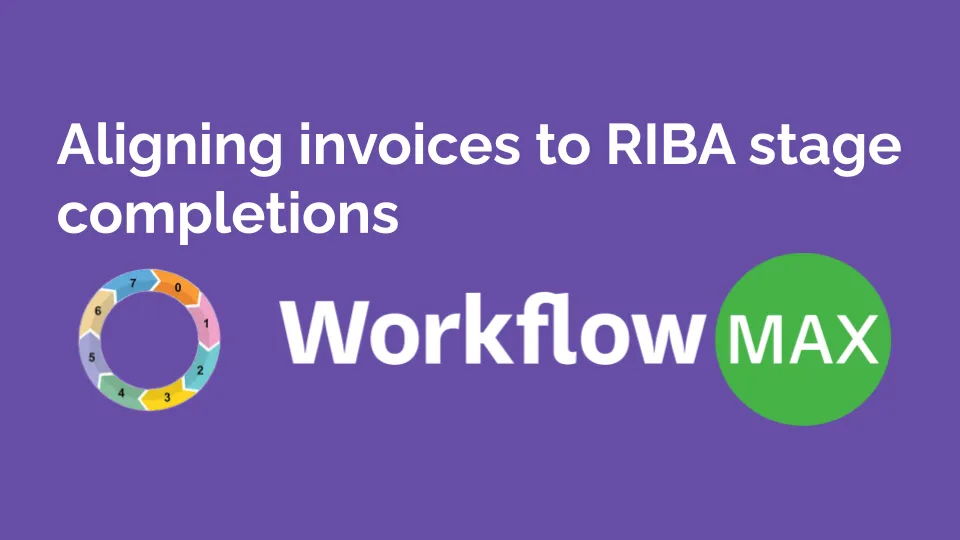
TL;DR: Invoicing in sync with RIBA stages brings order to project billing. It ensures payments reflect real progress, improves financial clarity, and builds trust with clients. With WorkflowMAX, you can automate this process: track time accurately, generate stage-based invoices, and integrate seamlessly with Xero. The result? Fewer surprises, faster approvals, and better-managed projects.
The RIBA Plan of Work is a crucial framework in the architecture and construction industries. It breaks down building projects into eight clear stages, from Strategic Definition to In Use. Each stage sets specific tasks and information exchanges, ensuring projects stay on track with clear deliverables.
Aligning financial processes, like invoicing, with these RIBA stages is essential. It ensures that billing aligns with project progress, reducing confusion and improving cash flow. This structured approach enhances collaboration between stakeholders by synchronising financial and project milestones.
When invoices don't match project stages, it can lead to misunderstandings and delayed payments. By adopting a structured invoicing approach, firms can streamline financial management and boost project efficiency. This alignment not only supports financial clarity but also fosters better communication and collaboration across the board.
Preparing invoices to align with RIBA stage completions requires several straightforward steps. Involve your financial team early, identify deliverables per stage, define payment terms and maintain open communication.
First, involve your financial team early. This early collaboration sets up accurate billing and forecasting, keeping finances on track throughout the project.
Identify specific deliverables for each RIBA stage. When deliverables are clear, you can estimate costs accurately. This clarity sets realistic expectations and prevents surprises later.
Define payment terms explicitly in your contracts. Specify payment due dates and conditions. All parties should agree to these terms to avoid misunderstandings.
Maintain open communication and thorough documentation. Keep stakeholders informed about financial progress. Complete, accessible documentation creates transparency and prevents disputes.
Automation, real-time tracking, and seamless integration with project management software should be a priority in invoicing tools. That’s WorkflowMAX.
The benefits of these tools are clear. Reduced administrative workload means more time for project development. Improved accuracy ensures that invoices reflect the true state of the project, fostering trust with clients.
Incorporating these digital solutions not only simplifies financial processes but also enhances overall project efficiency. It’s about making invoicing straightforward and stress-free, allowing you to concentrate on delivering exceptional work.
Accurate time tracking enables precise invoicing and project profitability. It aligns billing with actual effort spent and builds client trust through transparency. By capturing every minute, you can invoice accurately for each RIBA stage, showing the true work completed.
Time tracking helps you allocate resources better. You'll understand where time goes, plan more effectively, and keep projects within budget. This helps you meet agreed timelines and financial commitments while reducing budget overruns.
With accurate time tracking, you can spot inefficiencies quickly. You'll identify where resources are stretched or underused, making adjustments that improve project timelines. This creates smoother project flow and happier clients.
We offer thorough time tracking features that capture every detail. Our Xero integration syncs all tracked time for accurate financial reporting. You'll spend less time on admin and more on delivering great projects.
Aligning invoices with RIBA stages offers benefits for your projects. It improves cash flow by tying billing directly to project progress. This alignment means you send invoices when specific tasks are completed, making cash flow more predictable.
It also improves transparency with stakeholders. When invoices match project stages, everyone involved understands the financial progress. This reduces misunderstandings and builds trust, as stakeholders see a direct link between completed work and billing.
You'll also avoid billing problems. By structuring invoices around RIBA stages, you minimize errors and disputes. Clear documentation of what's billed and why enhances accuracy and prevents conflicts over payments.
WorkflowMAX simplifies this process. Our invoicing system and Xero integration ensure that every invoice matches your project milestones. This helps your finances and project outcomes.
Structured invoicing improves both financial management and team collaboration. Everyone stays informed about the project and economic progress, creating a better working environment. You'll deliver better projects and keep clients happier.
TL;DR: Standardising proposal formats ensures clarity, consistency, and efficient collaboration across teams. It reduces miscommunication, boosts stakeholder trust, and enhances project outcomes. By using customisable solutions and centralised tools like WorkflowMAX, your team saves time.
Standardising proposal formats significantly improves project management. Templates play a crucial role. They ensure consistency, save time, and project professionalism. Teams fill in details quickly without starting from scratch, creating polished, credible documents. This increases productivity and builds stakeholder trust.
Standardised proposals create smoother workflows. Projects run more efficiently, and teams collaborate better. It's a straightforward yet powerful approach to enhance project management.
Good proposals need these key components:
Templates simplify this process. You won't create proposals from scratch each time. They maintain consistency and professionalism in your proposals, which improves communication. You save time and can focus on results rather than formatting.
Standardised proposal formats bring consistency and clarity to project management. They ensure data reliability, making it easier for teams to understand and act on information. This uniformity streamlines project workflows, reducing the time spent on administrative tasks.
When everyone follows the same format, communication becomes more effective. Teams can quickly find the information they need, fostering collaboration and reducing misunderstandings. This leads to smoother project execution and improved results.
Organisational alignment is another key advantage. Standardised formats help ensure everyone is working towards the same goals, supporting a unified vision. This cohesion enhances professionalism and boosts efficiency across the board.
Features like customisable templates and centralised document management make standardisation simple. Teams can focus on delivering quality work without getting bogged down in formatting details.
Standardising proposal formats greatly benefits from the right tools and technologies. Project management software, collaborative platforms, and template libraries all play a role in maintaining consistency and efficiency.
Collaborative platforms, including Slack and Microsoft Teams, enhance communication. They ensure everyone is on the same page, reducing the chances of miscommunication. Google Drive and similar tools offer shared access to documents, supporting real-time collaboration and updates.
WorkflowMAX takes standardisation to the next level. Our customisable templates and centralised management features simplify the process. Teams can tailor templates to fit specific needs while keeping everything organised in one place. This streamlines workflows and enhances productivity. Our article on 5 reasons to standardise your job management processes dives into how applying standardisation across projects boosts overall efficiency.
Implementing standardised proposal formats involves a clear and collaborative approach. Here's how you can do it:
By following these steps, you can ensure a smooth transition to standardised proposal formats, enhancing collaboration and efficiency across your projects.
TL;DR: Manually managing quote approvals is slow and error-prone. Automating quote breakdowns across project stages boosts accuracy, accelerates approvals, and improves client trust. Using tools like WorkflowMAX, teams can generate professional, branded quotes with dynamic pricing and seamless Xero integration.
Automating the estimating and quoting process significantly improves sales efficiency. Reducing manual work minimizes errors while the built-in Approval Workflows speed up the approval cycles. That's what we offer at WorkflowMAX with a streamlined approach to creating professional, precise quotes.
This streamlined process helps structure quotes effectively, ensuring each part of the sales journey is clear and precise. By automating these steps, businesses can quickly produce accurate and personalised quotes without manual calculations.
This improves accuracy, making sure every detail is captured correctly. It accelerates the sales process, allowing faster approvals and giving teams more time to focus on what matters: closing deals.
Automating quote processing involves several key stages that enhance efficiency and accuracy. Here's how it works:
WorkflowMAX leverages predefined rules and real-time integrations to ensure each stage flows seamlessly into the next. This approach not only streamlines the sales process but also enhances accuracy and customer satisfaction. Our system adapts to business needs, making it a valuable asset for managing quotes effectively.
Automating quote breakdowns benefits your business by increasing efficiency and generating quotes faster. This speed matters, especially when you're handling lots of quotes daily.
You'll make fewer mistakes. Automation ensures accuracy in every quote, eliminating manual errors that could cost your business. Clients trust you more when your quotes are consistently accurate.
Approval times are faster. With automated systems, quotes move through approval stages quickly, reducing bottlenecks. Your sales team can focus on closing deals instead of waiting around.
Automation supports scalability. As your business grows, handling more quotes becomes easier with standardised workflows. You'll maintain consistency even as demand grows.
Practical quote automation tools offer features that enhance accuracy and professionalism in quotes. Here's what to look for:
We provide these features to enhance your quoting process. Our dynamic pricing rules help you create accurate quotes every time. In fact, understanding proven pricing techniques can further boost your profitability, as detailed in our guide on optimising your quote pricing. Our approval workflows move quotes through stages quickly, with fewer delays.
Assess business needs. Identify areas where automation can streamline your quote processes. Understand your sales workflow to determine how automation can boost efficiency.
Select the right platform. Choose a software like WorkflowMAX that offers robust customisation. Ensure it aligns with your business requirements and integrates seamlessly with existing systems like Xero.
Customise the setup. Tailor the platform to fit your unique workflow needs. Use custom fields, templates, and notifications to enhance the quoting process. This flexibility ensures the system works for your specific operations.
Train your team. Provide thorough training to ensure everyone knows how to use the system effectively. This step maximises the benefits of automation and helps staff adapt to new processes smoothly.
Optimise continuously. Monitor the system's performance and gather feedback from your team. Make adjustments to improve efficiency and ensure the platform meets evolving business needs.
Integration is key. Ensure the automated quote system works well with your current tools. This seamless operation reduces manual work and enhances overall productivity.
By following these steps, you can streamline your quote breakdown process, making approvals faster and more efficient.
Automating quote breakdowns improves the sales process by streamlining the quote-to-cash cycle. This helps make quotes accurate and quickly approved, bringing sales and engineering teams together.
Our system cuts errors and speeds up your sales cycle. With automated workflows, quotes flow smoothly through each stage, eliminating bottlenecks. This leads to faster approvals and quicker deal closures.
Sales and engineering must work as one unit. Automation keeps everyone aligned with clear, precise quotes. Teams collaborate efficiently, reducing misunderstandings and building stronger partnerships.
You'll maintain compliance with financial requirements too. Automated processes align all quotes with your financial strategies. Clear rules and templates ensure consistency and accuracy, supporting compliance at every step.
We provide practical features like branded templates and dynamic pricing rules. These tools give your quotes a professional look while saving valuable time. Our Xero integration supports financial accuracy and reduces paperwork.
Customers appreciate fast responses and accurate quotes. When your process runs smoothly, client trust grows, creating repeat business and positive referrals.
TL;DR: Under-quoting can derail projects. You improve cost accuracy, client trust, and overall project success by aligning quotes with clearly defined deliverables. A structured quote sets expectations, supports better budgeting, and reduces scope creep. Tools like WorkflowMAX simplify this process through real-time dashboards, customisable capabilities, and comprehensive job management, helping architecture firms stay profitable and deliver on time.
Accurate quotes are crucial for project success. Aligning quotes with deliverables improves budgeting accuracy, clarity, and team accountability. This reduces under-quoting risks while setting realistic client expectations.
When you define project details clearly, you avoid surprises later and make projects more profitable. Accurate quotes build client trust by showing professionalism and reliability. Clients who see you deliver on promises gain confidence in your work, strengthening your relationship.
Good project scoping leads to reliable quotes. Clearly outlining tasks, deliverables, and resources ensures everyone knows what’s expected. Clear scoping affects both costs and timelines.
Start by defining the project scope. Include a detailed project description, breakdown of tasks, deliverables, and timelines. Identify resources needed and allocate them wisely. This helps everyone understand what’s expected.
Knowing your scope prevents under-quoting. Clear scope lets you match quotes to actual deliverables. You’ll have fewer surprises and stay on track.
Practical steps include assessing past projects for insights. Use historical data and benchmarking to refine estimates. You’ll get more accurate and less risky estimates.
A good quote is essential for project success. Here’s what it should include:
These points guide your entire project. Including these elements helps your projects succeed. Our advanced job quoting and estimating features ensure every cost is spot on. We integrate these aspects seamlessly in WorkflowMAX, making quoting simpler.
Accurate quotes rely on understanding several key factors. Project Complexity: More intricate projects require detailed assessments. Break down tasks to understand time and resources needed.
By focusing on these factors, you create quotes that align with deliverables. This reduces risks and enhances project profitability. Understanding these elements is crucial for setting competitive and realistic pricing.
Creating detailed Requests for Quotations (RFQs) helps reduce under-quoting risks. A well-structured RFQ provides clarity and ensures suppliers understand exactly what’s needed, enhancing quote accuracy.
Using our customisable features, you can streamline the RFQ process. You can also integrate your workflow further with our purchase order software for precise tracking of supplier expenses. Create standardarised processes that save time and ensure you cover all necessary details.
is critical for keeping projects on course. Using tools like KPIs and dashboards, you can monitor progress and ensure alignment with project objectives. This builds transparency throughout the project lifecycle.
Key performance indicators (KPIs) offer a clear view of how a project is progressing. They help track important metrics related to timelines, quality, and budget. By regularly reviewing these indicators, you can quickly identify any deviations and address them promptly.
Dashboards provide real-time insights into project status. With WorkflowMAX, our real-time performance dashboard highlights key tasks and business metrics. This allows for quick adjustments and strategic decisions. You can see at a glance where a project stands and what needs attention.
Regular status meetings are also vital. They foster open communication and ensure everyone is on the same page. Clear communication channels help in resolving issues and keeping deliverables on track.
This approach minimises risks and increases profitability. By understanding the scope, you avoid under-quoting and stay within budget. This leads to smoother project execution and happier clients.
Incorporating these strategies ensures projects are completed on time and within budget. It’s about consistency and reliability, making sure every quote aligns perfectly with what you deliver. This not only enhances project outcomes but also fosters long-term client relationships.
Aligning quotes with deliverables helps reduce under-quoting risks. It makes projects clearer and builds better client relationships. When everyone knows what’s included, misunderstandings are minimised. Clear expectations improve results and make clients happier.
Good quoting structure matters. It provides a framework for project expectations. When you define what’s included from the start, teams can plan efficiently and avoid surprises. This helps everyone stay on the same page.
Being open builds trust. Clients appreciate knowing exactly what to expect. When quotes reflect deliverables accurately, confidence in your ability to deliver grows. This trust leads to lasting partnerships and successful projects.
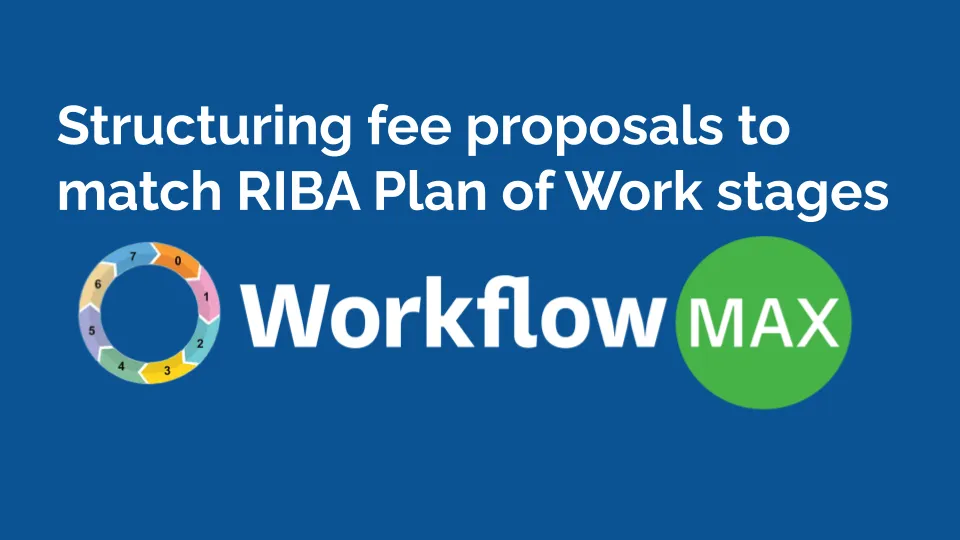
TL;DR: Aligning fee proposals with the RIBA Plan of Work gives architects a clear, structured way to present costs across each project stage. This enhances transparency, improves resource planning, and strengthens client relationships. Techniques like fixed fees, hourly rates, and percentage-based billing can be tailored to match RIBA stages for better project control. With WorkflowMAX, architects gain powerful tools to customise proposals, track budgets, and manage jobs efficiently.
Structuring architect fee proposals matters. Aligning them with the RIBA Plan of Work ensures clarity and efficiency across a project's lifecycle. Using established frameworks standardises processes, making everything smoother from start to finish.
A clear roadmap for each project stage helps everyone stay aligned. The RIBA Plan breaks down complex tasks into manageable steps, providing a structured approach that architects can depend on.
For architects, clarity in fee proposals is essential. It sets expectations and ensures everyone is on the same page. By following the RIBA Plan, architects can present their fees transparently, enhancing trust and communication with clients.
Using the RIBA Plan in fee structuring improves the entire process. It provides a solid foundation for architects to deliver projects that meet both client and industry standards.
The RIBA Plan of Work is a vital framework for architects. It guides projects from start to finish, offering a clear structure and defining roles and deliverables. This plan breaks down the complex journey of architectural projects into manageable stages, ensuring everyone knows what to do and when.
Each stage in the RIBA Plan has a specific focus. From strategic definition to handover and in-use, it covers all aspects of a project. This ensures clarity in responsibilities, helping teams stay aligned and efficient throughout the process. By following these stages, architects can maintain control over timelines and deliverables.
Using the RIBA Plan also enhances communication with clients. It provides a transparent roadmap, allowing clients to understand the project's progress and expectations. This clarity builds trust and keeps everyone on the same page.
For architects, integrating this framework into fee proposals is essential. It allows for a structured approach to pricing, aligning costs with the defined stages. Our job management software for architects offers further insights on streamlining project workflows tailored for architectural practices.
Customising the RIBA Plan of Work improves architectural project management. Adapting these stages to your project's scope and scale delivers better results.
Overlays provide specific guidance, tailoring standard stages to fit unique project needs. You can modify timelines, responsibilities, and deliverables to match your project requirements.
Custom adjustments simplify complex project elements. Refining stages streamlines work and helps teams focus on priorities. This approach boosts efficiency and maintains project momentum.
Overlays and customisations improve both project delivery and client satisfaction.
Structuring fees for architectural projects involves various methods. Each method serves different needs and project types. Here’s a look at the main techniques:
Each method has its considerations. Fixed fees require precise scope definition. Percentage fees must be carefully calculated to align with project budgets. Hourly rates need clear communication on time tracking.
Architect fees can vary greatly. Several factors come into play, such as project size, complexity, and location. Let's break it down.
Project Size: Larger projects often require more resources and time. As the scale increases, so do the fees. Architects need to account for the additional workload and coordination involved.
Complexity: The intricacy of a project significantly impacts fees. Projects involving unique design elements or technical challenges typically incur higher costs. For instance, working with existing structures or listed buildings requires specialised skills and attention to detail.
Location: Geographic location can influence fees due to varying market rates and local regulations. Urban areas might see higher fees compared to rural settings, driven by demand and cost-of-living factors.
Clients can optimise these costs with some strategic approaches:
Aligning your architect fee proposals with the RIBA Plan of Work stages is the clearest path to project success.
This structured approach not only enhances transparency and client trust but, when combined with a powerful job management platform like WorkflowMAX, ensures you have the tools to customize, track, and manage every stage efficiently, turning clear proposals into profitable projects.
TL;DR: Multi-phase architecture projects require precise budget planning to avoid hidden costs and ensure smooth delivery. Aligning budgets with company goals, revenue forecasts, and departmental needs is key. With tools like WorkflowMAX, architecture firms can monitor spending in real-time, adjust allocations, and maintain financial control. Proactive planning, cross-team collaboration, and continuous oversight help prevent budget blind spots and drive project success.
Managing budgets effectively is key for multi-phase architecture projects. It ensures you use financial resources wisely, aligning with company priorities and balancing departmental needs. When architecture projects span multiple phases, good budgeting helps you maintain control and meet your objectives.
When allocating your budget, focus on these three factors: company priorities, revenue projections, and departmental requirements. Aligning the budget with company goals ensures that resources support the most critical initiatives. Revenue projections help forecast financial needs, ensuring funds are available when required. Departmental requirements ensure each team has the resources to contribute effectively.
Managing these elements requires precision. It's about distributing financial resources wisely across various phases and departments, avoiding blind spots that could derail a project.
Good budget allocation creates a strong foundation for successful project delivery. It helps your firm complete projects smoothly from design to construction, while maintaining financial stability.
is crucial for effective financial management in architecture projects. It organises funding, designates access for different departments, and guarantees that financial planning aligns with organisational goals.
Aligning budget plans with operational priorities is essential. It allows for effective performance measurement and ensures that resources are used efficiently. With our job management software for architects solution, you gain insights into financial tracking, helping you allocate resources where they matter most.
Identifying budget blind spots in multi-phase architecture projects is crucial for maintaining financial control. Overlooking these can lead to unexpected costs and disruptions, often triggered by unmanaged scope creep.
Being proactive with planning, communication, and monitoring ensures that your architecture projects run smoothly and stay within budget. Implement these strategies to navigate the complexities of multi-phase projects with confidence.
Regularly monitoring budget allocations is crucial to keep architecture projects on track. It helps ensure resources align with project goals and adapt to any changes or challenges.
Start by evaluating budget performance. Use detailed reports to compare actual expenditures against planned allocations. This helps identify any discrepancies early.
Identify discrepancies by analysing where budget deviations occur. Understanding these gaps allows for timely interventions and adjustments.
Adjust as needed. When changes in project scope arise, having flexible budget allocations is essential. Regular reviews enable you to reallocate funds efficiently, addressing unforeseen challenges without compromising project integrity.
Implement a system for continuous feedback from team members. This ensures all departments are aligned and any necessary budget changes are communicated effectively.
Budget management in multi-phase architecture projects involves several key roles, each contributing to a smooth financial process.
Finance Departments: They handle budget planning and allocation. They analyze financial resources and determine allocation amounts for different departments and projects. By forecasting revenue and expenses, they ensure funds are available when needed. They ensure budgets align with company goals.
Project Managers: They implement and monitor budgets. They allocate resources for each project phase, keeping activities within budget. Regularly reviewing budget performance and identifying discrepancies allows them to make necessary adjustments. Their oversight ensures projects stay on budget.
Executive Leadership: They oversee budgets to support long-term company goals. They make high-level decisions on resource distribution and prioritise projects that align with the company's vision. They make sure budgets match company priorities.
Our comprehensive job management system, tailored specifically for architecture projects, offers a robust suite of tools designed to optimise financial control and streamline operational workflows. This is particularly crucial in the management of intricate, multi-phase construction endeavours, where our system excels in providing transparent visibility into financial performance and facilitating efficient coordination across all project stages.
These roles ensure effective budget planning, allocation, and monitoring. They maintain financial control over complex projects, avoiding blind spots that could lead to unexpected costs. At WorkflowMAX tools support these roles by improving financial tracking and decision-making.
Maintaining financial oversight during multi-phase architecture projects is crucial. Here are some actionable strategies to keep your finances in check.
Mastering budget management in multi-phase architecture projects requires good planning, monitoring, and teamwork.
Our WorkflowMAX platform strengthens these processes. We provide reporting tools, performance dashboards, Xero, and QuickBooks integrations to help you track finances accurately.
TL;DR: Architecture firms need real-time financial data to manage projects efficiently, reduce risk, and stay profitable. By tracking costs and budgets in real time, teams can make proactive decisions, avoid delays, and adjust resources as needed. WorkflowMAX’s integrations with Xero and QuickBooks enable seamless financial visibility, fostering smarter collaboration and data-driven success.
Architecture firms need quick access to financial data to stay ahead. Real-time financial insights are crucial for understanding project statuses and making proactive decisions. With immediate access to your project's economic health, you'll always know where you stand. This is what modern ERP systems provide.
These insights help architecture firms maintain competitiveness. You can identify potential issues early, adjust plans, and ensure projects remain profitable. No more waiting for end-of-month reports. Instead, you see your finances in real-time.
Real-time data transforms project management. It offers timely information that sharpens decision-making. When you have immediate access to data, you can swiftly adjust plans and keep projects aligned with goals.
Operational efficiency gets a boost. With real-time insights, your team can streamline processes, reducing delays and enhancing productivity. This efficiency ensures resources are used optimally, keeping projects on track and within budget.
Risk management becomes proactive. Spot potential issues early and address them before they escalate. Real-time data helps anticipate challenges, allowing for quick interventions that mitigate risks effectively.
First, assess your current technological framework. Make sure it works with what you already have to prevent hiccups. Integrating our WorkflowMAX platform can streamline this process with our Xero integration, making everything faster and more accurate.
You need good data rules. Establish clear policies to manage data access and security. This ensures that all team members can confidently use the system while protecting sensitive information. Training staff is essential, too. Offer simple training to familiarise your team with new tools and processes. This helps your team use real-time data confidently.
Teams can instantly access current information, making communication smoother and decision-making faster. Our centralised document management supports this by keeping all project documents easily accessible, improving teamwork and reducing delays.
Real-time data integration transforms collaboration in architecture projects. A unified data platform ensures everyone has access to consistent, up-to-date information, reducing errors and misunderstandings. This alignment is crucial for teams working on complex projects, where precision is key.
When all team members access a single source of truth, decision-making becomes more efficient. Everyone's on the same page, which streamlines communication and boosts productivity. This shared understanding helps teams work together seamlessly, addressing issues before they become problems.
In architecture, where projects demand high coordination, integrated data systems are invaluable. They provide the framework for better collaboration, ensuring projects are completed on time and within budget. This integration not only enhances communication but also drives project success through informed, collective effort.
Real-time financial insights are crucial for architecture firms looking to enhance financial tracking and management during projects. Precise cost tracking guarantees every expense is accounted for, helping to maintain project profitability. You can see exactly where money is going and adjust plans as needed.
Budget monitoring becomes more effective with real-time data. By keeping a close eye on budgets throughout the project, you avoid overspending and ensure resources are allocated efficiently. This keeps projects on track and prevents financial surprises.
Forecasting is another key element. Real-time insights allow you to predict future financial needs and plan accordingly. This proactive approach helps align resources with project requirements, ensuring everything runs smoothly.
WorkflowMAX offers powerful reporting tools that make this process easier. With seamless Xero integration, financial data is automatically synced, saving time and reducing errors. This ensures that your financial tracking is always accurate and up-to-date.
A real-time performance dashboard provides a clear overview of key metrics, enabling quick adjustments and strategic planning. This means you can react swiftly to changes, optimising workflow and improving overall project outcomes.
Architecture firms thrive when they have a clear view of their financial landscape. Real-time financial insights provide this clarity, enabling firms to optimise profitability and streamline workflows. With immediate access to financial data, decisions become sharper and more strategic.
Harnessing real-time data means spotting opportunities and challenges as they arise. This proactive approach allows firms to adjust plans, manage resources efficiently, and ensure projects remain profitable. By continuously monitoring financial health, architecture firms can align their strategies with market demands.
With the right insights, architecture firms can confidently navigate project complexities and achieve greater profitability.
TL;DR: Manual invoicing processes expose businesses to errors, compliance risks, and late payments. Structured e-invoicing formats like UBL and PEPPOL offer a standardised, secure way to send and receive invoices across borders. By adopting these formats, service-based firms like architects, engineers, and accountants can reduce admin, improve cash flow, and stay ahead of regulatory shifts. WorkflowMAX helps make the transition seamless, integrating structured invoicing into broader job and financial workflows.
For service-based professionals, architects managing project phases, engineers dealing with milestone billing, or accountants juggling multiple clients—invoicing is more than paperwork. It’s a critical part of cash flow, compliance, and client trust.
But traditional invoicing methods like PDFs, emails and spreadsheets, are falling behind. They’re error-prone, hard to reconcile, and increasingly non-compliant with global digital invoicing mandates.
Enter structured e-invoicing formats like UBL (Universal Business Language) and PEPPOL (Pan-European Public Procurement Online). They’re becoming essential for doing business, especially in Australia, New Zealand, the UK and the EU, markets where government and enterprise clients are driving change.
For many mid-sized service firms, invoicing lives in a silo, separate from quoting, time tracking and project workflows. This fragmentation results in:
According to QuickBooks and other sources, delayed invoicing can lead to a 30% increase in late payments. For project-based businesses, that’s a direct hit to cash flow and profitability.
Countries like Australia, New Zealand, and many EU nations are already requiring e-invoicing via PEPPOL for transactions with government agencies and private-sector adoption is rising fast. We’re in the face of a legal shift that affects how professional services will invoice moving forward.
UBL is an open, structured XML format developed by OASIS. It standardises business documents like invoices, purchase orders, and shipping notices.
Key benefits:
PEPPOL isn’t just a format, it’s a framework that includes:
Think of PEPPOL as email for e-invoices, but with government-level security, verification, and interoperability across borders.
Structured e-invoices are instantly validated, delivered, and processed, cutting out email delays or data entry errors. This reduces DSO (days sales outstanding) and helps keep cash flowing.
As more governments mandate e-invoicing for B2G and B2B, structured formats like PEPPOL ensure your invoices are compliant by design from the moment they are sent.
With structured e-invoicing, you can track:
That’s project and financial visibility, two of the biggest pain points service businesses face.
No more:
Structured formats enable end-to-end automation, ideal for firms where admin time cuts into billable hours.
Before switching formats, assess how your team currently:
This will show where structured invoicing can plug in and remove friction.
Many tools say they offer e-invoicing, but few support UBL/PEPPOL natively. Look for platforms that integrate these standards while tying invoicing back to the job lifecycle.
You may be early to adopt but that’s a good thing. Get ahead by helping clients see the benefits of structured invoices: faster approvals, reduced disputes, better audit trails.
In the PEPPOL network, Access Points handle delivery and validation. Choose a reputable provider, ideally integrated with your job or accounting software.
For firms that live and die by the hour, WorkflowMAX builds e-invoicing into the daily workflow. This ensures every bit of effort is accurately captured, billed, and compliant without extra administrative overhead.
With WorkflowMAX, invoicing isn’t an isolated step. It’s deeply linked to:
This ensures that invoices match work delivered, not guesswork.
Structured invoicing works best when connected to your financial system. WorkflowMAXintegrates seamlessly with Xero, enabling:
Use built-in reporting to track:
This supports not just profitability, but compliance too.
Structured e-invoicing is only as good as the data it’s built on. WorkflowMAX ensures:
This enables margin visibility in real-time, not just at month-end.
UBL and PEPPOL are more than technical specs; they're signals that the future of business is digital, standardised and interoperable. For architecture firms, creative agencies, engineers, and accountants, embracing structured e-invoicing is about improving profitability, reducing admin and staying competitive.
WorkflowMAX brings all your job data together with quotes, time, costs and billing into a cohesive workflow that supports structured invoicing from end to end.
Ready to stop chasing payments and start sending smarter invoices? Explore how WorkflowMAX helps your team build structured e-invoicing into every job.
TL;DR Making Tax Digital (MTD) has raised the stakes for timely and accurate VAT submissions. Many architecture firms, engineering consultancies, and creative agencies are caught off guard by unexpected VAT liabilities, impacting cash flow. This blog explains how cash-flow forecasting for VAT liabilities can improve compliance and profitability, especially under MTD rules. WorkflowMAX, integrated with tools like Xero or QuickBooks, offers the visibility needed to stay in control.
For many service-based businesses cash flow is king. But when VAT liabilities emerge at the wrong time, or larger than expected, they can destabilise even the most well-run operations. With Making Tax Digital (MTD) now mandating real-time digital submissions, the pressure is on to get VAT right, not just at filing time, but continuously throughout the quarter.
The key? Proactive cash-flow forecasting for VAT liabilities.
Rather than waiting for surprises, the smartest firms are shifting from reactive to predictive. And with the right workflow and reporting tools, you can do the same.
MTD doesn't give you more time, it takes it away. Submissions are digital, deadlines are strict, and errors are punished.
For firms managing dozens of active jobs, it’s easy to underestimate accumulated VAT on invoices issued and incoming. This leads to:
Even when clients haven't paid you, HMRC often still expects its share, especially under accrual accounting. Many firms operate with 30- or 60-day payment terms, but VAT is calculated based on invoice date, not when the money lands.
This mismatch creates a liquidity crunch as you may find yourself paying tax on money that hasn't landed in your account yet.
Using spreadsheets or disconnected systems makes it near impossible to get a live view of VAT obligations. Forecasting becomes guesswork. Firms may overextend, thinking they have more cash than they do.
The foundation of good forecasting is understanding exactly how much VAT is being generated from invoicing and expenses by job, client, and timeframe.
VAT forecasting only works if it syncs with the tools that handle actual filing and submissions. Disconnected systems create blind spots.
Strategic firms plan their billing around their VAT quarters to smooth out obligations.
Many firms don’t consider the tax impact of when projects start or invoice stages land. But planning around VAT periods can smooth obligations.
Forecasting isn’t just a "finance team thing." Project leads, account managers, and directors all play a role.
Forecasting VAT liabilities isn’t a one-time task, it’s an ongoing practice.
With WorkflowMAX, you can:
But most importantly, you move from reactive compliance to proactive cash control, the difference between surprise VAT bills and strategic financial planning.
The reality of MTD is here. But the firms that thrive under this regime won’t just tick the compliance boxes, they'll forecast, prepare and lead.
For service-based businesses, cash-flow forecasting for VAT liabilities isn’t just an accounting task. It’s a strategic enabler.
WorkflowMAX helps you get ahead of your VAT. So you can stay on top of your cash, your obligations, and your business.
See how WorkflowMAX helps you manage VAT, cash flow, and compliance with confidence.Book a demo today

TL;DR: A clear, well-documented audit trail is essential for HMRC compliance and avoiding costly penalties. It tracks all financial transactions, supports accurate tax reporting, and builds trust with stakeholders. By maintaining organised records, performing regular reconciliations, and leveraging tools like WorkflowMAX (with Xero integration), you help your business streamline compliance and reduce risk. Accurate documentation and a proactive compliance culture not only protect your business, they also enhance efficiency and operational transparency.
An audit trail is crucial for keeping your business compliant with HMRC regulations. It tracks every financial transaction, creating a clear record of past activities. This transparency is key in avoiding HMRC penalties, financial losses, and reputational harm.
Accurate record-keeping acts as your safety net during inspections and audits. It demonstrates due diligence, ensuring that your business operations are transparent and verifiable. When your records are in order, you’re not just protecting yourself from potential fines; you’re also building trust with stakeholders. They see a business committed to integrity and efficiency.
A robust audit trail supports smooth operations by providing insight into financial activities. It helps in identifying discrepancies early, allowing for timely corrections. This proactive approach not only ensures compliance but also enhances overall business efficiency.
For accountants and financial controllers, integrating software like WorkflowMAX can streamline this process. With seamless Xero integration, financial accuracy is a given, reducing manual entry and enhancing billing efficiency. This way, you’re always prepared for any regulatory scrutiny, keeping your business on the right track.
Maintaining HMRC compliance is a cornerstone of a healthy business. It requires a precise understanding of statutory demands—particularly regarding VAT returns, payroll records, and industry-specific requirements like the Construction Industry Scheme (CIS). By centralising this data within WorkflowMAX, you guarantee that every record is audit-ready and compliant with the latest regulations.
Using approved digital accounting software is a must. It ensures accurate records for tax submissions and keeps you aligned with compliance needs. WorkflowMAX offers seamless integration with Xero, which simplifies your financial reporting and reduces manual data entry.
Meeting filing deadlines is another key requirement. Late submissions can lead to penalties. Ensuring that your assessments are correct is also vital, as errors can trigger fines and increased scrutiny from HMRC.
By focusing on these requirements, you create a solid foundation for your business operations. This not only protects you legally but also builds a reputation for reliability and integrity.
Creating effective audit trails is crucial for compliance. Start by documenting all financial transactions: Every transaction should be recorded in detail. This ensures clarity and provides a comprehensive history for future reference.
Using WorkflowMAX, with its seamless Xero integration and comprehensive job management features, can further streamline these processes. Our platform supports accurate financial reporting and reduces manual entry, enhancing both efficiency and compliance.
Leveraging the power of WorkflowMAX and Xero allows you to streamline the entire reporting process through real-time data syncing. By syncing transaction captures, you not only ensure precision in your financial records but also free your team from the weight of manual administration and compliance management.
Detailed reporting tools in WorkflowMAX provide insights into productivity and financial activities. These reports allow for easy tracking of financial transactions, helping to identify discrepancies early. By catching errors before they escalate, you maintain compliance and avoid potential penalties.
Error detection is another key feature. With automated checks in place, the software alerts you to inconsistencies or anomalies, allowing for timely corrections. This proactive approach ensures that submissions to HMRC are accurate and compliant.
Detailed documentation is vital for HMRC compliance. Keeping records like invoices, receipts, and payroll reports is essential. These documents support tax submissions and provide evidence during audits. They create a clear audit trail, reducing the risk of penalties.
Proper documentation ensures financial transparency. It’s about having all the necessary records ready and organised. This includes every transaction and financial interaction your business engages in. Keeping these records helps prove compliance and diligence.
Secure storage and accessibility of records are crucial. Information must be retained for required periods and be easily accessible when needed. This means using secure, organised systems that store documents safely, protecting them from loss or damage.
WorkflowMAX, with its comprehensive job management features and seamless Xero integration, simplifies this process. It centralises all documentation, ensuring that everything is stored systematically and can be accessed anytime. This integration supports efficient financial reporting and reduces manual entry, enhancing compliance efforts.




