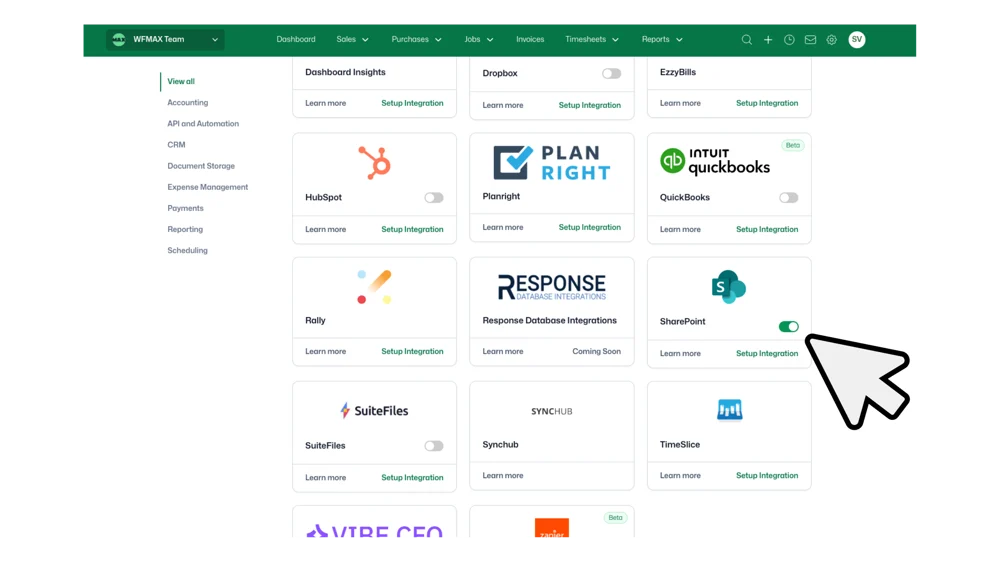
Sharepoint INTEGRATION

Connect WorkflowMAX with Microsoft SharePoint

Sync your documents automatically between WorkflowMAX and SharePoint. Keep your team aligned with centralised file management and real-time document access.

No Credit Card Required.

How WorkflowMAX works with SharePoint

Both of these two tools goes hand in hand to make your job and work more easier and better. Here’s how:

Keep everything synced automatically.

Keep everything synced automatically.

features-icon

Save time

No manual file transfers or duplicate uploads.

features-icon

Stay organised

Automatic folder structure that mirrors your workflow.

features-icon

Work together

Leverage SharePoint collaboration while managing your workflow in WorkflowMAX.

features-icon

Stay secure

Enterprise-grade security with SharePoint permissions.

Lead manager

Three simple steps to document syncing

features-icon

Connect your SharePoint account

Open Integrations in WorkflowMAX settings, select SharePoint, and authenticate with your Microsoft 365 account. Secure OAuth authentication. Less than 3 minutes.

features-icon

Configure your document library

Choose your SharePoint site, select your document library, and pick a root folder for your documents. Folders are created automatically for your Clients, Jobs, POs, Suppliers, Quotes, and Leads.

features-icon

Start syncing documents

Upload a file in WorkflowMAX, it appears in SharePoint. Add a file to SharePoint, your team accesses it directly from WorkflowMAX. Bidirectional sync in real-time.

Lead manager

Who benefits from SharePoint Integration?

Join hundreds of professional services firms streamlining their document workflows with WorkflowMAX integrations.

features-icon

Professional services firms

Store client contracts, project deliverables, and compliance documents in SharePoint while managing your workflow in WorkflowMAX.

features-icon

Creative agencies

Manage design files, client briefs, and approval documents across both platforms. Your team gets SharePoint's collaboration tools without leaving their workflow.

features-icon

Consulting teams

Keep proposals, reports, and project documentation organised with automatic syncing and version control.

features-icon

Teams already using Microsoft 365

If your business relies on SharePoint for document management, this integration brings your workflows and file storage together seamlessly.

Lead manager
WorkflowMAX has transformed how my clients manage projects. Its powerful features streamline every aspect of job management at an unbeatable value. The pricing is incredibly reasonable for the efficiency and control it brings to business operations.

Michelle JV Rensberg

Nimacc Business Intelligence

Client Imageclient-img-mobile

Frequently asked questions

Why would a firm choose SharePoint over other document management options?

Firms already invested in Microsoft 365 benefit from having job documents live alongside existing SharePoint files, Teams channels, and OneDrive. The bi-directional sync means staff can access project documents from either platform, and IT teams maintain consistent security and governance policies.

Can I disconnect the SharePoint integration later?

Yes. Disconnect at any time from integrations settings. Existing files remain in both platforms.

Will connecting SharePoint affect my existing WorkflowMAX documents?

Documents previously uploaded to WorkflowMAX will need to be migrated to SharePoint into the respective client and job folder structure. Once migrated, all future documents sync bi-directionally.

Can I choose which SharePoint site and library to use?

Yes. During setup you select your preferred SharePoint site, document library, and root folder. Full control over where WorkflowMAX documents are stored within your Microsoft 365 environment.

Which WorkflowMAX plans include the SharePoint integration?

SharePoint integration is available on Professional and Advanced plans.

How does the SharePoint integration work with WorkflowMAX?

The SharePoint integration syncs documents bi-directionally and in real time between WorkflowMAX and your chosen SharePoint site and library. Files uploaded in either platform appear immediately in the other, organised within the folder structure you configure during setup.

addt-bg-left

Additional features

addt-bg-right