INDUSTRY

Engineering project management software

Speed up admin so you have more time for engineering.  Get process, profitability and projects in streamlined order with this all-in-one project management tool that will transform your engineering business.

Start 14-Day Free Trial  -->
Hubspot Logo
Hubspot Logo
Hubspot Logo
Hubspot Logo
Hubspot Logo
Hubspot Logo
Hubspot Logo
Hubspot Logo
Hubspot Logo
Hubspot Logo

Why WorkflowMAX works so well for the engineering industry

This customisable software will help you manage, track and report on multiple, complex projects that you can keep an eye on anytime, anywhere.

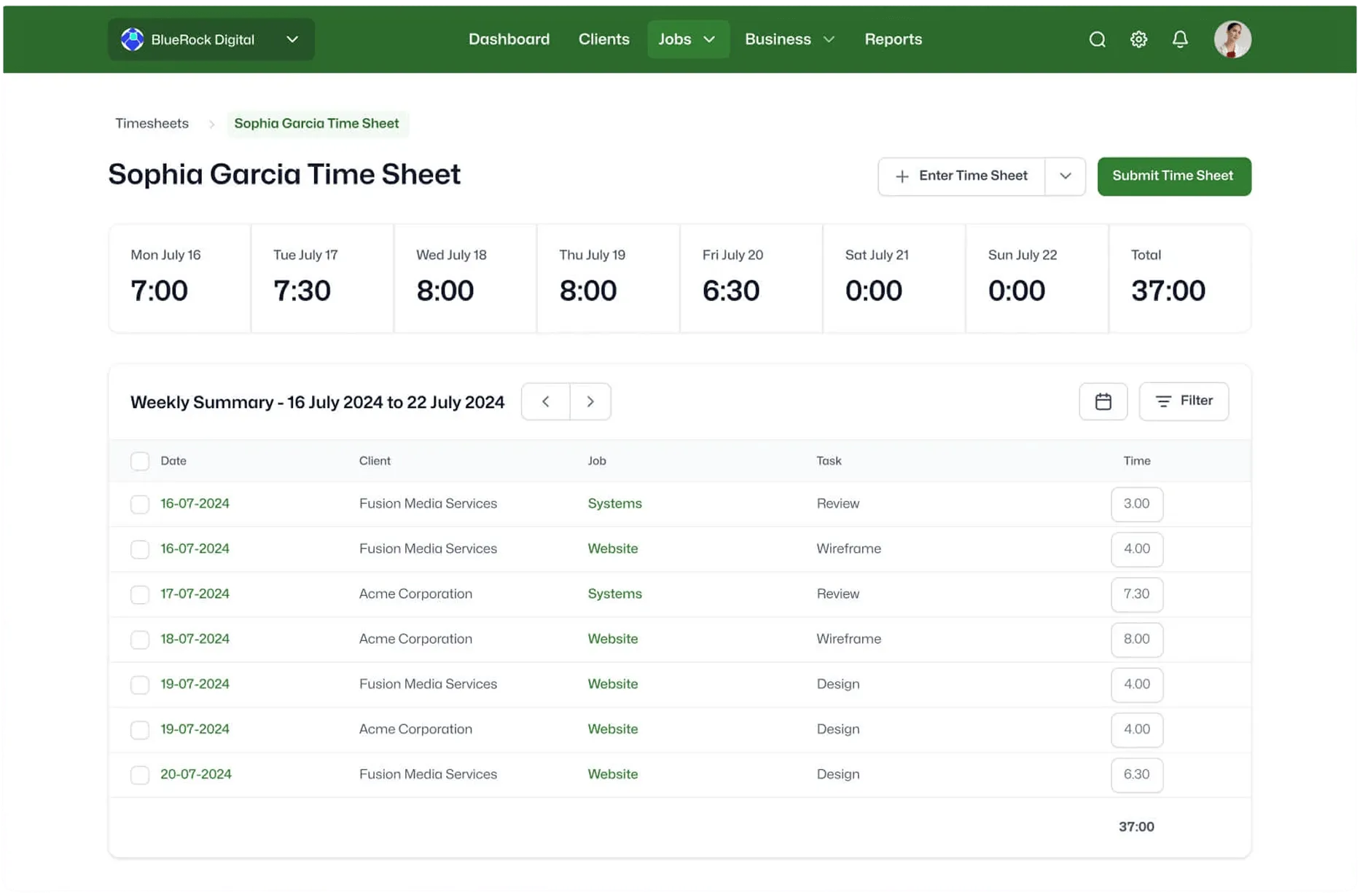
Time tracking

Track time against a job, then create invoices automatically from your timesheet data. Never miss a minute of billable time again.

Learn more -->
Lead manager

Job and staff management

Coordinate work with staff, clients, council and subcontractors. Track your jobs from start to finish in one place.

Learn more -->
Lead manager

Xero integration

Your purchase orders and sales invoices are pushed directly into Xero, saving you time and eliminating double handling.

Learn more -->
Lead manager

Reporting and insights

Use powerful reporting insights to understand which project type earns you the most money or where you’re under-charging your clients.

Learn more -->
Lead manager

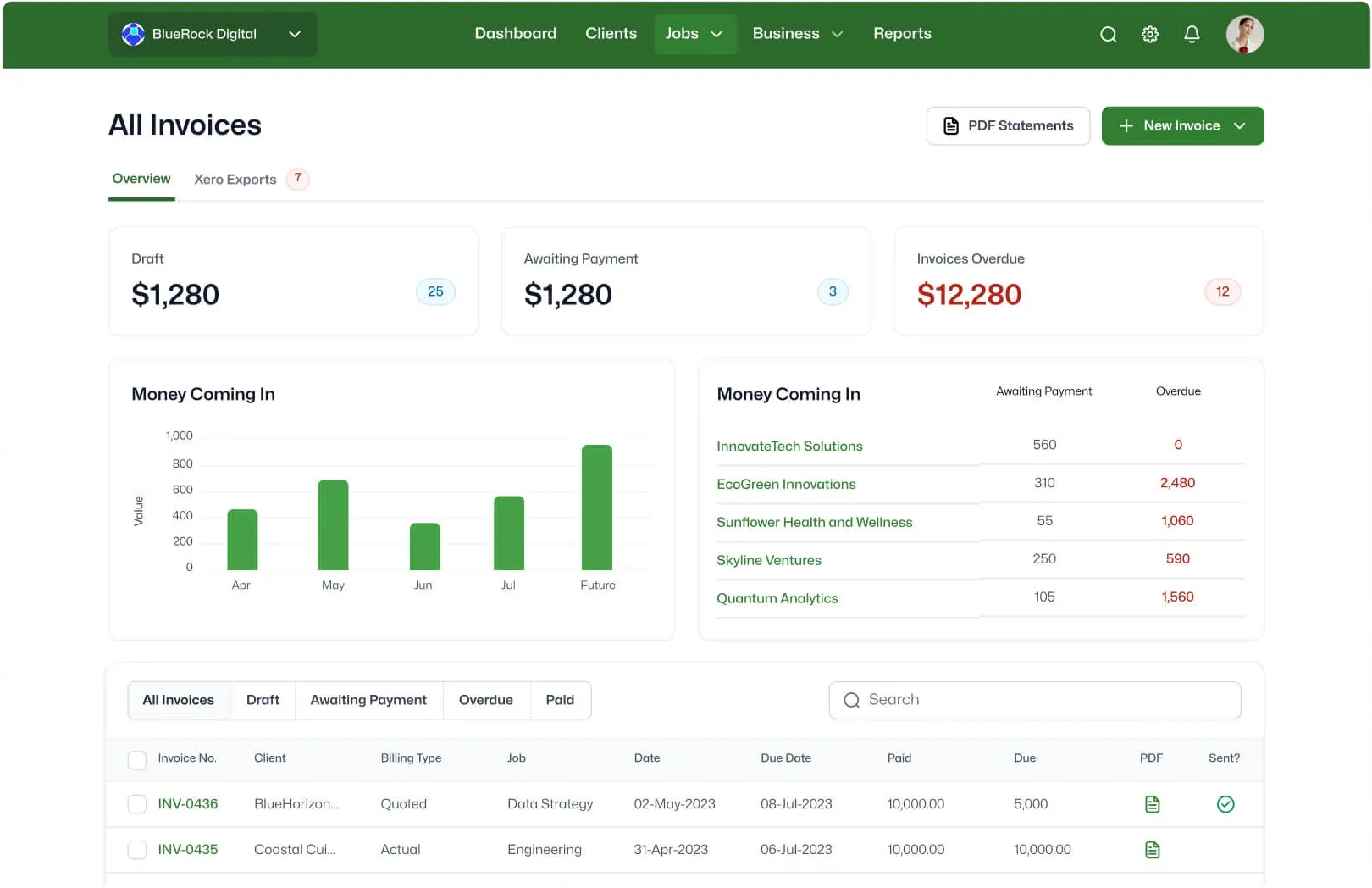
Invoicing

Invoice based on time, costs, flat-rate, percentage of quoted value or however you like. Change all the details to suit your needs.

Learn more -->
Lead manager

Built for technical practices managing complex, multi-stage projects.

Track WIP across long-running jobs, manage variations without dispute, and bill milestones with confidence.

Start free trial -->

Invoiced

$10B+

USD In customer invoices sent through WorkflowMax annually

Tracked

80M+

Hours of billable time captured each year

Global

150

Countries where service businesses run on WorkflowMAX

Users

100,000+

Professional services staff managing their work

Real people. Real
expertise. Real support.

No more with cookie-cutter advice, our team has all worked hands-on with service businesses, understands their issues, and can offer honest, strategic advice.

- And when you decide to move forward?

You’re not left to figure it out alone.

Proven by the Pros

Join the community of experts scaling with WorkflowMAX.

Kavan Applegate

Director of Guymer Bailey Architects

"The data within WorkflowMAX helps me as the owner manage the profitability of projects from start to finish."

0:00 / 0:00
Playback speed

Amy Darvall

Founder of Holistic Nursing Solutions

"Life before WorkflowMAX was very labour intensive. Now I can easily see the full job lifecycle."

0:00 / 0:00
Playback speed

Luphus Oosthuizen

Director at Engenera

"The big problem with Excel spreadsheets is it's not scalable. Implementing WorkflowMAX was painless and fast."

0:00 / 0:00
Playback speed

Sarah No

Brand and Marketing Director of BlueRock Digital

"We needed a system that is able to work in real time, share visibility to decision makers so we can make those decisions really quickly.  WorkflowMAX makes it really easy to do that."

0:00 / 0:00
Playback speed

Steve Luxmoore

Director of Your HR System

"With WorkflowMAX, we've been able to have real-time data, so that we get a great picture
on profit and understanding what our profit is."

0:00 / 0:00
Playback speed
Why construction firms prefer WorkflowMAX to generic project tools.

Built for how engineering firms deliver projects:

Generic PM tools can't handle multi-discipline resourcing, staged deliverables, or cost tracking across long-running projects. WorkflowMAX can.

Integrated financials, not add-ons:

Competitor integrations require a paid add-on and don't support two-way Xero sync. WorkflowMAX connects your project financials, disbursements, and progress claims directly to your accounting.

Priced for firms of 5–50:

Enterprise-grade job costing, WIP reporting, and multi-level task structures – without the overhead of an ERP or the limitations of a spreadsheet.

Track time across every project and phase:

Whether your team is on site, in design review, or split across multiple concurrent projects – time is captured against the right job, phase, and task from anywhere.

Frequently asked questions

How does WorkflowMAX help engineering firms manage complex, multi-discipline projects?

WorkflowMAX lets you structure jobs with multiple phases, tasks, and milestones – so you can mirror how engineering projects actually run. Whether it's civil, structural, electrical, or mechanical, each discipline's scope, budget, and time are tracked within the same job. You get a single source of truth across the entire project rather than stitching together updates from separate spreadsheets or tools.

Can engineers track time across multiple projects and disciplines?

Yes. Your team can log time against specific jobs, phases, or tasks using timers, manual entry, or weekly timesheets. For engineers splitting their day across several projects – common in multi-discipline consultancies – this means every billable hour is captured accurately and attributed to the right job. Time tracking data flows directly into job costing and invoicing.

How does WorkflowMAX handle fee proposals and quoting for engineering projects?

Build detailed quotes broken down by phase, discipline, or deliverable – with labour estimates, cost allowances, and margin calculations. Once accepted, your fee proposal data flows into the job automatically, pre-populating tasks and budgets. No re-keying, and your team can start tracking time against the approved scope immediately.

Can I see real-time profitability and WIP across my engineering projects?

Yes. Real-time reporting shows where each project sits against its fee – hours spent, costs incurred, and budget remaining. You can drill into profitability by job, phase, client, or team member. For principals and project directors, this means WIP is visible as it accrues, not discovered at month-end when it's too late to course-correct.

How does invoicing work for engineering consultancies?

WorkflowMAX supports the billing methods engineering firms actually use – time and materials, fixed fee, progress claims, percentage of quoted value, or milestone-based. Invoices pull directly from your job data, so every claim is backed by recorded time and costs. You can also invoice by phase, making it straightforward to bill for completed stages while work continues on others.

Does WorkflowMAX integrate with Xero and QuickBooks?

Yes. Bills and invoices sync directly into Xero or QuickBooks, eliminating double entry and keeping your financial data accurate. For engineering firms already running Xero, this is a native integration – not a third-party connector bolted on after the fact.

Can I manage subconsultants and external specialists within WorkflowMAX?

Yes. Assign tasks to internal staff and external subconsultants within the same job, and track their costs against the project budget with purchase orders. When subconsultant bills come in, they're matched to the PO and recorded as job costs automatically – giving you full visibility on external spend without manual reconciliation.

How does WorkflowMAX help engineering firms track utilisation and resource allocation?

Reporting shows where your team's hours are going – across projects, clients, and disciplines. You can identify who's over-committed, who has availability, and where utilisation is falling short of targets. For firms that need to go deeper, capacity planning is available as an add-on to visually allocate resources and forecast availability across your team.

Can I access WorkflowMAX from site or while travelling?

Yes. WorkflowMAX works on any browser and has native iOS and Android apps. Log time from a site visit, check job status between client meetings, or review project budgets from anywhere. Your data is always current, whether you're at your desk or in the field. Learn more about mobile access.

Can I try WorkflowMAX before committing?

Yes. Start a 14-day free trial with full access to the platform – no credit card required. Test it with your real projects and data so you can evaluate how it fits your firm's workflows.