0:00 / 0:00
Playback speed

Trusted by 100,000+ Professionals Across 150+ Countries

Hubspot Logo
Hubspot Logo
Hubspot Logo
Hubspot Logo
Hubspot Logo
Hubspot Logo
Hubspot Logo
Hubspot Logo
Hubspot Logo
Hubspot Logo

Packed full of features

Everything you need to run a successful, profitable business

Manage, track and report on every aspect of every job for a better view of your people, profit and performance.


Scale with WorkflowMAX.

Whether you’re managing projects, juggling clients, or keeping an eye on margins, WorkflowMAX was designed with service-based teams in mind.

Stop chasing work. Start closing it.

A scattered sales process leads to lost revenue. Centralise your opportunities and quotes with precision so you never underbid a job again.

Lead & Pipeline Management
Custom Quoting & Estimating
Client Relationship Manager (CRM)

Chaos kills growth. 
Control restores it.

As you hire, visibility drops. Regain control with tools that track every minute, document, and task across your entire team.
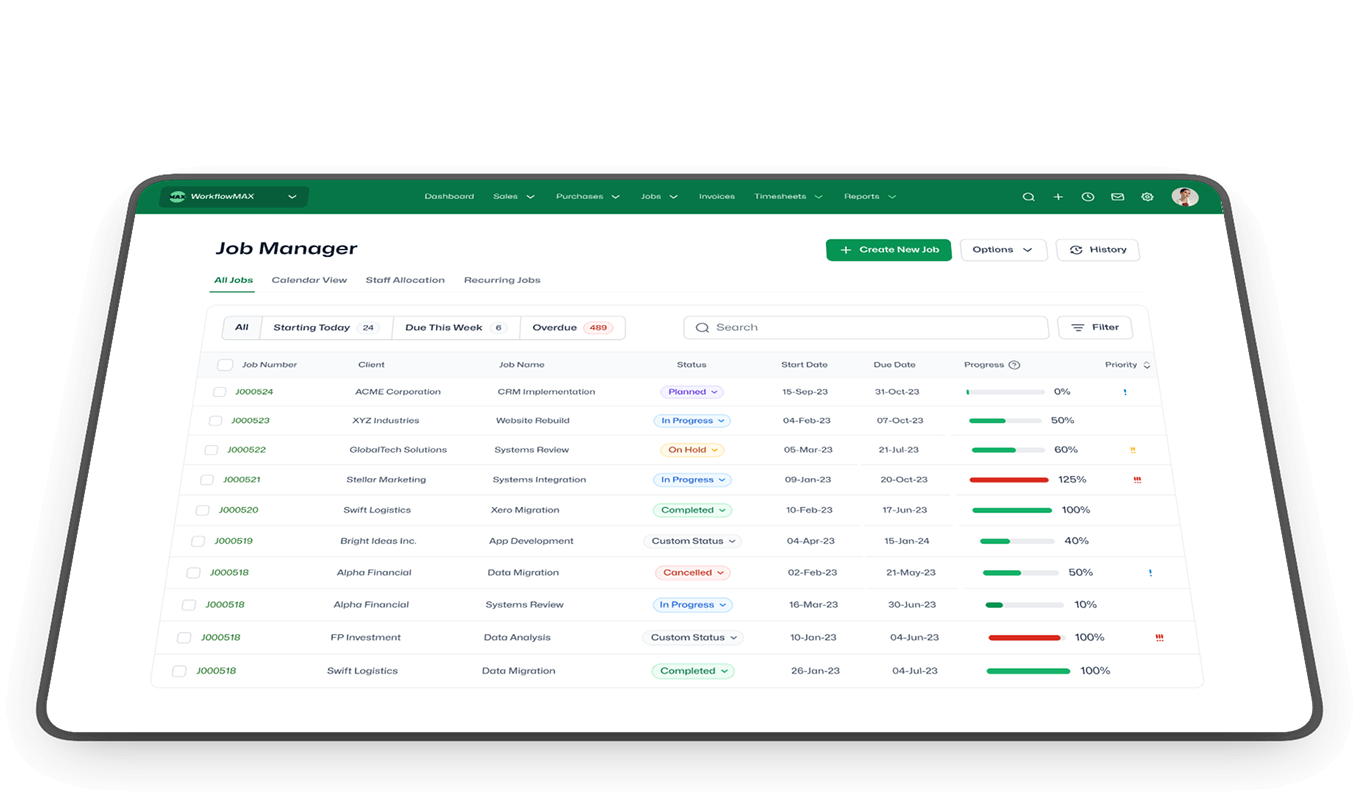
Job Management & Scheduling
Mobile Time Tracking (iOS/Android)
Document Management
Collaboration Manager

Convert billable hours into your bank balance.

Stop leaking revenue through unbilled work. Capture every expense, WIP item, and hour, then invoice it.

WIP (Work in Progress) Reporting
Progress & Final Invoicing
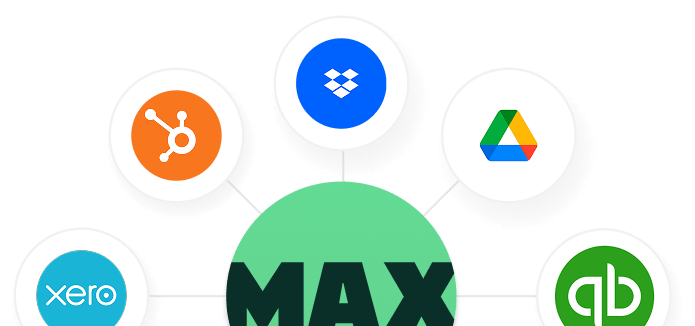
Xero & QuickBooks Integration
Purchase Order Management

Connects to your core.

Seamlessly syncs with the tools you trust, so your data flows where it needs to go.
One tab to rule them all.

Replace your fragmented operational stack.

Profitability in your pocket.

The app keeps you connected to the cash flow.

Growth is a science, not a guess.

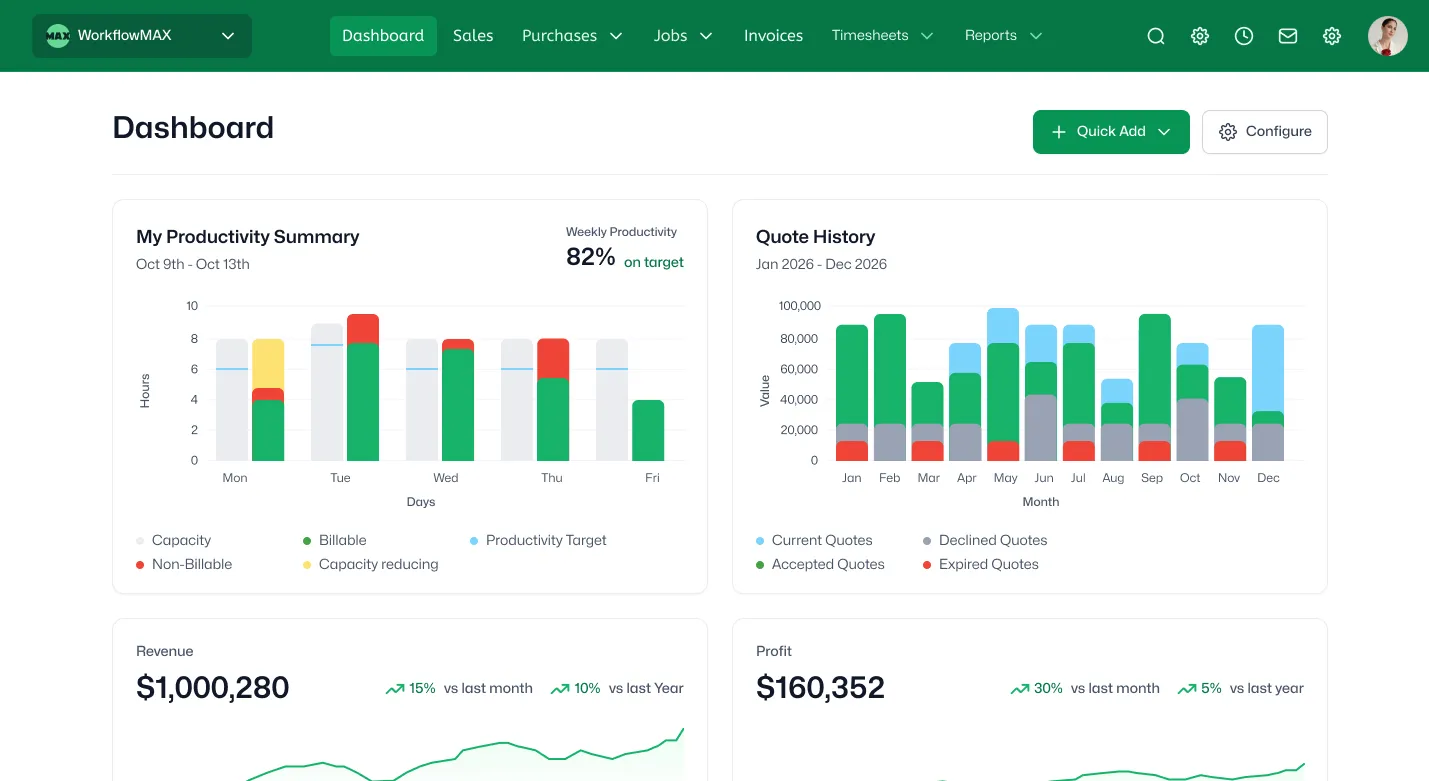
Most firms wait until the end of the month to see if they made money. You’ll know by lunchtime. Spot profit leaks before they sink the project.
Real-Time Profitability Dashboards
Job Costing & Budgeting
Custom Report Builder
Staff Performance Analytics

Dreading the switch? Don’t.

Our migration experts help you move your data, dial in your templates, and train your crew.
You aren’t doing this alone.

Capture every billable moment.
No spreadsheets. No blind spots.

AI at the core of WorkflowMAX

New smart features designed to empower your team and let your experts focus on the work.

Stop typing receipts

AI expense extraction

Scan a receipt, and let our AI categorize it instantly.

AI reporting insights

Don’t just see the data, understand it.

Spot the risk early

MCP Server

Give your AI tools like Claude and ChatGPT direct access to WorkflowMAX - query jobs, update timesheets, create quotes, and much more.

Connect your whole stack

Built for your industry. Optimised for profit.

Stop scope creep from eating your fees.

Visualise your project phases and track every hour against the budget. When the scope changes, you’ll know exactly how it impacts your margin.

Phase-based job management
Real-time budget vs. actual tracking
Visual scheduling for design teams

Precision billing for complex projects.

Manage retainers, variations, and complex billing rates with ease. Guarantee every site visit and consultation is captured and billed accurately.

Mobile time tracking for site visits
Complex rate card management
WIP (Work in Progress) reporting

Track every hour. Protect every dollar.

Stop overservicing clients for free. See exactly which retainers are profitable and which ones are draining your resources. Keep your team utilised and your cash flow positive.

Retainer management & recurring invoices
Staff utilisation dashboards
Kanban-style job management

Sell your expertise, not your time.

Move from hourly billing to value-based pricing without losing sight of your costs. Track time effortlessly across multiple clients and gain total visibility into your firm’s efficiency.

Multi-phased projects
Seamless Xero and QuickBooks integrations
Profitability analysis per consultant

Zero leak margins

Materials, labour, and subcontractors — track it all in one place. Quote accurately, track costs in real time, and get progress claims out faster so you can keep the cash flowing.

Quote-to-job conversion
Material & labour cost tracking
Progress invoicing & claims

Real people.
Real expertise.
Real support.

Forget cookie-cutter advice. We understand the service business struggle because we've lived it.
Ready to level up? You’re never flying solo.

You can't fix...

what you can’t see.

Disconnected tools mean missing hours, delayed invoicing, and margins you only discover after month-end.

Teams juggle CRM, PM, timesheets, and billing, but profit falls through the cracks.

The right tool for growing teams.

We’re a purpose-built platform for service businesses that need control, clarity, and profitability. Here’s what’s inside:

Invoicing & Billing

Send sleek, accurate invoices with just a few clicks. Integrates directly with Xero and QuickBooks Online, so cash flow stays clean.

Learn More

Profitability & Reporting

Know your margins in real-time. See what’s working, what’s leaking, and where to optimize.

Learn More

Job & Project Management

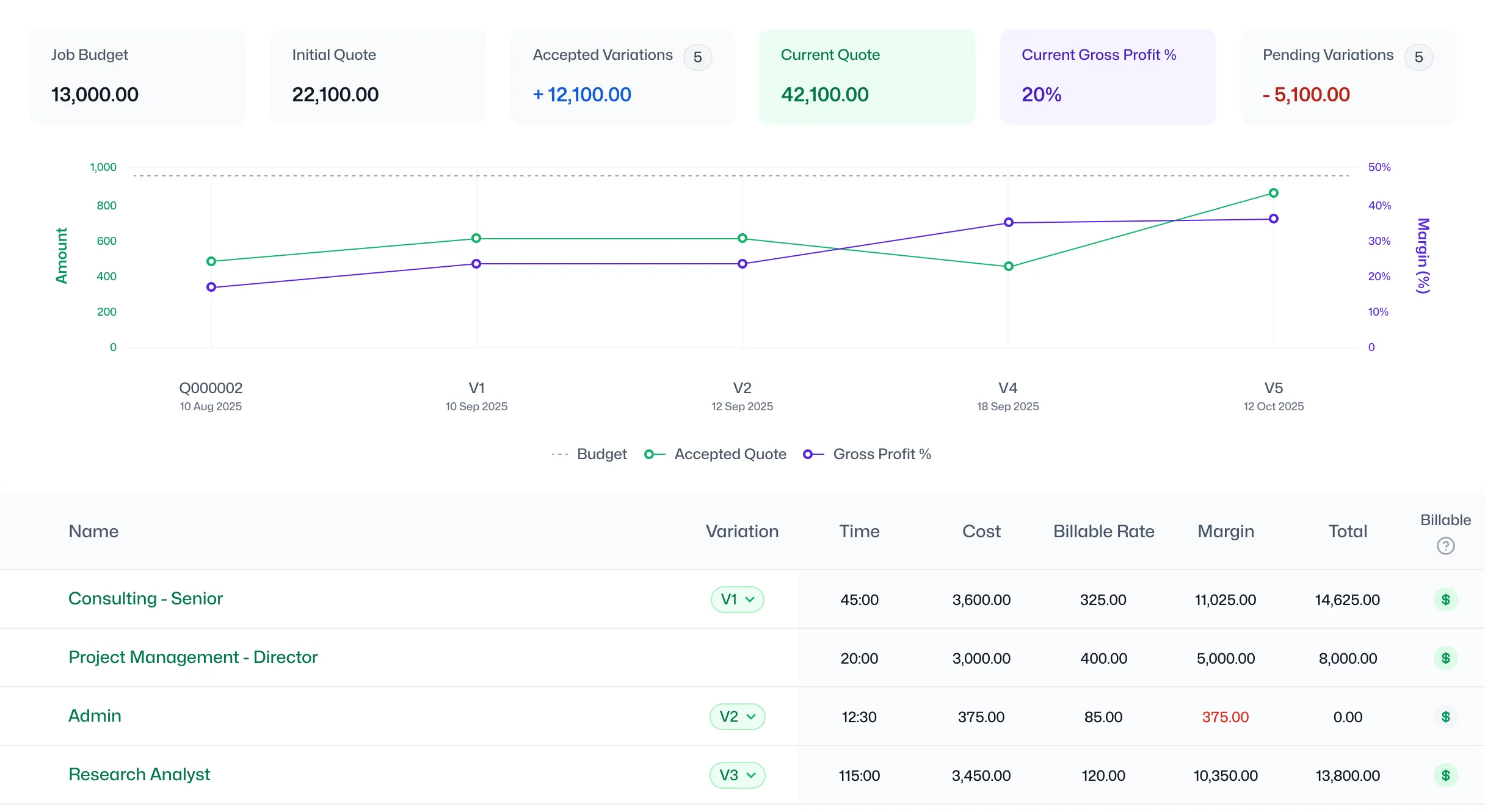
Quote, assign, and manage every job, from kickoff to final invoice. 
Stay on top of scope, deadlines, and deliverables.
Learn More

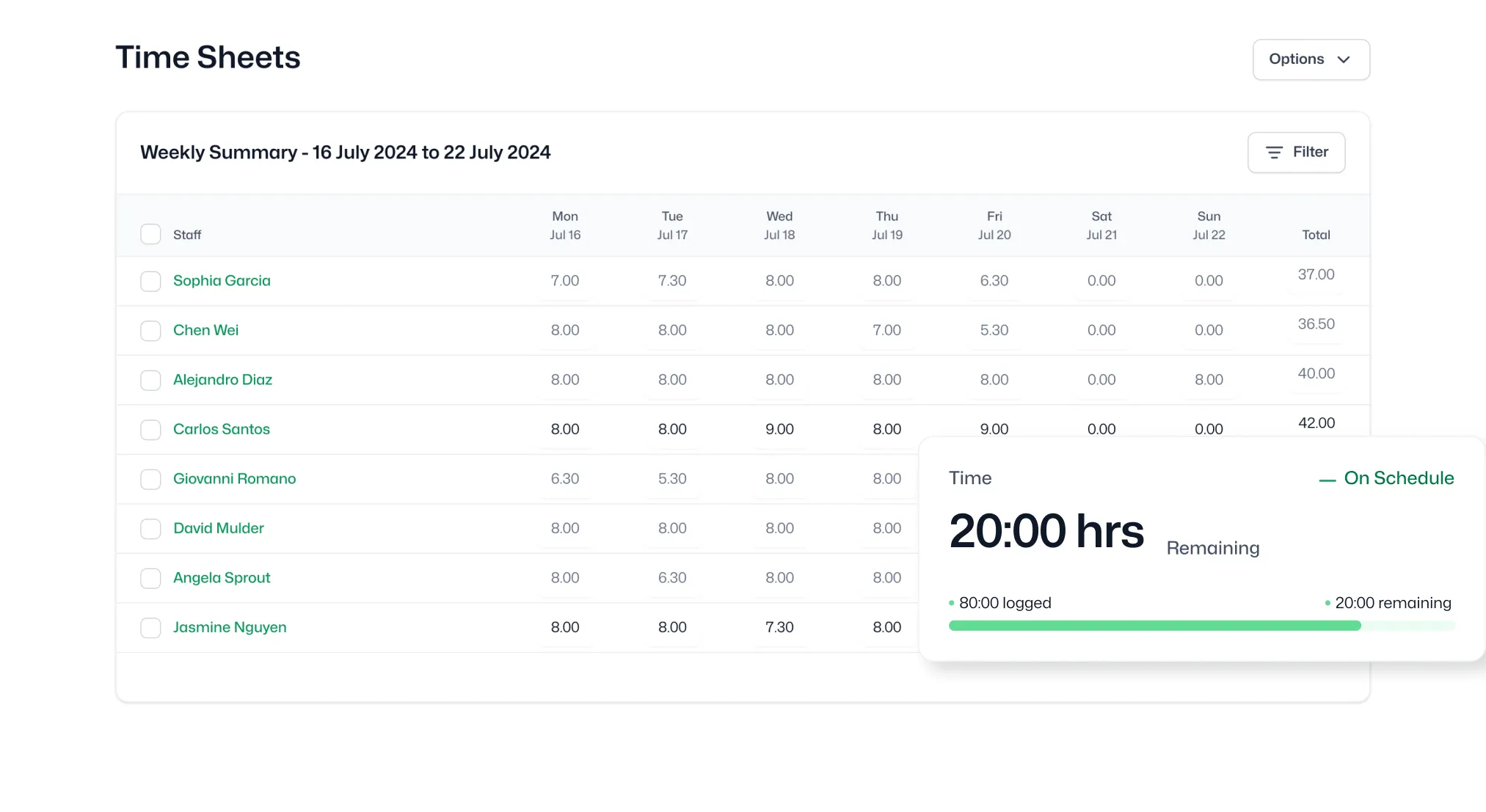
Time Tracking

Capture every billable hour with ease, manual, timer, or mobile. No more missed time, no more money left on the table.
Learn More

Quoting & Estimating

Win more work with professional quotes built from your real job data. Send, track, and convert to a job the moment they say yes.

Learn More

Capacity Planning

See who's overloaded and who has room – before it becomes a problem. Keep your team balanced, billable, and out of burnout.

Learn More

Proven by the Pros

Join the community of experts scaling with WorkflowMAX.

Kavan Applegate

Director of Guymer Bailey Architects

"The data within WorkflowMAX helps me as the owner manage the profitability of projects from start to finish."

Learn More  -->

0:00 / 0:00
Playback speed

Amy Darvall

Founder of Holistic Nursing Solutions

"Life before WorkflowMAX was very labour intensive. Now I can easily see the full job lifecycle."

Learn More  -->

0:00 / 0:00
Playback speed

Luphus Oosthuizen

Director at Engenera

"The big problem with Excel spreadsheets is it's not scalable. Implementing WorkflowMAX was painless and fast."

Learn More  -->
0:00 / 0:00
Playback speed

Sarah No

Brand and Marketing Director of BlueRock Digital

"We needed a system that is able to work in real time, share visibility to decision makers so we can make those decisions really quickly.  WorkflowMAX makes it really easy to do that."

Learn More  -->
0:00 / 0:00
Playback speed

Steve Luxmoore

Director of Your HR System

"With WorkflowMAX, we've been able to have real-time data, so that we get a great picture
on profit and understanding what our profit is."

Learn More  -->
0:00 / 0:00
Playback speed

Learn with MAX

All the latest insights from WorkflowMAX

🚀 Q2 wrapped: Smarter answers, faster sign-offs.

05 Aug 2026
5 min read

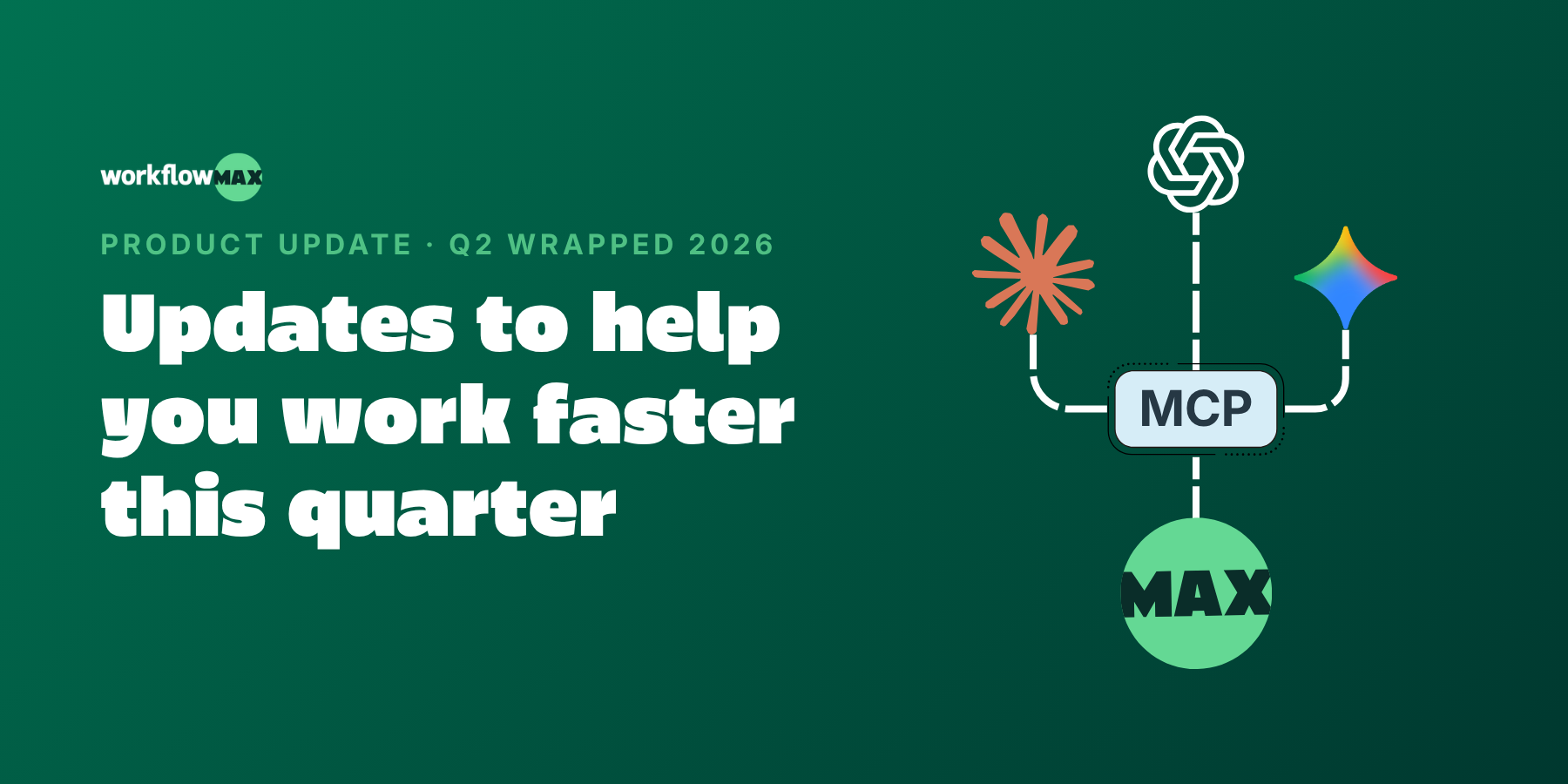
This quarter was about closing the gaps between winning work and getting paid for it, and bringing AI closer to where you actually work. MCP connects WorkflowMAX to the AI tools you already use. Online Quote Acceptance (eQuote) turns quote sign-off into a click. Sales Pipeline gives you a clear view of what's coming. And a batch of workflow upgrades (email templates, job cost moves, and more) take the friction out of the everyday.

🤖 MCP: Ask your job data anything, in plain English

The problem: Your project and job data lives in WorkflowMAX, but the questions you want to ask it ("which jobs are over budget?", "what's my WIP this month?") mean logging in, running a report, and reading it yourself.

What's new: MCP (Model Context Protocol) securely connects your WorkflowMAX data to AI assistants, so you can ask questions in plain language and get answers pulled straight from your live data.

Why it matters: For engineering, architecture, IT and consulting firms juggling dozens of live jobs, it's the difference between hunting for an answer and just asking for it. Less time in reports, more time on the work that bills.

Available on the Advanced plan. Free 14-day trial on all other plans.

Learn more →


✅ Online Quote Acceptance: Send a quote, get it signed, without the back-and-forth

The problem: You send a quote as a PDF, then wait. The client means to reply, forgets, and you're chasing an email thread to find out whether you've won the work.

What's new: eQuote lets clients review and accept your quote online all in WorkflowMAX. They open it, review it, approve it. No printing, no PDFs, no back-and-forth.

Why it matters: For firms where every quote is billable time waiting to start, faster sign-off means faster starts and cleaner cash flow. And you always know exactly where a quote stands.

Available in beta on Pro and Advanced plans. Free 14-day trial on all other plans.

Learn more →


📅 Leave Management: Plan around real availability, not guesswork

The problem: You schedule the work, then find out halfway through that a key person is on leave. Availability lives in a separate system (or nowhere at all), so planning is always one surprise away from a reshuffle.

What's new: Now in beta, Leave Management brings requests, approvals, and availability into WorkflowMAX. Your team requests leave, managers approve it in-app, and availability updates automatically, feeding straight into how you plan jobs.

Why it matters: Project planning based on real data instead of a spreadsheet or a hunch. Fewer clashes, fewer last-minute scrambles, and a clearer view of who can actually take on the next job.

Available in beta on Pro and Advanced plans. Free 14-day trial on all other plans.

Learn more →

📊 Sales Pipeline: See what's coming before it lands

The problem: You know roughly what work is in the pipeline, but it lives across inboxes, spreadsheets and memory. When you need to forecast capacity or cash, you're guessing.

What's new: Sales Pipeline gives you a single visual view of every lead and opportunity, from first conversation to won work, so you can track what's likely to land and when.

Why it matters: Better forecasting means better planning. You can line up resourcing and cash flow around work you can actually see coming, instead of reacting when it arrives.

Available on Pro and Advanced plans, or with the Lead Manager add-on.

Learn more →

Also shipped this quarter

✉️  Customisable email templates and file naming:

The problem: You send the same "here's your quote" or "invoice attached" note twenty times a week, retyping it, tweaking it, and hoping it reads consistently across everyone on the team. And exported files land in your client's inbox as "Invoice_export_final(3).pdf."

What's new: Admins can build reusable email and custom print templates once, so every client-facing message goes out on-brand no matter who hits send. Custom file naming lets you control how exported documents are labelled, too.

Why it matters: Consistency without the copy-paste. Your team sends polished, uniform communications in less time, and the files you send are named the way your clients actually want to file them.

Help article →

💰 Advanced WIP Management - Stop guessing what's behind the number

The problem: You look at the WIP balance on a job and have no idea what's driving it. Is it timesheets? Costs? A deposit? Getting to the answer means digging through multiple places.

What's new: Advanced WIP adds a dedicated WIP tab to every job, breaking the balance down into individual ledger entries - timesheets, costs, and deposits all in one view. Search, filter, sort, write off entries, and export to CSV for offline analysis.

Why it matters: The detail is right there, inside the job. No more guessing, no more cross-referencing across reports.

Available for beta later this month on Advanced plans.

Register for early access →

🔄  Move job costs and POs between jobs

The problem: Anyone running multiple concurrent projects has done it: logged a cost or a purchase order against the wrong job. Fixing it used to mean deleting and re-entering, or leaving it and quietly distorting the margin on two jobs at once.

What's new: You can now move costs and purchase orders to the job they belong to in a few clicks, no deleting and re-keying required.

Why it matters: Your profitability reporting reflects what actually happened, not what got mis-keyed on a busy Friday. Cleaner numbers, less rework, and margins you can trust.

Help article →

📋 Custom fields on Purchase Orders

The problem: Every industry has that one detail the standard PO never captured: a required delivery date for a construction site, a drawing reference for a design job, a supplier account code for finance. So it ends up in a follow-up email instead of on the document.

What's new: Add the custom fields your team needs to capture on every PO, so the important detail lives right on the purchase order itself.

Why it matters: Fewer chasing emails and less missing information. Everything a supplier or your finance team needs is captured up front, on the document, every time.

↔️  Full-width views and adjustable columns

The problem: When you're scanning a job list or a WIP report, the data you care about is often the column you can't quite see, so you're scrolling sideways or squinting at cramped screens.

What's new: Full-width views and resizable columns let you fit more on screen and adjust each column to suit the view you're working in.

Why it matters: The numbers that matter (budget, spent, remaining) sit right where your eye lands. A small change, but a meaningful one when you're living in these screens all day

What's coming next:

Here's a taste of what we're working on:

  • 📷 AI Bill Capture: Snap a photo of a receipt and have the details pulled out automatically, right in the browser.
  • ☑️ More powerful to-dos: Smarter, more flexible to-dos that help your team keep track of what they're responsible for, and when it's due.
  • 💱 Multi-currency on Quotes and Invoices: Quote and bill clients in their own currency, so working with overseas customers is as simple as working with local ones.

We can't wait to see how you put these to work. As always, keep the feedback coming - it directly shapes what we build next.

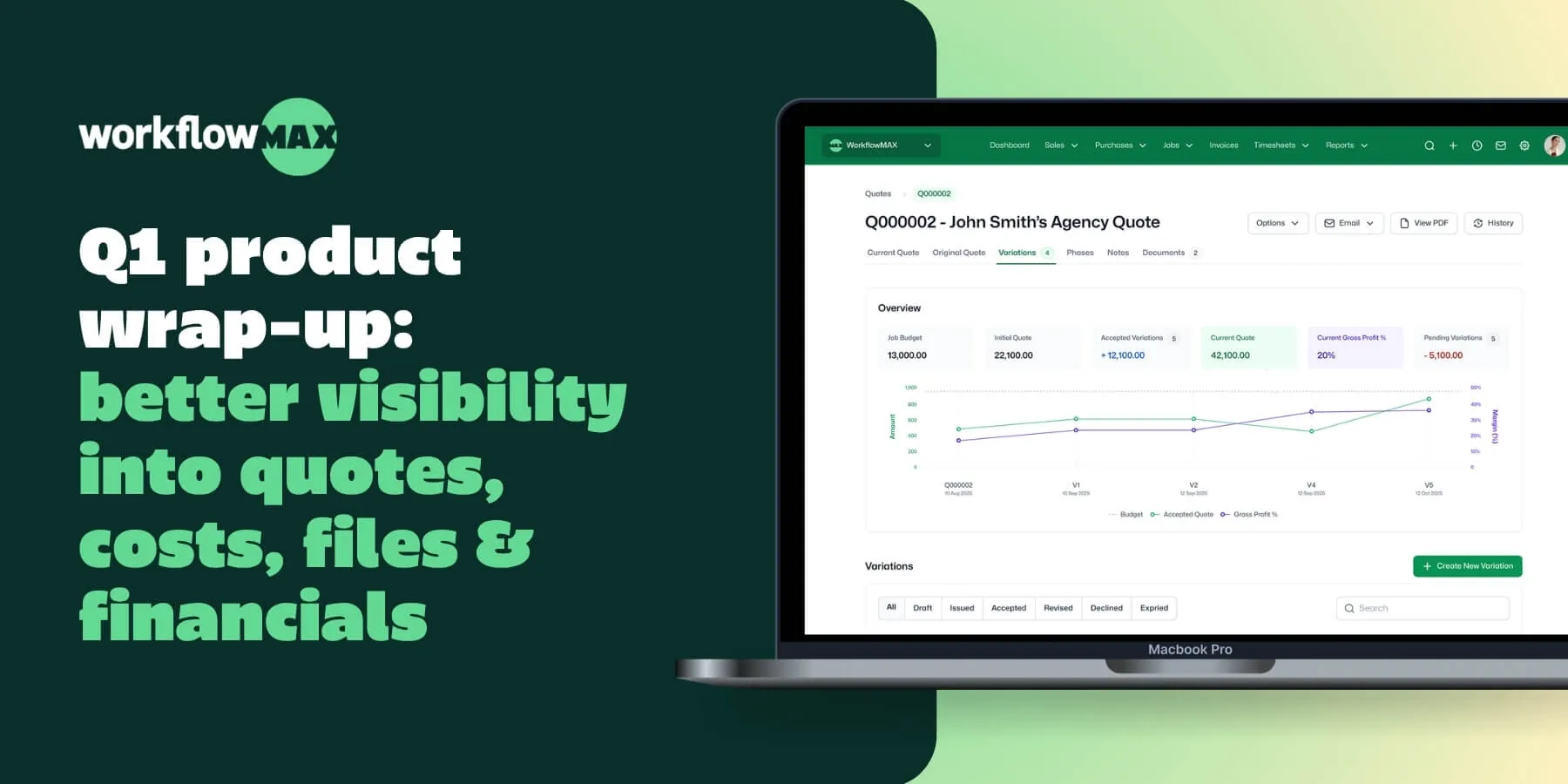
This quarter was about getting you the information you need, where you need it. Quote Variations gives you a clear audit trail when scope changes. The SharePoint Integration puts your project files in one place. AI Report Insights surface what matters in your financial reports.  And API v2 is now generally available for everyone.

📋 Quote Variations - Track every scope change without losing the original

The problem: Projects rarely go exactly to plan. Scope creep, clients add requirements, budgets shift. But when you update the original quote to reflect those changes, the paper trail disappears - and it's harder to see what was actually agreed at the start.

What's new: Quote Variations captures every scope change as a separate variation, sitting alongside the original quote. You get a clear, chronological record of what changed, when it changed, and what it means for the budget.

Why it matters: No more "what did we agree on?" conversations. You have a complete audit trail from first quote to current project status - useful for client conversations and for protecting your margin.

Currently in beta for Advanced plan customers.

Learn more →


📁 Microsoft 365 SharePoint Integration - One place for every project file

The problem: Your team is uploading documents to SharePoint, emailing files back and forth, and hunting through folder structures just to find the latest version. It slows everyone down and creates version confusion.

What's new: SharePoint Integration connects your project documents directly inside WorkflowMAX, synced with SharePoint. Upload from either side, and everything stays in sync. You can even email documents in via Collaboration Manager.

Why it matters: Every version, from every collaborator, in one place – without asking your team to change how they work. Files go into WorkflowMAX or SharePoint; everyone sees the same thing.

Currently in beta for Premium + Advanced plan customers.

Learn more →


🤖 AI Report Insights - Find what matters in your reports, automatically

The problem: You run the reports. Then you spend the next 20 minutes scrolling through rows of data trying to spot what's changed, what looks off, and what actually needs your attention.

What's new: AI Report Insights does that scanning for you. Run any custom report - invoices, WIP, profitability - and AI automatically flags what's changed, what looks unusual, and what needs action.

Why it matters: Less time reading numbers, more time acting on them. The exceptions come to you, instead of you having to hunt for them.

Currently in beta for Advanced plan customers.

Learn more →

🔗 API v2 - Now live for everyone

What's new: API v2 is out of beta and available to everyone. Every v1 endpoint is on v2, and as new WorkflowMAX features ship, they're available via API faster – giving you broader coverage and deeper access to your data as the platform grows

Why it matters: Whether you're building custom reports, connecting to your CRM, or automating workflows between tools – v2 gives you more endpoints to work with, and that coverage grows with every feature we ship.

Available on all plans.

Learn more →

What's coming this month

📆 Capacity Planning - Plan capacity at a glance  

The problem: You’re trying to plan work in advance, but availability lives in a spreadsheet (or someone’s head). By the time you realise someone’s overbooked, deadlines are already slipping and you’re reshuffling jobs at the last minute.  

What's new: Capacity Planning gives you drag-and-drop resource scheduling with real-time visibility into who’s available and where work is over-allocated - so you can balance workloads before timelines slip.  

Why it matters: Fewer surprises, less firefighting, and a clearer view of what your team can actually take on - before you commit. 

Available for beta later this month on Advanced plans.

Register for early access →

💰 Advanced WIP Management - Stop guessing what's behind the number

The problem: You look at the WIP balance on a job and have no idea what's driving it. Is it timesheets? Costs? A deposit? Getting to the answer means digging through multiple places.

What's new: Advanced WIP adds a dedicated WIP tab to every job, breaking the balance down into individual ledger entries - timesheets, costs, and deposits all in one view. Search, filter, sort, write off entries, and export to CSV for offline analysis.

Why it matters: The detail is right there, inside the job. No more guessing, no more cross-referencing across reports.

Available for beta later this month on Advanced plans.

Register for early access →

Here's a taste of what we're working on:

  • eQuotes - send quotes directly to clients for digital review and sign-off. They receive it, review it, approve it. No PDFs, no back-and-forth.
  • Multi-Currency Invoicing - invoice in your client's currency and let WorkflowMAX handle the conversions automatically. Accurate international billing without the manual work.
  • AI Expense Extraction (web) - upload a receipt and AI pulls the merchant, amount, and date instantly. Already in beta on mobile, with the desktop version on its way.

We can't wait to see how you put these to work. As always, keep the feedback coming - it directly shapes what we build next.

By Ryan Kagan

Every professional services leader has a version of this horror story.

You’re six months into a project. The “estimated” hours are a distant memory. Your delivery team is burnt out, caffeinated to the eyeballs, and low-key resentful. The client is asking for “one more quick tweak,” and your profit margin has officially evaporated into thin air.

When the post-mortem happens, the finger-pointing starts immediately. Usually, it points directly at the Sales team.

“Sales sold a dream we couldn't build.”“The scope was undefined from day one.”“We never should have taken this client on.”

It’s easy to make the Sales team the villain. It’s convenient. It’s a common sentiment passed around when things don't go to plan. But after years of looking under the hood of businesses through WorkflowMAX, I’ve realized something uncomfortable: The "Sales Blame Game" is a lie we tell ourselves to avoid looking at our own operational chaos.

If your projects are failing, it’s rarely because of a “bad sell.” It’s because you’ve built a culture that is addicted to being “bespoke” and terrified of the word “No.”

The "Bespoke" Trap

In the world of consulting and professional services, we love the word "bespoke." We tell ourselves, and our clients, that our work is unique, tailored, and one-of-a-kind. We wear "bespoke" like a badge of honour.

But here is the spicy truth: "Tailored" is often just code for "we make it up as we go".

When every project is a "snowflake," you can’t estimate accurately. You can’t scale. You can’t build a repeatable path to success. Most importantly, you can’t protect your team. This "highly bespoke" model is the primary fuel for the Project Death Spiral. You’re not being creative; you’re being inefficient. You’re exposing yourself to the risk of scope creep and unknown quantities of work every single time a contract is signed.

The most successful leaders I know, the ones actually living the "Better Business, Better Life" reality, have figured out a secret: Productization is freedom.

By synthesizing your expertise into repeatable, scalable models, you aren't losing your "unique edge." You’re sharpening it. You’re defining the sandbox you play in so well that when Sales brings a deal to the table, everyone knows exactly how to win. You move from being a "bespoke nightmare" to a "sausage repeat factory" in the best possible way, one that drives high profitability and predictable outcomes.

What Lurks Beneath the Surface

When we see a project disaster, we see the tip of the iceberg: the missed deadline or the over-budget invoice. But the cause is always what lurks beneath the surface: the culture, the ways of working, and the approach to operations.

If projects are failing, we have to ask the hard questions about how we set our Sales team up for success in the first place.

  • Do they have the right tools? Are they governed by the right operations and job-costing calculators?
  • Do they have the right data? Are they targeting the right Ideal Customer Profile (ICP) based on actual profitability data, or are they just chasing revenue that "sucks the life out of the team"?
  • Is there a "Two-Way Street"? Is there an open dialogue between Sales and Delivery to unpack the size and sophistication of a scope before it's sold?

Without visibility into these "below the surface" metrics, you aren't running a business; you’re gambling.

Empowerment is an Operational Metric

The real "disaster" isn't a missed deadline. The disaster is a culture where the delivery team doesn't feel empowered to have a tough conversation.

I have a strong belief that no matter what role you play in the business, you are part of Sales. If you are a consultant on-site and the client asks for something outside the Statement of Work, you are in a sales conversation. If you don't have the tools or the cultural "permission" to say, "That’s a change request, let’s talk about the budget adjustment," you are burning your own company's house down.

In my experience, particularly in the professional services world, teams aren't empowered to say No. And it’s scary. It’s terrifying to say no when you’re worried about cash flow, payroll, and how you’re going to pay your staff next week.

But as Steve Jobs famously alluded to, you should be as proud of the things you say no to as the things you say yes to. The sooner you say no to the wrong work, the sooner you recognize what you’re going to be famous for.

The Altruism of Profitability: Better Business, Better Life

This isn't just about spreadsheets and margins. This is about the human side of the discussion.

We talk about "Job Profitability" a lot at WorkflowMAX. To some, that sounds cold. To me, it sounds altruistic.

When a project goes into a death spiral, who suffers? It’s the staff member who has to stay late on a Friday because of an unmanaged scope creep. It’s the founder who can’t sleep because a "big client" is actually a loss-leader that is sucking the company’s oxygen.

Profitability is the oxygen that allows you to actually enjoy the business you’ve built. Better Business meaning better data, better systems, and the courage to productize: leads directly to a Better Life.

Stop the Bleeding

So, how do you stop the spiral?

  1. Ditch the "Unique" Ego: Start looking for the patterns in your work. What can be synthesized? What can be repeated?
  2. Implement a Workflow for Change: Make "Change Request" a standard stage in your project pipeline. It sounds simple, but how many businesses actually acknowledge when they are in a state of change?
  3. Use Your Data to Drive Your "No": Stop taking "gut-feel" meetings. Look at your job management data. Which categories of work are actually profitable? Which clients keep you up at night? Use that data to empower your Sales team to target the right wins, not just any win.

The Bottom Line

Stop blaming Sales for the fire in the kitchen.

If you want a better life: less stress, higher margins, and a team that feels supported, you have to fix the engine below the surface. Move away from the bespoke nightmare. Synthesize your value. And for heaven’s sake, give your team the tools to protect your profitability.

Better business isn't about working more hours to cover up for a lack of structure. It’s about building a repeatable, productive, and highly profitable way of work that serves you, rather than you serving it.

Let’s stop settling for project disasters. Let’s build something scalable. Who’s with me?

View All Blogs ->

The impact we deliver.

WorkflowMAX has made a huge difference to how we run our projects. A great system backed by great support. Highly recommended.

Rob P.

MAF Associates

We moved back and the team actually loves using it—billing is faster and we can see margins live.

Darlene Robertson

Principal, Surveying & Engineering Firm

It’s the same soul with better bones—job costing, timesheets, and invoicing finally work as one.

Floyd Miles

Implementation Partner

WorkflowMAX is essential for our business. It's intuitive, easy to use, and makes us much more efficient in charging projects correctly.

Andrew S.

Episode Two

Not sure if we're the right fit? Let's talk.

Our discovery calls aren’t sales pitches, they’re real conversations.

No screen-sharing. No slide decks. Just 20 minutes with a WorkflowMAX expert to understand:

What’s not working in your business right now

Where you’re losing time, money, or visibility

Whether WorkflowMAX is even the right fit

If we can help, we’ll show you how. If we can’t, we’ll tell you straight.