Don’t let billable work fall through the cracks

WIP manager

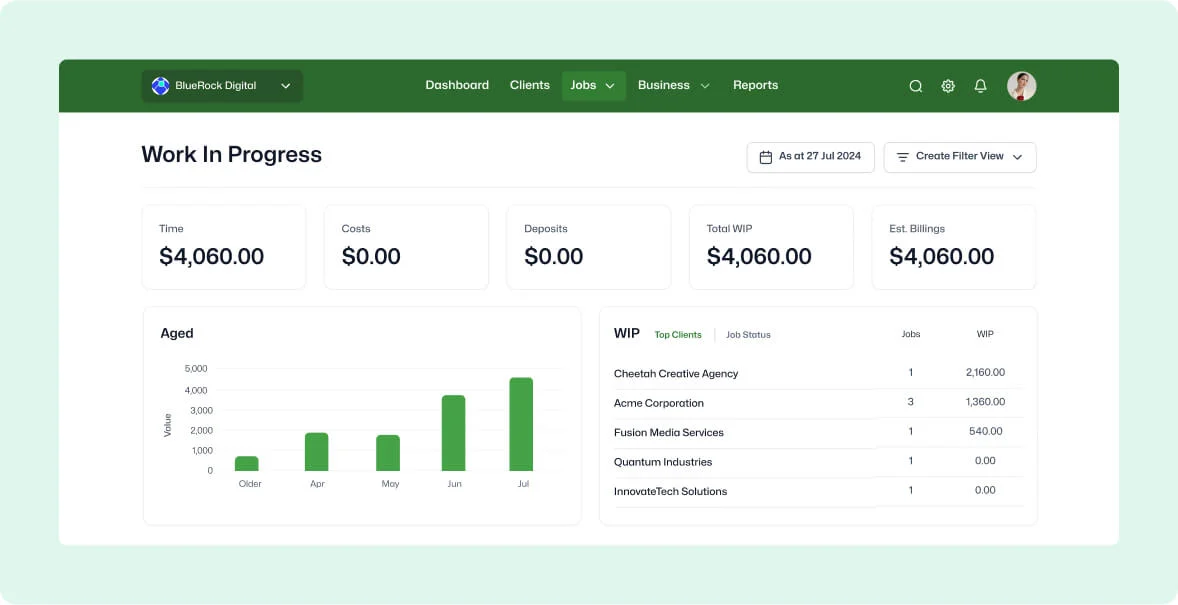
Get instant clarity on unpaid work with WorkflowMAX WIP manager. Easily manage un-invoiced tasks and issue invoices on the fly. Account for all your well-deserved earnings.

Maximise your profitability

features-icon

Gain real-time insights to boost project and client profitability and make informed decisions

features-icon

Quickly identify and refine strategies for underperforming jobs

features-icon

Prioritise and bill effectively to seize every business opportunity

Lead manager
listing-divider

Transform invoicing efficiency

features-icon

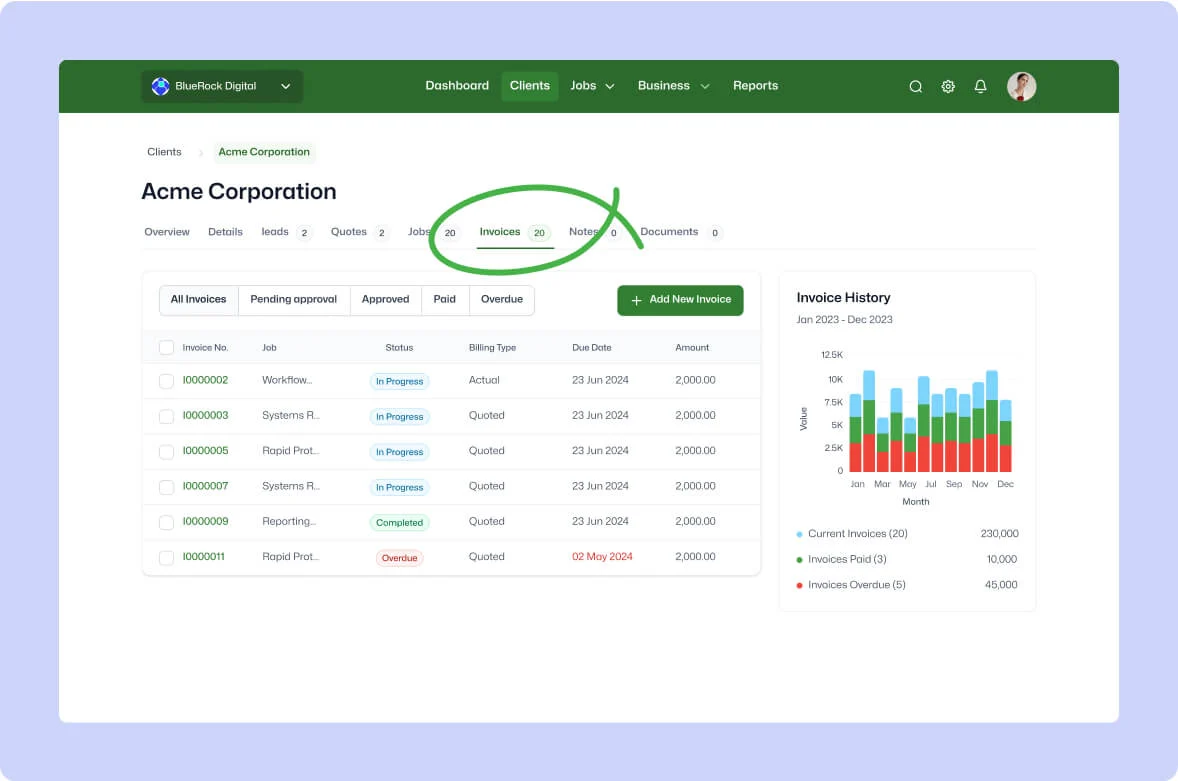
Simplify your lead and client management

features-icon

Track every step of your proposals and sales pipeline from one place

features-icon

Track every step of your proposals and sales pipeline from one place

Lead manager
listing-divider

Optimise work management

features-icon

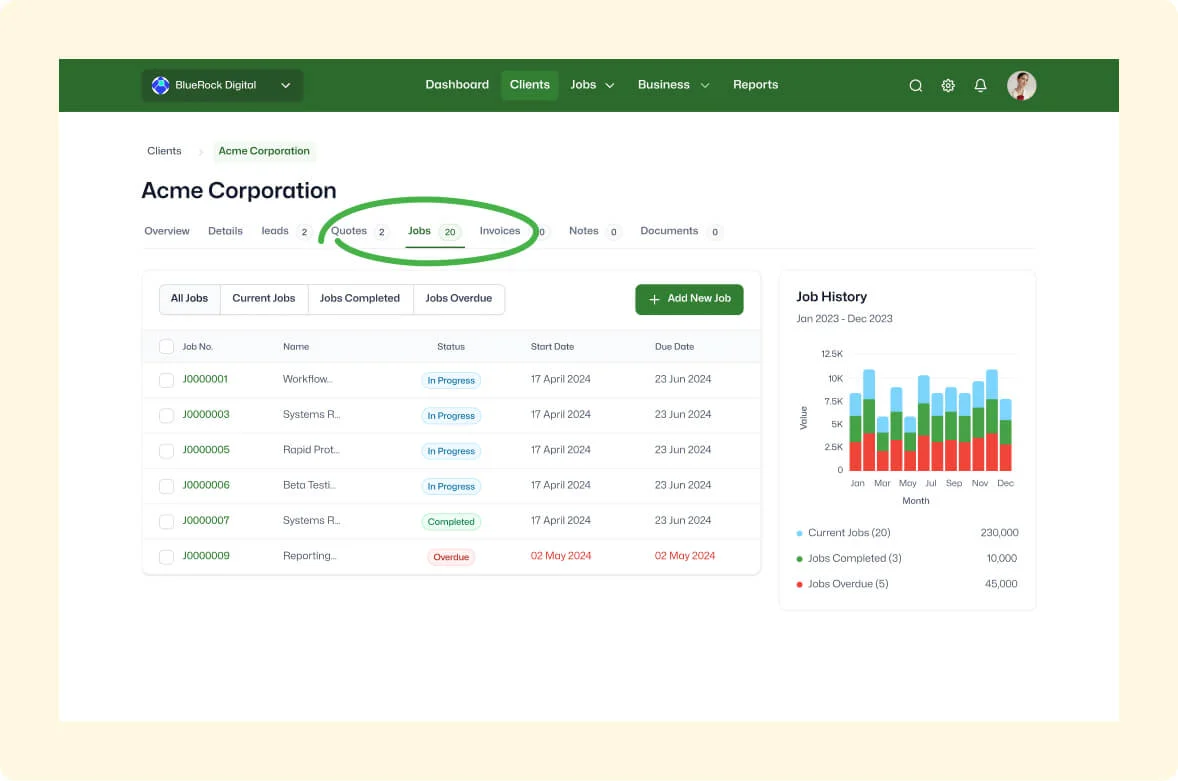
Get a comprehensive snapshot of all current jobs, live billable value and current status

features-icon

Explore in-depth details with a click to gain deeper insights and refined data

features-icon

Distinguish projected billable values easily for effective prioritisation and streamlined capacity

Lead manager
listing-divider

Forecast with confidence

features-icon

Visualise all un-invoiced work for enhanced future cost and income management

features-icon

Plan billings and resources accurately with a transparent view of all work in progress

features-icon

Achieve improved clarity on outstanding work for accurate and easy forecasting and cash flow management

Lead manager

WorkflowMAX is essential for our business. It's intuitive, easy to use, and makes us much more efficient in charging projects correctly.

Andrew S.

Episode Two

We moved back and the team actually loves using it—billing is faster and we can see margins live.

Darlene Robertson

Principal, Surveying & Engineering Firm

It’s the same soul with better bones—job costing, timesheets, and invoicing finally work as one.

Floyd Miles

Implementation Partner

WorkflowMAX has made a huge difference to how we run our projects. A great system backed by great support. Highly recommended.

Rob P.

MAF Associates

Any questions?

Why is WIP management critical for professional services firms?

WIP is effectively unbilled revenue work delivered but not yet paid for. Without active management, WIP ages, gets forgotten, and eventually written off. WIP Manager makes that gap visible so you can close it systematically.

How do write-ons and write-offs work in WorkflowMAX?

Write-ons increase the billable value above actual time costs (e.g. fixed-fee premium), while write-offs reduce it (e.g. goodwill discounts or absorbed over-runs). Both are tracked and reported separately so you can see the net impact on job profitability.

What's the difference between WIP Manager and WIP reports?

WIP Manager is an operational view a live list of all jobs with uninvoiced work for day-to-day billing decisions. WIP reports (Aged WIP, WIP Control, Non-Invoiced Time) provide analytical views for management reporting. Together they cover both operational and strategic WIP management.

How does WIP tracking in WorkflowMAX integrate with my accounting software?

Invoices raised from WIP flow to Xero or QuickBooks automatically with correct account codes, Xero tracking categories or QuickBooks classes/locations applied. Payment statuses sync back, so your WIP position stays current. Your WIP ledger in WorkflowMAX and revenue recognition in your accounting platform stay aligned without manual reconciliation.

Can I view WIP as at a specific date?

Yes. WIP Manager supports point-in-time views, so you can see your WIP position at any historical date. Useful for month-end reporting, EOFY reviews, and reconciling with Xero.

How does WIP Manager help reduce revenue leakage?

Revenue leakage in professional services typically comes from aged, uninvoiced WIP. WIP Manager surfaces this exposure in one view, so finance teams can identify which jobs have accumulated unbilled work and take action before it ages further. Combined with the Aged WIP report, it's a systematic defence against leaving money on the table.

How long do jobs stay in the WIP Manager?

Jobs remain indefinitely until a final invoice is issued and no WIP remains, the job WIP is written off, or the job is deleted. No manual removal required.

What is the WIP Manager in WorkflowMAX?

WIP Manager gives you a real-time view of all work in progress every job's unbilled time and costs, quoted values, invoiced amounts, and remaining WIP. Jobs appear automatically regardless of state, so you always know what revenue is sitting uninvoiced.

addt-bg-left

Additional features

addt-bg-right