Simplify your project planning  with our scheduling feature

Scheduling

We understand the importance of staying on top of your projects and jobs. That’s why we’re thrilled to introduce our scheduling feature, designed to help you work smarter and keep track of everything in one place

Visualise your projects' progress

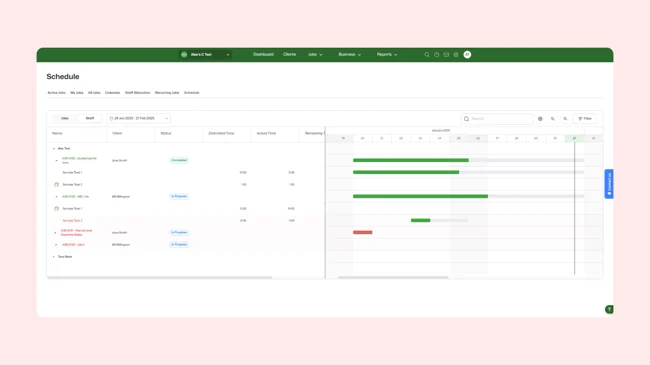
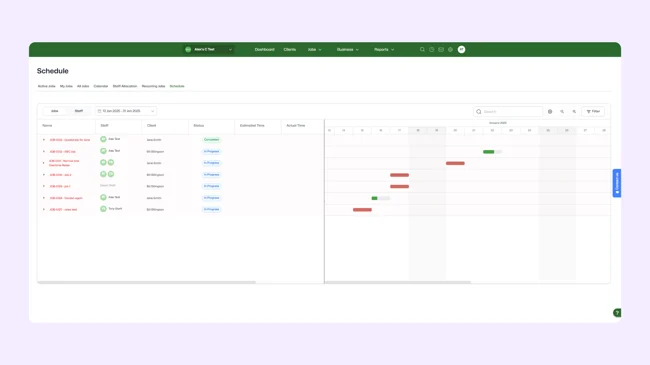
With our scheduling feature, you can see how things are tracking on your jobs. The Gantt chart offers a visual representation of your project timelines, making it simple to stay organised and ensure nothing slips through the cracks. Dynamically shift project timelines through the interactive screens.

Lead manager
listing-divider

View milestones and tasks

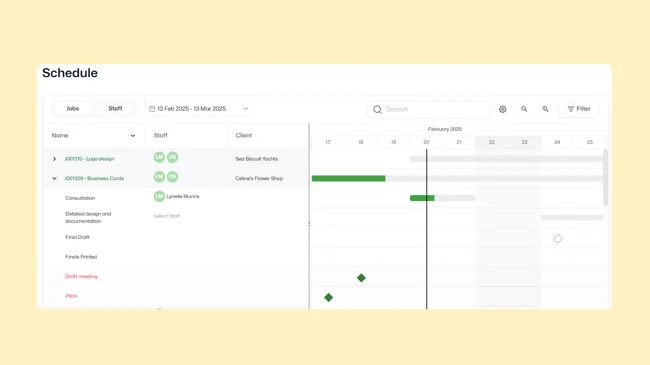
Easily view all the tasks and milestones associated with your jobs. This feature offers a comprehensive view of what needs to be done, enabling you to plan efficiently and keep your projects on schedule.

Lead manager
listing-divider

Assign tasks with ease

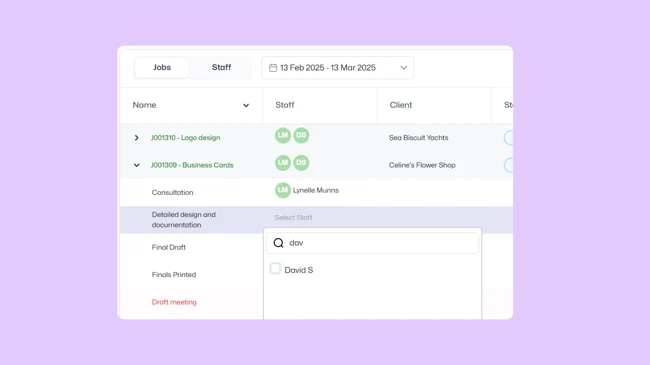
Assigning tasks to team members has never been easier. See who’s responsible for what and ensure everyone knows their role and deadlines. This not only improves accountability but also enhances team collaboration and project success.

Lead manager
listing-divider

Monitor progress effortlessly

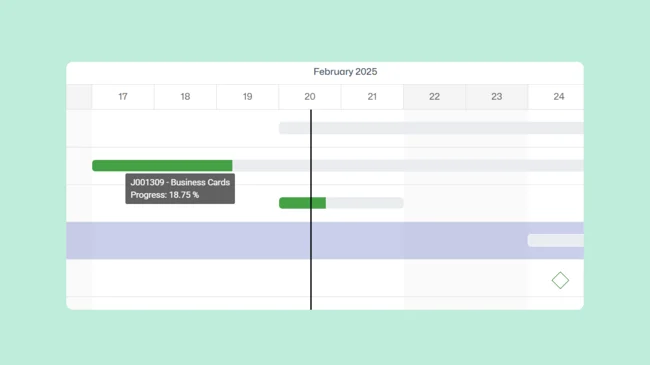
Track the progress of each task and milestone quickly and effortlessly. Our scheduling feature provides real-time updates, so you’re always in the loop and can make informed decisions to keep your project moving forward.

Lead manager
listing-divider

Say goodbye to stressful project management

Managing projects doesn’t have to be stressful. Our scheduling feature simplifies the process, providing you with a clear and easy-to-follow Gantt chart that displays the entire project journey at a glance.

features-icon

Small to medium-sized businesses and consultants

features-icon

Project managers looking to streamline their workflow

features-icon

Teams aiming to improve project management efficiency

Lead manager
No items found.

We moved back and the team actually loves using it—billing is faster and we can see margins live.

Darlene Robertson

Principal, Surveying & Engineering Firm

It’s the same soul with better bones—job costing, timesheets, and invoicing finally work as one.

Floyd Miles

Implementation Partner

No items found.

Any questions?

How does WorkflowMAX scheduling help professional services firms manage project timelines?

WorkflowMAX scheduling gives you a visual Gantt chart view of every job, task, and milestone – so you can see exactly where each project stands at a glance. You can drag and drop to adjust timelines, reassign tasks, and shift entire phases without jumping between screens. Real-time updates mean everyone – from project managers to principals – is working from the same schedule. It's purpose-built for professional services workflows, not retrofitted from generic project management tools.

Can I drag and drop to reschedule tasks and project phases in WorkflowMAX?

Yes. You can drag and drop individual tasks, milestones, or entire project phases to new dates directly on the Gantt chart. When you move a phase, all tasks and milestones within it shift automatically – no need to update each one individually. This makes it fast to respond to scope changes, client delays, or resource conflicts without rebuilding your schedule from scratch.

How do architecture and engineering firms use WorkflowMAX to schedule multi-phase projects?

Firms running multi-phase projects – concept, schematic design, documentation, construction administration – can define each phase in WorkflowMAX and schedule tasks and milestones against them individually. The Gantt view shows how phases overlap or run sequentially, and you can track progress against fee proposals at each stage. When a phase slips, you see the downstream impact immediately rather than discovering it at invoice time.

What's the difference between scheduling and capacity planning in WorkflowMAX?

Scheduling focuses on when work happens – mapping tasks, milestones, and deadlines across a project timeline using the Gantt chart. Capacity planning focuses on who does the work – visualising each team member's workload, availability, and utilisation across all their jobs. WorkflowMAX offers both: scheduling to keep projects on track, and capacity planning to ensure you're not over-committing or under-utilising your team. Together, they connect your project plan directly to resource reality.

Can I customise the columns and views on the WorkflowMAX scheduling page?

Yes. You can customise which columns are displayed on the scheduling page to surface the information that matters most to your workflow – whether that's assigned staff, job status, deadlines, or task progress. Combined with the ability to view schedules by job or by team member, you can switch between a project-centric and a people-centric view depending on what you're managing at that moment.

How does WorkflowMAX scheduling help creative agencies manage concurrent campaigns?

Agencies typically run multiple campaigns with overlapping deadlines and shared team members. WorkflowMAX scheduling lets you visualise all active jobs on a single Gantt chart, spot clashes before they become crises, and reassign tasks with a drag and drop. Because scheduling is connected to time tracking and job costing, you can see not just when work is due but whether the hours being spent align with what was quoted – critical for protecting margins on retainer and fixed-fee work.

addt-bg-left

Additional features

addt-bg-right