




Product
Featured



TL;DR
Phase-based architectural billing and subconsultant cost recognition run on two different clocks, and the gap between them means a practice frequently bills a phase complete before knowing what that phase cost. Purchase orders close the gap by recording a commitment at the moment of engagement rather than waiting for the consultant's invoice, which puts committed cost against the phase while the number can still influence something. This article sets out a commitment tracking framework built around that principle, covering how orders should be raised, tied to phases, and receipted against progressive consultant billing.
An architectural practice bills on a schedule tied to its own progress. A phase reaches completion, an application for payment goes out, and the amount is a function of the agreed fee and the proportion of work delivered.
Subconsultants operate on their own schedule entirely. A structural engineer engaged in month two may deliver across months three to seven and invoice at intervals that follow their internal practice rather than yours. A certifier may bill on completion of an assessment that lands whenever the assessment lands.
The result is a persistent misalignment. At the moment you certify a phase as complete and bill for it, some portion of the consultant cost attributable to that phase has not been invoiced to you and therefore does not exist financially.
You are, at that moment, reporting a phase outcome you cannot yet calculate.
For a practice running a handful of small commissions, the gap closes quickly enough to be tolerable. On a large multi-phase project with five or six consultant engagements running concurrently, it does not. Costs continue arriving against phases that were billed and closed months earlier, and the practice discovers the true phase margin retrospectively, which is to say too late to do anything about it.
The distinction worth being precise about is between a commitment and a transaction.
When you engage a consultant for a defined sum, a commercial obligation exists immediately. Nothing has moved through your ledger, because no invoice has been issued, but the money is spoken for as certainly as if it had been.
A purchase order is the instrument that records that obligation at the point it is created. That is its entire value in this context. It makes committed costs visible during the window between engaging someone and being billed by them, which is precisely the window in which phase billing decisions are made.
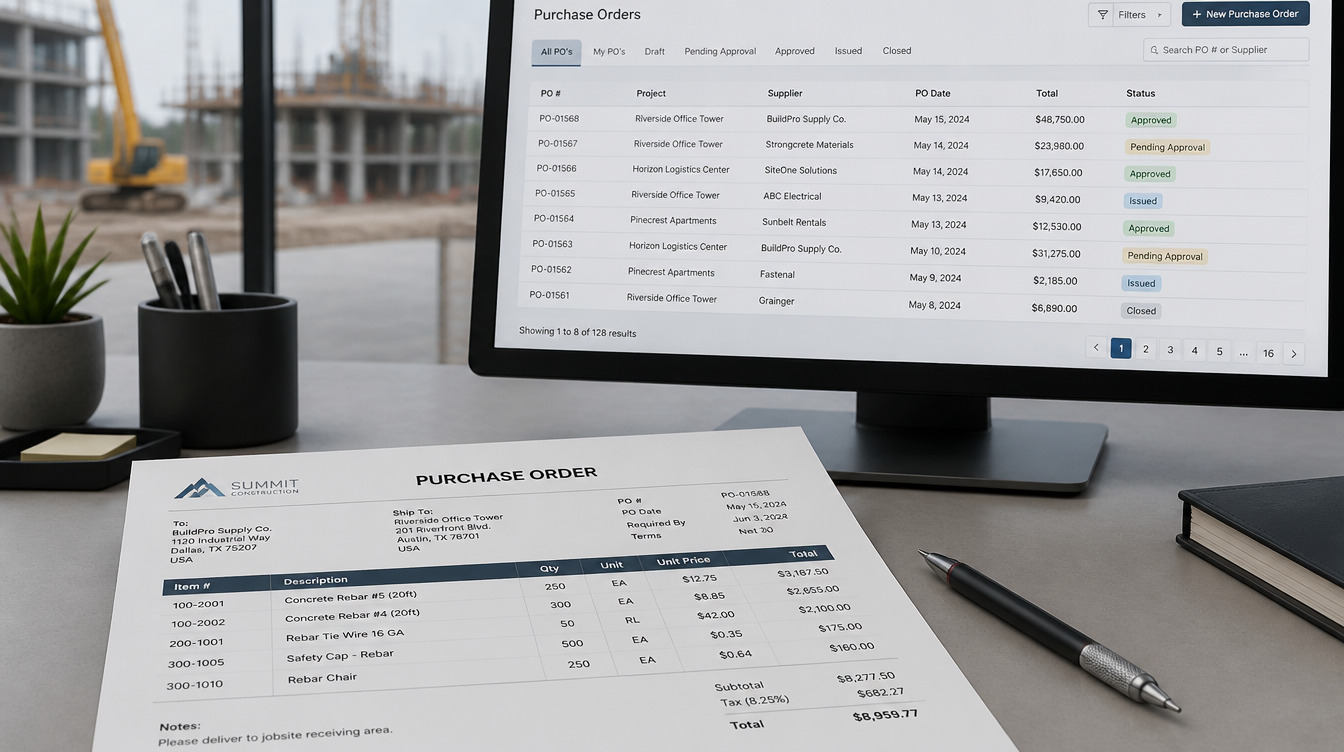
Purchase orders in WorkflowMAX keep supplier costs linked to the work they relate to from the moment the order is raised, with partial or full receipts recorded as goods and services arrive.
There is a technical detail here worth understanding, because it explains why this cannot be solved in your accounting system. Purchase orders do not sync to Xero or QuickBooks, for the sound reason that a request to buy is not a financial transaction. When an order is receipted, the resulting cost entry becomes a bill that flows through as an accounts payable item. The commitment lives in the job. The transaction lives in the ledger. Any framework that relies on the ledger alone is structurally incapable of seeing commitments, regardless of how well it is configured.
Three practices turn purchase orders from an administrative step into financial control.
The most common way this framework fails is that orders are created when the consultant's invoice arrives, as a documentation exercise, rather than when the consultant is engaged.
Raised at engagement, a purchase order tells you something useful for months. Raised at invoicing, it tells you something you already knew, and the visibility window is lost entirely.
The rule to enforce is that no consultant begins work without an order in place. This is not bureaucratic caution. It is the only point at which the number is available before it becomes a fact.
An order attached to a project is better than nothing. An order attached to the phase that will consume it is what makes phase-level billing decisions possible.
Where consultant scope spans multiple phases, which is usual, the engagement should be broken into orders that correspond to the phases they serve rather than raised as one lump. A structural engagement covering design development and documentation is two commitments with two phase allocations, not one number sitting ambiguously across the project.
In job management, phases hold their own tasks, milestones and estimated hours, and the job overview dashboard surfaces gross margin and job profitability. Phase-level cost allocation is what makes that margin figure meaningful rather than a whole-project average that conceals which phase actually lost money.
Consultants frequently invoice progressively rather than on completion, which means the commitment reduces in stages.
Recording partial receipts against an order as work is delivered keeps the remaining commitment accurate. The order stops being a binary open or closed item and becomes a live figure showing what has been consumed and what is still outstanding.
That figure is the one to read before billing a phase. Committed but unreceipted cost on a phase you are about to certify as complete is a warning that the phase outcome is not yet knowable.
With commitments recorded and allocated, a phase can be assessed before the application for payment goes out rather than after.
The reading has three components. The fee attributable to the phase. The internal effort consumed, priced at your own rates. And the consultant and material commitment allocated to it, including the portion not yet invoiced.
That third component is the one the framework adds, and it changes the character of the decision. A phase showing acceptable margin on invoiced costs alone, with forty thousand in unreceipted consultant commitment attached, is not a phase performing acceptably. It is a phase whose result has not arrived.
Knowing this before billing has practical consequences. It informs whether reimbursable consultant costs have been captured completely for that phase. It flags whether a variation should have been raised earlier. And it prevents a practice from concluding that a project is tracking well on the basis of a partial cost picture, which is the error that leads to underpricing the next commission of the same type.
Invoicing then executes the billing on whatever basis the agreement specifies, supporting progress amounts, actual time and costs, quoted time and costs, or percentage of value, with phases invoiced separately. Approved invoices carry through to Xero or QuickBooks with account codes, tracking categories and tax rates mapped in advance.
Consultant fees are the largest commitment category for most practices, but the same mechanism applies to everything ordered against a project.
Printing and document reproduction, survey work, model making, specialist testing, travel booked against a specific site visit. Each is an obligation created before it becomes a bill, and each is typically recoverable from the client under the agreement.
The recovery is where practices lose money quietly. A reimbursable cost that was never attached to the project cannot be billed to the client, and nobody notices, because the absence of a cost is invisible in a way that an unexpected cost is not.
Raising orders for these items produces a record at the moment of ordering, which means the reimbursable schedule is assembled from the project rather than reconstructed from receipts and memory when the invoice is being prepared.
There is a secondary benefit that has nothing to do with reporting.
A practice that raises an order at engagement has, by definition, agreed a scope and a sum with the consultant in writing before work begins. That is a different relationship from one where the engagement is verbal and the sum is discovered on the invoice.
Where a consultant's invoice exceeds the order, the discrepancy is visible immediately and specifically, and the conversation concerns a defined difference rather than a general sense that the fee seems high. Where a consultant's scope expands during a project, which happens for legitimate reasons, the expansion is priced as a change to the order rather than absorbed into a larger final number.
Over time, reporting makes the pattern visible across projects through job profitability reports and a report builder for views specific to how your practice categorizes work. Which consultant engagements consistently exceed their orders. Which disciplines are systematically underestimated at engagement stage. That is procurement intelligence, and it only exists if commitments were recorded as commitments.
Every element of this framework exists to address a single structural problem, which is that architectural practices bill on their own timetable and incur consultant costs on somebody else's.
You cannot align the two clocks. Consultants will continue to invoice when they invoice, and your billing schedule will continue to follow your phases. What you can do is stop waiting for the second clock before you read the number.
A commitment recorded at engagement gives a practice several months of advance sight on a cost that would otherwise materialise after the relevant decisions have been taken. That window is where every useful action lives: adjusting a phase, raising a variation, questioning a consultant scope, or simply pricing the next project with an accurate view of what this one cost.
Practices that skip the framework are not making worse decisions. They are making the same decisions later, with information that arrived after it could change anything.
Take a project currently in documentation, list every consultant and material engagement, and check how many exist as a recorded commitment rather than an expected invoice. The difference is your current visibility gap. WorkflowMAX offers a 14 day free trial.
.jpg)
TL;DR
A multi-stage build is not one long project. It is a sequence of commercially distinct stages separated by approval gates, with a final stage whose duration is set by someone else entirely. Generic project management software handles the middle of that sequence adequately and breaks at the gates, the consultant boundary, and the long tail of contract administration. This guide covers the four places software fails on Australian multi-stage work and what to test in each.
Search for the best project management software Australia offers and you will find tools built around a coherent model: a project with a start, an end, tasks in between, and a team who owns all of it.
An architectural commission does not fit that model, and the mismatch is not cosmetic.
The work runs through stages with separate commercial identities. Each stage ends at an approval that may or may not arrive on schedule, and may not arrive at all. A significant portion of the effort is coordinating people your practice does not employ. And the final stage runs for however long the builder takes, which is a duration nobody in your office controls.
Software built for the coherent model does not fail loudly here. It handles the design phases perfectly well, which is why the mismatch tends to surface eighteen months in, on the project where it costs the most.
Where to look?
The first question determines most of the others. When your practice moves from schematic design into design development, does the software recognise a boundary, or is that a heading in a task list?
The distinction matters because a stage carries its own fee, its own effort budget, and its own approval. If the software treats it as a grouping label, three things become unavailable. You cannot bill the stage independently. You cannot see whether that stage held its budget while the next one is running. And you have no record of when the boundary was crossed.
That third one causes more trouble than it appears. Where a client requests changes to work approved in a previous stage, the practice needs a defensible record of when approval occurred. Without it, the conversation about whether the change is additional or remedial has no factual anchor.
In job management, jobs carry phases, tasks, milestones and estimated hours, and job templates let a practice pre-configure that structure for commission types it runs repeatedly. Applying a consistent stage structure across projects is also what makes any comparison between them possible later.
What to test: create a job with your actual stage sequence, mark one stage complete, and see whether anything in the system changes as a result. If nothing does, the stage is decorative.
This is the requirement generic tools handle worst, and it is close to universal on Australian multi-stage work.
Approvals introduce waiting periods your practice does not control. A project sits in an authority process for an indeterminate period, then returns, and the team that moved onto other work has to move back.
Most project management software models this poorly because it assumes continuous progress. A project either runs or it is finished. A project that is neither shows as overdue, which is inaccurate and, worse, trains everyone to ignore overdue flags.
The operational damage is to resourcing. If a stalled project still shows staff allocated to it, your capacity view is wrong in the direction that makes you decline work you could have taken. If it shows nobody allocated, you have no warning when it restarts.
Capacity planning addresses the visibility side, showing staff availability on a visual timeline with over-allocation and idle time surfaced, and longer term workload patterns that inform hiring. The question to put to any vendor is more specific than whether they have resource planning. It is what happens to the plan when a project pauses for two months and then resumes.
Test it directly. Build a plan, pause a project, and look at what the capacity view says afterwards. A tool that cannot represent waiting is a tool that will misreport your availability for as long as you own it.
Australian architectural practice involves substantial coordination with consultants your firm does not employ and frequently engages on the client's behalf. Structural, services, fire, hydraulic, acoustic, certification.
That work has two dimensions software needs to hold, and most tools hold neither.
Consultant coordination is conducted largely by email. Where those threads live only in individual inboxes, the project record is incomplete in a way that matters when a coordination question becomes a liability question years later.
WorkflowMAX lets a practice set up an organisation email address so that forwarding a message with the job number in the subject line files it and its attachments against that job automatically. Anything without a matching reference lands in the Collaboration Manager inbox for manual assignment. The correspondence and the project sit in one place, retrievable together.
Alongside that, document management keeps drawings, specifications, certificates and approvals centralised against the project rather than distributed across a folder structure whose logic left with the person who designed it.
Where consultants are engaged through the practice, their fees are project costs that need to appear against the project before the invoice arrives.
Purchase orders keep supplier costs tied to the work they relate to from the point the order is raised, with partial or full receipts recorded as they arrive. On a project running consultant engagements across multiple stages, the difference between committed cost and invoiced cost can be material, and it always flatters the project until the bills land.
Generic project tools rarely model this at all, which means the consultant cost question gets answered from the accounting system after the fact.
Contract administration is the stage that exposes whether a tool was built for professional services or for project delivery.
Its characteristics are awkward. The duration is set by the builder's programme, not by your practice. Effort is low but continuous and spread across many months. It generates a high volume of small interactions, site visits, instructions and certifications. And it frequently outlasts everyone's original assumptions.
Two failure modes follow. Time recorded away from a desk is the norm rather than the exception, so capture has to work on site or it does not happen. And a low intensity stage running for a year accumulates a total that nobody is watching, because the weekly numbers are individually unremarkable.
The mobile app covers the first, supporting time entry, cost capture and expense receipt uploads for staff on site or travelling, with entries syncing so job costing reflects them without a later reconciliation.
The second is a reporting question. Reporting provides job profitability reports and widgets comparing actual performance against what was quoted, with a report builder for anything specific to how your practice structures work and saved favourites for repeated views. The specific view to build is cumulative effort by stage, because that is where a slow leak becomes visible while it is still small.
Vendor demos use projects that behave. Every stage completes on schedule, nothing stalls, and the consultants are notional.
Use a real one instead, ideally an awkward one. Take a completed commission from your own records, preferably one that ran long, and set it up in the trial with its actual stage structure, its consultant engagements, and its real duration.
Then ask four questions of each system.
Whatever a system cannot answer in a trial, it will not answer in year three either.
The obvious argument for getting this right is that better software runs projects more smoothly. That is true and it is the smaller half.
The larger half is that your project management software determines what your practice is capable of knowing about itself. A studio that has run forty commissions through a consistent stage structure can answer questions that are otherwise unanswerable. Which stage consistently overruns. Whether documentation effort scales with project value or with complexity. What contract administration actually costs on a project of a given size, as opposed to what the fee assumed.
Those answers are what convert fee-setting from an experienced guess into a priced decision. They are only available if the structure held for years, which makes this a decision about your practice's future evidence base rather than about task management.
Choose accordingly. The tool that feels most comfortable in a demo is rarely the one that will still be describing your work accurately when the project stalls, the consultant list grows, and the builder runs four months over.
The most informative trial is the difficult project rather than the clean one. Set up a completed commission with its real stage structure and see whether the numbers match what you remember. WorkflowMAX offers a 14 day free trial

TL;DR
On variable client engagements, scope creep damages cash flow before it damages margin, because unpriced extra work cannot be billed and holds the whole engagement's billing cadence hostage until someone resolves it. The fix is configuration rather than discipline: set the cadence at proposal stage, itemise the quote so it can be partially billed, price every change as it arises, and make acceptance a client action that produces a record. This playbook covers five settings in quote to invoice software that keep variable engagements billing on schedule while giving the client a clearer view than they had before.
Most discussion of scope creep concerns profitability. The engagement absorbs work nobody charged for, the margin thins, and the firm discovers it at the end.
For a consulting or advisory practice, there is a more immediate consequence that arrives well before the margin question. Unpriced work cannot be invoiced, and an engagement carrying unpriced work frequently stops being invoiced at all.
The mechanism is worth stating plainly. A client asks for something beyond the original scope. The work gets done. Nobody has priced it, so the next scheduled invoice raises an awkward question: do we bill the agreed amount and deal with the extra later, or do we hold the invoice until someone has the conversation? Holding it is the path of least resistance, because sending an invoice that ignores three weeks of extra work feels like conceding the point.
The invoice waits. Then the next one waits behind it.
Cash that was scheduled to arrive in March arrives in June or not at all, and the delay was caused by a scope conversation nobody wanted to have in February.
That is a configuration failure rather than a client management failure. A system where scope change automatically becomes a priced, billable item removes the reason to hold the invoice in the first place.
Five settings, configured before the engagement starts, that keep the cadence intact when scope moves.
The cadence should be a term of the engagement, agreed alongside the fee, not a decision someone makes each month based on how the work is going.
Fortnightly, monthly, on milestone completion, or on a defined schedule of dates. The specific choice matters less than that it is fixed, because a cadence decided per invoice is a cadence that can be deferred, and deferral is exactly the behaviour that causes the bottleneck.
Invoicing supports the underlying flexibility for this. Invoices can be raised on progress amounts, on actual time and costs, on quoted time and costs, or as a percentage of value, and phases of a job can be invoiced separately. A consulting engagement with a fixed discovery phase and a variable implementation phase can bill each on its own basis without splitting into two jobs.
Batch invoicing then lets you raise invoices across multiple jobs in a single workflow, which is what makes a fixed cadence practical for a practice carrying a large number of concurrent engagements.
A cadence you cannot execute in an afternoon is a cadence that will slip.
A quote expressed as one total is difficult to bill progressively, because there is no agreed basis for what proportion has been delivered. That forces either an arbitrary percentage or a wait until completion, and waiting is the cash flow problem.
Quoting and estimating produces quotes with line item pricing, time estimates and cost breakdowns, with customisable templates controlling what the client sees. The internal effort assumptions stay attached to the quote whether or not they appear on the client-facing document.
The billing consequence is direct. When the quote carries discrete items with their own values, each completed item is billable on its own merits and progress invoicing stops being a negotiation.
This is the setting that does most of the work, because it removes the ambiguity that causes invoices to be held.
Quote variations allow changes to be raised against an already accepted quote without rebuilding it. Items can be added, adjusted or removed, with visual indicators showing what has increased, decreased or is newly added. An impact summary shows the net change and the updated job budget before anything is sent, and the original accepted quote remains viewable so current scope can be compared against the baseline.
Multiple variations can be recorded over the life of an engagement, which suits advisory work where scope evolves through a series of small requests rather than one renegotiation.
The rule to configure around is simple and should be non-negotiable internally. Work outside the accepted scope does not start until a variation exists. Not until it is approved necessarily, but until it exists and carries a number.
That single rule is what protects the cadence, because there is never a situation where delivered work has no price attached to it.
A variation agreed in a meeting is an internal note. A variation the client has actively accepted is a commercial record, and the difference shows up when an invoice is queried four months later.
Online Quote Acceptance lets clients accept or decline online from any device, with support for optional items and comments at the point of decision, and the response held against the quote itself.
Optional items deserve deliberate use in a consulting proposal. Additional workstreams a client may or may not want can be presented as selectable rather than assumed, which means the accepted scope reflects what they actively chose. That removes a whole category of later disagreement about what was included.
Billing delays are frequently caused by nobody knowing an engagement is ready rather than by anyone deciding not to bill.
Customisation supports custom notifications that alert specific people when a job moves into a state you define, such as Ready for Invoicing or Awaiting Approval. That turns the handoff from delivery to billing into an event rather than a periodic sweep somebody performs when they remember.
For a practice where the consultant delivering the work and the person raising the invoice are different people, this is the setting that closes the gap between work finishing and cash being requested.
The word transparency tends to be used aspirationally. In this context it has a specific and measurable effect on cash.
A client who has accepted three variations over the course of an engagement is not surprised by the invoice, because they have already agreed each component of it. There is nothing to query, and an invoice with nothing to query gets paid on terms.
A client presented with a single reconciliation at the end is being asked to accept a series of decisions they were never party to. Even a client acting in complete good faith will slow that invoice down while they check it, and the checking takes as long as it takes.
The asymmetry is worth appreciating. The transparent version requires several small conversations during delivery, each of which is easy. The opaque version requires one large conversation at the end, which is difficult, and which happens at precisely the moment you want the money.
There is a second effect that is harder to measure and probably more valuable. A firm that prices changes as they arise reads as well run. A firm that produces an unexpected number at the end reads as disorganised, whatever the merits of the underlying claim.
The playbook needs one recurring check to stay honest, and it is short.
Ahead of each billing run, look at every active engagement and ask two questions. Is there any delivered work that does not have a price attached to it? And is any engagement about to skip its scheduled invoice?
The first question catches scope change that slipped through the variation rule. The second catches the bottleneck forming, usually a week or two before it becomes a cash flow problem rather than a month after.
Any engagement that answers yes to either question needs a decision that day, not at the end of the cycle.
The reason scope creep persists is not that people lack the resolve to raise it. It is that raising it requires initiating an uncomfortable conversation about money for work that has already been requested and often already been done.
A properly configured quote to invoice process removes the need for that conversation almost entirely, because pricing happens at the moment of the request, when it is a routine administrative step rather than a confrontation. The client sees a number attached to a thing they asked for, before they receive it. That is a normal commercial exchange.
Everything downstream follows from that one shift. The invoice matches the agreement, so it goes out on schedule. It goes out on schedule, so cash arrives when the forecast said it would. And the engagement's profitability is a known quantity throughout rather than a discovery at the end.
The setup work is a few hours. The alternative is having the same difficult conversation at the end of every variable engagement, indefinitely.
The playbook is easier to judge on a real engagement than in the abstract, particularly one currently carrying unpriced work. WorkflowMAX offers a 14 day free trial if you want to build a phased quote and raise a variation against it. If you would rather talk through how a billing cadence would be structured for your engagement types, you can book a demo with the team.

TL;DR
The choice between a fixed fee and a percentage of construction cost is a decision about which risk your studio absorbs, not a preference about how to present a number. A percentage fee protects you against the project growing and leaves you exposed to your own effort. A fixed fee does the reverse. Both structures depend on the same underlying thing, which is knowing what the work costs you in hours, and quoting software earns its place by making that visible at proposal stage and enforceable through variations once the project is running.
Fee structure discussions in a studio tend to circle around what the client will accept. That is a fair commercial consideration and a poor way to decide, because it treats the structure as a presentation choice rather than an allocation of risk.
Every fee arrangement transfers a specific risk to one party. Understanding which one you are taking is the whole decision.
A fee expressed as a proportion of construction cost moves with the project. If the client's ambitions expand and the build cost rises, your fee rises without a renegotiation. That is genuine protection against the most common form of project growth in architecture, and it is why the structure persists.
What it does not protect against is effort that is uncorrelated with construction cost. A difficult site, a slow approval process, a client group that cannot reach consensus, or three additional design iterations on a modest building all consume studio hours without moving the construction figure at all. On that project you have fee certainty relative to the build and no protection whatsoever on your own cost base.
There is a second exposure worth naming. A percentage fee is tied to a number that can fall as well as rise. Value engineering that reduces the build cost reduces your fee, sometimes after you have already done the work that made the reduction possible.
A fixed fee gives the client cost certainty, which is frequently why they want it, and moves the entire effort risk onto the studio.
That is not automatically a worse position. It is a better position if you know your effort accurately, because you keep the upside when you deliver efficiently. It is a considerably worse position if you are estimating from instinct, because you have converted an unknown into a commitment.
The honest test is straightforward.
Can you say, with reference to your own completed projects, how many hours a commission of this type and scale has actually taken? If yes, fixed fee is a controllable risk. If not, you are quoting a number and hoping.
This is the point that gets missed in the fixed versus percentage debate. Whichever structure you choose, the fee has to be built on an effort estimate.
Under a fixed fee this is obvious. The estimate is the fee. Under a percentage fee it is less obvious and equally necessary, because a percentage tells you what you will earn and nothing about what the work will cost you. Revenue certainty with no cost visibility is not commercial control. It is a more comfortable version of the same problem.
The practical requirement is that a proposal carries two layers. The client-facing layer expresses the fee in whatever structure was agreed. The internal layer holds the effort assumptions behind it, phase by phase.
Quoting and estimating supports this by producing quotes with line item pricing, time estimates and cost breakdowns, with customisable templates for what the client actually sees. The effort assumptions stay attached to the quote rather than living in a separate spreadsheet that stops being maintained the day the proposal goes out.
That attachment is what makes every later comparison possible. Without it, a studio can tell whether a project made money and never why.
Where a commission is delivered in stages, from early design through documentation and into construction administration, the fee structure does not have to be uniform across them.
This is where the fixed versus percentage framing breaks down usefully. The stages have genuinely different risk profiles. Early design work is exploratory, with an extent that is difficult to bound in advance. Documentation is more predictable, being largely a function of building complexity. Contract administration runs for a duration set by the builder's programme rather than by anything the studio controls.
A studio can reasonably fix the fee on the phases it can estimate confidently and hold the others differently, whether as a percentage, a rate-based arrangement, or a fixed fee with a defined number of iterations included.
The requirement this places on your quoting is that phases must be priced as distinct items with their own values and effort assumptions, rather than as headings under one total. If the quote does not separate them, neither can the fee.
Studios often protect themselves by adding a margin to the estimate. That helps and it is not contingency protection, because a percentage buffer is consumed silently and cannot be recovered once it is gone.
Real protection is procedural. It means that when the project asks for something beyond the agreed scope, a priced record is created before the work is done.
Architecture and engineering projects routinely encounter scope changes such as additional services, design revisions and consultant scope adjustments. Without formal tracking, those changes frequently go unbilled. Quote variations address this by allowing changes to be created against an accepted quote without rebuilding it, with clear indicators of what has been added, increased or removed, and an impact summary showing the net change and updated job budget before anything reaches the client.
Multiple variations can be recorded across the life of a commission, and the original accepted quote stays viewable alongside current scope. On a project running eighteen months through several stages, that history is the difference between a defensible position and a recollection.
The client experience also matters here, and it is better than studios expect. A variation raised in week six, priced and agreed, is a routine commercial exchange. The same amount presented as a line on a final invoice is a dispute.
Whichever structure you use, the moment of agreement needs to be definite. Online Quote Acceptance lets clients accept or decline online from any device, with support for optional items and comments at the point of decision, and the response held against the quote.
Optional items are worth using deliberately in an architectural proposal. Additional services that a client may or may not want, such as extended construction observation or additional visualisation, can be presented as selectable rather than assumed. The accepted scope then reflects what the client actually chose, which removes an entire category of later disagreement.
A studio running both fee types needs to bill them differently without maintaining two processes.
Invoicing supports raising invoices on progress amounts, on actual time and costs, on quoted time and costs, or as a percentage of value. Phases of a job can be invoiced separately, which is what allows staged commissions to be billed as each stage completes rather than settled at the end.
The mapping is direct. A percentage-of-value arrangement bills progressively against the agreed value. A fixed fee bills on quoted amounts or on progress, depending on whether the client expects to see underlying detail. A rate-based phase bills on actual time and costs. Hybrid commissions use more than one method on the same job, which is the case the flexibility exists for.
A studio taking on more work with the same fee-setting process does not scale. It repeats its existing pricing errors at greater volume, and the errors compound because the practice is now busier and less able to notice.
What scales is a studio that treats every completed project as evidence. Reporting covers this through job profitability reports and widgets that compare actual performance against what was quoted, with a report builder for anything specific to how your practice categorises work and the option to save views to favourites.
The output over time is an effort history by project type and stage. That history is what converts fixed-fee pricing from a risk into a competence, because you are no longer estimating from instinct. It is equally what tells you when a percentage arrangement has been quietly underpaying you on a category of work, which is information no fee scale will provide.
There is no universally correct answer to fixed fee versus percentage, and any article claiming otherwise is selling a preference.
True leverage comes down to this. A studio that knows its own effort data can choose either structure deliberately, price it with reference to reality, and hold the line on scope through a variation process the client has already accepted. A studio without that data is choosing between two ways of guessing, and the structure it picks matters far less than that fact.
Fee structure is the visible decision. The capability that makes either one safe is less visible and considerably more valuable, which is knowing precisely what your work costs before you agree what to charge for it.
The most useful test is to take a completed project, compare the hours it consumed against the hours you assumed at proposal stage, and see what that does to the fee you would quote today. WorkflowMAX offers a 14 day free trial with no credit card required if you want to build a staged fee proposal and see how variations sit against it. If you would rather talk through how a mixed fee structure would be set up, you can book a demo with the team.

TL;DR: A timesheet records hours, but it does not tell you how those hours connected to revenue, job outcomes, or the firm's financial position. The move to unify job tracking with a general ledger is about closing that gap: making operational data flow directly into financial records without manual reconciliation sitting in between. For Australian professional services firms, this means job-level cost and invoice data flowing into accounting platforms without re-entry, producing a connected picture that neither system can provide alone.
A well-maintained timesheet tells you who worked, for how long, and on which job. In professional services, that is genuinely useful information. Knowing where hours are going is a prerequisite for billing accurately, allocating resources effectively, and understanding what is keeping the team occupied.
But a timesheet stops there. It captures the input without connecting it to the financial output. Whether those hours were billed at the right rate, whether they were invoiced at all, whether the cost of delivering the job aligned with what was estimated, and whether the revenue has been recognised in the firm's accounts: none of these questions live inside a timesheet.
The gap between what a timesheet records and what a general ledger needs to reflect creates an operational seam. That seam does not close itself. Someone has to bridge it, usually through manual data entry, spreadsheet exports, and reconciliation processes that run between billing periods. Each step in that process adds time and introduces the possibility of error. Each represents work that is not billable.
The move beyond timesheets is a move to close that seam at the system level rather than managing it manually.
When job tracking software and a general ledger operate independently, data only flows between them when someone actively transfers it. Invoices created in a job management tool need to be re-entered into the accounting system. Costs recorded against jobs need to be matched against supplier invoices in the accounts. The work in progress assembled in the operational tool needs to reconcile with what the general ledger shows as outstanding.
The cost of this separation rarely appears as a single visible line item. It accumulates across the hours spent bridging two systems, the errors introduced during manual transfer, and the lag that builds up when neither system shows the complete picture in real time.
A firm running disconnected systems might see its total revenue in the general ledger.
That missing view is not a question of effort; it is a structural consequence of how the two systems relate to each other.
Unifying job tracking with a general ledger does not mean using one tool for both operational and accounting purposes. It means connecting two purpose-built systems so that data moves between them automatically rather than through manual intervention.
In practice, this typically looks like invoices raised in the job management platform flowing directly into the general ledger without re-entry. Purchase orders created against jobs pushing through to the accounting system so that supplier bills are matched to the jobs they belong to. Time and cost data captured in the job tool informing the financial records in the general ledger rather than sitting in a separate operational database.
The two systems remain distinct. The job management tool continues to handle estimating, time capture, job tracking, and invoicing. The general ledger continues to handle payment reconciliation, financial reporting, and accounts management. What changes is that operational data does not need to be manually translated into financial records. The connection does that translation automatically.
The practical value of a connected system shows up in the questions a firm can answer without assembling the answer manually.
With disconnected systems, working out what a specific job cost to deliver requires pulling data from at least two sources: time records from the job tool and cost and payment data from the accounting platform. That process is possible, but it takes time, and by the time the answer is assembled the job is typically closed and the billing period has passed.
With a connected system, the job-level financial picture builds automatically as work progresses. A firm can see what has been delivered, what has been invoiced, and what that work cost, at any point in the billing cycle. It can compare actual job outcomes against original estimates. It can look across its active portfolio and identify where jobs are tracking as expected and where costs are running ahead of what was quoted.
These are not questions that belong only to month-end reporting. They are questions that affect decisions being made throughout the month: whether to raise a variation, how to price the next job, whether a particular service line is worth taking on. Answering them requires operational and financial data to point to the same underlying reality. That is what a unified system provides.
For most Australian professional services firms, the general ledger in question is Xero. WorkflowMAX integrates directly with both Xero and QuickBooks, and both integrations are designed to let key data flow between the platforms rather than requiring it to be re-entered. According to the WorkflowMAX features page, purchase orders push through to the connected accounting platform automatically, eliminating double handling between the two systems.
That integration sits at precisely the point where the disconnection most commonly occurs: the moment when operational job data needs to cross over into financial records.
The operational layer that generates that data is built around job management, which allows firms to track resources, time, and costs at the individual job level. The job overview dashboard provides visibility into gross margin and job profitability, so the financial picture does not have to be assembled from the accounting system after the fact.
Time tracking supports eight recording methods, with entries logged directly against jobs as work progresses. Time captured this way becomes part of the job cost record rather than sitting in a disconnected timesheet. When that time eventually feeds into an invoice, the operational record and the financial record are aligned from the outset.
Invoicing in WorkflowMAX accommodates multiple billing approaches, including progress amounts, actual time and costs, quoted amounts, and percentage of value. Invoices created through this process flow into the connected accounting platform, closing the loop between the job tool and the general ledger at the point where revenue is recognised.
Reporting and dashboards draw on the connected data to provide real-time insights into performance and profitability. Rather than requiring a firm to reconcile operational and financial reports from separate sources, the reporting layer reflects the combined picture produced by the integrated system.
The shift from standalone timesheets to connected job tracking and general ledger systems reflects an operational reality that becomes clearer as a firm grows: the decisions that matter most straddle both layers of the business.
They require knowing what was delivered and what it cost, what was invoiced and whether it was paid, in a single view that does not require manual assembly. A timesheet answers one part of that. A general ledger answers another. The integration between them is where the complete answer lives.
To see how WorkflowMAX connects job tracking to Xero and QuickBooks, explore the full feature set, or learn more about the Xero integration and QuickBooks integration.

By Ryan Kagan
Wishful thinking or just your forecast?
Most professional services firms run their revenue forecasts the same way they've always run them: take last year's actuals, apply a growth percentage, build a best-case and a worst-case column, and call it done. It feels rigorous. It looks like a model. But the data tells a different story.
According to a Forrester Consulting study, 85% of B2B companies miss their monthly sales forecast by more than 5%, and 51% miss by more than 10%. That's not a rounding error. That's a structural failure, repeated quarter after quarter, that most firms have simply learned to live with.
68% of sales leaders say they cannot trust their own forecast. And yet the planning cycle restarts. The spreadsheet gets updated. The same assumptions go in. And the same gap shows up at the end of the quarter.
Something isn't working. And it isn't math.
Every version of this model rests on the same buried assumption: that the future will behave like the past, adjusted for optimism.
It won't.
Revenue forecasting in professional services is uniquely difficult because, unlike product businesses where revenue follows sales, in services it follows delivery. You can close deals and still miss your revenue target if projects slip, resources are overloaded, or billing gets delayed. A signed contract isn't revenue. Work still has to be scoped, staffed, delivered, approved, and invoiced, and each of those steps is a potential slipping point that the standard model doesn't account for.
And then there's the pipeline problem. When firms do look at their pipeline to inform their forecast, they're often looking at numbers that can't be trusted. 59% of professional services firms report finding it very difficult to predict project resource needs in advance, which means the pipeline feeding the forecast is built on shaky capacity assumptions from the start.
The best-case/worst-case model has another problem too. It operates from the outside in: here's a range we think is plausible, now let's see what we can do to hit it. But that framing already concedes too much. It sets a ceiling and a floor, and then everyone defaults to operating inside them. It's a modelling problem, for sure. But it's mostly a mindset problem. When the range becomes the target, the team stops asking what's possible and starts managing toward what's safe.
If you plan for Plan B, you'll get Plan B.
The cycle this creates is predictable. A theoretical model is built on last year's actuals. A best-case/worst-case range gets set. The team anchors its behaviour to that range. Then life happens: illness, holidays, client churn, delivery delays. The forecast is missed. Explanations are given. And the cycle repeats.
Here's the part that doesn't appear in any forecasting methodology guide.
You can have the right model, the right pipeline, the right weighting system. And still miss.
Because numbers don't execute. People do.
There's an idea worth sitting with here: if you plan for Plan B, you'll get Plan B. It sounds like a motivational poster. But it reflects something real about how professional services businesses operate. When leadership sets a soft target, the organisation unconsciously optimises for the soft target. When leadership sets a stretch goal with genuine conviction and a clear plan behind it, something different happens. Directed efforts appear.
The leaders who consistently hit their forecasts aren't the ones with the most sophisticated models. They're the ones who intimately understand every lever in their business, who can speak to the path to goal with specificity, and who instil in their teams the belief that the number is achievable because they can explain precisely how.
That kind of leadership combines aspiration with conjecture, not wishful thinking, but informed confidence. The confidence that comes from knowing your utilisation rate, your capacity constraints, your revenue per FTE, who your top performers are, and which projects consistently drive margin, and how each of those things needs to move to get you where you're going. The firms that get forecasting right aren't just modelling outcomes. They're building the operational conditions that make the outcomes possible, and they're doing it visibly enough that the whole team understands their role in getting there.
So what does a better model actually look like?
The weighted pipeline approach assigns a probability to each opportunity in your lead manager based on where it sits in the sales process, and then rolls those probabilities up into a forecast that reflects actual likelihood, not aspirational scenarios.
This isn't revolutionary. Sales and marketing teams have used weighted pipeline models for years. But in professional services, they're surprisingly rare. Most firms either look at their full pipeline as if everything will close, or they discount it with a rough gut feel. Neither approach produces reliable numbers.
Organisations relying on gut-feel and rep-submitted forecasts operate with a variance of plus or minus 30 to 40%. Those that adopt pipeline-based and stage-based methods bring that down to plus or minus 15 to 25%, according to Salesmotion. That's a meaningful shift in how reliably you can plan.
The weighted model introduces discipline at the point where most forecasts go wrong: the pipeline. Instead of asking "what do we think we'll close this quarter," it asks a more honest set of questions: what's in the pipeline, how likely is each piece to close, what category of work does it fall into, and who's accountable for moving it forward?
That last question matters more than most firms realise. A pipeline entry without a clear owner and a clear next step is wishful thinking. Without accountability at the deal level, the pipeline is just a list. The weighted model changes that. That's the difference between a forecast you can act on and one you find out about too late.
A well-built weighted pipeline has six components, each telling you something different:
Deal value: the revenue at stake
Probability weighting: the realistic likelihood of close
Work category: where the revenue falls in your business
Owner: who's accountable for the outcome
Activity log: whether the deal is actively progressing
Path to close: what still needs to happen to execute and convert
Here's the other thing the best operators do differently: they don't just build a forecast and then check back at the end of the quarter. They monitor it in real time.
This sounds obvious. It almost never happens.
The reality of professional services is that conditions change faster than the review cadence most businesses run. A key person gets sick. A long-term client doesn't renew. A project blows its timeline and pushes three invoices into the next quarter. In isolation, any of these is manageable. But if you only discover the compounding effect at month-end, you've already lost the window to respond.
The best operators know their numbers daily. At minimum, weekly. They build tight communication loops between operations and finance, two functions that need to be on the same page regularly, left hand talking to right hand, because the downstream effect of a 10 or 15-day delay in flagging a problem isn't linear. A change in trajectory, left uncorrected, becomes a change in destination.
The most effective revenue organisations build leading indicator systems that surface erosion risk before it materialises in missed forecasts, tracking things like pipeline coverage by stage, percentage of committed deals with recent activity, deal slippage rates, and forecast accuracy by rep over the trailing two quarters.
The goal isn't to predict the future perfectly. It's to build the capacity to see what's changing quickly enough to respond. Monitoring isn't a reporting exercise. It's an operational discipline.
Questions to ask daily:
Is actual revenue tracking ahead of or behind the weighted forecast?
Have any deals slipped, shrunk, or gone quiet in the last seven days?
Does current capacity support delivery of committed work, and are we planning for the most optimised delivery and profitability?
Are operations and finance aligned on the same numbers?
If the biggest deal in the pipeline doesn't close, what's the contingency?
The mechanics of good forecasting, weighted pipelines, capacity planning, real-time job profitability tracking, variance monitoring, have historically required either enterprise-level software or a significant manual overhead. Neither was practical for most professional services firms.
That's changed.
WorkflowMAX has rolled out an advanced weighted pipeline feature set that allows firms to assign probability weighting to each deal in their lead manager. The pipeline doesn't just show what's there. It shows what's likely, broken down by work category, owner, and activity toward close. That's not just a reporting upgrade. It's the foundation of a forecast model that can actually be trusted.
The next step is revenue forecasting capabilities coming in 2026, which will close the loop between pipeline probability and operational capacity, giving businesses a single view of where they're likely to land and whether they have the people and the structure to get there.
And beyond that: MCP (Model Context Protocol) integration with tools like Claude, ChatGPT, and Copilot means that the data inside your operational platform can now feed predictive models in real time.
Forecasting that was once the domain of enterprise firms with expensive data science teams is becoming accessible to any professional services business willing to engage with it seriously. That's not a minor upgrade. That's a structural shift in what's possible for firms that previously had to rely on gut feel and spreadsheets.
There's a version of forecasting that's a quarterly ritual. Leadership reviews the model, makes some adjustments, presents it to the board, and moves on. The forecast exists because the board requires it. It rarely changes how the business actually operates.
And then there's the version that works.
The version that works isn't more complicated. But it requires something different: leaders who understand their numbers with enough depth to know which ones matter, a team that's been given both the target and the genuine belief that it's achievable, and systems that surface the truth quickly enough to act on it.
Consistent forecast accuracy creates a flywheel: better planning leads to better resourcing, which drives better execution, which produces more accurate forecasts. This compounding effect is what separates revenue organisations that scale efficiently from those that fluctuate quarter to quarter.
The math was never the hard part. The discipline is.
Before changing your forecasting process, understand what your current one is actually costing you:
Does your pipeline tell you the probability of close, work category, owner, and next step, or just deal value?
How long does it take your team to discover when a project has slipped off track? Days? Weeks?
At month-end, do operations and finance work from the same set of numbers?
If your forecast is wrong, when do you typically find out, and how much runway is left to respond?
Is your team forecasting around what's achievable, or around what's comfortable?
No perfect answers. But honest ones will show you exactly where the gap between your forecast and your reality is coming from.

By Vince Giovanniello
For about fifteen years, the software industry sold businesses a dream: one platform to rule them all. One login. One dashboard. One vendor who could handle everything from project management to invoicing to CRM to HR. The pitch was irresistible: simplicity, consolidation, no more juggling subscriptions.
And for a while, it worked. Or at least, it seemed to.
But for many years now, there has been a continuous shift. Businesses are waking up to the gap between what all-in-one platforms promised and what they actually delivered. They're finding tools that do one thing brilliantly and wondering why their bloated suite can't match it. They're counting subscriptions, untangling Zapier chains, and asking a question that all-in-one vendors never wanted them to ask:
Are we actually getting value from all of this?
Welcome to the Great Unbundling.
The answer clearly isn't going to the other extreme of fifteen different specialised tools, because that means more subscriptions, distributed problems, and probably creating new ones. High-performing firms don't look at software as an either/or choice between total integration and peak performance. They demand both. They're also asking a smarter question:
Where do we need integration, and where do we need independence?
That question, and what to do with the answer, is what this piece is about.
Cast your mind back to the early 2010s. Cloud software was exploding. Businesses were ditching on-premise servers and moving everything online. And the pitch from the big platforms was compelling: why manage five tools when one can do it all?
The logic made sense on the surface. One vendor means one contract, one support line, one training programme, one login. Fewer integrations to break. Less time lost switching contexts. And for enterprise businesses with the budget and the IT infrastructure to make it work, it was often the right call.
I saw this one from the inside. I spent part of my career at Nestlé, working in Operations Performance across manufacturing. In 2000, Nestlé committed roughly US$200 million to standardise onto SAP across approximately 300 factories worldwide, an initiative it called GLOBE. Standardising a business that size onto one platform was one of the largest change efforts I've been near. And the payoff was real: one source of truth, economies of scale, and knowledge that moved across the organisation because everyone worked in the same system. When your job is performance across manufacturing sites, having every site speak the same data language is the difference between comparing plants and guessing about them.
That logic scales down. A professional services firm with thirty people has the same underlying need as a global food manufacturer: reliable data, consistent processes, and a clear picture of financial performance. The tools are different. The principle is identical.
But here's where the all-in-one dream started to fray.
When a platform tries to do everything, it inevitably does many things adequately and nothing brilliantly. Features multiply, product bloat follows, and firms find themselves handcuffed to mediocrity. The market noticed. Time tracking tools appeared that were built purely to track time, brilliantly. Communication platforms emerged so good that email started to die. Design tools rewrote how creative teams collaborate. For big corporations, maintaining a single all-in-one platform may still be more valuable, given the size of teams and resources available to keep it running. But for mid-size and small businesses looking to scale up, the all-in-one model started to look like a mess.
The unbundling began. Not all at once. Not dramatically. But steadily, as firm after firm started asking: do we actually need everything this platform does? And if not, what should we replace it with?
There's a trap that catches businesses on both sides of this road. And it's hard to talk about.
The all-in-one vendor sells you breadth. The specialised vendor sells you depth. Both of them are selling you on features. And both of them are leaving out the number that actually determines whether the investment makes sense: the hidden operational cost of the model you choose.
When a firm fragments its stack, four tools for this, six for that, Zapier holding it all together with digital duct tape, the direct costs are visible. Subscriptions add up. But the indirect costs are where the real damage happens.
It starts as a quick fix: split the stack, deploy four tools for this, six for that, and rely on Zapier to hold the ecosystem together. Then subscription costs steadily climb and invoices start adding up, while integrations stall and data streams break under the surface. Then a team member's role accidentally morphs into a full-time Tool Chain Manager, with their entire job becoming troubleshooting broken connectors and managing system friction. A full-time position turns into a full team. And at the end of that road, you've successfully optimised a few specific, isolated business functions. The macro loss is that you've built massive, permanent inefficiency into the organisational layer above them.
And then there's the data.
When a project manager runs their projects in one tool and tracks their time in another, and those tools don't integrate seamlessly, the full picture of project performance is never in one place. The numbers don't match at month end. Someone has to reconcile them. Or worse, nobody does, and decisions get made on incomplete data.
"Why don't these numbers match?" is the question that signals a fragmentation problem. It sounds like a data problem. It's actually a systems problem.
The specialised tool vendors won't tell you this because they're selling depth, not breadth. The all-in-one vendors won't tell you this because they'd rather you stay than audit your actual usage. Which is exactly why this conversation is worth having openly.
Before evaluating any new tool, or auditing your current stack, run through these questions honestly:
How many tools does your team use daily to do their core work?
Do the numbers from your project management platform match the numbers from your accounting platform? If not, where does the reconciliation happen, and who does it?
If your most systems-literate person left tomorrow, how long would it take someone else to understand the tool chain?
How many integrations are you running, and when did you last check whether they're working correctly?
Are you paying for features in your current platform that nobody uses, because a specialised tool does it better and the team defaulted to that?
There are no right answers here. But the honest answers will tell you whether your current model has hidden costs you haven't been counting.
Why is the unbundling happening? It's not because platforms are not working. The true reckoning is that businesses have evolved and the bar has risen.
When every category of software has a best-in-class specialist, and that specialist is genuinely exceptional, the average capability of an all-in-one suite starts to look mediocre by comparison. Businesses that care about doing their work well notice. They adopt the specialist tool. And then they have a fragmentation problem they didn't plan for.
This is the paradox at the centre of the Great Unbundling: the tools that win individual categories create the problem they were supposed to solve.
So let's go back to the core question: where does your firm need integration, and where does it need independence?
Not every function in a business needs to talk to every other function. Design workflows, communication tools, file storage. These can be specialised tools without causing organisational damage, because they sit outside the core revenue loop.
But the functions that sit inside the revenue loop, quoting, job management, time tracking, invoicing, profitability reporting, cannot be fragmented without consequence. These need to form a coherent system. A break anywhere in that chain creates the numbers-don't-match problem, the reconciliation burden, the end-of-month chaos.
A great Figma file doesn't need to reconcile with your job profitability figures. The time spent by a single worker creating that great Figma file, on the other hand...
So the practical model for most service-based firms isn't all-in-one or best-of-breed. It's a hybrid: a core operational platform that owns the revenue life cycle, surrounded by specialised tools for functions that genuinely sit outside that loop.
The firms that get this wrong optimise for individual user experience. Everyone gets their favourite tool, but the firm loses organisational visibility. Everything feels great in isolation. Nothing adds up at the end of the month.
The firms that get this right protect the core, integrate deliberately, and give independence only where it won't compromise the picture.
The argument for specialised tools is just incomplete.
There are categories of software where the specialist genuinely wins. Where a purpose-built tool has spent years going deep on one problem, building features that a generalist platform would never prioritise, and creating an experience so good that switching to anything else would be a genuine step backward.
The question is never whether specialised tools are good. They often are. The question is whether the benefit of specialisation outweighs the cost of fragmentation: for that specific function, in that specific firm, at that specific stage of growth.
Some tools earn their place in the stack regardless of the integration question. Communication platforms are the clearest example: you pick the one your team will actually use, and you accept that it lives outside your operational core. File storage is similar. Dropbox, Google Drive, whatever fits, because no one is trying to pull financial insights out of a folder structure.
The test is simple: does this tool need to contribute data to the questions that matter at month end? Does its output need to be visible in your profitability reporting? Does a project manager need to see it alongside their time, costs, and budget?
If yes: it needs to integrate tightly with your core operational platform, or it creates a data gap. If not: optimise for the best user experience and let it stand alone.
The discipline is in knowing which category a tool falls into, and not letting the enthusiasm for a great user experience override the organisational need for integrated data.
What a specialised tool actually means
The phrase gets used loosely. Specialised doesn't mean the shiniest, most-talked-about tool in a category. It means the tool that best serves the specific need of your firm, including its integration requirements.
A time tracker that does eight things adequately and connects seamlessly to your project management and accounting platforms may deliver more real-world value than one that does time tracking brilliantly but requires a full-time Zapier implementation to connect to anything else.
Specialised is a complete assessment. Not just features. Not just price. Features, integration, operational fit, and the true cost of running it inside your organisation.
The all-in-one era ends with a convergence.
The firms that built bloated platforms trying to do everything will lose share, not all at once, but steadily, to platforms that do the core things exceptionally well and integrate deliberately with the rest. The firms that went fully fragmented with seventeen specialised tools and a Zapier dependency will consolidate, not because someone told them to, but because the operational cost eventually becomes undeniable.
The market is moving toward a middle ground. A model where a core operational platform handles the revenue life cycle with genuine depth, surrounded by a curated set of specialised tools for functions that genuinely sit outside that core. Not an all-in-one. Not a collage. A deliberate hybrid.
For WorkflowMAX, this is where our investment is going. Not into becoming an all-in-one. We're clear that there are tools that do specific things better than we do, and we'd rather integrate with them than build a mediocre version ourselves. The goal is to be the definitive job profitability operating system for service-based businesses: quoting, job management, time and cost tracking, invoicing, and the financial visibility that flows from having all of that in one place. Protecting the core data so that leaders can stop guessing and start governing their growth.
Where AI changes the equation is that some of the functions that previously required a separate specialised tool are now deliverable inside the core platform, better and with the right integrations. Receipt scanning is one example: we built it natively with AI, which means our customers can switch off an external subscription and get the same functionality without the fragmentation cost.
That's the direction the market is heading. Not fewer tools but smarter ones. Not one platform for everything, one platform for the core, with genuine integrations to the best of everything else.
AI agents, not just AI features. The next phase isn't AI that helps you do tasks faster. It's AI that takes on roles: the project communicator, the forecaster, the compliance and risk officer, operating as functional personas inside your core platform. The project managers of 2030 won't just use a platform. They'll work alongside AI agents trained on project management methodology, running forecasts and flagging risks in real time.
Capacity planning becomes a baseline expectation. Firms are increasingly asking not just how projects are performing but whether they have the capacity to take on more, and what that capacity looks like six months out. Platforms that can answer that question in real time will outcompete those that can't.
The integration question will be answered by the platform, not the IT team. The firms winning this decade won't be the ones with the best Zapier configurations. They'll be the ones whose core platforms connect natively and intelligently to the tools that matter. The burden of integration is shifting from the customer to the vendor.
If you're a leader sitting with this, here's where to start.
Audit for hidden costs first. Before evaluating new tools, understand the true cost of what you're running. Not just subscriptions: the operational overhead of fragmentation. The person managing the tool chain. The time spent reconciling numbers that don't match. The decisions made on incomplete data. These costs are real even if they don't appear on a software invoice.
Draw the revenue loop. Map the path from a new lead to a paid invoice in your firm. If that path requires manual data reconciliation between multiple unlinked tools, you have an infrastructure leak. Every function inside the loop needs to live in a coherent, integrated system. Every function outside it is a candidate for independent specialisation. That's your architecture.
Ask the single source of truth question. At the end of the month, is there one set of numbers that everyone in your organisation trusts? If the answer is no, if different teams are pulling different figures from different platforms, you have a fragmentation problem regardless of how good your individual tools are. The problem isn't your data. It's your system.
Evaluate tools completely. Features, yes. But also: integration requirements, training overhead, data portability, and what happens to your operation if this tool disappears or changes pricing. A great tool that creates a dependency is a risk. A good tool that integrates cleanly may be worth more.
Stay in motion. The biggest risk in this market isn't choosing the wrong platform. It's staying still. The businesses that are becoming irrelevant aren't the ones that made the wrong software choices. They're the ones that haven't made any in five years, while the market moved around them.
The Great Unbundling is an opportunity for businesses that are paying attention. The firms that ask the right questions now, where do we need integration, where do we need independence, what does our single source of truth look like, are the ones that will be running leaner, faster, and more profitably in five years than the ones still waiting to review their stack.
Are you changing deliberately?

By Vince Giovanniello
Lately, the conversation around AI in professional services feels like everybody's telling you to pack your bags and go home. I hear it constantly: the traditional model is dead. The roles are dead. The industry is dead.
Is everything dead? I totally disagree with that. Not sugarcoating it, because there are deep structural changes happening and some will shift or disappear. But the focus moves to the team and how they can bring more meaningful work and introduce new roles in other areas of the business, driving growth. There are incredible amounts of opportunities. We just can't see them yet.
My view is simple: AI can complement the work being done today, but its real power is that it makes that work better. People think it's about replacement. I think it's about evolution. The question isn't "Will AI take my job?" but "How can we use AI to thrive?"
In a service-based business, there are too many variables to ever map into a single prompt or rule. While AI can process power at a level we've never seen, I don't think it can replace relationships, at least not now.
Service is built on genuine relationships. AI can give you the data, but it can't give you the "heart." The businesses that understand AI is a tool to amplify human connection, rather than replace it, are the ones that will lead the market. Those that don't? They risk being left behind as laggards.
Old reporting models are redundant by the time they hit your desk. We've moved past that era. At WorkflowMAX, we see AI as the bridge between raw data and dynamic insights.
By using AI for transactional tasks like receipt scanning or identifying patterns in job profitability, we're giving businesses the power to make better, timely decisions. It transforms your data from a static history lesson into a live GPS for your business growth.
Reclaiming purpose is the heart of AI implementation. We advocate for "above the line" thinking, a proactive shift where automated processes handle the soul-crushing tasks so teams can focus on high-value strategy.
Anxiety is just a byproduct of change. It's a cultural move that turns that natural anxiety into an opportunity to work smarter. When you replace soul-crushing admin with automation, you give your staff their purpose back. You're gaining efficiency and you're allowing your staff to move above the line and back into work that matters.
If you're feeling unprepared, remember that it starts with education. You need to know what's out there before you can decide how to use it.
Research first. Look at case studies and functional uses.
Prioritise compliance. It is critical to protect your proprietary data. That means moving away from individual free accounts and toward secure, organisational accounts with proper guardrails, the kind of security we prioritise at WorkflowMAX.
Treat it as change management. Anticipate the S-curve. Performance might dip while you learn, but that's just part of the journey toward exponential growth. If you aren't prepared for the journey, you aren't prepared for the growth.
Finally, advice for any business: you need to be prepared to communicate. Keeping your team and your clients up to date with next steps is vital. The key is delivering that communication at the right time, keeping people informed without overdoing it.
AI is not a threat to our existence. It's the greatest opportunity we've had in a generation to build better businesses and, ultimately, better lives.
Who's ready to thrive?

Meta Title: What Reporting Does Job Management Software Actually Need?
Meta Description: Report counts tell you nothing. The four questions job management reporting has to answer, and what determines whether you actually get the answers.
What reporting does job management software actually need?
TL;DR Most reporting evaluations compare the number of reports each system ships, which predicts almost nothing about whether you will get useful answers. Reporting only has four jobs to do, each with a different audience and cadence, and whether a system can do them depends far more on the data underneath than on the report library. This article sets out the four questions, the four structural conditions that determine whether they can be answered, and how to test both during a trial rather than a demo.
A vendor that ships eighty standard reports is not eighty times more useful than one shipping four. Past a fairly low threshold, additional standard reports mostly represent variations on the same handful of questions with different groupings applied.
The number also tells you nothing about the harder problem, which is whether the report you actually need exists, and whether the data behind it is complete enough to trust. A system can present a beautifully formatted profitability report populated by an incomplete cost picture, and it will look identical in a demo to one that is right.
A better frame is to work backwards. Decide which questions your firm needs answered, by whom and how often, then test whether each system can answer them from your own data. That list is shorter than most feature comparisons suggest.
Reporting in a job management system serves four distinct needs. They differ in audience, cadence and, importantly, in what happens if the answer is late.
The operational question. It is asked by whoever is accountable for delivery, and it needs answering weekly at minimum.
What it requires is not a report at all in the traditional sense. It requires a live view showing which jobs are running ahead of estimate, which have unbilled work accumulating, and which have stalled. A monthly report answers this too late to be useful, because the point of the question is to act while the job is still moving.
The financial question, asked by whoever owns the numbers. This is where a firm establishes whether individual jobs and clients performed as expected.
The requirement here is a genuine comparison rather than a total. Knowing a job generated forty thousand in revenue is not an answer. Knowing it generated forty thousand against a quoted value of thirty eight thousand and consumed effort worth thirty one thousand is.
The resourcing question, and the only one of the four that points forwards rather than backwards.
It matters because commitments are made on the basis of it. A firm that cannot see committed workload three weeks out will either decline work it could have delivered or accept work it cannot, and both errors are expensive in different ways.
The strategic question, asked infrequently and usually badly, because it depends on comparing across a portfolio of jobs delivered over a long period.
Which service lines hold their margin. Which clients absorb more effort than their fee assumes. Whether estimating on a particular type of work has been drifting. These are the questions that change how a firm prices and what work it pursues, and they are only answerable if the preceding two years of data were structured consistently.
Here is the part most evaluations skip. Whether a system can answer those four questions is largely settled before any report is run.
Whether cost exists in the data at all. The financial and strategic questions both require cost, and in a professional services firm the dominant cost is your own people's time. If a system's reporting draws only on invoices and supplier bills, its profitability reporting is revenue analysis wearing a different label.
This makes time tracking a reporting question rather than an administrative one. Eight recording methods exist because a method that does not suit how someone works produces late, reconstructed entries, and reporting built on reconstructed entries is precise about numbers that are approximately true. Test the capture experience, not just the report output.
Whether your jobs are structured consistently enough to aggregate. The strategic question is the one that fails here, usually silently.
If jobs are created ad hoc, with task structures that differ by whoever set them up, the data cannot be aggregated meaningfully. You will be able to report on any individual job and unable to compare across them, which removes the entire long term value of reporting.
What to look for is whether the system supports a consistent structure being applied rather than merely permitted, and whether the fields you need to slice by can be added. Customization covers custom fields on jobs, quotes, timesheets and clients, supporting text, number, date, dropdown and checkbox formats, with the option to make them mandatory. That last detail matters more than it sounds, because an optional field is populated inconsistently and an inconsistently populated field cannot be reported on.
Job categories can also be mapped to account codes and to Xero tracking categories or QuickBooks classes, which produces segmented reporting on your own business without anyone coding transactions by hand.
Whether you can build a report yourself. Every firm has questions no standard report anticipates. If answering them requires a support ticket or a consultant, they will not get asked.
Reporting in WorkflowMAX combines system reports covering common needs with a report builder for anything specific, producing pie charts, bar graphs and table reports, and reports can be saved to favourites for repeated access. Worth knowing during evaluation: ready made report layouts are not modifiable, so anything you need presented differently is built through the report builder rather than by editing an existing report.
Whether the answer reaches anyone. A report that requires someone to remember to run it will be run during a crisis and forgotten otherwise.
This is a legitimate evaluation criterion in its own right. Ask each vendor how the weekly operational view reaches the person responsible, and whether it can arrive without being requested. A live dashboard widget showing project performance at a glance is one answer to this. Scheduled delivery is another. A report that exists but must be summoned is the weakest of the three.
Two of the four questions need particular mention, because they are answered by different parts of a system rather than by the reporting module.
The forward looking resourcing question is answered by capacity planning, which shows staff availability across a visual timeline, surfacing over-allocation and idle time, and revealing longer term workload patterns that inform hiring. Evaluating this from the reporting section will mislead you, because it is not a report.
The client dimension is similar. Firms frequently want performance by client rather than by job, and the natural home for that is the client record itself. Client manager surfaces all associated jobs, quotes, leads, invoices, contacts and notes in a single view, with client types available to group clients by payment terms, markup percentages or service tier. Grouping of that kind is what allows a firm to compare segments of its client base rather than only individual accounts.
Demos show finished reports populated with clean data. Trials show what your data actually produces.
Set up two real jobs of different types. Record a week of genuine time against them, including the messy entries. Then try to answer all four questions from inside the system without asking the vendor.
Pay attention to which answers required assembling something manually. That assembly work does not disappear after purchase. It becomes somebody's recurring task, and the first time that person is busy, the report stops being produced.
The uncomfortable conclusion of any serious reporting evaluation is that reporting is rarely the thing that fails.
What fails is time going unrecorded, jobs structured inconsistently, costs never attached to the work that incurred them, or a field left optional two years ago that now cannot be reported on. The report is simply where the failure becomes visible, which is why it gets blamed.
That has a practical implication for how you evaluate. Spend less of your assessment on the report gallery and more on whether the system makes the underlying data complete and consistent by default. A firm with clean, consistently structured data can build almost any report it needs. A firm without it cannot be rescued by the most sophisticated reporting module on the market.
The fastest way to test reporting is to stop reading report lists and put two real jobs through a system. WorkflowMAX offers a 14 day free trial, which is long enough to record a week of time and see what comes back out. If you would rather walk through how a specific report would be built for your firm, you can book a demo with the team.

Meta Title: Job Costing in QuickBooks Online: Setup and Its Limits
Meta Description: How to structure job costing in QuickBooks Online, the three things a ledger cannot tell you about a job, and what to add when you hit that limit.
How to set up job costing in QuickBooks Online, and what to do when it's not enough
TL;DR Job costing in QuickBooks Online works by segmenting ledger transactions so revenue and costs can be reported against a job, using customers and sub-customers, classes, locations and items as your dimensions. Configured carefully, it gives you a reliable retrospective view of what each job earned and what it was invoiced for. It cannot tell you what your own labour cost, what you have committed but not yet been billed for, or whether a job is on budget today. This article covers the setup and then what to add when those three gaps start costing you money.
Job costing is the practice of attributing revenue and cost to a unit of work rather than to a period. To do it properly, four things have to be true.
Revenue has to be attributable to a job.
Direct costs have to be attributable to the same job.
Labour has to be costed to that job at a rate that reflects what the people actually cost you.
There has to be a baseline, because a cost figure with nothing to compare it against tells you what happened but not whether it was acceptable.
QuickBooks Online can do the first two well. The third and fourth are where the setup runs into structural limits, which is worth knowing before you invest a weekend in configuration.
The setup is essentially one decision followed by two implementation choices.
QuickBooks Online gives you several ways to segment a transaction. Customers and sub-customers, classes, and locations are all available as dimensions, and each behaves differently.
The sub-customer approach nests each job beneath its client, which mirrors how most service firms think and keeps job level detail attached to the client relationship. It suits firms with a moderate number of clients running distinct engagements.
Classes work as a flat dimension across the whole ledger. They can represent jobs, but they can also represent service lines, offices or divisions, and you only get one class per transaction line. If you are already using classes for business segments, they are not available for jobs as well, and that constraint is the single most common reason a job costing setup fails after six months.
Locations behave similarly and are usually better reserved for genuine geographic or entity separation.
The decision that matters is what you want your ledger segmented by first. Choose that, apply it consistently, and do not attempt to make one dimension carry two meanings.
Once a job dimension exists, the next question is what detail sits underneath it.
Items are how QuickBooks distinguishes types of revenue and cost within a transaction. Set them up to match the cost categories you actually want to analyse, such as subcontractor fees, consultant charges, materials, printing or travel. If every job cost is coded to a single generic expense item, you will know what a job cost you but not what drove it, which limits what you can do about the next one.
Account codes then determine how those items roll up into the profit and loss. Direct job costs should sit in accounts you can distinguish from overheads, because gross margin at job level is meaningless if administrative expense is mixed into it.
The whole structure depends on every relevant transaction carrying the job dimension. A bill entered without it is invisible to job costing, and nobody discovers this until a job appears more profitable than it was.
Set defaults wherever the system allows, brief anyone who enters bills, and run a periodic check for transactions in your direct cost accounts that carry no job dimension. That review is the single highest value habit in a ledger based job costing setup.
Configured this way, QuickBooks Online will tell you what each job invoiced, what direct costs were coded to it, and the difference between the two. Across a period you can see which jobs and clients contributed most.
For a firm whose costs are predominantly external, such as a business reselling subcontracted work with a small internal team, that may be genuinely sufficient. The largest costs pass through the ledger as bills, and the ledger sees them.
For a firm whose main cost is its own people, the picture is incomplete in a specific way.
This is the significant one, and it is structural rather than a configuration failure.
Salaried staff hit the ledger as payroll expense for a period. That expense is real, it is usually the largest cost in a professional services firm, and it has no job dimension because a salary is not incurred against a job. Nothing in the setup above changes this.
The consequence is that a job showing healthy margin in QuickBooks may be showing revenue minus external costs only. If that job absorbed four hundred internal hours, none of them appear. The margin is not wrong exactly, but it is answering a narrower question than the one you asked.
A ledger records transactions. When you engage a subcontractor for a defined sum, no transaction occurs until they invoice you.
Between the commitment and the bill, the job carries a cost that exists commercially and is invisible financially. On a job running over several months with multiple engagements, the gap between committed cost and recorded cost can be substantial, and it is always in the direction that makes the job look better than it is.
Ledger reporting is periodic by design. It answers what happened up to a closing date.
Budget control requires something different, which is knowing the position of a live job at the moment a decision is available. By the time a month has closed and been reviewed, the work is done and the options have narrowed to how you word the invoice.
The gaps above are not solved by more sophisticated ledger configuration. They are solved by adding a layer that holds the job as an operational object, then feeding clean transactions back into QuickBooks.
Costing your own labour requires recording it, which is why time tracking is the foundation rather than an add on. Eight recording methods exist because the way a site based engineer captures time and the way an office based consultant does are not the same problem, and a method that does not fit the working pattern produces late entries and unreliable costs.
Committed costs become visible through purchase orders, which keep supplier costs tied to the work they relate to from the point the order is raised, with partial or full receipts recorded as they arrive. A purchase order does not reach the ledger, because a request to buy is not a financial transaction. It reaches the job immediately, which is where you need it.
The live budget position comes from holding the job itself as the unit. Job management tracks resources, time and costs against each job, with a job overview dashboard showing gross margin and job profitability rather than requiring a report to be assembled first. Job templates keep recurring work structured identically, which is what makes comparison across jobs possible at all.
Reporting then covers the analytical layer, with system reports for common needs and a report builder for anything specific to your firm, saved to favourites for repeated use.
The connection back to the ledger is what keeps this from becoming two sets of books. The QuickBooks integration pushes approved sales invoices through to QuickBooks automatically and syncs customer payments back. Supplier invoices entered against a job update job profitability reporting and create a payable bill in QuickBooks in the same action, with account codes, classes or locations and tax rates mapped in advance so nothing is coded by hand.
The practical effect is that QuickBooks keeps doing what it does well, which is being the ledger, while the job level questions get answered somewhere built to answer them.
There is a reasonable version of this article that ends by saying QuickBooks job costing is inadequate. That would be unfair and not quite true.
A general ledger is an excellent record of what has already happened, and job costing configured inside it will tell you that accurately for the costs it can see. The difficulty is that budget control is not a recording problem. It is a timing problem. The information has to arrive while the job is still running and the decision is still open.
That is the honest test for any firm weighing whether their current setup is enough. Not whether the numbers are right at the end, but whether anyone knew in time to change the outcome. If the answer is consistently no, the constraint is not your chart of accounts.
Take a completed job, pull its QuickBooks position, then estimate the internal hours it absorbed at a realistic cost rate. The difference between those two figures is what your current setup is not showing you. WorkflowMAX offers a 14 day free trial if you want to see the same job cost both ways. If you would rather talk through how your QuickBooks structure would map across, you can book a demo with the team.

Meta Title: Time and Billing Software for Accountants: The Right Setup
Meta Description: Five setup decisions that determine whether time and billing works for an accounting practice, from client structure to what triggers a bill.
Time and billing software for accountants: what the right setup looks like
TL;DR Time and billing setups fail in accounting practices for structural reasons rather than technical ones, usually because the system is configured around jobs when the practice thinks in clients, or because recurring compliance work is rebuilt from scratch every cycle. The right setup comes down to five decisions taken before any data goes in: what the client record holds, what counts as a job, how time gets recorded when fees are fixed, what triggers a bill, and how job data maps to your chart of accounts. Get those right and the reporting follows. Get them wrong and no amount of later configuration recovers it.
You do not need work in progress explained to you. That puts an accounting practice in an unusual position when evaluating or configuring time and billing software, because most guidance on the subject spends its energy on concepts you teach clients.
The difficulty is not conceptual. It is that an accounting practice has a workload shape that most practice management setups handle awkwardly.
The bulk of the work is recurring and calendar driven. The same clients, the same obligations, the same deadlines, every year. Alongside that sits advisory and project work that behaves completely differently. And an increasing amount of the recurring work is priced as a fixed fee, which changes what time records are for without making them any less necessary.
A setup that treats every engagement as a discrete project will make the compliance side of the practice painful. A setup built purely around recurring obligations will have nowhere sensible to put the advisory work. The right setup accommodates both, and the decisions that determine whether it does are made before anyone logs an hour.
Practices think in clients. A partner asks whether the Henderson group is profitable, not whether job 2026-441 is profitable. If the system's primary object is the job, that question requires assembling an answer every time it is asked.
Client manager is built around this. The client record surfaces all associated jobs, quotes, leads, invoices, contacts and notes in a single view, so the relationship history is available without moving between modules.
Two configuration choices at this stage pay off repeatedly.
Client types let you group clients by payment terms, markup percentages or service tier. For a practice running different commercial arrangements across a client base, this is the difference between applying terms deliberately and applying them from memory.
Multiple contacts per client organisation, each linked individually to jobs and communications, matters more than it appears. A group structure with a director, a financial controller and an external bookkeeper needs all three on the record, correctly associated with the work each is involved in.
If you already run Xero or QuickBooks, the client base can be imported directly rather than rebuilt, which removes the most common reason setups stall before they start.
This is the decision practices most often make by accident, and it is close to irreversible once a few hundred jobs exist.
The options are genuinely different:
A job per client per year, containing all obligations for that period.
A job per service, so the tax return and the annual accounts are separate.
A job per engagement, which suits advisory work but fits compliance poorly.
There is no universally correct answer, but there is a test. Ask what you want to be able to compare in two years. If you want to know whether annual accounts work is profitable across the client base, the service has to be the job. If you want to know whether a client relationship is profitable overall, the client year works better and profitability by service comes from task structure underneath it.
Whichever you choose, apply it consistently. A practice where one manager creates jobs by service and another by client year has data that cannot be aggregated, and that limitation only becomes visible at the point someone tries to run a comparison.
Compliance work is the same shape every cycle, which makes rebuilding it each year both wasteful and a source of inconsistency.
In job management, job templates let you pre-configure phases, tasks, costs, milestones, staff assignments and estimated hours for job types you run repeatedly. Creating a job from a template populates the entire structure automatically.
The consistency is worth more than the time saved. When every annual accounting job carries the same task structure, time recorded against the review task in one job is comparable to the review task in every other. That comparability is what makes practice level analysis possible later, and it is impossible to retrofit.
Job data is retained indefinitely, with completed and archived jobs remaining searchable, which matters for a practice that periodically needs to reference a prior year engagement during a query or review.
Where compliance work is billed at a fixed fee, staff reasonably ask why they are recording time against it. The invoice is already determined. The hours change nothing.
The answer is that the fee is your revenue and the time is your cost, and a practice that stops recording the cost side has fixed fee pricing with no way of knowing whether any of it is priced correctly. The moment time recording stops on fixed fee work, every future pricing decision becomes a guess.
That argument only holds if recording time is genuinely low friction, because a rationale for recording time does not survive contact with a difficult interface during compliance season.
Time tracking offers eight recording methods, and the setup decision is which two or three your practice standardises on. A reviewer moving between six client files in an afternoon and a junior working a single file for two days have different needs, and forcing both into one method reliably produces late, reconstructed entries from one of them.
Pick the methods deliberately, train on them, and leave the others switched off. Offering all eight is a setup decision avoided rather than made.
Billing delays in a practice are usually not caused by anyone deciding not to bill. They are caused by nobody knowing a job is ready.
The setup answer is to make readiness an explicit state rather than a judgement someone forms while looking at a list. Customization supports custom notifications that alert specific people when a job moves into a state you define, such as Ready for Invoicing or Awaiting Approval. That converts the handoff from delivery to billing into an event rather than a periodic sweep.
Behind that trigger sits the Work In Progress position, and for an accounting practice the fixed fee case needs a deliberate policy. WIP on a fixed fee job is not a billing instruction, because the amount to bill is already agreed. It is a margin signal. WIP management makes that position visible across every job in real time, and the practice decides in advance what it does when accumulated WIP passes the agreed fee. Escalate to a partner, log it against next year's pricing, or write it off consciously. Any of those is better than discovering it at year end.
The last decision is the one an accounting practice is best equipped to get right, and it is worth doing at setup rather than later.
Job categories can be mapped to the appropriate account codes and Xero tracking categories or QuickBooks classes, so that when an invoice is issued the correct codes are applied automatically. The result is segmented profit and loss reporting on your own practice without manual coding.
Invoicing then carries approved invoices through to the accounting platform with those codes, tracking categories and tax rates applied as configured. Batch invoicing across multiple jobs in a single workflow is worth setting up specifically, because a practice billing a large volume of compliance clients in the same window is exactly the case it exists for.
Decide your category structure to match how you actually want to see the practice segmented. Compliance against advisory, or by service line, or by partner. Whatever you choose becomes the shape of your own management reporting, and changing it later means re-coding history.
Every decision above has a version that works fine for the first year and creates a ceiling in the third.
Inconsistent job definitions, ad hoc task structures, time recording that lapsed on fixed fee work, categories that do not match how you think about the practice. None of these prevent you from billing. They prevent you from comparing, and comparison is the entire long term value of running time and billing properly.
A practice with three years of consistently structured data can answer questions that are otherwise unanswerable.
Which services hold their margin.
Which clients absorb more time than their fee assumes.
Whether fixed fee pricing on a particular service has been drifting for years.
You already know how to interpret those numbers. The setup decisions are what determine whether you ever get to see them.
The fastest way to test a structure is to configure one real client group properly, template a recurring job, and run a cycle through it. WorkflowMAX offers a 14 day free trial. If you would rather discuss how to structure jobs for your practice before committing to a shape, you can book a demo with the team.

Meta Title: How Engineering Firms Invoice Accurately on Varied Projects
Meta Description: Every engineering project bills differently. How to match the invoicing method to each project's commercial shape and keep the numbers accurate.
How engineering firms invoice accurately when every project is different
TL;DR Engineering firms rarely bill two projects the same way, which means invoicing accuracy is not about finding one correct process. It comes from matching the billing method to each project's commercial shape, capturing scope change formally rather than informally, and keeping the underlying job structure consistent even when the commercial terms are not. This article works through the billing models engineering work actually takes, how to choose between them, and where the accuracy usually breaks.
A firm might run a condition assessment billed on time and materials, a bridge design billed as a lump sum across five phases, a compliance inspection billed on a fixed schedule of rates, and a feasibility study billed against milestones. Same office, same month, four different commercial structures.
The instinct when invoicing feels error prone is to standardise. One process, one template, one way of doing it. That instinct is understandable and it makes things worse, because forcing a lump sum project through a time and materials billing process, or the reverse, guarantees a mismatch between what the client agreed to and what the invoice describes.
Inaccuracy in this context rarely means arithmetic errors. It means the invoice does not correspond to the commercial agreement. The total might be defensible and the client will still query it, because the basis of the charge is not the basis they signed up to.
The firms that invoice accurately across varied work are not the ones with the most rigid process. They are the ones who can run several billing methods on a consistent underlying structure.
Before choosing a method, it helps to be precise about what is actually being agreed, because the differences are easy to blur in a proposal.
Lump sum against a defined scope. The client agrees a total for a defined deliverable. Effort is the firm's risk. The invoice needs to describe progress against the agreed scope, not hours consumed, because hours are not what was sold.
Time and materials. The client agrees rates and pays for effort expended. The invoice needs to substantiate the effort in enough detail to be reviewed, which makes the quality of time records the entire basis of the bill.
Phased or milestone based. The engagement is divided into stages, each with its own value, invoiced on completion or at a defined trigger. Common on longer design work where the client wants cost certainty stage by stage rather than for the whole engagement.
Percentage of an agreed value. Frequently used where the fee is expressed as a proportion of a total, and billed progressively as work advances.
Hybrid. Perhaps the most common shape in practice. A lump sum core scope with additional services billed at rates, or a phased engagement where one phase runs on time and materials because its extent could not be defined in advance.
Each of these needs the invoice to say something different. A single invoicing approach cannot serve all five without distorting at least three of them.
The practical requirement is that the billing method is a property of the project, decided when the commercial terms are agreed, rather than a property of the firm applied uniformly.
Invoicing in WorkflowMAX supports this directly. Invoices can be raised on progress amounts, on actual time and costs, on quoted time and costs, or as a percentage of value. Phases of a job can also be invoiced separately, which is what makes staged design work billable stage by stage rather than as one settlement at the end.
Mapping the shapes above onto those methods is fairly direct. Time and materials work invoices on actual time and costs. Lump sum work against a defined scope invoices on quoted time and costs or as a progress amount, depending on whether the client expects to see the underlying detail. Phased engagements invoice by phase. Fee proportion arrangements invoice as a percentage of the quoted value, billed progressively as work is completed.
The reason the method has to be available per project rather than per firm is hybrids. If a lump sum project acquires an additional services component halfway through, the firm needs to bill two ways on the same job without creating a second job to hold the difference.
The quote has to be built for the method
One dependency is worth naming. Invoicing on quoted time and costs only works if the quote actually contains time and costs.
Quoting and estimating produces quotes with line item pricing, time estimates and cost breakdowns. Where a fee proposal was written as a single figure with nothing underneath it, two of the four billing methods become unavailable, and the firm is left invoicing on effort for a project it did not sell on effort.
The billing method is therefore decided at proposal stage, whether or not anyone realises it at the time.
If a firm is going to lose money on an invoice, the likeliest place is not the base fee. It is the work that was added after the fee was agreed.
Architecture and engineering projects routinely encounter scope changes such as additional services, design revisions and consultant scope adjustments. Without formal tracking, those changes often go unbilled, because the price was never fixed at the moment the work was agreed and nobody wants to attach a number to it retrospectively.
The invoicing consequence is specific. Unrecorded scope change turns into either a line item the client has never seen priced, or an absorbed cost. Both are accuracy failures, and the second one is invisible.
Quote variations handle this by allowing changes to be created against an accepted quote without rebuilding it. Items can be added, adjusted or removed, with clear indicators showing what has increased, decreased or is new. An impact summary shows the net change and the updated job budget before anything is sent, and the original accepted quote stays viewable alongside the current scope so the two can be compared.
Multiple variations can be recorded over the life of a project, which matters on long engineering engagements where scope evolves repeatedly. The result is that by the time the invoice is raised, every element on it has already been priced and agreed. The client is confirming something, not discovering it.
Here is the tension a firm has to resolve. The commercial terms genuinely differ from project to project. The way the firm records and structures work should not.
If one project manager sets up jobs by discipline, another by phase, and a third by deliverable, the resulting data cannot be compared. Every invoice becomes a bespoke exercise, and no useful pattern emerges across projects.
Customization is what lets a firm hold both. Custom fields capture the data points the firm needs to record consistently across all work, whatever its commercial shape. Custom print templates mean a time and materials invoice and a phased lump sum invoice can present quite different information while still looking like they came from the same practice.
The point is to standardise the structure and vary the commercials, rather than the other way around. Firms that end up varying both find that no two projects can be meaningfully compared, which removes the main long term benefit of getting invoicing right at all.
Accurate invoicing has an obvious short term payoff in fewer queries and faster payment. The longer term return is more valuable and less discussed.
When jobs are structured consistently and billed against a recorded commercial basis, reporting can compare performance across a portfolio of otherwise dissimilar projects. Which engagement types hold their margin. Which billing model performs on which kind of work. Whether lump sum pricing on a particular category of project has been optimistic for three years running.
Those answers are only available to a firm whose projects differ commercially but not structurally. That is the real argument for doing this properly. Not tidier invoices, but the ability to see a pattern across work that on the surface has nothing in common.
The invoice is where inaccuracy becomes visible, which is why it gets blamed. It is almost never where inaccuracy is created.
It is created at proposal stage, when a fee is agreed without a structure that supports the way it will be billed. It is created mid project, when additional work is agreed in a meeting and not priced. By the time someone is preparing the invoice, the available options have already been set by decisions made weeks or months earlier.
The firms that invoice accurately across varied projects are not being more careful at the end. They are making better decisions at the start, and using a system that keeps those decisions attached to the job until the invoice is raised.
The clearest way to judge this is with a project that does not fit a standard pattern, ideally a hybrid with a fixed core scope and variable extras. WorkflowMAX offers a 14 day free trial. If you would rather be walked through how a specific fee structure would be handled, you can book a demo with the team.




