sharepoint integration

Stop switching between platforms to find your files.

Keep everything synced automatically.

Save time

No manual file transfers or duplicate uploads.

Stay organised

Automatic folder structure that mirrors your workflow.

Work together

Leverage SharePoint collaboration while managing your workflow in WorkflowMAX.

Stay secure

Enterprise-grade security with SharePoint permissions.

Three simple steps to document syncing


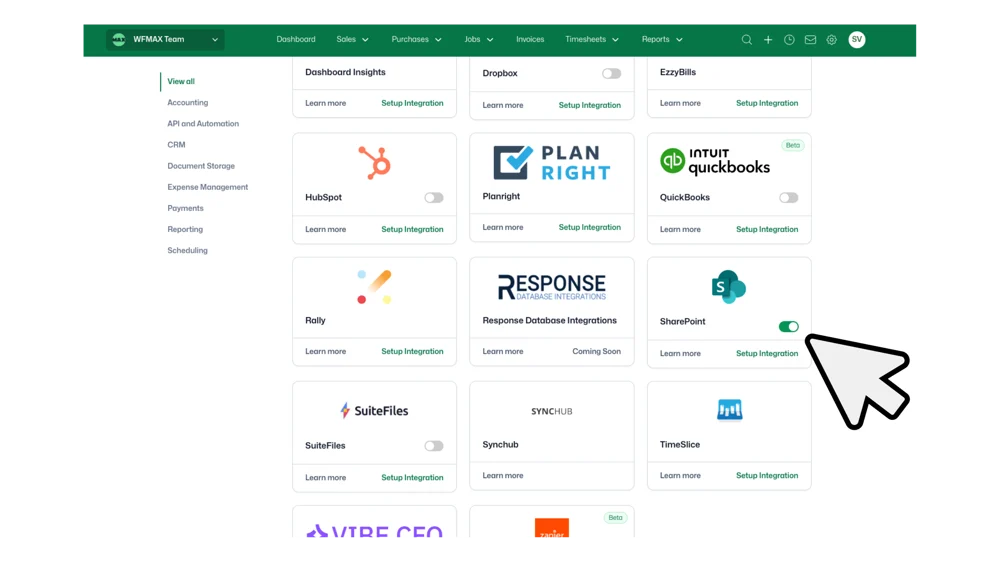
Connect your SharePoint account

Open Integrations in WorkflowMAX settings, select SharePoint, and authenticate with your Microsoft 365 account. Secure OAuth authentication. Less than 3 minutes.

Configure your document library

Choose your SharePoint site, select your document library, and pick a root folder for your documents. Folders are created automatically for your Clients, Jobs, POs, Suppliers, Quotes, and Leads.

Start syncing documents

Upload a file in WorkflowMAX, it appears in SharePoint. Add a file to SharePoint, your team accesses it directly from WorkflowMAX. Bidirectional sync in real-time.

Sharepoint 2 (1)
12295

Who benefits from SharePoint Integration?

Join hundreds of professional services firms streamlining their document workflows with WorkflowMAX integrations.

Professional services firms: Store client contracts, project deliverables, and compliance documents in SharePoint while managing your workflow in WorkflowMAX.

Creative agencies: Manage design files, client briefs, and approval documents across both platforms. Your team gets SharePoint's collaboration tools without leaving their workflow.

Consulting teams: Keep proposals, reports, and project documentation organised with automatic syncing and version control.

Teams already using Microsoft 365: If your business relies on SharePoint for document management, this integration brings your workflows and file storage together seamlessly.

Ready to sync your documents with SharePoint?

SharePoint Integration is available on a WorkflowMAX Premium and Advanced subscription. Start a free trial or upgrade to streamline your document management.

Frequently asked questions

Which plans include SharePoint Integration?

SharePoint Integration is available for Premium and Advanced customers. Not on Premium or Advanced? Start a free trial to test it out.

Is the syncing real-time?

Yes. Documents sync bidirectionally in real-time. Files uploaded in either platform appear immediately in the other.

Can I choose which SharePoint site and library to use?

Yes. During setup you'll select your preferred SharePoint site, document library, and root folder within that library.

Will this change my existing documents?

No. Existing documents remain in their current locations. The integration only affects new documents uploaded after setup.

Can I disconnect the integration later?

Yes. You can disconnect SharePoint at any time from the integrations settings. Existing files remain in both platforms.

Need more technical details?

View our SharePoint integration documentation for information on permissions, file types, versioning, and advanced configuration.

Unsure where to start?

From free online tutorials, to live demos from a specialised partner - get the help you need

SELF-PACED

One sentence here to explain who this plan is best for

1

Unlimited access

Unlimited access to the course so you can always go back and revisit things

2

Unlimited access

Unlimited access to the course so you can always go back and revisit things

3

Training

Role-specific staff training modules

GUIDED

One sentence here to explain who this plan is best for

1

Unlimited access

Unlimited access to the course so you can always go back and revisit things

2

Unlimited access

Unlimited access to the course so you can always go back and revisit things

3

Training

Role-specific staff training modules

4

Training

Role-specific staff training modules

PREMIUM

One sentence here to explain who this plan is best for

1

Unlimited access

Unlimited access to the course so you can always go back and revisit things

2

Unlimited access

Unlimited access to the course so you can always go back and revisit things

3

Training

Role-specific staff training modules

4

Training

Role-specific staff training modules

Additional features