




Product
Featured




TL;DR: Growth doesn’t have to mean chaos. WorkflowMAX helps architecture and design firms scale confidently by automating time tracking, invoicing, and project reporting so your team can focus on design, delivery, and client relationships, not spreadsheets and follow-ups.
Winning more projects should feel like progress, not punishment. Yet as architecture firms expand, so does the admin: more timesheets to chase, more invoices to issue, more project reports to reconcile. What once worked fine for a five-person studio starts to creak when you hit ten or twenty.
The secret to scaling isn’t working harder, it’s working clearer. To scale successfully, you need systems that grow with you: smart, connected, and designed to reduce noise, not add it.
For many small-to-mid-sized practices, growth happens by addition; more staff, more clients, more complexity. Without the right structure behind it, this can quickly turn into a bottleneck.
Common warning signs include:
It’s not mismanagement, it’s muscle memory. When the system that got you where you are starts holding you back, it’s time for a new one.
Scaling a practice without upgrading your systems leads to slower cash flow, stretched project managers, and fading visibility.
The more projects you win, the harder it becomes to see where the profit’s going. One delayed timesheet or late invoice might seem small but across multiple jobs, it can quietly erode margins and morale.
Efficiency isn’t about cutting corners. It’s about creating clarity, the kind that lets you deliver great work, stay profitable, and plan the next move with confidence.
Smart growth doesn’t mean doing more admin; it means designing a business that runs smoothly beneath the surface.
The principles are simple:
Growth should give you more room to lead and create not more tabs to manage.
WorkflowMAX is built to help architecture firms grow without the growing pains. It acts as your operational clarity engine, automating the admin so you can focus on the work that matters.
The result? Less time chasing numbers, more time shaping skylines.
You don’t need a full digital overhaul to regain control. Start small, stay consistent, and focus on what drives clarity.
Each step you take reduces friction and gives your team the visibility to make smarter, faster decisions.
Scaling your architecture firm doesn’t have to mean losing control or sanity. When systems like WorkflowMAX handle the admin behind the scenes, your designers and project leads can focus on what they do best: creating great work, building strong client relationships, and growing sustainably.
With WorkflowMAX, growth feels calm, confident, and under control.
Try WorkflowMAX free for 14 days or book a demo today and see how it helps your firm grow.
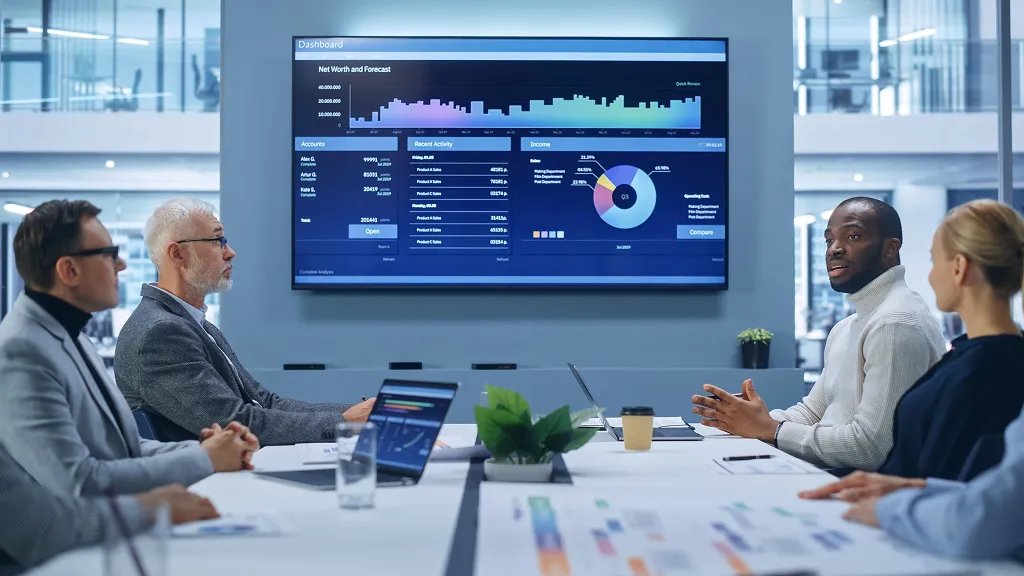
TL;DR: Real-time dashboards turn project data into client confidence. By showing live progress, budget status, and performance metrics, WorkflowMAX helps firms build trust, reduce surprises, and communicate clearly so clients feel informed and assured every step of the way.
In architecture, engineering, and design, client trust can make or break a project. Missed updates, budget uncertainty, or vague progress reports can quickly erode confidence even when your team is performing well.
Real-time dashboards change the conversation. They replace assumptions with clarity, providing live data that speaks for itself. With instant visibility into progress, performance, and cost, clients see the proof of value in real-time. This allows you to spend your energy delivering great work, rather than constantly justifying it.
Too often, project updates are manual, inconsistent, or delayed. A spreadsheet here, a status email there by the time a client receives an update, it’s already out of date.
That delay creates uncertainty. And in professional services, uncertainty feels like risk. When clients can’t see the numbers, they assume the worst.
Real-time dashboards close that gap by turning project information into something clients can rely on immediate, visual, and easy to understand.
Dashboards give clients a live window into project delivery transforming communication from reactive to proactive.
Here’s what that means in practice:
Imagine an architectural firm showing a client exactly how far each design phase has progressed, how the budget is tracking, and what’s next all in real time. It changes the tone of every conversation from “Where are we at?” to “What’s next?”
Numbers alone don’t build trust, clarity does. A real-time dashboard is most effective when it translates complex metrics into meaningful insights.
Clients don’t want every data point. They want reassurance that the project is healthy and progressing as promised.
That means:
When dashboards are used this way, transparency stops being a vulnerability and starts being the reason your clients trust you.
WorkflowMAX brings all your key data together: time, budget, and performance in one clear view.
With live dashboards, project leaders can instantly see where work stands and share that view directly with clients or stakeholders. Key capabilities include:
The result? Calm control. Clear communication. Shared confidence.
Real-time visibility works best when it’s part of how you operate, not just a one-off update. Here’s how to integrate it into client communication:
This turns dashboards from a reporting tool into a relationship tool one that reinforces accountability and collaboration at every stage.
When clients can see what you see, trust grows naturally. Real-time dashboards replace uncertainty with assurance showing that your team is organised, in control, and fully transparent.
WorkflowMAX is the quiet engine behind that confidence: transforming complex project data into calm, credible communication that strengthens every client relationship.
Discover how WorkflowMAX can help you simplify project delivery, improve transparency, and grow client trust. Try it free today.

TL;DR: Spreadsheets were built for lists, not live projects. The era of the 'standalone spreadsheet' is over. To scale effectively, architecture and engineering firms must replace manual files with real-time visibility. WorkflowMAX acts as the bridge between fragmented data and project success, helping your team move from reactive troubleshooting to proactive, confident delivery.
It’s colour-coded, full of fragile formulas, and saved under a filename like Budget_v12_FINAL_FINAL.xlsx. For years, that file held the team together. But as projects multiplied and deadlines tightened, it became less of a safety net and more of a single point of failure.
Architects, engineers, and designers have long relied on spreadsheets to manage budgets, schedules, or progress tracking. They’re familiar, flexible and deceptively fragile. The truth is, these tools were never built for live collaboration. And in an era where teams span offices, devices, and time zones, spreadsheets don’t just slow you down. They hold you back.
In the early days of a small practice or consultancy, spreadsheets made perfect sense. They were easy to set up, simple to share, and didn’t require training or setup costs.
But as projects, people, and expectations grew, those same sheets started cracking under the weight of complexity. Version conflicts multiplied. Context was lost between tabs. Team members waited for “the latest file” before making decisions.
Spreadsheets weren’t built for scale, collaboration, or financial clarity, they were built for static record-keeping. And when you’re managing million-dollar projects or cross-disciplinary teams, static just doesn’t cut it.
Spreadsheets might not come with a subscription fee, but they carry a real operational cost.
One misplaced cell can ripple across budgets, forecasts, and client reports. And by the time anyone notices, confidence in the data and in the team takes a hit.
Cloud-based collaboration tools solve these problems by creating a single source of truth for every project. Everyone sees the same data, in real time.
No more V12_final_FINAL.xls. Just live, accurate information everyone can trust.
WorkflowMAX takes these benefits and puts them into one clear, human-first platform.
Where spreadsheets demand constant maintenance, WorkflowMAX runs quietly in the background turning fragmented files into coordinated clarity. It’s a project software and the operational backbone that lets firms own their numbers and trust their workflow.
Moving away from spreadsheets doesn’t have to be overwhelming. Here’s a simple framework to start:
Each step removes a little more friction, a few more errors, and a lot more stress.
When firms stop relying on static spreadsheets, they modernise and regain control. Time spent reconciling data becomes time spent refining design. Conversations shift from “Who has the latest version?” to “How can we deliver this better?”
WorkflowMAX gives teams the visibility, accuracy, and calm they need to make confident decisions, without the chaos of manual tracking. Because confidence isn’t just a feeling. It’s the foundation of your business’s success.
See how WorkflowMAX replaces spreadsheets with real-time clarity. Try WorkflowMAX Free or Book a Demo.
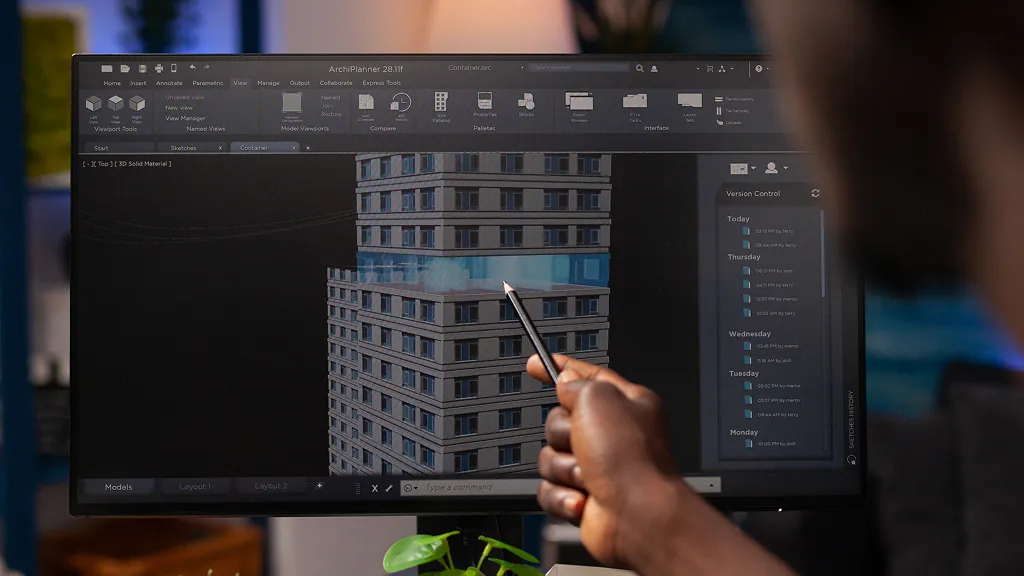
TL;DR: Digital twins give architecture and engineering teams a live digital replica of their projects improving forecasting accuracy, collaboration, and delivery confidence. Paired with WorkflowMAX, firms can turn that insight into action, keeping every project on track and profitable.
When design intent meets real-world complexity, things rarely stay on schedule. A small structural tweak can ripple into rework, extra hours, and blown budgets all because teams are working from plans that no longer reflect reality.
Digital twins are changing that. By creating a dynamic digital mirror of your project, they bridge the gap between what’s designed and what’s actually being built. The future of forecasting isn’t futuristic anymore, it’s practical, data-driven, and grounded in how firms already work.
What exactly is a digital twin?
In simple terms, a digital twin is a live, data-connected model of a physical asset or project. It updates automatically as materials, timelines, or site conditions change giving teams a single source of truth throughout design, construction, and delivery.
Unlike static 3D models or BIM files, a digital twin continuously evolves. Sensors, site updates, and connected tools feed it with real-time data. That means decisions are based on what’s happening now, not on reports from last month.
Think of it as a project’s living memory, always learning, always accurate, and always ready to help you forecast what comes next.
Most project forecasts fall short for the same few reasons:
Imagine a project that looked perfectly on budget until a late material substitution extended delivery by two weeks. Without live feedback from the field, those costs only surface after it’s too late to adjust. Digital twins prevent that lag by syncing every update across every stage.
The result? More accurate plans, fewer surprises on site, and far more confident delivery decisions. As one project manager put it, “The more accurate your data, the calmer your mornings.”
Digital twins give you the data but WorkflowMAX gives it direction.
By centralising project information across quoting, time tracking, and job management, WorkflowMAX helps you translate real-time insights into real-world control.
This connection between live digital visibility and actionable project management is where firms move from reactive to confident.
While a digital twin represents the design, WorkflowMAX captures the reality of the work. It houses the job-level data: costs, resources, and timelines, that brings a digital twin to life. Without this input, a twin is just a model; with it, it becomes a powerful tool for predicting future project health.
You don’t need to rebuild your tech stack overnight. Start simple and scale confidently:
Even partial integration can deliver big gains in visibility and forecasting accuracy.
Digital twins don’t replace human expertise, they enhance it. Architects still design, engineers still solve, and managers still make the calls. But with real-time data at their fingertips, those calls become faster, smarter, and more informed.
Firms that combine foresight with flexibility will lead the next decade of project performance. Tools like WorkflowMAX make it possible: turning data into action, and plans into predictable profit.
Ready to forecast with confidence?
Try WorkflowMAX free today and discover how smarter forecasting starts with better visibility.

TL;DR: Mobile-first project management helps teams on site access data, track progress, and communicate instantly. WorkflowMAX’s cloud-based tools connect the field to the office, empowering real-time collaboration, faster decision-making, and complete visibility over every project stage.
Project delays often begin with something small: a missing update, a delayed approval, a misunderstood task. On-site, minutes matter. Yet too often, field teams are left waiting for the latest drawings, client changes, or budget approvals to filter through emails or spreadsheets.
Mobile-first management empowers your team to do time tracking updates from the field, manage key documents, and share insights the moment they happen. This real-time synchronisation ensures the person on-site is as informed as the person in the office, removing communication bottlenecks and keeping project milestones on track. For architecture, engineering, and construction-adjacent firms, it’s becoming the smarter, simpler way to bridge the field and the office.
In many firms, the disconnect starts with outdated processes. Site staff jot down progress notes or changes on paper, while project managers back at the office rely on delayed updates to invoice, approve, or reallocate resources.
By the time the update hits the inbox, the site has already moved on.
This lag creates duplication, missed deadlines, and budget creep not because teams aren’t capable, but because their tools can’t keep up. The gap between fieldwork and back-office operations costs firms time, clarity, and ultimately, profit.
A mobile-first approach eliminates that lag entirely. When data flows both ways in real time, site teams can record progress, time, and costs as they happen while managers see the bigger picture instantly.
Here’s what that looks like in practice:
The result? Less admin, faster feedback, and more confident decision-making. Whether you’re adjusting a schedule on site or reviewing margins in the office, everyone works from the same data.
When teams can see what’s happening, not guess, they perform better. Mobile visibility gives field staff autonomy to make smart calls in the moment and managers the confidence that every decision is backed by live data.
This isn’t about micromanagement. It’s about shared control. A junior engineer can log a variation immediately; a project manager can approve it seconds later. Accountability improves, and so does trust; the foundation of any well-run project.
WorkflowMAX is built for exactly this kind of clarity.
From any device, teams can:
It’s the same control you expect in the office, just mobile, human, and immediate. With WorkflowMAX, confidence isn’t just a feeling; it’s built into every workflow.
Adopting mobile-first management doesn’t need to be complicated. Start small, learn fast, and build habits that stick.
Here’s how to begin:
Mobile-first isn’t a trend, it’s the new baseline for efficient project delivery. As teams juggle tighter timelines and rising complexity, mobility gives firms the transparency and control to move with confidence.
Architects, engineers, and project managers who embrace mobile-first tools will find themselves not just keeping pace, but leading the way; building more connected, responsive, and profitable projects from the ground up.
Ready to empower your teams on site?
Discover how WorkflowMAX can support your mobile-first project management. Try it free today.

TL;DR: AI tools are transforming how architects plan and schedule projects, but only when used strategically. With smart scheduling, data-driven insights, and WorkflowMAX’s job visibility, teams can predict delays, allocate resources better, and keep projects on track with confidence.
Design intent evolves. Clients request changes. Deadlines overlap. For most architecture firms, project planning feels like managing controlled chaos. Schedules are built with care, but they rarely survive contact with reality.
That’s where AI comes in. Not as a replacement for human intuition, but as a tool that learns from your data and offers clarity before problems appear. The right tools can help you plan with foresight, not hindsight, giving you time back to focus on the work that truly matters: design.
Architectural schedules often start as static Gantt charts that become outdated the moment a deadline moves. When a design review runs long, the ripple effect can take days to uncover. Without real-time visibility, these small slips turn into major margin-killers before you even realize they’ve happened.
Without connected data, teams spend more time reacting than refining.The result?
It’s not that teams lack discipline, they lack visibility.
AI turns the data from your old projects into the actual framework you need to keep your future work on track. Here are a few ways AI is about to change the game for your workflow in the very near future::
But here’s the thing: AI doesn’t replace project managers, it amplifies them. It takes care of the admin, so leaders can focus on judgement, not juggling.
Architects are problem-solvers at heart. You balance client ambition, regulation, and design intent every day, things no algorithm can truly “understand.”
AI’s role isn’t to design; it’s to design time.
The smartest scheduling systems combine automation with human expertise. They turn raw data into patterns, not decisions. You still decide how to deliver excellence, AI just clears the path.
WorkflowMAX acts as the human-first control centre between automation and real-world project management. It brings structure and flexibility together in one view, helping you keep every stage from concept to construction on course.
With WorkflowM, you can:
And soon, you will also be able to access:
By pairing WorkflowMAX with AI-enhanced tools, you gain automation at full capacity, helping you act, not react.
To make the most of intelligent scheduling, start simple:
The most successful firms in 2025 won’t just deliver on time, they’ll design their time with as much care as their spaces. By blending creative intuition with analytical precision, they’ll turn uncertainty into a competitive edge.
WorkflowMAX stands at the intersection of both worlds: structured, human, and forward-thinking, helping you manage complexity without losing control.
Ready to plan smarter?
See how WorkflowMAX helps you plan smarter, work faster, and stay ahead of every project stage. Book a demo

TL;DR: VAT mistakes are common in architecture firms, especially when projects span multiple phases, currencies, or countries. In 2025, new digital reporting rules and tighter tax scrutiny mean errors can become costly fast. Clear job data, structured billing, and real-time visibility in WorkflowMAX help firms stay compliant, audit-ready, and confident in their numbers.
When your projects stretch across phases, regions, and currencies, even a small VAT error can turn into a big headache. Architecture and engineering firms face unique challenges: stage-based billing, subcontractors, cross-border work, and long project timelines that span multiple reporting periods.
And in 2025, the pressure’s only increasing. Governments are rolling out new digital reporting standards and real-time VAT submissions, leaving less room for manual fixes or last-minute reconciliations. For growing firms, that means compliance can’t just live in the finance team, it has to be baked into how jobs are tracked and billed.
This article breaks down where things typically go wrong and how better visibility across your workflow keeps compliance calm, not chaotic.
It’s not that firms don’t care about compliance. It’s that their systems often make it difficult. When invoices, expenses, and project stages are handled across different tools or left to individual habits inconsistencies creep in fast.
Architecture and engineering practices have a few traits that make VAT particularly tricky:
Without structured workflows, small inconsistencies in how these are tracked can create mismatched invoices, missing records, or late filings all red flags in an audit.
Applying VAT differently across project stages is one of the most frequent mistakes. For instance, design services might be zero-rated for an overseas client, while local construction administration is fully taxable. If stages aren’t clearly defined or billed through the same system, it’s easy to misapply rates.
Invoices, purchase orders, and expense receipts are often stored in multiple folders or systems. When data isn’t centralised, reconciling VAT records for quarterly returns becomes a manual, error-prone task.
Working across jurisdictions introduces different VAT thresholds and reverse-charge rules. An architecture firm invoicing for design in the UK but construction management abroad, for example, could easily misclassify the supply leading to overpayment or penalties.
Manual systems delay visibility. By the time finance catches a missing invoice or inconsistent rate, deadlines have passed and correction filings take even more time.
When project managers and financial controllers operate in separate silos, VAT implications of decisions (like subcontractor sourcing or billing schedules) aren’t visible until it’s too late.
VAT compliance is essentially a reflection of your data's health. With structured reporting at the job level, you gain the visibility needed to catch discrepancies early. When your project data is clear, compliance becomes a byproduct of your daily workflow rather than an end-of-quarter burden.
Here’s how structured data helps:
This is about removing the guesswork that hides your true profitability.
WorkflowMAX centralises your firm’s data, replacing fragmented files with total project control. This 'one-place' approach simplifies your daily management and future-proofs your finances, ensuring everything from project margins to VAT submissions is accurate and audit-ready.
Instead of chasing spreadsheets or reconciling last-minute data, finance and project teams get a shared source of truth; clear, consistent, and always audit-ready.
VAT compliance doesn’t need to be a source of stress. With structured systems and the right tools, firms can focus on what they do best; designing and delivering great work while staying confident in their numbers.
WorkflowMAX gives architecture and engineering practices visibility, consistency, and calm control; the foundation of financial confidence heading into 2025.
See how WorkflowMAX helps architecture firms stay VAT compliant with clarity and confidence. Book a demo.

TL;DR: Hidden profit leaks happen when service firms can’t see which project stages are overrun, under-billed, or underperforming. Stage-based performance monitoring gives you the visibility to stop these leaks early, strengthen compliance, and protect margins. This guide shows how and how WorkflowMAX turns stage tracking into financial confidence.
Every service firm has had that project, the one that looked profitable until the final invoice. Somewhere between “just one more revision” and “we’ll bill it later,” profit quietly slipped away.Don't let hidden leaks undermine your decision-making. Stage-based performance monitoring puts you back in control, shining a light on where your money is working for you and where it’s simply disappearing.
Revenue leakage rarely happens in one big moment. It’s death by a thousand tiny oversights: missed milestones, untracked time, over-servicing clients, or invoices left sitting in drafts.
For architecture and engineering (A/E) firms, it’s often design revisions that run long. For consultants, it’s scope creep that no one clocks until the project’s nearly done. In both cases, you’ve delivered more than you’ve billed.
Many firms lose a surprising share of profit to untracked scope creep often realised only when the project wraps. That’s not bad luck, that’s a process issue.
Without stage-level visibility, you’re essentially flying blind between project kick-off and closeout. You might know the total hours spent, but not which stage burned through them or why.
Stage-based performance monitoring breaks a project into measurable phases; design, development, implementation, review and tracks each one against time, cost, and scope.It’s the operational version of “measure twice, cut once.”
By reviewing progress at each stage, you can:
This is a clarity engine. When each phase has a defined budget and measurable outcome, there’s nowhere for profit to hide and no excuses for fuzzy reporting.
WorkflowMAX brings stage-based monitoring to life by tying every job phase directly to your budgets, timesheets, and performance benchmarks.
You can see, in real time:
It’s not about collecting more data, it’s about surfacing useful data. WorkflowMAX turns complexity into clarity so project managers, accountants, and directors can make confident calls without waiting for end-of-month surprises.
As your team logs time, updates stages, and closes milestones, you’re effectively building a live profitability map. That’s how mid-sized firms, especially in A/E and consulting, turn what used to be guesswork into strategy.
Think of your data as a clarity engine that turns project activity into financial proof. By tracking performance at every stage, you eliminate 'fuzzy' reporting and create a traceable audit trail.
When every phase has a clear record of who did what, when, and at what cost, you can generate compliant reports without the stress of backtracking. No more late-night spreadsheet archaeology before tax time.
Instead, WorkflowMAX provides structured, real-time data that helps you:
Preventing revenue leakage isn’t about adding more software; it’s about using one tool that delivers operational clarity from quote to cash.
WorkflowMAX gives service firms the visibility they need to stay profitable, compliant, and calm turning the unknown into the understood. Because when you know your numbers, you control your future.
See how WorkflowMAX helps you spot leaks before they cost you. Book a demo.

TL;DR: Scaling an architecture firm requires a data-driven approach. By mastering a few key financial KPIs, you can move away from reactive management and start building a more predictable, profitable, and sustainable practice
Without them, blind spots around budget overruns, underutilised staff, and delayed payments can pile up. This guide outlines the essential KPIs you need and how WorkflowMAX makes tracking them easy and actionable.
Architecture firms often walk a financial tightrope: long project cycles, fixed fees, and unexpected client changes can all affect your bottom line. Yet many practices rely on spreadsheets and scattered tools to manage costs leaving decision-makers flying blind.
KPIs turn raw data into a roadmap for growth. By providing total transparency into your budgets and margins, they allow you to stop guessing and start making the business-critical decisions that drive lasting profitability.
Financial KPIs are measurable indicators that help you understand your firm's financial health and operational performance. For architecture firms, they’re different from generic business KPIs because they must account for:
Unlike general business metrics, financial KPIs in architecture must connect design delivery with real-time cost control and profit margins. They bridge the gap between creativity and commercial viability.
When architecture firms don’t track financial KPIs, they face avoidable risks:
Why it matters: Tells you if a project is actually making money after all costs: staff time, consultants, revisions, and overhead.
Real-world scenario: You quoted a $120,000 townhouse project. The job looks healthy until a cost variance report shows that revisions and additional renderings cut the true margin to 4%.
Track it with WorkflowMAX: Use job management and invoicing features to compare actual costs with quoted estimates, in real-time.
Why it matters: Predicts when money comes in and goes out. Essential for managing payroll, supplier payments, and software subscriptions.
Real-world scenario: Your next invoice is due in 30 days, but staff payroll hits in 5. Forecasting helps prevent sleepless nights.
Track it with WorkflowMAX: Integrated invoicing and Xero/QuickBooks connections help you map receivables and plan ahead.
Why it matters: Measures how effectively your team spends their time on revenue-generating work vs admin or non-billable hours.
Real-world scenario: A senior architect is only billing 30% of their hours; meaning you're losing money on their salary.
Track it with WorkflowMAX: Built-in time tracking lets you monitor individual and team utilization, and set billable targets.
Why it matters: Shows how long clients take to pay. The longer it takes, the tighter your cash flow.
Real-world scenario: A commercial client consistently pays 60+ days late, throwing off your forecast.
Track it with WorkflowMAX: Combine invoicing data with integrations to track outstanding payments by client or job.
Why it matters: Compares estimated vs actual costs so you can course-correct before it’s too late.
Real-world scenario: You budgeted $10,000 for site visits but hit $14,000 halfway through the build. Catching this early allows you to revise scope or renegotiate.
Track it with WorkflowMAX: Reporting dashboards allow you to track estimates vs actuals as work progresses.
Are you trying to improve cash flow, grow profitability, or better manage scope? Start with a goal before choosing metrics.
Align your chosen KPIs with your strategic goals. For architecture firms, financial KPIs should tie directly to project performance and resource utilisation.
Use tools like WorkflowMAX to ensure time tracking, invoicing, and job costing are centralised and reliable.
Designate team members to be responsible for specific KPIs; e.g., operations leads track utilisation, finance monitors AR days.
Don’t bury metrics in spreadsheets. Use visual dashboards and set weekly or monthly review sessions.
WorkflowMAX acts as a Job Profitability OS: purpose-built for service-based firms like architecture practices. Here's how:
Plus, its pricing and structure make it one of the most cost-effective solutions for firms managing complex, creative projects.
Without KPIs, you’re navigating blind. Architecture firms that track financial performance consistently outperform those that don’t, they quote better, hire smarter, and stay profitable.
With WorkflowMAX, you don’t need to be a finance expert to gain powerful insights. You just need the right tools.
Ready to Start Tracking What Really Matters?
Discover how WorkflowMAX can help you track KPIs with ease. Try WorkflowMAX for free today

TL;DR: HMRC is raising the bar. Professional services firms are now expected to provide enhanced digital records and real-time visibility. Staying ahead means moving away from reactive accounting and embracing a system that is 'compliance-ready' by design.
Now’s the time to ensure your financial processes are future-ready. WorkflowMAX offers job costing, audit trails, and financial integrations that help you stay compliant and in control.
The era of 'catching up' on compliance is over. As the UK tax system shifts toward a fully digital, real-time model, professional services firms need a workflow where accuracy is built-in. By digitizing your project finances now, you ensure you stay well ahead of HMRC’s rising expectations.
If your firm is already juggling client deadlines, project delivery, and profitability goals, these new demands can feel overwhelming. But with the right strategy and tools, you can turn compliance into a genuine competitive advantage.
Making Tax Digital (MTD) was HMRC’s first major push toward digitised tax reporting, requiring VAT-registered businesses to submit returns through compatible software. While MTD for VAT and Income Tax marked a major shift, it's only the beginning.
Now, HMRC is focusing on deeper digital accountability, including:
For professional services firms managing complex jobs and billing structures, these developments signal the need for smarter financial systems.
Firms that navigated MTD’s initial rollout learned several key lessons:
The same principles will apply to upcoming changes. Firms that act now will gain the upper hand in efficiency, audit-readiness, and client trust.
HMRC increasingly expects source-to-submission traceability; meaning your software must be able to connect transactions (invoices, expenses, payments) all the way to the final tax return.
Delayed submissions and retrospective data entry won’t cut it. HMRC is moving toward real-time validation of data, making lagging systems a liability.
You’ll need fully traceable audit trails, version control, and clear authorisation logs. This is particularly important for firms handling large client portfolios or government contracts.
With integrated systems, HMRC expects fewer excuses for errors. You’ll need to automatically sync billing, job costing, and reporting to ensure compliance with minimal friction.
Start with an internal audit. Where do manual processes exist? Where are spreadsheets still the norm? Identify areas where errors or inefficiencies are most likely to occur.
Choose software that offers:
Ensure staff understand their compliance responsibilities from timesheet accuracy to invoice approvals. Create clear documentation and automate wherever possible.
Compliance isn’t free. Budget for training, process improvements, and system upgrades. But also remember: non-compliance costs more in penalties, errors, and lost time.
Proactive compliance doesn’t just protect you from penalties, it helps you operate with clarity. When your financial systems are integrated, accurate, and timely:
WorkflowMAX is purpose-built for firms that manage complex jobs and billing like architects, consultants, engineers, and accountants. Here’s how it helps you stay ahead of HMRC changes:
Track costs and time per job, ensuring accurate billing and full cost visibility. Stop relying on spreadsheets that risk non-compliance.
Generate reports on WIP, revenue, and profitability in seconds ready to feed into accounting systems and satisfy auditors.
Connect directly with Xero or QuickBooks for accurate tax submissions and real-time reconciliation.
Eliminate the 'who-said-what' guesswork. With integrated time tracking, every action is logged in real time. This centralized data makes proving compliance simple and helps your team catch and reduce internal errors before they escalate.
Automate approvals, notifications, and workflow rules to reduce admin burden and maintain consistency across teams.
Note: While WorkflowMAX simplifies many compliance workflows, time entries still require a person to start, stop, or confirm actual hours worked. The automation supports accuracy and oversight, not hands-free operation, ensuring data integrity at every step.
With WorkflowMAX, compliance readiness becomes a built-in part of your firm’s day-to-day operations, not an afterthought.
The future of HMRC compliance will reward firms that are proactive, tech-enabled, and focused on data integrity. This is especially true for professional services firms where job complexity meets financial precision.
WorkflowMAX gives you the tools to manage both with confidence.
Ready to Future-Proof Your Compliance?
Discover how WorkflowMAX can support your firm’s financial accuracy and HMRC compliance: try it free today.

TL;DR: Cash flow is the heartbeat of any firm, but in long-term projects, it's often the hardest thing to get right. Navigating multi-year timelines without hitting a financial bottleneck is the ultimate balancing act. Client delays, and shifting costs can quickly put pressure on a firm’s financial health.
Proactive strategies such as staged billing, retainers, and accurate forecasting make the difference between healthy margins and financial strain. WorkflowMAX connects job tracking, invoicing, and reporting in one platform helping firms maintain steady cash flow and compliance throughout every project stage.
Architecture projects often span years, involving multiple consultants, contractors, and approvals. While the creative process is rewarding, the financial side can be unforgiving: inconsistent income, unpredictable costs, and compliance requirements that demand precision.
The truth is simple, cash flow, not profitability alone, determines whether a firm can sustain long-term projects. Even profitable jobs can put pressure on a practice if invoices are delayed or expenses outpace payments.
Unlike shorter engagements, long-term RIBA-stage projects bring specific challenges:
Without a solid structure, these issues can quietly eat away at your profits and leave your cash reserves dangerously thin.
Invoices tied only to project completion delay revenue recognition, often by months.
Additional client requests increase hours and costs, but firms may hesitate to issue variation invoices.
Contractors, consultants, and staff still need to be paid, even when client invoices remain outstanding.
Firms relying on manual spreadsheets often only identify financial risks once cash reserves are already low.
By breaking your invoices down into clear milestones, like the end of RIBA Stage 2 or approval of Stage 4, you create a much steadier rhythm for your cash flow. It makes the occasional late payment far easier to handle.
WorkflowMAX connection: By mapping your Estimates to your project stages, you set the foundation for much better cash flow. WorkflowMAX lets you invoice by progress amounts or percentage of value, giving you the flexibility to bill exactly when a milestone is reached. kFinances perfectly aligned with your project’s progress.
Secure upfront fees or monthly retainers to cover overheads. This ensures liquidity while waiting for stage completions.WorkflowMAX connection: Xero/QuickBooks integrations help automate these payment structures.
Use rolling forecasts to anticipate income, expenses, and potential delays. Firms that forecast continuously can plan resources and avoid surprises.
WorkflowMAX connection: The Job Financial Summary report gives you a live look at your budgets versus actual costs. With that kind of real-time data on your dashboard, you can spot trends early and make much more accurate forecasts for the months ahead.
Track and bill for client-driven changes as they happen. This prevents absorbed costs from quietly draining profitability.
WorkflowMAX connection: Don't let scope creep go unbilled. Use the Estimating and quoting feature to issue revised quotes and update your job tasks in real time. This keeps every variation visible and approved, so when it comes time for Invoicing, your billing accurately reflects the total work delivered.
Long projects often face audits or client demands for detailed financial reporting. Structured systems reduce risk and time spent reconciling data.
WorkflowMAX connection: By linking your Reporting and Dashboards directly with your accounting system, you create a single source of truth for your firm. This integration ensures that every invoice and expense is accounted for, making compliance and long-term financial tracking effortless.
An architecture firm moves from RIBA Stage 3 (Spatial Coordination) to Stage 5 (Construction). Client delays in approving technical designs extend the project timeline by three months. Without staged billing, the firm faces payroll strain while waiting for payment.
With WorkflowMAX, milestone invoices tied to earlier approvals provide steady income. Forecasting reports show cash impacts of the delay, allowing management to adjust staffing plans and protect profitability.
Cash-flow challenges are part of the reality of long-term architecture projects but they don’t have to derail profitability. By adopting structured billing, forecasting, and compliance-ready processes, firms can reduce financial stress and strengthen client relationships.
WorkflowMAX acts as a job management OS and everything that comes with that, streamlining invoicing, integrating with accounting platforms, and giving firms real-time visibility into job profitability and cash flow.
Don’t let cash-flow gaps undermine your projects. Discover how WorkflowMAX can help you manage cash flow with confidence.

TL;DR: Collaboration is where most projects stumble. In the world with RIBA, keeping teams aligned across every stage is a massive challenge that most firms are still trying to solve. Miscommunication, data silos, and duplicated effort can lead to budget overruns and delays.
By integrating RIBA workflows with client collaboration platforms, firms can ensure transparency, efficiency, and better client relationships. WorkflowMAX brings proposals, time tracking, reporting, and accounting integrations into one place, making it easier to connect teams and clients throughout every stage.
When architects, consultants, and clients work from different systems, communication gaps inevitably surface. Documents go missing, client feedback is delayed, and project updates get buried in endless email chains.
In complex builds, these inefficiencies often show up in the budget. Extra revisions at Stage 2 (Concept Design) or late approvals at Stage 4 (Technical Design) can quickly push projects off track. For professional services firms, this means higher delivery costs and reduced profitability.
The RIBA Plan of Work structures projects into eight stages, from Stage 0 (Strategic Definition) through Stage 7 (In Use). Each stage requires clear deliverables, client sign-offs, and multi-stakeholder communication.
But here’s the challenge:
When there isn't one place where all these perspectives meet, collaboration breaks down. Instead of moving forward, your team spends their time second-guessing data and fixing avoidable errors.
Teams use different systems; design software, email, spreadsheets, and accounting platforms. This leads to duplication and version control issues.
Clients often delay responses when they can’t easily access drawings, proposals, or progress reports. A Stage 3 (Spatial Coordination) delay cascades into Stages 4 and 5.
Without linking collaboration tools to job costing, clients may not see how scope changes affect budgets, leading to disputes later.
Choose one platform where key documents, updates, and decisions are logged. This reduces dependency on scattered emails and ensures visibility across all RIBA stages.
WorkflowMAX connection: Proposals, timesheets, and documents are stored in one job record, making sure both project and client conversations are tied to accurate cost and progress data.
When your team’s collaboration happens in one place and your budget lives in another, it’s easy to miss a red flag. Connecting the two means every design change is automatically priced out and reported long before it becomes a budget crisis.
WorkflowMAX connection: Direct integrations with Xero and QuickBooks sync job data with financials, making handovers smoother between project and finance teams.
Don’t rely on memory or manual follow-ups for approvals. Automating notifications keeps clients and teams aligned on deadlines and deliverables.
WorkflowMAX connection: By using custom reports and real-time dashboards, you can surface the exact data you need, when you need it. Identify budget overruns or pending approvals immediately, ensuring everyone stays on track and accountable throughout the project.
Clients don’t need every detail; they need clarity at decision points. Tailor dashboards and reports to show progress, costs, and approvals tied to each RIBA stage.
WorkflowMAX connection: Customisable reporting makes it easy to present stage-specific updates, guaranteeing stakeholders have the right information at the right time.
Consider a firm moving from Stage 2 (Concept Design) to Stage 3 (Spatial Coordination). Without integration, revised drawings sit in email threads while cost implications are logged in separate spreadsheets. Delays build up, and budgets suffer.
By integrating WorkflowMAX into the process:
This ensures alignment, reduces risk, and builds trust with the client.
Integrating RIBA workflows with client collaboration platforms isn’t just about smoother communication, it’s about delivering projects profitably and transparently.
WorkflowMAX helps firms:
With the right integration, collaboration becomes a differentiator not a pain point.
Simplify collaboration, protect your margins, and deliver projects with confidence. Try WorkflowMAX for free today.




