




Product
Featured



TL;DR: Billing disputes cost professional firms time, trust, and revenue. Inconsistent time records, manual invoicing, and unclear reporting often lead to client tension and lost profit. This article explains how automation in professional services removes friction from billing, improves transparency, and builds confidence with clients. With WorkflowMAX, architects, engineers, consultants, and creatives can automate their time tracking, invoicing, and approval workflows, reducing errors and keeping every bill clear and consistent.
For most professional service firms, billing should be straightforward, but often it isn’t. Architects face client questions about hourly breakdowns. Engineering firms must justify variations between estimates and actuals. Consultants juggle multiple rate cards and project phases.
Each of these complexities introduces risk: miscommunication, missed time entries, and mismatched expectations. The result? Disputes that delay cashflow, damage relationships, and consume hours in reconciliation.
In a competitive market where reputation and retention matter, preventing disputes isn’t just good finance practice, it’s brand protection.
Manual invoicing processes, whether managed in spreadsheets, emails, or disconnected systems, create gaps in accuracy and accountability.
For firms billing by the hour or milestone, these gaps can turn a smooth project into a financial debate. Automation closes those gaps by ensuring that every task, cost, and update flows through a single, consistent source of truth.
Time tracking with automated tools and capabilities removes guesswork. With WorkflowMAX, team members log time directly against jobs, tasks, or phases as they work, not days later. The system automatically attributes hours to the right cost centre, helping managers spot over-servicing early and maintain healthy margins.
This data becomes the backbone of your invoice. When clients see a clear, time-stamped record of every hour spent, disputes have nowhere to hide.
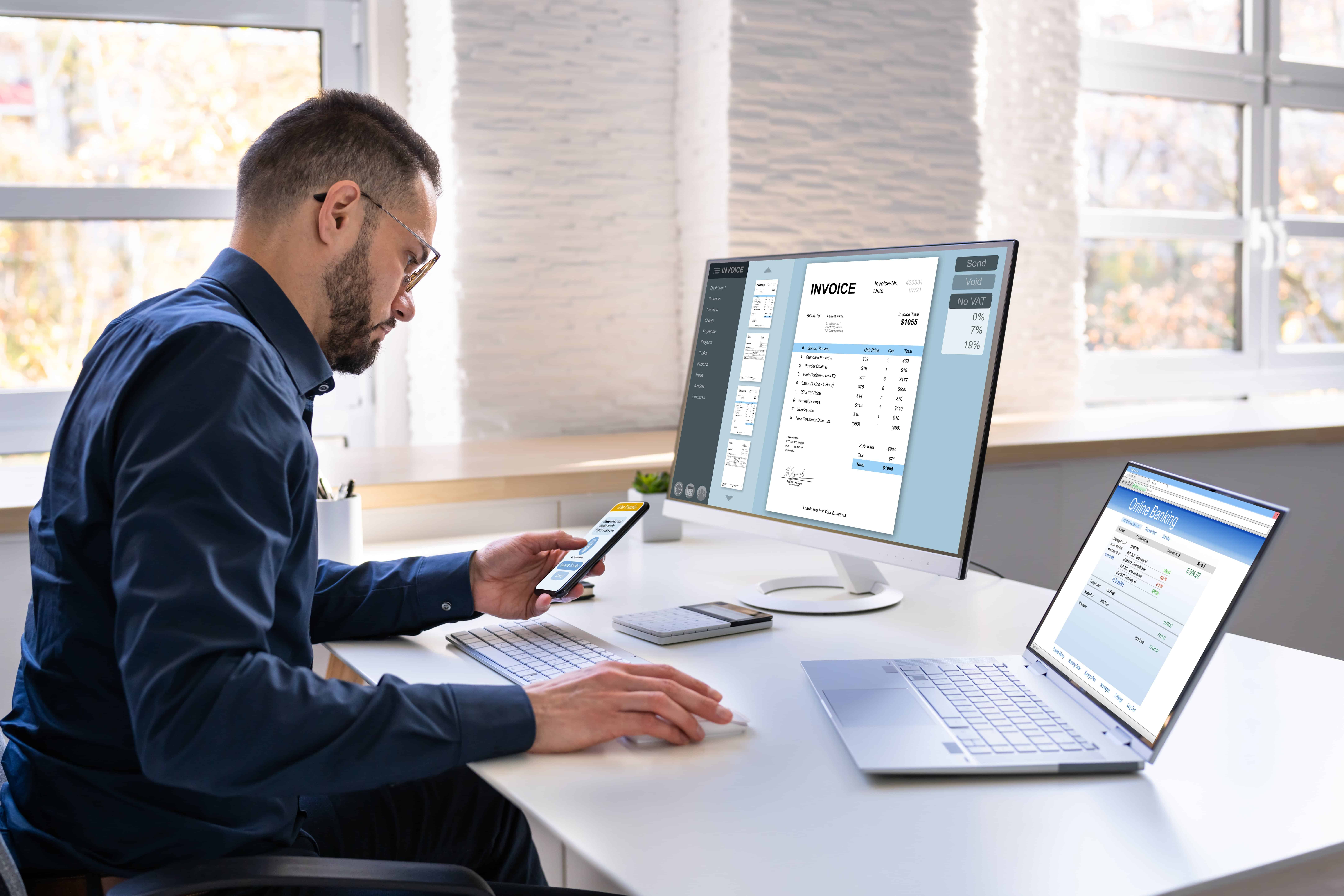
In professional services, clarity is currency. WorkflowMAX’s invoicing feature lets firms generate accurate, itemised invoices directly from approved time entries and job data. Whether you bill fixed-price or time-and-materials, automation ensures every charge aligns with scope and progress.
Integrated with Xero and QuickBooks, these invoices sync automatically with accounting systems reducing double handling and ensuring consistency across financial records. Clients receive clear, professional invoices that mirror agreed terms, backed by real project data.
Billing disputes often arise from internal misalignment, not client conflict. Automation solves that too. WorkflowMAX enables customised steps so project leads, finance teams, and directors can review and sign off on invoices before they’re sent.
Automatic notifications ensure nothing falls through the cracks, and everyone stays accountable. By the time an invoice reaches your client, it’s already been verified for accuracy and compliance.
Automation isn’t just reactive; it’s preventative. WorkflowMAX’s reporting and dashboard tools give real-time visibility into work in progress (WIP), unbilled time, and profitability by job or client.
That means you can spot scope creep, underbilling, or rate inconsistencies long before month-end. Clear dashboards give managers the tools to truly 'own the result', a core WorkflowMAX value. It turns guesswork into confident, data-backed decisions about exactly where to put your people and your budget.
When disputes do arise, context is everything. Document management and client history in Lead Manager allow teams to reference previous quotes, scope changes, and correspondence instantly. No more digging through emails to justify a charge.
By presenting a consistent, auditable record, automation transforms potentially awkward conversations into collaborative ones. Clients see you’re not defending a bill, you’re explaining the work.
The benefits of automating billing reach far beyond saving time, they transform how your firm operates and communicates with clients.
Billing disputes don’t just waste time; they erode trust. The difference between a smooth invoice and a painful follow-up often comes down to clarity. Automation gives firms that clarity, ensuring every charge is traceable, every report accurate, and every client conversation grounded in data, not debate.
With WorkflowMAX, automation isn’t about replacing people. It’s about empowering them, giving architects, engineers, consultants, and creatives the confidence to manage time, profit, and performance without second-guessing.
When your systems run clearly, your relationships do too.
Discover how WorkflowMAX can help your firm deliver projects and invoices with confidence.

TL;DR: When time tracking isn’t accurate, firms lose sight of where profit is leaking. Small gaps in recorded hours can snowball into big losses across projects, especially for architecture, engineering, and consulting firms that bill by the hour or phase. This article explores the unseen cost of poor time tracking, from margin erosion to misinformed decisions and outlines practical ways to restore visibility. With WorkflowMAX’s time tracking, job costing, and invoicing tools, firms can turn hours into insight, and insight into stronger profit margins.
Time is the currency of every project-based business. Yet, for many architecture studios, engineering consultancies, and creative agencies, it’s also the most inconsistently tracked resource.When billable hours slip through the cracks whether through manual entry, guesswork, or incomplete timesheets it’s not just admin chaos. It’s a silent hit to your bottom line.
Consider this: if each team member under-records just 15 minutes a day, that’s more than 60 hours of lost billable time per person, per year. Multiply that across a 20-person firm, and the missed revenue could fund an entire new hire.
But the impact goes beyond lost income. Poor time tracking skews project data, masks underperformance, and undermines future pricing decisions. In short, it makes your profit margins guesswork.
When recorded time doesn’t reflect actual effort, your profitability reports lie. You may think a project performed well, only to discover later that unseen over-servicing has wiped out your margin.For service-based firms, especially those operating on fixed-fee or stage-based billing, untracked hours translate directly into lower realised rates.
Project managers often rely on historical data to estimate future work. If past time entries are incomplete or inflated, new quotes will either be too optimistic (losing money) or overly cautious (losing bids).Accurate time data provides the foundation for confident quoting, helping you price competitively without undercutting profit.
Without reliable data, it’s impossible to understand where your team’s time is really going. Are senior designers tied up in admin? Are engineers spending unbillable time fixing scope creep? Incomplete time tracking hides inefficiencies that directly affect capacity planning and burnout risk.
Today’s clients expect clarity, especially when fees are under pressure. When your time reports don’t align with invoices, it can strain relationships and credibility. Transparent, accurate billing isn’t just good finance; it’s good client management.
Time tracking is a universal pain point. Even the most disciplined firms struggle with it.Common causes include:
The result? Hours of productive work go unrecorded, invoices lose accuracy, and managers fly blind when making financial decisions.
Accurate time tracking links what your team does to what it earns. It highlights which projects are profitable and which ones quietly drain resources. With visibility, you can make informed calls, whether that’s adjusting fees, improving scoping, or reallocating labour.
When staff understand the ‘why’ behind tracking, compliance improves. Framing time recording as a strategic tool, not surveillance, helps teams see how it protects profitability, ensures fair workloads, and supports better forecasting.
Manual entry breeds inconsistency. Digital time tracking integrated with your job and billing systems reduces friction, ensures accuracy, and saves hours of admin time each week.
Use time data to surface trends: average billable utilisation, margin per client, over-serviced phases. Turning this data into simple, actionable dashboards helps managers course-correct early rather than post-mortem at invoicing time.
WorkflowMAX is designed for the reality of project-based firms where every hour and every percentage point of margin counts. Its integrated time tracking, job management, and invoicing features give you a single source of truth for time, cost, and profit.
Here’s how it brings clarity to your financial performance:
In short, WorkflowMAX turns time tracking from a tedious necessity into a source of competitive advantage giving firms control over both project delivery and profit outcomes.
Time tracking isn’t just an administrative task, it’s the foundation of profitability. Without it, firms lose visibility, accuracy, and trust. With it, they gain control, confidence, and the ability to make strategic decisions backed by real data.
WorkflowMAX empowers service firms to own that visibility transforming the way they understand time, cost, and value.
Discover how WorkflowMAX can help your firm deliver projects with clarity, confidence, and control.

TL;DR: Many service firms lose profit not because of poor delivery but because they can’t see where time, cost, and margin slip through the cracks. Integrated project analytics give leaders a clear, connected view of financial performance across every job. This article explores how smarter data visibility drives confidence, accountability, and profit growth and how WorkflowMAX makes it simple with real-time reporting, job management, and forecasting tools.
For architects, engineers, consultants, and creative professionals, project profitability often feels like a moving target. Deadlines shift, scope creeps, and costs build quietly in the background. By the time reports arrive, often weeks after the work is done, opportunities to course-correct are long gone.
The result? Teams work harder without earning more, and financial visibility becomes reactive rather than strategic.
Integrated project analytics change that. By connecting time tracking, job costing, invoicing, and forecasting data into one system, firms gain the ability to see trends before they become losses and make confident decisions backed by facts, not assumptions.
Many firms still rely on spreadsheets or isolated tools for time tracking, quoting, and invoicing. Each may work fine alone but together they create data silos. Finance teams can’t see how labour hours affect profit. Project leads can’t see how budget changes impact cash flow. And leadership can’t forecast confidently without real-time inputs.
By the time financial reports are compiled manually, project performance has already shifted. A job that looked profitable last month might now be underwater. Without integrated analytics, firms operate on historical snapshots, not living data.
Beyond financial risk, blind spots limit growth. When teams don’t know which projects deliver the best returns, or where inefficiencies hide, they can’t scale effectively. Decisions around hiring, pricing, or capacity become gut calls rather than evidence-based strategy.
Across A/E, consulting, and creative sectors, clients increasingly demand transparency. Being able to show where time and budget go builds trust and competitive advantage.
In many professional services, inflation and labour costs are rising faster than fees. Firms that manage by feel risk eroding margins. Analytics provide the early warnings needed to protect profitability.
Even small consultancies now juggle multi-phase projects, remote teams, and hybrid contracts. Integrated analytics turn that complexity into clarity showing not just what happened, but what’s likely to happen next.
Start by connecting time tracking, quoting, invoicing, and reporting in one platform. When data flows automatically, teams spend less time reconciling spreadsheets and more time analysing performance.
How WorkflowMAX helps: WorkflowMAX combines job management, time tracking, and invoicing in one system so every hour logged or cost recorded flows straight into project profitability reports.
Accurate time data is the backbone of project analytics. Encourage teams to record time daily and link it to specific jobs and tasks.
WorkflowMAX in action: The time tracking feature (available on desktop and mobile) makes it easy to capture work as it happens, feeding directly into cost, utilisation, and WIP reports.
Without integrated job costing, it’s hard to know whether a project is truly profitable. Track labour, materials, and expenses against estimates in real time to identify profit leaks early.
WorkflowMAX advantage: The job management module provides a live view of every cost and charge-out rate, helping project leads stay within budget and finance teams invoice confidently.
Don’t settle for static spreadsheets. Build dashboards that surface the KPIs that actually drive performance: margin by client, project phase profitability, staff utilisation, and forecasted revenue.
WorkflowMAX tools: Customisable reporting and dashboards let firms tailor insights to their business model highlighting the numbers that matter most to decision-makers.
Analytics are most powerful when financial and operational data talk to each other. Integrating your project system with accounting software ensures every invoice, payment, and cost is reflected accurately.
WorkflowMAX integrations: Seamlessly connect with Xero or QuickBooks to sync invoices, reconcile accounts, and eliminate double handling. The result: complete visibility from project to profit.
Profitability isn’t static, it evolves with every hour logged. Use forecasting tools that draw on live data to model scenarios and prepare for growth.
WorkflowMAX enables this by: Pulling live data from jobs in progress into performance and profitability dashboards, so leaders can forecast resource needs and revenue with confidence.
WorkflowMAX exists to bring confidence back to service firms. By integrating every financial touchpoint, from quote to invoice, it helps businesses understand their true performance in real time. It’s job management, profitability tracking, and business insight all working together.
As our brand promise says: “Clarity creates confidence.” When you know your numbers, you can own your results.
Financial blind spots aren’t inevitable, they’re a symptom of disconnected data. Integrated project analytics connect the dots between work done and money earned, giving firms control where it counts: in time, profit, and performance.
With WorkflowMAX, you don’t just track projects. You understand them; deeply, confidently, and in real time.
Discover how WorkflowMAX can help your firm see clearly, plan confidently, and grow profitably. Try WorkflowMAX for free.

TL;DR: When information silos exist between design, procurement, and delivery teams, even the best projects lose time, profit, and trust. This article explores how visibility across every project stage helps architects, engineers, and consultants avoid costly disconnects and maintain control. You’ll learn practical ways to bridge communication gaps and see how WorkflowMAX gives teams real-time insight into tasks, costs, and progress keeping projects profitable and predictable from concept to completion.
In most project-based firms, design, procurement, and delivery often operate as semi-independent worlds. Architects hand over designs; procurement teams negotiate suppliers; delivery managers scramble to meet deadlines. Somewhere in between, vital information goes missing.
When visibility breaks down, so does accountability. A missed specification in design can cascade into procurement errors, rework, or budget overruns all preventable with better oversight. For firms competing in fast-moving industries like architecture, engineering, and consultancy, visibility isn’t a nice-to-have; it’s the difference between profitable and painful delivery.
WorkflowMAX exists to close these gaps, empowering teams to see, share, and act on the same information in real time, wherever they sit in the project lifecycle.
Design teams think in drawings and iterations. Procurement teams think in purchase orders and supplier timelines. Delivery teams think in schedules and compliance. Without a shared view, each stage optimises for itself, not the whole project.
These aren’t workflow glitches, they’re structural blind spots. And fixing them starts with building a single source of truth.
True visibility means more than dashboards. It’s about connecting design intent, financial control, and operational delivery under one roof. Here’s how professional firms can build it.
Link every quote, drawing, and budget from day one. With WorkflowMAX’s job management tools, design inputs, estimates, and purchase orders stay connected so any scope change automatically updates costs and timelines.
Practical example: An engineering consultancy updates a materials spec mid-project. Because WorkflowMAX acts as a single source of truth, the change is instantly reflected: the central job record updates the purchase order and triggers a custom notification to the procurement team. This eliminates the need for phone tag and prevents missed margins.
Procurement shouldn’t have to guess the impact of late deliveries or pricing changes. WorkflowMAX’s job management and reporting provide a live view of budgets, committed costs, and time spent. Managers can drill into specific work in progress (WIP) reports to see how each design decision affects delivery margins.
Benefit: Financial clarity builds accountability; everyone knows how their choices affect the bottom line.
Every handover; from design to procurement, or procurement to site, risks information loss. Using customisation, firms can standardise what data must travel with each stage: drawings, approvals, supplier notes, or client requirements.
This reduces the “translation tax” between teams and ensures compliance documents, version control, and approvals stay intact.
When teams record time directly against jobs, it’s easier to see where projects drift. WorkflowMAX’s time tracking and performance dashboards show which stages overrun and why. Over time, this builds a feedback loop between design planning and delivery forecasting helping firms bid smarter and schedule more accurately.
Visibility isn’t just technical; it’s cultural. The lead manager and notification system in WorkflowMAX keeps architects, engineers, and contractors informed of updates as they happen. Whether it’s a revised drawing or a purchase order approval, every stakeholder stays aligned without micromanagement.
When design, procurement, and delivery teams share the same information, projects move with less friction and far fewer surprises. Clear cost tracking means firms can spot overspending early, protect profit margins, and invoice accurately. Approvals happen faster because decision-makers can see what’s waiting on their desk, not what’s buried in an email chain.
Consistency across documentation also strengthens compliance. With the right drawings, supplier records, and approvals stored together, audit trails become effortless, not a last-minute scramble. Forecasting improves too, as teams can look back on real project data to quote and schedule future work more accurately.
But perhaps the biggest payoff is cultural. When everyone can see what’s happening and why, communication improves, accountability feels shared, and confidence grows. Visibility brings calm to complexity. It replaces frustration with focus, helping every team member work from the same foundation of clarity and control.
The value of WorkflowMAX lies in how it connects operational data with financial insight without adding complexity.
Each feature supports WorkflowMAX’s mission to bring confidence to service-based businesses by transforming chaos into profit.
Every successful project depends on alignment between creative vision, commercial discipline, and operational delivery. Without visibility between these stages, even the best teams are flying blind.
WorkflowMAX gives professional firms a clear line of sight from first sketch to final invoice, empowering leaders to make decisions grounded in real data, not assumptions. When teams see the same truth, they work faster, collaborate better, and deliver with confidence.
See how WorkflowMAX gives your team complete visibility from design to delivery. Book a demo today.

TL;DR: Small architecture firms often struggle to see exactly where their team’s time is going and what it’s costing. Without clear workload visibility, projects overrun, margins shrink, and client relationships feel reactive instead of confident. This article explores why visibility is so difficult to achieve, how it affects profitability and wellbeing, and how WorkflowMAX helps firms gain clarity through unified job management, time tracking, and reporting.
Running a small architecture practice should feel inspiring, not overwhelming. Yet many principals find themselves buried under spreadsheets, juggling project schedules, staff capacity, and shifting client demands. What starts as a creative pursuit often turns into a cycle of late nights, delayed invoicing, and thin margins.
The problem isn’t talent, it’s visibility.
Without a clear picture of workloads, firms can’t see who’s overloaded, which projects are drifting off track, or where profit is leaking. For a sector defined by tight deadlines and complex collaboration, this blind spot quietly erodes both creativity and confidence.
In architecture, time is your currency. You sell expertise by the hour, whether in design development, client coordination, or documentation. Yet many small firms still rely on disconnected tools or manual processes to manage it.
Many studios use one system for timesheets, another for invoicing, and a spreadsheet for planning. By the time you realise a project’s over budget, the hours are already gone. Visibility means more than tracking time, it’s about understanding where those hours go and how they affect profit.
When project data sits in silos, forecasting becomes guesswork. A director might assume there’s capacity for a new client until they discover three team members are already at 120% load. Overwork follows, burnout creeps in, and quality drops.
Without real-time data, every decision becomes reactive. Should you extend a deadline? Hire? Adjust a quote? Each choice affects profitability. Lack of visibility means you’re steering by instinct instead of insight.
When you can’t see the full picture of your team’s workload, the impact ripples through every part of the business. It doesn’t just cost hours, it costs confidence, control, and profit.
Untracked time is the most obvious leak. Extra client calls or drawing tweaks that never make it onto a timesheet quietly add up and over months, they can mean thousands in lost revenue.
Then there’s the human impact. Without clear priorities, teams juggle too many deadlines, leading to late nights and rising frustration. Architects end up reacting to problems instead of refining their work.
Hidden bottlenecks make things worse. When senior staff are overloaded, projects slow, margins shrink, and client trust starts to erode.
Because time and money are inseparable in architecture, poor visibility soon hits the balance sheet. Invoices are delayed, cash flow tightens, and firm owners lose sight of which projects are truly profitable.
For small practices, this isn’t just an operational issue, it’s a threat to both margin and morale. A lack of visibility quietly drains profit and the creative energy that makes your firm unique.
Many architects still rely on task-based tools like Asana or Trello, great for coordination, but limited for tracking profitability or resource allocation.
Others depend on accounting-first platforms like QuickBooks or Xero. They handle invoicing well but rarely capture project phases or labour detail accurately enough for built-environment workflows.
Niche tools like Monograph or Total Synergy solve parts of the problem but often feel rigid or overly complex for smaller teams.
That’s where WorkflowMAX sits apart: comprehensive enough for multi-discipline studios, yet flexible and human-centred for growing firms.
Every project touches multiple systems: quoting, design, documentation, emails. When data lives everywhere, no one sees the whole picture. WorkflowMAX unifies estimating, job management, time tracking, and invoicing in one platform, giving teams live insight into workload and profitability.
Even when data exists, it’s often static. WorkflowMAX’s custom dashboards turn that data into actionable insights showing which jobs are ahead, behind, or at risk.
Some studios avoid time tracking out of fear it will stifle creativity. But visibility isn’t about control, it’s about empowerment. With WorkflowMAX’s mobile app and quick timers, logging time feels natural, not administrative.
Without forward-looking capacity planning, firms can’t balance future workloads. WorkflowMAX’s job management and work-in-progress tools help managers see who’s available and what’s billable before the crunch hits.
When visibility improves, so does everything else:
Visibility turns stress into strategy, replacing chaos with calm control.
WorkflowMAX gives practices one platform to manage every aspect of operations:
With these tools, small firms can own their results seeing not just what’s happening, but why.
Workload visibility isn’t about more admin, it’s about more confidence. For architecture practices, clarity around time, cost, and capacity creates both creative freedom and financial control.
WorkflowMAX was built for exactly this balance, helping firms see clearly, plan smarter, and deliver profitably so they can focus on the work that inspires them most.
Discover how WorkflowMAX can help your firm deliver projects with confidence. Willing to try WorkflowMAX for free?

TL;DR: When budgeting and forecasting live in separate systems, project-based businesses struggle with incomplete data, misaligned targets, and missed profit opportunities. Integrating both into a single workflow brings clarity, control, and confidence to financial decisions. This article explores how a unified budgeting and forecasting approach streamlines operations and empowers teams to make smarter, faster choices with WorkflowMAX as your foundation for confident growth.
For architects, engineers, consultants, and creative firms, profitability depends on foresight. You need to know what’s happening in your projects today and what’s likely to happen next quarter.
But too often, budgets and forecasts live in isolation. The finance team models revenue and resource plans in spreadsheets, while project managers build estimates and track costs elsewhere. The result? Gaps between what’s planned, what’s spent, and what’s earned.
This disconnect leads to:
A unified budgeting and forecasting process bridges this divide giving you a single source of truth for every project, client, and cost centre.
In traditional workflows, project managers focus on delivery while finance teams focus on accounts. Without integration, data must be exported, reconciled, and manually verified. Each time information is moved, it risks errors and time delays.
For example, an architecture firm might set project budgets at the design stage but have no real-time view of actual labour costs or purchase orders. By the time finance reviews performance, margins have already eroded.
Bringing budgeting and forecasting together in one platform lets you:
This integration transforms forecasting from a periodic reporting exercise into an everyday decision tool.
Budgets shouldn’t be guesswork. Use real historical job costing data, time, materials, subcontractor fees to inform new project budgets.
In WorkflowMAX:
Together, they create realistic budgets grounded in evidence, not assumption.
Once projects are underway, align your actual data with your planned figures. Real-time time tracking and invoicing let you monitor labour and revenue simultaneously.
WorkflowMAX makes this seamless with:
This live link between budget and actuals keeps your forecasts dynamic and reliable.
Forecasting isn’t just about predicting revenue, it’s about preparing for change. Create multiple “what if” scenarios:
With unified data, you can model these situations quickly and visualise the impact on profit, cash flow, and capacity.
WorkflowMAX’s reporting and dashboard tools help surface insights instantly so managers can make adjustments early, not after month-end.
When everyone works from the same system, conversations become clearer.Finance gains visibility into project-level costs. Project leaders see how their decisions affect profitability.
This transparency creates accountability and eliminates the “us versus them” divide that often exists between delivery and finance.
Automation doesn’t replace financial oversight; it enhances it. By linking time tracking, invoicing, and forecasting automatically, firms can focus more on strategic planning and less on manual admin.
A unified budgeting and forecasting workflow gives service firms three key advantages:
As the WorkflowMAX brand promise puts it: clarity creates confidence. When you know your numbers, you can manage your business, not just react to it.
WorkflowMAX was built for service firms that want visibility, not volatility. It connects every financial touchpoint, estimating, scheduling, time tracking, invoicing, and reporting into a single ecosystem.
Key features supporting budgeting and forecasting include:
This unified foundation lets you anticipate performance, manage costs, and grow with confidence without the complexity of juggling multiple tools.
Budgeting and forecasting don’t belong in silos. Together, they form the heartbeat of a profitable service business. By integrating both in one workflow, you turn disconnected data into a continuous feedback loop of insight and action.
WorkflowMAX empowers you to see beyond the spreadsheet, connecting your budgets, forecasts, and actuals into one clear story of performance and potential.
Discover how WorkflowMAX can help your firm forecast profit with confidence.

TL;DR: Many firms know which clients keep them busy, fewer know which actually keep them profitable. This article explores how architecture, engineering, consulting and creative firms can use data to identify their most valuable clients and projects. You’ll learn practical methods to measure value, focus your pipeline, and stop profit-leak jobs before they grow. WorkflowMAX gives teams the visibility, time-tracking, and reporting tools to make those calls with confidence, not guesswork.
Every hour, quote, and change request affects your firm’s bottom line. Yet in project-based industries, financial clarity often comes after the job wraps when it’s too late to adjust. Architects absorb unpaid design revisions. Engineers under-estimate labour on complex builds. Consultants over-service long-standing clients “for the relationship”.
The result? Busy teams, slim margins, and no clear sense of which projects truly drive growth.
The firms that outperform are the ones that measure, compare, and act on real data, turning raw hours and invoices into insight.
It’s easy to assume your largest client or most visible project is your most profitable. But when you factor in the time spent on revisions, meetings, and overruns, that may not hold true. A smaller client with efficient communication and clear briefs could deliver a higher margin and less stress.
Profitability isn’t about who pays most, it’s about what remains once the job is done.
High-value clients and projects typically share a few attributes:
Quantifying these attributes requires data that connects time, cost, and revenue across every job. That’s where tools like WorkflowMAX’s job management, time tracking, and reporting dashboards come in. They show not just what you earned, but what it took to earn it.
For most professional service firms, high-value work can be surfaced by analysing a few core metrics:
Together, these metrics form a profitability map, one that tells you where to double down and where to draw a line.
Once data is flowing, patterns start to emerge.
Use WorkflowMAX’s reporting and customisation to tag clients by industry, project type, or service line. Then review profitability by category to reveal which segments deliver the strongest returns.
For example:
That insight informs pricing, resourcing, and business development strategy evidence-based, not instinct-led.
Profitability isn’t static. Market rates, team capacity, and project risk shift constantly. That’s why forecasting future value is as important as analysing past performance.
WorkflowMAX’s performance dashboards and Work In Progress (WIP) reporting give you forward visibility:
For architects and engineers managing multiple phases across long projects, this is vital. It means you can adjust workload and cashflow forecasts before small variances turn into full-scale budget strain.
Prioritising high-value clients isn’t about dropping smaller ones. It’s about aligning effort to impact.
When you can see where time is going, what it’s costing, and what it’s earning, decisions become clearer and calmer.
Profitability insights shouldn’t live only with partners or directors. Sharing clear data empowers teams to act with purpose:
Externally, these insights enhance client trust. When you can show how scope changes affect margin or delivery time, discussions move from emotional to factual. That transparency builds stronger, longer-term relationships, the foundation of sustainable profit.
WorkflowMAX isn’t just about tracking; it’s about clarity that creates confidence. The platform brings together:
Each feature contributes to a single goal: turning operational complexity into actionable insight so firms can own their results.
In project-based work, confidence comes from clarity. When your data shows exactly which clients and projects generate real value, you can steer your firm with purpose, not pressure.
WorkflowMAX gives architecture, engineering, consulting, and creative firms the tools to see, compare, and act on profitability insights in one place. That’s how control turns into growth.
Discover how WorkflowMAX can help your firm deliver projects with confidence. Book a demo

TL;DR: Timesheets aren’t just about compliance or billing, they’re a window into how your firm really works. When captured and interpreted well, they reveal where profit leaks, who’s overloaded, and how projects can run more smoothly. This article shows how architects, engineers, consultants, and creative teams can turn routine time data into performance intelligence and how WorkflowMAX makes it effortless with real-time visibility, integrated job costing, and custom reporting.
Ask most professionals what they think of timesheets and you’ll likely get a sigh. They’re seen as admin, a necessary evil for billing or compliance. But for project leaders, timesheets can be a strategic asset.
Behind every hour logged sits a story about how your projects are performing: whether estimates were realistic, whether teams are stretched, and where profitability is slipping through the cracks.
For architecture and engineering firms, where labour is the largest cost driver, these insights aren’t just helpful, they’re essential for staying competitive and sustainable.
Many firms capture time but stop there. Without context, timesheet data becomes little more than a spreadsheet of hours. The challenge isn’t gathering time data, it’s connecting it to performance, forecasting, and profitability.
Common pain points include:
When time data is structured, accurate, and linked to jobs, it becomes an early-warning system. You can spot inefficiencies before they impact budgets, rebalance workloads, and price future projects with confidence.
That’s what we call time intelligence, using timesheet data not just to record effort, but to drive better decisions.
The first step is linking hours worked to project budgets and billable rates. When every logged hour reflects its true cost and value, you can instantly see which projects are profitable and which are not.
WorkflowMAX example: The Job Management and Time Tracking tools automatically tie each entry to tasks, staff rates, and materials. That means you can compare planned versus actual costs at any point, no manual reconciliation, no guesswork.
Patterns in timesheet data show where your team excels and where friction occurs. Are some staff consistently logging more hours on certain task types? Is one phase always overrunning?
By analysing this data, project managers can make informed adjustments to resourcing and process design.
WorkflowMAX example: Custom Reports and Dashboards allow you to filter by person, project, client, or task type, so you can visualise billable health, capacity, and margins in real time.
Timesheets create a factual record of how long tasks really take, not how long we wish they did. Using that data for future quotes builds accuracy, credibility, and profitability.
WorkflowMAX example: The Estimating and Quoting module draws directly from job history, allowing firms to price new work based on actual performance data rather than assumptions. Over time, your forecasting becomes sharper and your bids more competitive.
Clients expect clarity. When every invoice is backed by detailed, transparent time data, it builds trust and reduces disputes.
WorkflowMAX example: With Invoicing linked to Time Tracking, you can automatically generate invoices based on approved timesheets and project milestones. Integration with Xero or QuickBooks ensures that financial data stays consistent across systems.
Consistent timesheet discipline is cultural, not technical. Project leaders who frame time tracking as an enabler of smarter work, not surveillance, get far better engagement.
Encourage teams to see timesheets as part of the design or delivery feedback loop: the data that helps everyone work more efficiently and profitably.
WorkflowMAX example: In-sync Notifications, Customisation, and the Mobile App make time entry quick and intuitive, removing friction so your people can focus on what they do best.
For professional service firms, profitability and performance depend on understanding where time goes. When you have that clarity, you can plan confidently, invoice accurately, and lead with certainty.
WorkflowMAX turns that philosophy into practice, uniting time tracking, job costing, invoicing, and reporting in one simple, human-centred platform.
It’s how architects stay on budget, engineers meet deadlines, and consultants grow with confidence.
By connecting them to project performance and profitability, you turn routine record-keeping into a strategic advantage.
With WorkflowMAX, time data becomes more than numbers, it becomes the foundation for confident growth.
Discover how WorkflowMAX can help your firm deliver projects with confidence. Book a demo.

TL;DR: When project and accounting data live in separate systems, decision-making becomes reactive instead of strategic. For architects, engineers, consultants, and creatives, this means missed profit insights and compliance headaches.This article explores how unifying financial and project data gives firms full visibility, turning chaos into clarity and how WorkflowMAX helps achieve that through its Xero integration, job management, reporting, and time tracking tools.
Project-based businesses live in two worlds: creative delivery and financial control.Architects juggle design timelines and budgets. Consultants manage billable hours and project scope. Engineers coordinate complex workflows while ensuring compliance with industry standards.Yet, in most firms, project and accounting data remain disconnected. Time is tracked in one system, invoices are raised in another, and profitability reports arrive weeks after decisions have already been made.
In an economy that rewards agility and accuracy, visibility is no longer optional, it’s the foundation for sustainable growth. Firms that unify their financial and operational data can identify problems early, measure true profitability per project, and act with confidence.
When financial data is manually exported from one system and re-entered into another, errors and delays are inevitable. Managers lose hours reconciling spreadsheets instead of managing delivery.
Example: A mid-sized architecture studio might export timesheets from a project tool, manually combine them with invoices from an accounting system, and still struggle to see which phase of a project is over budget. By the time the data is analysed, it’s too late to recover margins.
Disjointed systems make it harder to demonstrate compliance, particularly around expense approvals, subcontractor payments, or tax reporting. Without a single source of truth, teams risk inconsistent data trails and reporting discrepancies.
Without integrated data, leaders often rely on gut instinct rather than evidence. You might know revenue per client, but not true profit once time, expenses, and variations are factored in. The result? Unprofitable projects hiding behind healthy-looking invoices.
The first step is integration. Tools like WorkflowMAX’s Xero integration bridge the gap between project operations and accounting. Every quote, invoice, and expense automatically syncs between systems, reducing double entry and ensuring that finance teams and project managers are working from the same numbers.
Benefit: Your accountant sees live project invoices, while your project managers see accurate cost recovery, all without exporting a single spreadsheet.
Data only becomes meaningful when it’s consistent. Standardising your time tracking, job management, and purchase order workflows ensures that every billable hour and cost sits in the right place. With WorkflowMAX, time entries flow directly into job profitability reports and client invoices, no manual reconciliation required.
Example: An engineering consultancy can compare budget vs. actual time by task, identify bottlenecks, and adjust resource allocation before costs spiral.
Once systems are unified, dashboards become your decision engine. WorkflowMAX’s customisable reporting and dashboards turn raw data into actionable insights showing at a glance which clients or project types deliver the strongest returns.
This visibility enables smarter forecasting and resource planning, helping leaders move from reactive problem-solving to proactive decision-making.
Integrated financial workflows automatically create audit-ready records. Every expense, approval, and invoice is linked back to its project and client. That means fewer surprises during financial reviews and greater confidence in compliance processes.
Scenario:An architecture practice runs multiple projects across different regions. The design team uses a project management tool, while the finance team operates from an accounting platform. The result? Late invoicing, inconsistent billing stages, and underreported time.
After unifying systems with WorkflowMAX and Xero:
The firm now makes evidence-based decisions redirecting resources toward higher-margin work and improving cash flow visibility across all active projects.
WorkflowMAX is built specifically for service-based firms, architects, engineers, consultants, and creatives who need control without unnecessary complexity. It connects the dots between your projects and your books, giving you a complete view of performance across every job, client, and team.
Here’s how WorkflowMAX brings your financial and operational data together:
Together, these capabilities help firms move from guesswork to precision empowering leaders to make informed decisions, strengthen compliance, and grow with confidence.
Unifying accounting and project data isn’t just about systems, it’s about confidence. Confidence in your numbers, your processes, and your team’s decisions.
WorkflowMAX isn’t just software; it’s a partner in clarity and profitability, helping firms turn complexity into control and data into results.
Firms that see clearly, grow confidently. By integrating accounting and project systems, you transform scattered data into insight, powering smarter decisions, stronger compliance, and healthier profits.With WorkflowMAX, you gain more than visibility, you gain control.
Discover how workflowMAX can help your firm make better financial decisions with complete clarity. Try WorkflowMAX for free.

TL;DR: Maintaining a clear audit trail from quote to payment is essential for compliance, transparency, and client trust. For professional service firms, especially architects, engineers, accountants, and consultants, it safeguards accuracy, simplifies audits, and reduces financial risk. WorkflowMAX makes it easy by linking quotes, job management, invoices, and payments in one intuitive system, guaranteeing complete visibility and peace of mind.
In professional services, every quote, invoice, and payment tells a story. Without a reliable way to follow that story from start to finish, businesses risk confusion, compliance issues, and lost revenue.
A clear audit trail isn’t just an accounting safeguard, it’s a foundation of financial integrity. For firms that manage complex projects and client relationships, traceability ensures confidence at every stage, proving that decisions are backed by data, not guesswork.
An audit trail is a chronological record of financial transactions, capturing every change, approval, and payment step from quote through to final receipt. It provides a transparent, verifiable pathway showing who did what, when, and why.
For architects, engineers, accountants, and consultants, this transparency is critical. Projects often involve multiple stakeholders, phased billing, and regulatory oversight. A complete audit trail ensures no document is misplaced and no transaction goes unexplained. In short: it transforms financial workflows from reactive to reliable.
When records are scattered across spreadsheets or inboxes, it’s easy for quotes or invoices to go missing. Missing documentation makes audits painful, weakens internal controls, and slows month-end reconciliation.
Without a single source of truth, small inconsistencies like mismatched tax codes or duplicate invoices can add up to significant revenue leakage and client frustration.
Tax authorities and professional bodies increasingly expect detailed, verifiable records. Inadequate traceability can lead to compliance breaches, fines, or failed audits particularly for firms managing client funds or large capital projects.
For professional firms, trust is currency. A single financial oversight can undermine credibility with clients, partners, and regulators. Maintaining clear documentation demonstrates integrity and professionalism.
Consider a mid-sized architecture firm juggling multiple projects, each with separate budgets, subcontractors, and client variations. Without an integrated system, the finance team spends hours reconciling invoices manually, often discovering errors weeks later.
After adopting WorkflowMAX, all project quotes, time entries, purchase orders, and invoices were connected in one audit-ready platform. Financial reporting became faster, discrepancies were flagged automatically, and the firm could demonstrate full compliance during annual audits. The result? Greater confidence, for both the business and its clients.
WorkflowMAX is designed for service-based firms that need complete control over time, team, and profit. By connecting every stage of your financial workflow, it delivers clarity, compliance, and confidence.
In short, WorkflowMAX isn’t just a management tool, it’s your foundation for confident, compliant growth.
A transparent audit trail isn’t just a compliance necessity, it’s a business advantage. It protects profitability, builds trust, and provides the peace of mind that every transaction can stand up to scrutiny.
With WorkflowMAX, firms can finally bridge the gap between operational control and financial confidence. From the first quote to the last payment, everything is connected, traceable, and under control.
Discover how WorkflowMAX can help your firm strengthen its financial audit trail today.

TL;DR: Compliance shouldn't feel like a redline struggle. The firms that scale successfully are the ones that bake audit-readiness into their daily rhythm rather than chasing it after the fact. WorkflowMAX gives you that control, providing total visibility and confidence without adding to your team's mental load.
Every year, professional service firms face a new set of rules, from tax reporting standards to data privacy updates and client record requirements. For architects, accountants, and consultants alike, the admin burden keeps growing while client expectations stay the same: fast, accurate, and insightful delivery.
That pressure can pull you away from what you’re great at: delivering quality work, while dragging you into spreadsheets, cross-checks, and late-night reconciliations. Teams care deeply about compliance but the process often feels messy and reactive.
When compliance is handled ad hoc, the fallout shows up in more ways than one:
Small inefficiencies compound quickly. And when regulations tighten, those cracks can become full-blown risks: financial, reputational, or both.
It’s tempting to treat compliance as a checklist. But the firms that stay ahead view it as a foundation for smarter decisions and stronger client relationships.
Visibility doesn’t mean micromanagement; it means confidence.Structure doesn’t kill creativity; it frees it.
When your processes are transparent and consistent, you don’t just “pass audits”, you operate with less friction, more foresight, and greater profitability.
This is the shift: from firefighting to future-proofing.
WorkflowMAX was built for service firms who need control without complexity. It helps your team align projects, people, and profits all within one connected system.
Here’s how it supports compliance and operational clarity in practice:
In short, it’s the dependable foundation your business can build on, control where it matters, simplicity where it counts.
Here’s how to start turning compliance from a headache into an advantage:
Each step gives you more visibility and less stress when the next regulatory change arrives.
Regulations will keep evolving. But with the right structure, your firm doesn’t have to feel like it’s always catching up.
WorkflowMAX helps turn compliance from an afterthought into a built-in strength, one that supports your people, impresses your clients, and protects your profits.
When systems support people, teams can focus on what truly matters: delivering great work with confidence and clarity.
Ready to future-proof your firm? Try WorkflowMAX or book a demo today.

TL;DR: When finance and project teams don’t speak the same language, good work gets buried under confusion and missed signals. Clear visibility across time, costs, and budgets brings both sides together. WorkflowMAX gives service firms one dependable source of truth so everyone can make confident, connected decisions.
You’ve likely seen it before: the project team hits a deadline, but finance spots an overrun no one mentioned. Or finance needs a cost breakdown, but the data’s buried in three spreadsheets and an email thread titled “Final-final-budget_v4.”
These gaps aren’t about competence, they’re about clarity. Project managers think in milestones; finance thinks in margins. Both want the same outcome, but without shared visibility, small misunderstandings turn into big frustrations.
When numbers and narratives don’t match, the whole business feels it:
A few missed connections each month can quietly erode profitability not because the work isn’t good, but because the story behind it isn’t clear.
It’s easy to think tighter control is the answer, but the real solution is shared understanding. Visibility isn’t about micromanagement, it’s about creating the confidence to act.
When both teams can see the same numbers in context, hours, budgets, billing progress they stop talking at each other and start collaborating with each other. The finance team understands what’s happening on the ground. The project team sees how decisions affect cash flow. Suddenly, everyone’s speaking the same language: clarity.
WorkflowMAX helps professional service firms connect project delivery with financial control without adding complexity. It brings structure, visibility, and simplicity to the places where conversations usually break down:
It’s not about adding another layer of admin. It’s about giving both sides the same source of truth so conversations move from “what happened?” to “what’s next?”
Here’s a simple framework any service firm can use to align finance and project teams:
When finance and delivery work in sync, projects run smoother, margins improve, and teams feel empowered to make better calls. The goal isn’t to add process, it’s to remove friction.
WorkflowMAX helps you do exactly that: one connected system that brings people, projects, and profits together. Because when your teams share the same picture, you can lead with confidence, not correction.
Ready to see how clarity transforms collaboration? Try WorkflowMAX free today.




