The job side, handled properly.

QuickBooks was never meant to run your projects. WorkflowMAX is, with the tools A&E firms reach for
on multiple complex jobs, and the reporting to see what each one earns.

Job Management:

Manage every job, task and deadline across multiple complex projects from one place.

Time Tracking:

Capture every chargeable minute so nothing billable slips through before invoicing.

Estimating and quoting:

Send customised quotes, estimates and budgets in minutes, then track them against the job.

Invoicing:

Build detailed, branded invoices down to the phase, then let the data flow to QuickBooks.

Reporting and dashboards:

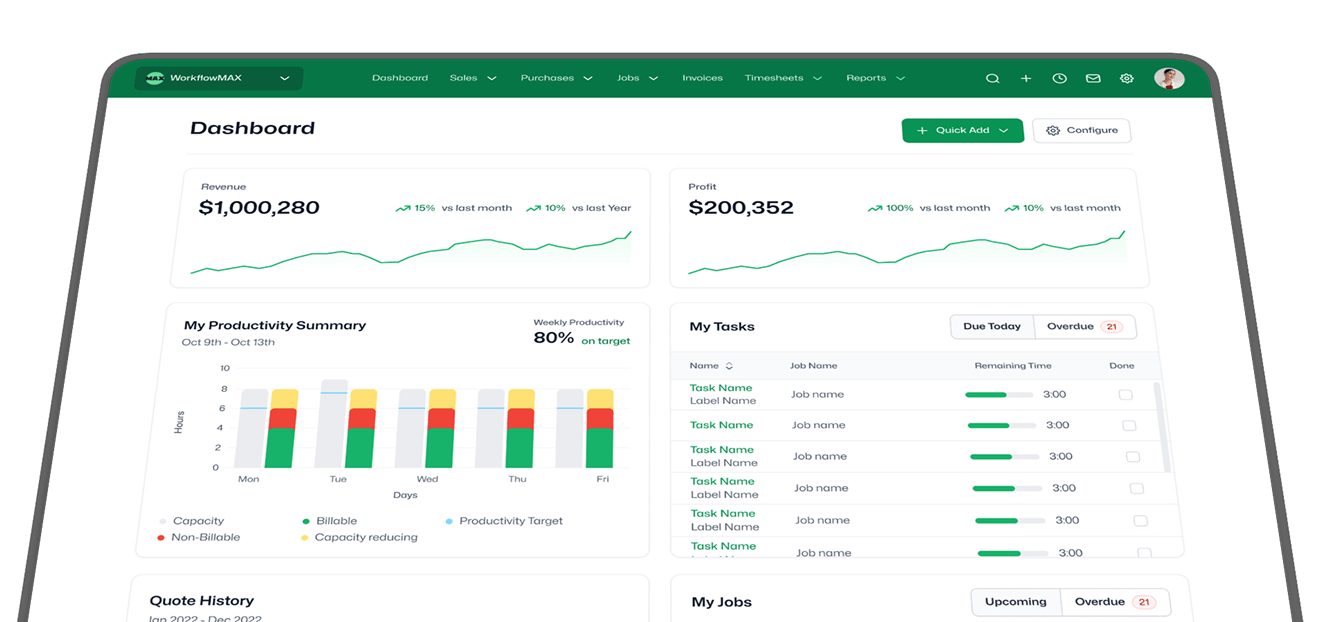
See where each job stands and what it is earning, based on your live job data.

Customisation:

Shape quotes, invoices and reports around the way your practice actually works.

100,000+ professionals

Across 150+ countries run their jobs on WorkflowMAX.

Kavan Applegate

Director of Guymer Bailey Architects

"The data within WorkflowMAX helps me as the owner manage the profitability of projects from start to finish."

Learn More  -->
0:00 / 0:00
Playback speed

Amy Darvall

Founder of Holistic Nursing Solutions

"Life before WorkflowMAX was very labour intensive. Now I can easily see the full job lifecycle."

Learn More  -->
0:00 / 0:00
Playback speed

Luphus Oosthuizen

Director at Engenera

"The big problem with Excel spreadsheets is it's not scalable. Implementing WorkflowMAX was painless and fast."

Learn More  -->
0:00 / 0:00
Playback speed

Sarah No

Brand and Marketing Director of BlueRock Digital

"We needed a system that is able to work in real time, share visibility to decision makers so we can make those decisions really quickly.  WorkflowMAX makes it really easy to do that."

Learn More  -->
0:00 / 0:00
Playback speed

Steve Luxmoore

Director of Your HR System

"With WorkflowMAX, we've been able to have real-time data, so that we get a great picture
on profit and understanding what our profit is."

Learn More  -->
0:00 / 0:00
Playback speed

The questions A&E firms ask first.

The questions A&E firms ask first.

How do I actually see whether a job is profitable?

As time, costs and supplier invoices are recorded against a job in WorkflowMAX, your job profitability reporting updates, and the synced QuickBooks data keeps the financial picture accurate. You can see how each job is tracking rather than waiting for the end-of-month reconciliation.

Is this suitable for US firms running QuickBooks?

Yes. For firms using QuickBooks Online as their main accounting platform, WorkflowMAX gives you the same job-to-accounting flow that Xero users get: invoices, account-code mapping and payment tracking. WorkflowMAX handles job management, time tracking and billing; QuickBooks handles the books.

Are contacts really kept in sync both ways?

Yes. Import your QuickBooks contacts to get set up quickly, then they stay in sync bi-directionally. Update a client in either platform and the change is reflected in the other, so you are not maintaining two address books.

Do I send invoices from WorkflowMAX or QuickBooks?

Most firms send from WorkflowMAX, since it gives you detailed timesheet breakdowns, branded templates and phase-level line items, then lets the accounting data flow to QuickBooks. You can also send from QuickBooks if that suits your workflow.

Can I control which QuickBooks accounts invoices are coded to?

Yes. Map account codes at the general level, by job category, or down to individual tasks and costs. WorkflowMAX applies the correct codes when you approve an invoice, so line items land in the right revenue accounts without manual intervention.

Why don't purchase orders flow to QuickBooks?

Purchase orders are commitments, not financial transactions. When you receipt a PO in WorkflowMAX, the resulting cost flows to QuickBooks as a payable. This keeps your accounting ledger clean and accurate.

See your profit on your own jobs.

Book a 20-minute demo with the Americas team and we will show you the QuickBooks sync and live job profitability on an A&E workflow like yours.