Manage time off without the spreadsheet chaos

Leave Management

Let your team request time away, give approvers a clear view of what needs actioning, and see how leave affects capacity and timesheets, all in one place with WorkflowMAX leave management.

Give your team a simple way to request time off

features-icon

Staff submit and track their own requests from a single Time off page

features-icon

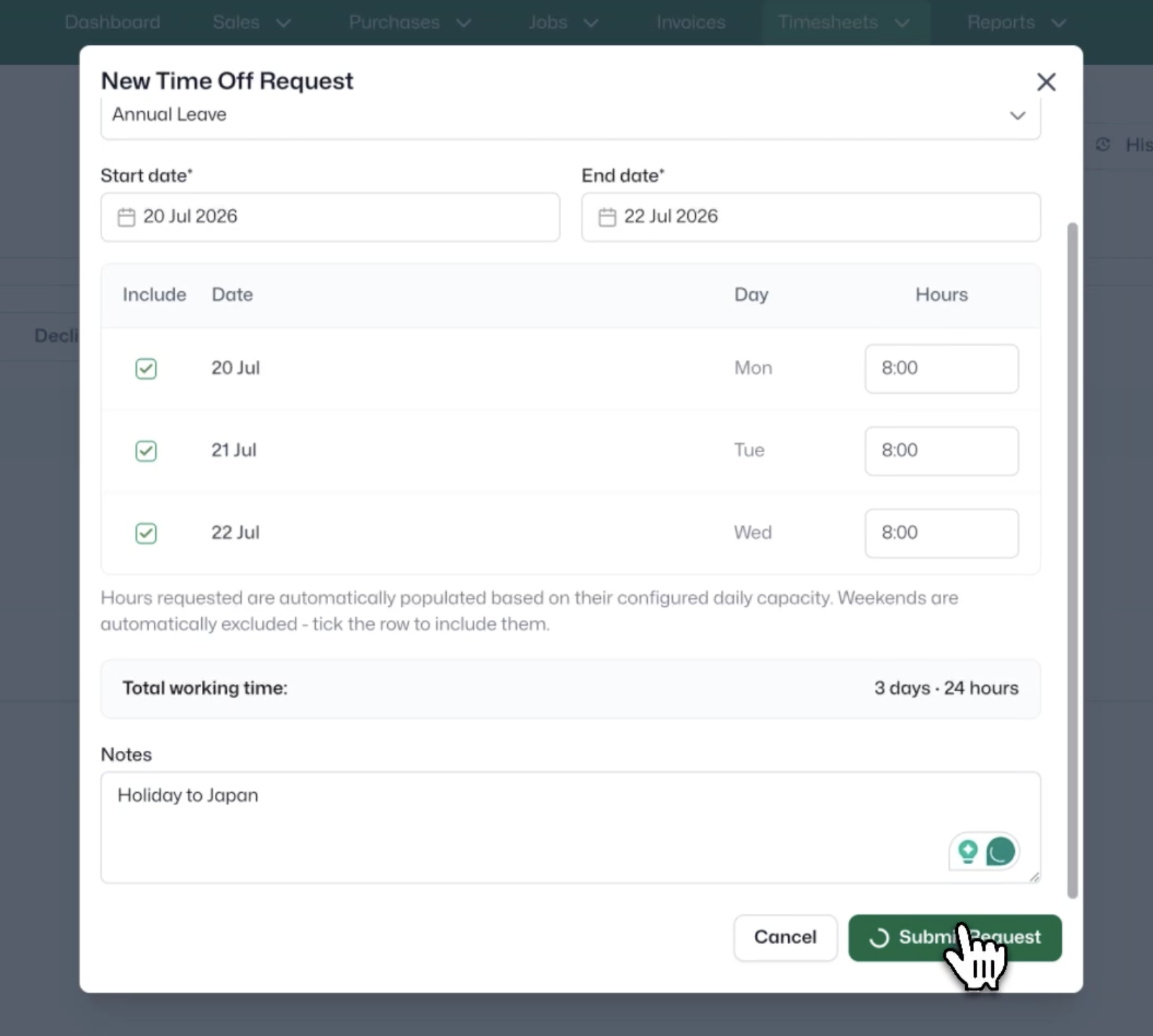
Enter the hours for each day covered by the request – days can have different hours (for example, a full day followed by a half day)

features-icon

Add a comment for context, then submit in a few clicks

features-icon

Every request is timestamped and tracked from Pending through to Approved, Declined or Cancelled

Lead manager
listing-divider

Approve with clarity, not guesswork

features-icon

Approvers review and action requests from a dedicated Team time off tab

features-icon

A pending-approvals banner surfaces exactly what needs attention

features-icon

Open any request to see the leave type, dates, hours per day and requester comment before deciding

features-icon

Reject with a reason, or approve, then view the whole team's leave in a built-in calendar view

Lead manager
listing-divider

Keep leave connected to your capacity planning

features-icon

Requests appear on the Capacity Planning tool the moment they're submitted

features-icon

Both pending and approved leave are shown, so upcoming time off is visible before it's confirmed

features-icon

Each request appears as a colour-coded bar in the staff member's row, using the colour set for its leave type

features-icon

Cancelled requests are removed automatically, keeping your plan accurate

Lead manager
listing-divider

Automate the admin behind approved leave

features-icon

Approving a request automatically creates a non-billable timesheet entry for each day covered

features-icon

Entries use the job and task mapped to that leave type, so there's no manual data entry

features-icon

Cancel an approved request and those auto-generated entries are cleaned up automatically

features-icon

Automatic email notifications keep approvers and requesters in the loop at every step

Lead manager

Leave management made easy.

Track requests, approve in a click, and keep capacity and timesheets in sync automatically. Included in Pro and Advanced plans.

Try it free for 14 days.

WorkflowMAX is essential for our business. It's intuitive, easy to use, and makes us much more efficient in charging projects correctly.

Andrew S.

Episode Two

We moved back and the team actually loves using it—billing is faster and we can see margins live.

Darlene Robertson

Principal, Surveying & Engineering Firm

It’s the same soul with better bones—job costing, timesheets, and invoicing finally work as one.

Floyd Miles

Implementation Partner

WorkflowMAX has made a huge difference to how we run our projects. A great system backed by great support. Highly recommended.

Rob P.

MAF Associates

Any questions?

What is leave management in WorkflowMAX?

It lets staff request time off and approvers approve, reject or cancel it. Approved leave automatically updates Capacity Planning and creates a timesheet entry.

Which plans include it?

Time off is available on the Pro and Advanced plans, or as part of a free 14-day trial.

How do staff request time off?

On the Time off page, they create a request with a leave type, dates and hours per day. It's sent to the approver for review.

Can I set up different leave types?

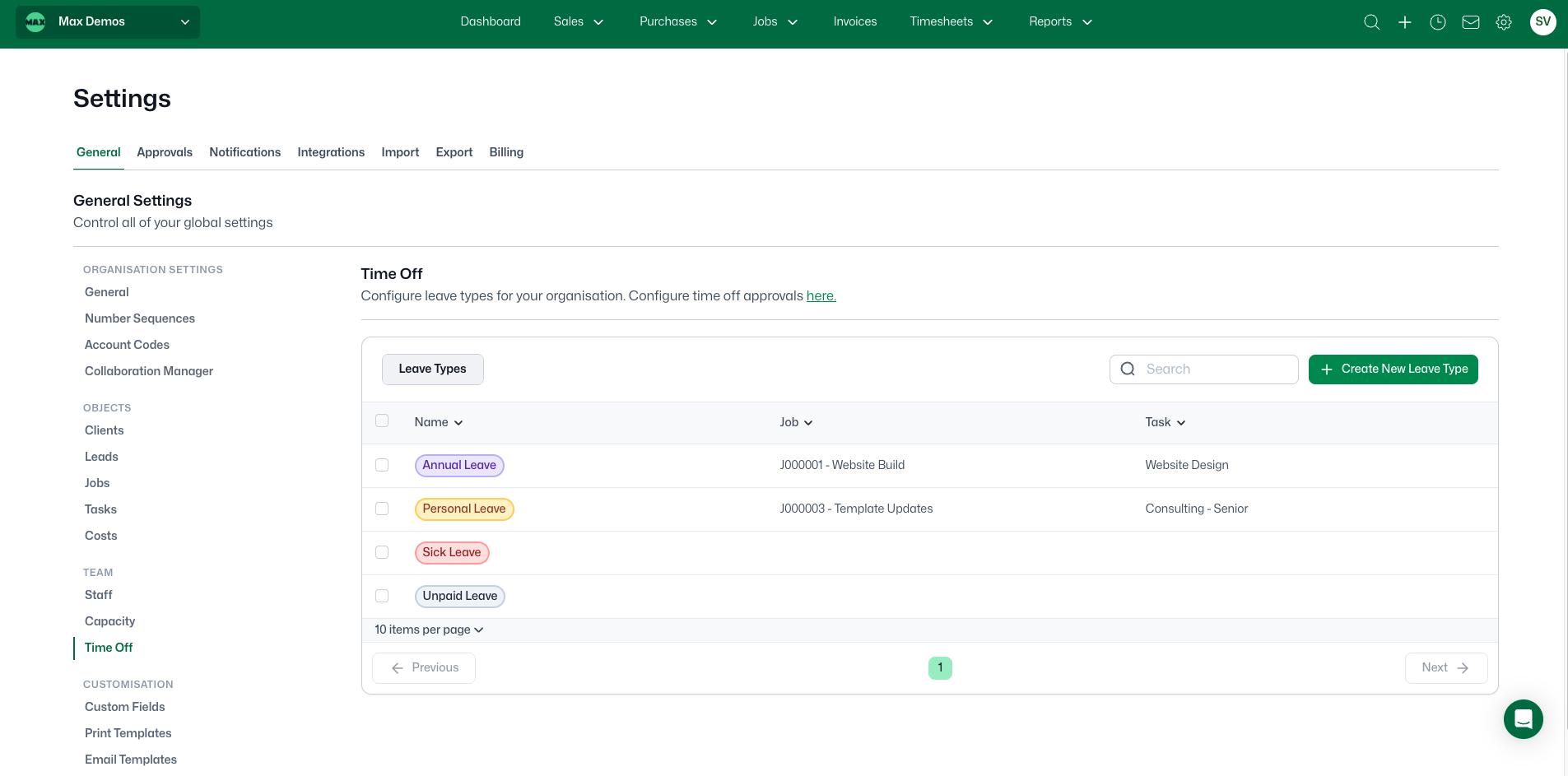
Yes, admins can create types like annual or sick leave, each with its own colour and mapped job and task.

How does approved leave affect timesheets?

It automatically creates a non-billable timesheet entry for each day. If the request is cancelled, those entries are removed.

addt-bg-left

Additional features

addt-bg-right
{"@context":"https://schema.org","@graph":[{"@type":"SoftwareApplication","name":"WorkflowMAX – Advanced WIP","url":"https://www.workflowmax.com/job-management-software/advanced-wip-control-job-level-profitability-workflowmax","applicationCategory":"BusinessApplication","operatingSystem":"Web, iOS, Android","brand":{"@id":"https://www.workflowmax.com/#organization"},"isPartOf":{"@id":"https://www.workflowmax.com/#software"},"description":"Advanced WIP control for job-level profitability tracking, revenue recognition and margin protection.","featureList":"Advanced WIP"},{"@type":"BreadcrumbList","itemListElement":[{"@type":"ListItem","position":1,"name":"Home","item":"https://www.workflowmax.com/"},{"@type":"ListItem","position":2,"name":"Features","item":"https://www.workflowmax.com/job-management-software/all-features"},{"@type":"ListItem","position":3,"name":"Advanced WIP","item":"https://www.workflowmax.com/job-management-software/advanced-wip-control-job-level-profitability-workflowmax"}]}]}