Why Are We Introducing Credits?

AI features in WorkflowMAX – like reading a receipt and extracting expense data, or analysing your project data to surface insights – work differently from traditional software features under the hood.

When your team opens a timesheet or creates a quote, WorkflowMAX handles that within its own infrastructure. When an AI feature reads a receipt and extracts line items, or analyses your data to answer a question, it calls on specialist AI processing that requires significant server resources for every single request. The more your team uses AI features, the more processing is required.

That's a fundamentally different cost structure from the rest of WorkflowMAX, and it's why we can't simply bundle unlimited AI usage into existing subscription tiers the way we do with core platform features.

We're absorbing that cost during the preview period so you can try these features without friction. But as we expand AI capabilities across WorkflowMAX – and as adoption grows – we need a model that makes these features sustainable long-term.

Credits solve this by giving organisations a clear, defined allowance with full visibility into usage. Your admin controls what happens when credits are consumed. And we can keep investing in new AI features knowing the model supports it.

This isn't about restricting access – it's about building AI into WorkflowMAX in a way that's transparent, predictable, and sustainable for everyone.


What's Available Now

AI features are currently available in WorkflowMAX as a beta. If you'd like to try them, contact our support team to enable access on your account.

AI Expense Extraction

Snap a photo of a receipt or invoice in the WorkflowMAX mobile app and AI reads it for you – extracting supplier, date, and amount directly into a job cost. No manual data entry.

AI Reporting Insights

Ask a question about your business data and get a plain-language answer. AI Reporting Insights analyses your jobs, time, costs, and profitability to surface what matters – without building a custom report. Available from the Reports section.

These features are currently available at no additional cost during the beta period. When AI Credits go live, each of these actions will consume a small number of credits from your organisation's allowance.

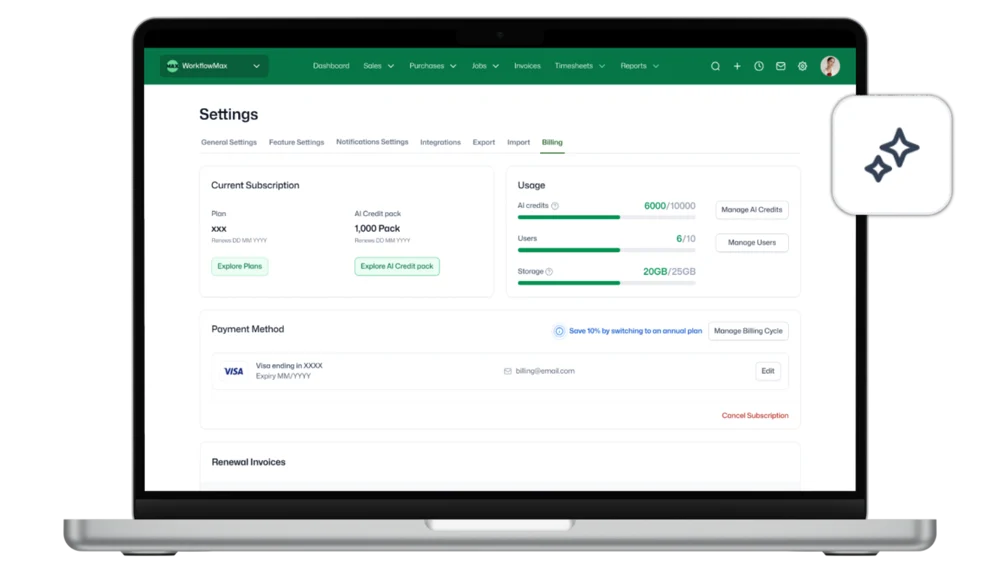
Settings - Billing (2)
Settings - Billing - Manage AI Limit

What Are AI Credits?

AI Credits are the usage allowance behind WorkflowMAX AI features. Each AI action – like extracting data from a receipt or generating a report insight – will use a small number of credits.

How your organisation accesses credits will depend on your subscription tier. Advanced plans will include a credit allowance scaled to the number of users on your account. Standard and Premium plans will be able to purchase credit packs to access AI features.

How Credits Will Work

Credits included with Advanced plans

Advanced tier will include a monthly credit allocation, scaled to the number of users on your account. More users means more credits for your organisation.

Credit packs for Standard and Premium

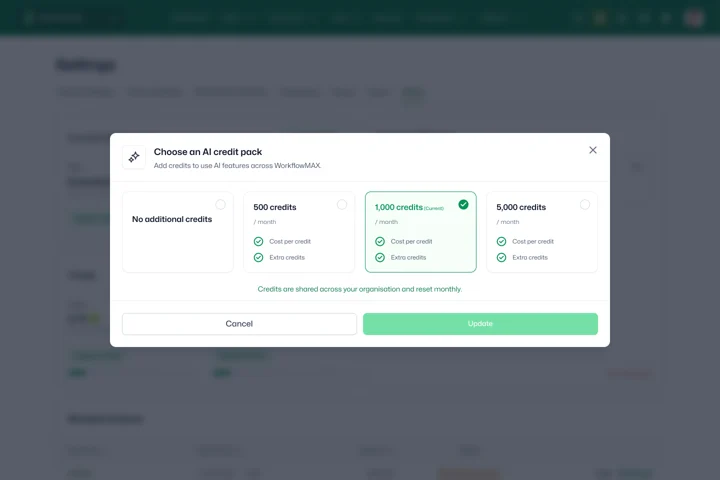
Standard and Premium tiers will be able to purchase a credit pack subscription to access AI features.

Credits reset each billing cycle

Your allocation refreshes at the start of each billing period. Unused credits don't roll over.

Overage protection

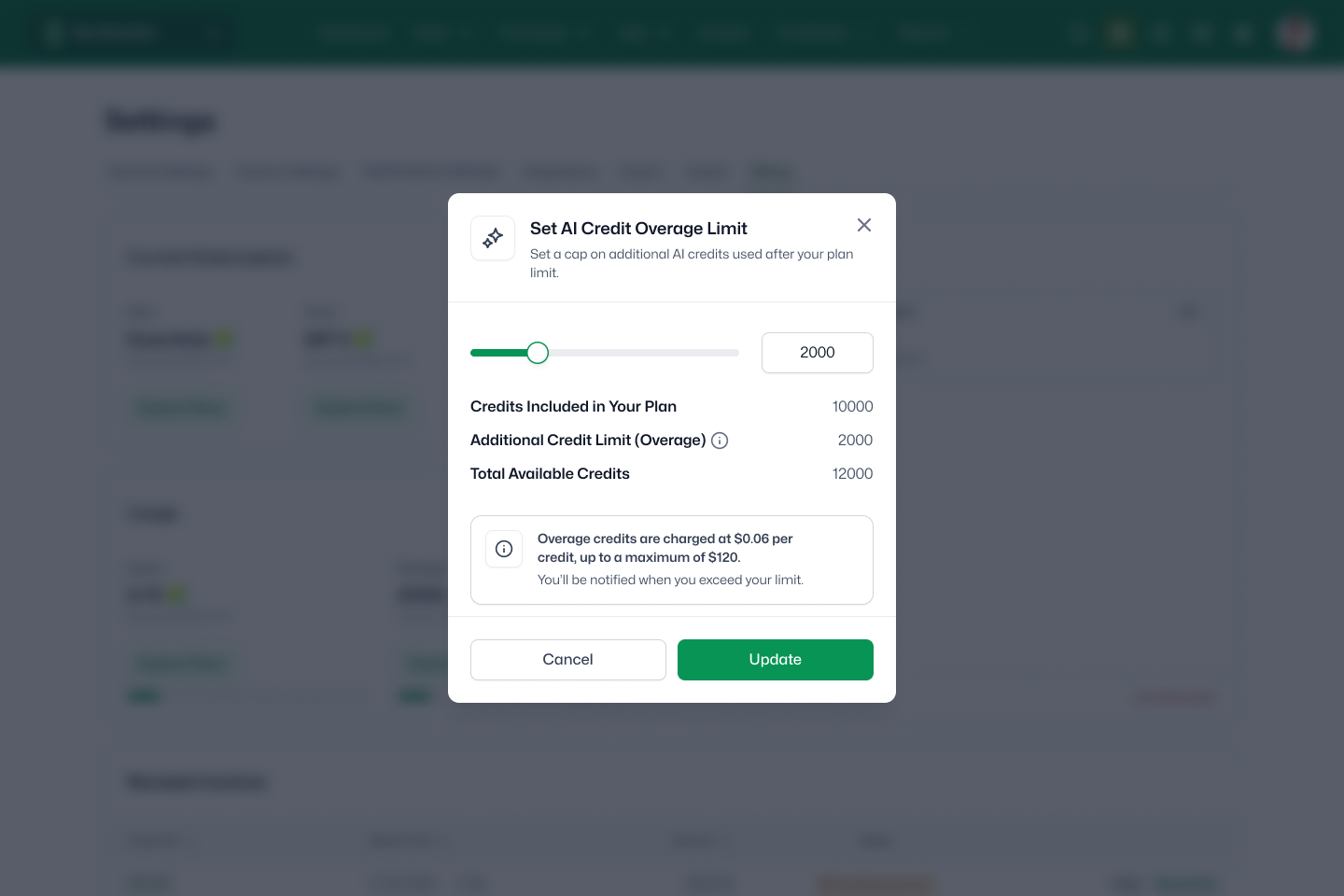
Your admin will be able to choose what happens when credits are exhausted: allow overages up to a ceiling they define, or stop AI feature access until the next billing cycle. No surprise bills.

Settings - Billing - Manage AI Limit_Current plan (2)
Settings - Billing - Manage AI Limit

Always in Control

WorkflowMAX will give admins full visibility and control over AI credit usage:

  • Live usage dashboard – see exactly how many credits your team is using and how many remain.
  • Smart alerts – get notified by email when you hit 80% and 100% of your allocation.
  • Overage controls – choose to allow overages with a ceiling, or set a hard stop when credits are consumed.

What's Coming

During the current beta period, AI features are available at no additional cost. When we move to general availability, the credit system will apply based on your subscription tier.

We'll communicate well in advance before any changes to your access. The transition from beta to the credit model won't happen without clear notice and time to prepare.

Credit pack pricing is being finalised. We'll share details before the transition so you can plan ahead. We'll also confirm the included allocation for Advanced plans and the pack options available for Standard and Premium.

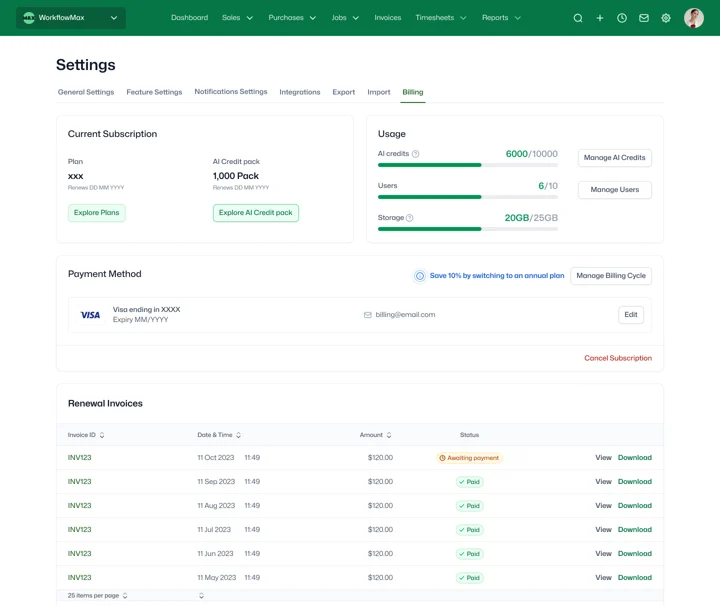
Settings - Billing

Ready to unlock AI for your team? 

Contact Support to enable access.  Not on WorkflowMAX? Start a free trial to test it out.

Frequently asked questions

Why are AI features moving to a credit model?

AI features require specialist server processing for every request – unlike traditional software features where the cost is the same whether they're used once or a thousand times. Credits let us keep building AI capabilities sustainably while giving you visibility and control over usage.

Will I lose access to AI features I'm using now?

AI features will continue to be available to any account with an active credit balance. Advanced plans will include credits as part of the subscription. Standard and Premium plans will need to purchase a credit pack to maintain access. We'll provide clear notice before the transition so you can decide what's right for your team.

What happens when my credits run out?

Your admin controls what happens. They can allow overages up to a ceiling they define, or stop AI feature access until your credits refresh at the start of your next billing cycle. You'll always know your credit status in-product before you run out.

Do unused credits roll over?

No. Credits reset at the start of each billing cycle so you begin each period with a fresh allocation. This keeps the system simple and your balance predictable.

Can I buy more credits if I need them?

Yes. Admins can purchase an AI Credit pack as a subscription add-on. One pack can be active at a time, and it renews alongside your billing cycle to provide a consistent top-up.

How will I know how many credits we're using?

Admins will have access to a live usage dashboard in Billing settings, showing your organisation's credit balance, consumption by feature, and remaining allocation. You'll also receive email alerts at 80% and 100% usage thresholds.

How are credits allocated across my team?

For Advanced plans, included AI Credits are allocated per user. As you add users, your organisation's included allowance increases. Credits are pooled at the organisation level – any eligible user can consume them across any AI feature. For Standard and Premium plans, purchased credit packs are also pooled across your organisation.

What if I don't want to use AI features?

That's completely fine. AI Credits only apply to AI-powered features. The core WorkflowMAX platform – timesheets, quoting, invoicing, job management, reporting, and all non-AI features – continues to work exactly as it does today with no credits required. Not all new features will require AI Credits; we'll continue to ship improvements across the entire platform.

I'm a partner – how should I advise my clients?

Start with how your client uses WorkflowMAX. Clients on Advanced plans will have credits included, scaled to their user count. Clients on Standard or Premium plans will need to purchase a credit pack to access AI features. If a client is unsure whether AI features are worth it, the beta period is a good time to try them and gauge how frequently the team uses them. We'll share tier-specific allocation details and pack pricing before the transition.

When will pricing be available?

Credit pack pricing is being finalised and will be shared before the transition from the beta period. Included allocations for Advanced plans will also be confirmed at that time. We'll give you plenty of notice so there are no surprises.

Unsure where to start?

From free online tutorials, to live demos from a specialised partner - get the help you need

SELF-PACED

One sentence here to explain who this plan is best for

1

Unlimited access

Unlimited access to the course so you can always go back and revisit things

2

Unlimited access

Unlimited access to the course so you can always go back and revisit things

3

Training

Role-specific staff training modules

GUIDED

One sentence here to explain who this plan is best for

1

Unlimited access

Unlimited access to the course so you can always go back and revisit things

2

Unlimited access

Unlimited access to the course so you can always go back and revisit things

3

Training

Role-specific staff training modules

4

Training

Role-specific staff training modules

PREMIUM

One sentence here to explain who this plan is best for

1

Unlimited access

Unlimited access to the course so you can always go back and revisit things

2

Unlimited access

Unlimited access to the course so you can always go back and revisit things

3

Training

Role-specific staff training modules

4

Training

Role-specific staff training modules

Additional features