
FreeMarketing Agency Contract Template

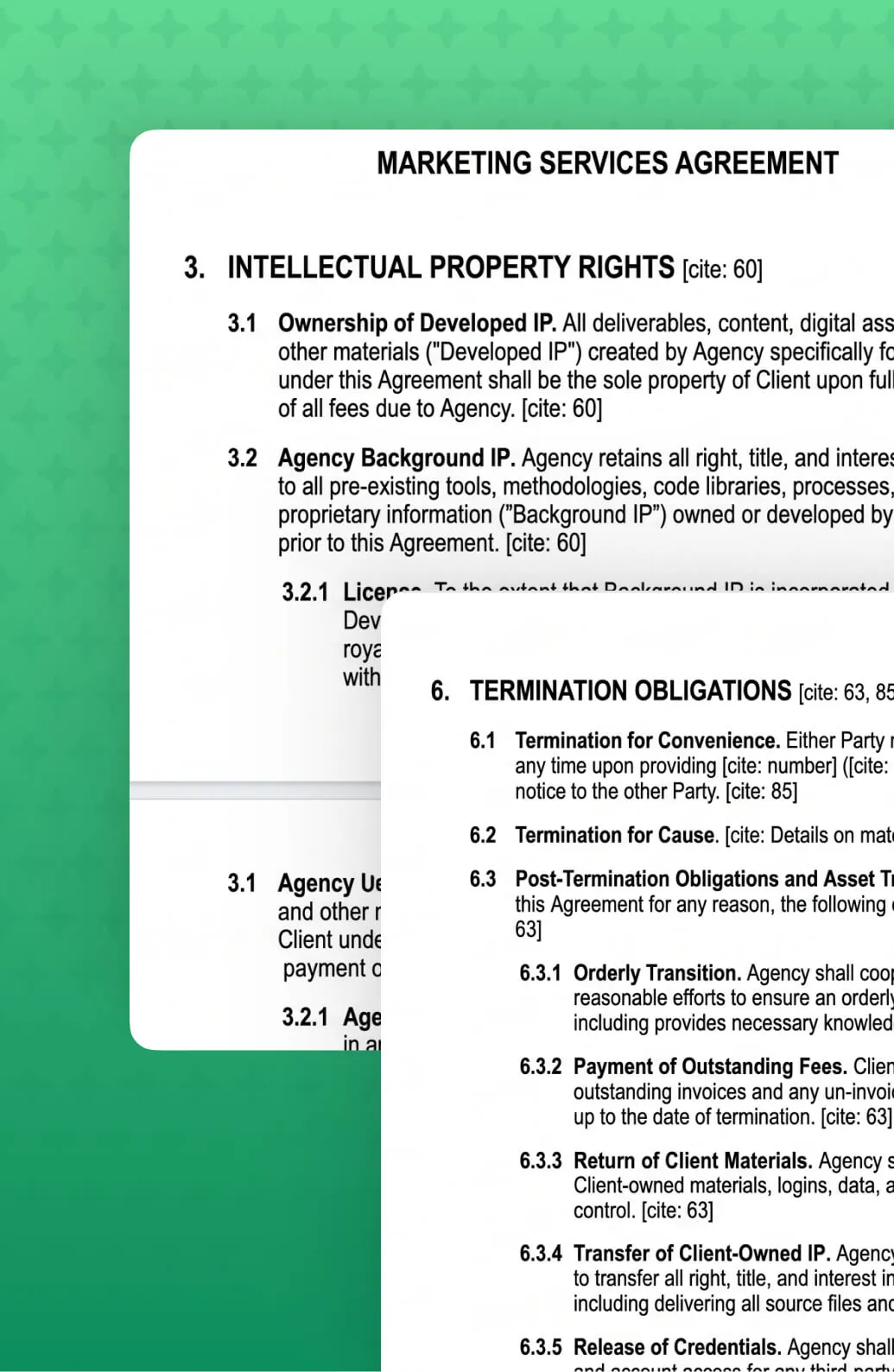
Protect your agency's expertise. This professional legal framework provides clarity on intellectual property, liability, and scope management, allowing you to focus on delivering high-impact results for your clients.

Secure Your Agency and Define the Journey

Establish a professional foundation for every client partnership. This template helps you formalise your service boundaries and legal protections:

Intellectual Property Clarity: Explicitly define the ownership of "Background IP" versus "Developed IP" to protect your agency's proprietary tools and processes.

Scope & Approval Protocols: Formalise client responsibilities and the approval process for deliverables to prevent project stagnation and "scope creep".

Liability & Indemnification: Build professional confidence with clear clauses that limit risk and protect both parties in the event of third-party claims.

Termination & Post-Termination: Set clear expectations for ending engagements, including notice periods and the orderly transfer of assets.

Use the "Confidentiality" and "Data Privacy" sections to guarantee compliance with modern standards, proving to high-stakes clients that their brand data is professionally guarded.

Master the Art of the Pitch

All the latest insights from WorkflowMAX

Heading 1

Heading 2

Heading 3

Heading 4

Heading 5
Heading 6

Lorem ipsum dolor sit amet, consectetur adipiscing elit, sed do eiusmod tempor incididunt ut labore et dolore magna aliqua. Ut enim ad minim veniam, quis nostrud exercitation ullamco laboris nisi ut aliquip ex ea commodo consequat. Duis aute irure dolor in reprehenderit in voluptate velit esse cillum dolore eu fugiat nulla pariatur.

Block quote

Ordered list

  1. Item 1
  2. Item 2
  3. Item 3

Unordered list

  • Item A
  • Item B
  • Item C

Text link

Bold text

Emphasis

Superscript

Subscript

Heading 1

Heading 2

Heading 3

Heading 4

Heading 5
Heading 6

Lorem ipsum dolor sit amet, consectetur adipiscing elit, sed do eiusmod tempor incididunt ut labore et dolore magna aliqua. Ut enim ad minim veniam, quis nostrud exercitation ullamco laboris nisi ut aliquip ex ea commodo consequat. Duis aute irure dolor in reprehenderit in voluptate velit esse cillum dolore eu fugiat nulla pariatur.

Block quote

Ordered list

  1. Item 1
  2. Item 2
  3. Item 3

Unordered list

  • Item A
  • Item B
  • Item C

Text link

Bold text

Emphasis

Superscript

Subscript

Heading 1

Heading 2

Heading 3

Heading 4

Heading 5
Heading 6

Lorem ipsum dolor sit amet, consectetur adipiscing elit, sed do eiusmod tempor incididunt ut labore et dolore magna aliqua. Ut enim ad minim veniam, quis nostrud exercitation ullamco laboris nisi ut aliquip ex ea commodo consequat. Duis aute irure dolor in reprehenderit in voluptate velit esse cillum dolore eu fugiat nulla pariatur.

Block quote

Ordered list

  1. Item 1
  2. Item 2
  3. Item 3

Unordered list

  • Item A
  • Item B
  • Item C

Text link

Bold text

Emphasis

Superscript

Subscript

Done with the Downloads? Switch to Active Growth.

Our free tools give you the blueprint, but WorkflowMAX provides the engine to automate it. Experience the full power of this proposal template integrated into a live lead-to-job workflow.

Frequently asked questions

No items found.

Education and training

Still have questions?

Education and training

Why don't purchase orders flow to QuickBooks?

Purchase orders are commitments, not financial transactions. When you receipt a PO in WorkflowMAX, the resulting cost flows to QuickBooks as a payable. This keeps your accounting ledger clean and accurate.

Can I control which QuickBooks accounts invoices are coded to?

Yes. Map account codes at the general level, by job category, or down to individual tasks and costs. WorkflowMAX applies the correct codes when you approve an invoice, so line items land in the right revenue accounts without manual intervention.

Do I send invoices from WorkflowMAX or QuickBooks?

Most firms send from WorkflowMAX, since it gives you detailed timesheet breakdowns, branded templates and phase-level line items, then lets the accounting data flow to QuickBooks. You can also send from QuickBooks if that suits your workflow.

Are contacts really kept in sync both ways?

Yes. Import your QuickBooks contacts to get set up quickly, then they stay in sync bi-directionally. Update a client in either platform and the change is reflected in the other, so you are not maintaining two address books.

Is this suitable for US firms running QuickBooks?

Yes. For firms using QuickBooks Online as their main accounting platform, WorkflowMAX gives you the same job-to-accounting flow that Xero users get: invoices, account-code mapping and payment tracking. WorkflowMAX handles job management, time tracking and billing; QuickBooks handles the books.

How do I actually see whether a job is profitable?

As time, costs and supplier invoices are recorded against a job in WorkflowMAX, your job profitability reporting updates, and the synced QuickBooks data keeps the financial picture accurate. You can see how each job is tracking rather than waiting for the end-of-month reconciliation.

What happens to our historical jobs and invoices?

You choose. Most firms migrate active and recently closed jobs, then keep the old system in read-only for a billing cycle so historical records stay reachable. Your partner will reconcile imported data against your existing reports before go-live, so the numbers you've been reporting on don't quietly change. If you'd rather bring everything across, that's a scope conversation on the discovery call.

Do I have to use an implementation partner?

No. WorkflowMAX includes import tools for clients, suppliers, jobs, staff and time entries, and most teams import their core data during the free trial so they can test the platform with their own information. Partners exist for complex configurations, custom integrations and larger rollouts, not as a gate. If you're on the Advanced plan with 25+ users on annual billing, guided onboarding from the WorkflowMAX team is included at no extra cost.

How long does a Deltek migration realistically take?

Longer than our other switch paths, because the data structure is richer. Plan on four to six weeks rather than three to four, with most of the extra time spent deciding what to migrate versus archive.

Is WorkflowMAX going to feel like a downgrade?

On breadth, it's deliberately narrower. On the things you use daily, quoting, job costing, time capture, invoicing, profitability reporting, it's faster to run and your team can change it without raising a ticket. Firms usually describe the trade as losing modules they'd never configured and gaining a system they can actually administer themselves.

We have years of project history in Deltek. Are we losing it?

No. The usual approach is to migrate active and recent projects into WorkflowMAX and retain Deltek in read-only as your historical archive for as long as you need it. Your partner will define the cutoff on the discovery call, typically the last two to three financial years of active work.

How does approved leave affect timesheets?

It automatically creates a non-billable timesheet entry for each day. If the request is cancelled, those entries are removed.

Can I set up different leave types?

Yes, admins can create types like annual or sick leave, each with its own colour and mapped job and task.

How do staff request time off?

On the Time off page, they create a request with a leave type, dates and hours per day. It's sent to the approver for review.

Which plans include it?

Time off is available on the Pro and Advanced plans, or as part of a free 14-day trial.

What is leave management in WorkflowMAX?

It lets staff request time off and approvers approve, reject or cancel it. Approved leave automatically updates Capacity Planning and creates a timesheet entry.

Can I use this across multiple client accounts?

Yes. Firms managing multiple clients or entities can configure more than one WorkflowMAX account.

Does it work on mobile?

Yes. Because MCP connects through your AI assistant, you can use it wherever you have access to Claude - including on mobile. It works alongside WorkflowMAX so whichever way is most convenient, your live data is within reach.

What if the AI makes a mistake? Could it create the wrong invoice or update the wrong job?

The AI acts on your instructions, so it won't take action without a clear prompt from you. As with any tool, we recommend reviewing anything created or updated through MCP before sending it to a client. Your existing approval workflows in WorkflowMAX still apply.

Which AI assistants work with WorkflowMAX?

WorkflowMAX's MCP integration works with any AI assistant that supports the Model Context Protocol - including Claude, and other MCP-compatible tools. This means you can connect your WorkflowMAX account to whichever AI assistant fits your team's workflow and start taking action on your live project data straight away.

Can I use AI to manage my projects in WorkflowMAX?

Yes. Once connected, AI assistants like Claude can create and update jobs, draft quotes and invoices, check staff capacity, review financial summaries and more - all through conversation. It's designed for professional services firms that want to spend less time on admin and more time on billable work.

What is WorkflowMAX's AI integration and how does it work?

WorkflowMAX's MCP integration uses the Model Context Protocol - a standard that lets AI assistants like Claude connect directly to your WorkflowMAX account. It gives you a second way to access your live data and take action on it: through natural conversation with your AI assistant, alongside WorkflowMAX's own interface. Ask questions, create and update records, and manage your team - all working against the same live data you already rely on.

What if I change a supplier's currency?

You can update supplier currency at any time. New purchase orders will use the updated currency. Existing POs remain in their original currency.

Can I use multi-currency for quotes/invoices/jobs?

Multi-currency for purchase orders and bills is just the beginning. We're actively building multi-currency support across jobs, quotes, and invoices โ€“ bringing end-to-end foreign currency handling to your entire project lifecycle.

Does this work with Xero integration?

Yes. If you're using Xero integration, your base currency matches your Xero account, and all foreign currency transactions sync seamlessly.

Can I manually adjust exchange rates?

Yes. While WorkflowMAX pulls current rates automatically, you can override them on any purchase order.

What currencies are supported?

WorkflowMAX supports all major global currencies. Exchange rates are pulled from live market data.

Can I include attachments with the quote?

Yes. Customers can view the quote documents and attached files as part of the eQuote experience.

Can customers choose optional items?

Yes. eQuote supports optional items so customers can select what they want included.

Can customers accept with comments?

Yes. Customers can add optional comments when they accept or decline.

Is this an e-signature replacement?

Online Quote Acceptance (eQuote) is designed for electronic quote acceptance within WorkflowMAX. If your process requires a formal signature workflow, you may still need an e-signature tool โ€” but many teams will be able to streamline acceptance without one.

Is Sales Pipeline available on all plans?

Sales Pipeline is an add on for legacy plans (Standard / Premium), and included for Pro and Advanced plans.

Do metrics update when I filter the board?

Yes. Metrics update based on the filters you apply, helping you focus on specific pipelines, owners, or lead segments.

Can we create our own stages?

Yes. You can create as many lead statuses as you need, and update them at any time.

How is this different from Job Manager Kanban?

Pipeline for Lead Manager is built specifically for sales opportunities (leads). Job Manager Kanban is for delivery work (jobs). You can use both, depending on where your team is in the lifecycle.

How do I enable Scheduled Reporting?

Scheduled Reporting is available for Advanced plan subscribers. Contact our support team to enable the feature, or start your free 14-day trial to test it out.

Can I edit or pause a scheduled report?

Yes. You can edit schedules, add or remove recipients, or disable any scheduled report at any time from the centralised management view.

How long are the download links valid?

For security purposes, download links expire after three days. Recipients should download their reports within this timeframe.

What file format are the reports delivered in?

Reports are currently delivered as CSV files, which can be opened in Excel, Google Sheets, or any spreadsheet application.

Can I send reports to clients or external contacts?

Currently, scheduled reports can only be sent to internal team members and staff within your WorkflowMAX account. External recipient support is planned for a future update.

Which reports can I schedule?

You can schedule any WorkflowMAX report with your preferred filters applied, including job reports, timesheet reports, and profitability reports.

Does Advanced WIP replace WIP reports?

Advanced WIP adds an interactive job-level view and ledger. Reports may still be useful for cross-job analysis, but Advanced WIP reduces the need to rely on static reports for day-to-day WIP understanding and action.

What bulk actions are available on WIP ledger entries?

You can apply bulk actions to ledger entries, including Invoice, Set as Billable / Nonโ€‘Billable, and Write off.

Can I export WIP details?

Yes. You can export the point-in-time WIP view (including the underlying ledger) to CSV.

Can I view WIP โ€œas atโ€ a past date?

Yes. Use the As at date selector to reconstruct WIP at a historical point in time, including the table view and CSV export.

What does Advanced WIP show on a job?

Advanced WIP shows a breakdown of Time/Costs Entered, WIP Invoiced, WIP Written Off, and the resulting Current WIP Balance, plus a ledger of the entries that make up that balance.

What is Work In Progress (WIP) in project-based businesses?

WIP (work in progress) is the value of time and costs that have been incurred on a job but not yet invoiced (or otherwise resolved), helping you understand profitability and revenue-in-progress.

Where do I find it?

Open any job and select the new WIP tab.

Which plans include Advanced WIP?

Advanced WIP is included on Advanced plans. Standard/Premium customers can trial it free for 14 days.

Does Advanced include dedicated account management and onboarding support?

Advanced includes access to a dedicated account manager, guided onboarding, and quarterly business reviews for annual subscribers with 25 or more users. If your team is below that threshold or on a monthly subscription, you'll still have access to priority support.

What countries and currencies are supported?

WorkflowMAX is available worldwide. Pricing is available in AUD, NZD, CAD, GBP, and USD.

Can I change plans after signing up?

Yes. You can upgrade or downgrade your plan at any time from your billing settings. Upgrades take effect immediately. If you're on Standard or Premium and want to move to Advanced, book a discovery call and we'll handle the transition.

Is Lead Manager included in my plan?

Lead Manager is included in Advanced at no extra cost. On Standard and Premium, it's available as an optional add-on for a flat monthly fee regardless of team size.

How does Advanced pricing work?

Advanced is priced at a flat per-user rate โ€“ unlike Standard and Premium, there are no user bands. Because Advanced includes a higher level of account support, we size it through a short discovery call rather than a self-serve checkout. Book a call with our team and we'll confirm pricing for your organisation.

What happens when my team grows and I need to add more users?

Your subscription doesn't update automatically. To add users, you'll first need to update your subscription to the appropriate user band or user count, then add the new users to your account. Admins can manage this from within the billing settings.

Are there any setup fees or contracts?

No setup fees and no lock-in contracts. You can cancel at any time.

Is there a free trial?

Yes. All plans include a 14-day free trial with no credit card required. You get full access to the features on your chosen plan so you can test with real data before committing.

Which plan is right for my team?

Standard suits freelancers and small teams who need a solid end-to-end workflow without complexity. Premium suits growing teams who need multi-currency, deeper reporting, and workflow automation via Zapier. Advanced suits larger or more complex operations that need capacity planning, AI features, and a higher level of account support. If you're unsure, start a free trial โ€“ you can always upgrade.

What's the difference between Standard, Premium, and Advanced?

Standard covers the core platform โ€“ quoting, job management, time tracking, invoicing, Xero integration, reporting, and document management. Premium adds productivity reporting, multi-currency support for POs and bills, Zapier integration, Kanban job board view, and the ability to import invoices from Xero. Advanced includes everything in Premium plus Lead Manager, Capacity Planning, Integrated Calendar, Quote Variations, Scheduled Reports, advanced percentage-based invoicing, a sandbox environment, extended API access, and priority support.

How does WorkflowMAX pricing work?

WorkflowMAX is priced per user per month. Standard and Premium are priced in user bands โ€“ 1โ€“3, 3โ€“5, 5โ€“10, 10โ€“20, 20โ€“50, 50โ€“100, and 100+ users โ€“ so the per-user rate decreases as your team grows. Advanced is a flat per-user rate regardless of team size. Pricing varies by currency depending on your region.

Can I change my subscription at any time?

You sure can! You can switch between Standard and Premium by going to your subscriptions tab in your account. We pride ourselves on our easy monthly plans โ€“ no setup fees and no hidden costs. No obligation, no contracts. You can also downgrade or cancel at any time.

Can I trial WorkflowMAX Premium?

All WorkflowMAX trials include Premium and Lead manager features for you to try out.

WorkflowMAX Premium sounds great, but does it cost extra?

Yes, WorkflowMAX Premium is an optional upgrade from your standard subscription plan. See our pricing here.

Which web browsers does WorkflowMAX support?

WorkflowMAX supports modern versions of all major web browsers, including Google Chrome, Microsoft Edge, Mozilla Firefox and Safari. For the best experience - particularly with reporting and complex workflows - we recommend keeping your browser up to date.

Does WorkflowMAX work offline?

No. WorkflowMAX is a cloud-based platform and requires an active internet connection on both web and mobile. This ensures all team members are always working with the latest data and that changes sync across the business in real time.

Can I track time and update jobs on mobile?

Yes. The WorkflowMAX mobile app supports daily and weekly time entry, accessing client and job information, viewing your schedule, and adding notes or uploading documents to jobs. The mobile app focuses on the field-team workflow - for full reporting, invoicing and configuration features, use the WorkflowMAX web application from a desktop browser.

Is there an Android app for WorkflowMAX?

Yes. The WorkflowMAX Android app is available on the Google Play Store and supports time tracking, job and client lookup, viewing schedules, and document capture. The app is built for staff working in the field and complements the full WorkflowMAX web application. For details and download links, see the WorkflowMAX mobile page.

Is there an iOS app for WorkflowMAX?

Yes. The WorkflowMAX iOS app is available on the App Store and supports time tracking, job and client lookup, viewing schedules, and document capture. The app is designed for use in the field and works alongside the full WorkflowMAX web application. For details and download links, see the WorkflowMAX mobile page.

Is there a WorkflowMAX mobile app?

Yes. The WorkflowMAX mobile app is available for iOS and Android, designed for staff working away from the office. The mobile app focuses on the core tasks people need on the road - time entry, accessing job and client information, viewing schedules, and capturing notes or documents. For full feature access, including reporting, configuration and administrative tasks, use the WorkflowMAX web application.

Can I work with a partner or consultant?

Yes. WorkflowMAX has a network of certified implementation partners and advisors across multiple regions. Partners help with implementation, data migration, custom configuration, team training and ongoing optimisation. Working with a partner is recommended for larger teams, complex workflows, or businesses without in-house technical resources.

Is there a WorkflowMAX academy or training course?

Yes. The WorkflowMAX Academy offers self-paced online training courses covering platform fundamentals, advanced features and role-specific workflows. Some courses are publicly accessible; others are available to active customers.

Is there a help centre or knowledge base?

Yes. The WorkflowMAX help centre contains hundreds of detailed setup guides, how-to articles, troubleshooting tips and video walkthroughs covering every area of the platform. The help centre is publicly accessible and is the fastest way to find answers to specific configuration questions.

Where are WorkflowMAX support teams located?

WorkflowMAX support teams are based across the United Kingdom, USA, Australia, New Zealand and Asia. This distribution provides 24/7 coverage across major business timezones and means customers typically reach a local support team during their working hours.

Is WorkflowMAX support available 24/7?

Yes. WorkflowMAX provides 24/7 support via in-product live chat and email, with team members based across the United Kingdom, USA, Australia, New Zealand and Asia to provide round-the-clock coverage.

What support does WorkflowMAX include?

All WorkflowMAX customers have access to 24/7 in-product live chat support, email support at support@workflowmax.com, and the WorkflowMAX help centre. Advanced plan customers also receive priority support. Customers on the Advanced plan with 25 or more users on annual billing additionally receive a dedicated account manager and quarterly business reviews. There are no separate support fees on any plan.

Does WorkflowMAX support single sign-on (SSO)?

Single sign-on (SSO) is not currently available on WorkflowMAX. Authentication is via email and password, with optional or enforced multi-factor authentication for additional security. SSO support is on the WorkflowMAX product roadmap - customers who require SSO for security or procurement reasons can submit a request via the feature requests forum.

Does WorkflowMAX support multi-factor authentication?

Yes. Multi-factor authentication (MFA) is supported on every WorkflowMAX account. MFA is mandatory for accounts integrated with Xero, in line with Xero's security requirements. Account administrators can also enforce mandatory MFA across all users on their organisation - we recommend this as a security best practice for all customers.

Is WorkflowMAX compliant with the New Zealand Privacy Act?

Yes. WorkflowMAX operates in line with the New Zealand Privacy Act 2020. The platform supports the obligations around data handling, breach notification and data subject rights that apply to organisations operating in or with New Zealand. See the WorkflowMAX privacy policy for full details.

Is WorkflowMAX compliant with the Australian Privacy Principles?

Yes. WorkflowMAX operates in line with the Australian Privacy Principles (APPs) under the Privacy Act 1988 (Cth). Customer data is hosted in AWS Sydney, and the WorkflowMAX privacy policy details how personal information is collected, used, stored and disclosed. See the WorkflowMAX privacy policy for full details.

Is WorkflowMAX GDPR compliant?

Yes. WorkflowMAX is compliant with the European Union General Data Protection Regulation (GDPR). The platform supports data subject rights including access, correction, deletion and portability. A data processing addendum is available for customers who need a contractual record of GDPR-compliant data handling. See the WorkflowMAX data processing addendum and security page for full details.

Where is my WorkflowMAX data stored?

WorkflowMAX customer data is hosted on Amazon Web Services (AWS) in the Sydney, Australia region. AWS provides enterprise-grade physical and network security, including 24/7 facility monitoring, access controls and continuous infrastructure monitoring. For details on WorkflowMAX's data handling, security practices and the data processing addendum, see the security page and data processing addendum.

Does WorkflowMAX integrate with HubSpot or Salesforce?

WorkflowMAX has a direct integration with HubSpot for syncing contacts, deals and customer data - see the HubSpot integration page for details. There is no native Salesforce integration; Salesforce can be connected via Zapier (Premium and Advanced plans) or via custom integration through the WorkflowMAX public API.

Does WorkflowMAX integrate with Zapier?

Yes. The Zapier integration is available on the Premium and Advanced plans, and connects WorkflowMAX to thousands of applications including Slack, Gmail, Microsoft Teams, Mailchimp, Trello and many more. Use Zapier to automate notifications, sync data between systems, and trigger WorkflowMAX actions from external events. See the Zapier integration page for examples and setup.

Can I build a custom integration with WorkflowMAX?

Yes. The WorkflowMAX REST API is available on every plan and supports custom integrations with internal systems, BI tools and third-party applications. Full documentation, authentication guides and endpoint references are available at api-docs.workflowmax.com. For custom integration development support, contact a certified implementation partner.

Does WorkflowMAX have a public API?

Yes. WorkflowMAX provides a public REST API available on every plan - Standard, Premium and Advanced. The Advanced plan includes extended API endpoints for more sophisticated integrations and higher usage. Full API documentation is available at api-docs.workflowmax.com. The API supports custom integrations with internal systems, third-party applications and bespoke automations.

What integrations does WorkflowMAX support?

WorkflowMAX integrates with leading accounting, productivity and document management platforms - including Xero, QuickBooks Online, HubSpot, Zapier, SuiteFiles, Dropbox, Google Drive, Airwallex and EzzyBills. Premium and Advanced plans also include Zapier, which connects WorkflowMAX to thousands of additional applications. See the full integrations directory for the current list.

Does WorkflowMAX integrate with MYOB?

WorkflowMAX does not currently offer a direct integration with MYOB. WorkflowMAX integrates natively with Xero and QuickBooks Online for accounting, and with Zapier (Premium and Advanced plans) for thousands of additional applications. If MYOB is a critical part of your stack, contact support@workflowmax.com to discuss your specific requirements.

Does WorkflowMAX integrate with QuickBooks?

Yes. WorkflowMAX integrates with QuickBooks Online, syncing clients, invoices, payments and supplier data between the two systems. The integration reduces manual data entry and keeps your accounting and job management aligned. See the QuickBooks integration page for setup instructions and supported features.

Does WorkflowMAX integrate with Xero?

Yes. WorkflowMAX has a deep, two-way integration with Xero - syncing clients, invoices, payments, suppliers and chart of accounts automatically. The integration eliminates double-entry between job management and accounting and is included on every plan, including Standard. Many WorkflowMAX customers choose the platform specifically because of its native Xero integration. See the Xero integration page for details.

How long does data import take?

A straightforward import of clients, suppliers and active jobs typically takes a few hours and can be completed during your free trial. More complex migrations - for example, multi-year historical time data, complex custom fields, or accounting reconciliation - generally take 1 to 4 weeks depending on data volume and quality. The WorkflowMAX help centre outlines what to prepare in advance to speed up the process.

Which tools can I migrate from?

WorkflowMAX accepts data imports from any system that can export to CSV or Excel - including spreadsheets, generic project management tools, and other job or practice management platforms. For data that needs more sophisticated mapping (for example, historical time entries linked to specific jobs and staff), a certified implementation partner can help structure and load the import.

Can I import data from another tool into WorkflowMAX?

Yes. WorkflowMAX provides import tools for clients, suppliers, jobs, staff, time entries and other core data. Most imports use CSV or Excel files prepared from your existing system. Detailed import templates and step-by-step instructions are available in the WorkflowMAX help centre. For complex or large-scale data migrations, a certified implementation partner can manage the process for you.

Can I bring my existing data into WorkflowMAX during the trial?

Yes. WorkflowMAX includes import tools that let you bring in clients, suppliers, jobs, staff and time data from spreadsheets and other systems. Most teams import their core data during the trial so they can properly evaluate the platform with their own information. For larger or more complex imports, a certified implementation partner can handle the migration on your behalf.

Do you offer onboarding or implementation help?

Yes. The Advanced plan with 25 or more users on annual billing includes guided onboarding from the WorkflowMAX team at no additional cost. All customers have access to the WorkflowMAX Academy, a help centre with detailed setup guides, and 24/7 in-product support. For complex configurations, custom integrations or larger team rollouts, you can engage a certified implementation partner.

How quickly can I get up and running with WorkflowMAX?

Most small teams are operational within a few hours - sign up for a free trial, configure your business details, connect Xero or QuickBooks, set up users, and you're ready to quote and track work. Larger or more complex setups typically take 1 to 4 weeks, especially when migrating data or configuring custom workflows. The WorkflowMAX help centre and in-product onboarding tour guide you through setup.

What happens at the end of my trial?

At the end of your 14-day trial, you can convert to a paid subscription on Standard, Premium or Advanced - your data, settings and configuration are preserved. If you choose not to subscribe, your account is suspended and you can reactivate it later by completing the subscription. To convert, log into your account and complete the subscription form, or contact support@workflowmax.com for help.

Can I extend my trial if I need more time?

Yes. If you need more than 14 days to properly evaluate WorkflowMAX - for example, to import data, configure settings or get team feedback - contact support@workflowmax.com to request an extension. The team is happy to extend the trial for businesses that are actively evaluating the platform.

Do I need a credit card to start the trial?

No. WorkflowMAX does not require a credit card to start your 14-day free trial. You only need to provide your name, business email and a few details about your business to sign up. Payment details are only required if you decide to convert to a paid subscription at the end of your trial.

How long is the WorkflowMAX free trial?

The WorkflowMAX free trial runs for 14 days from signup. During the trial you have access to the full platform, including quoting, time tracking, job management, invoicing, Xero integration and reporting. If you need more time to evaluate, you can request a trial extension by contacting support@workflowmax.com.

Is there a free trial of WorkflowMAX?

Yes. WorkflowMAX offers a 14-day free trial of the full platform, with no credit card required to start. The trial includes access to all core features so you can properly evaluate the product against your business needs. Start your free trial directly from the WorkflowMAX website - setup takes a couple of minutes.