




Product
Featured



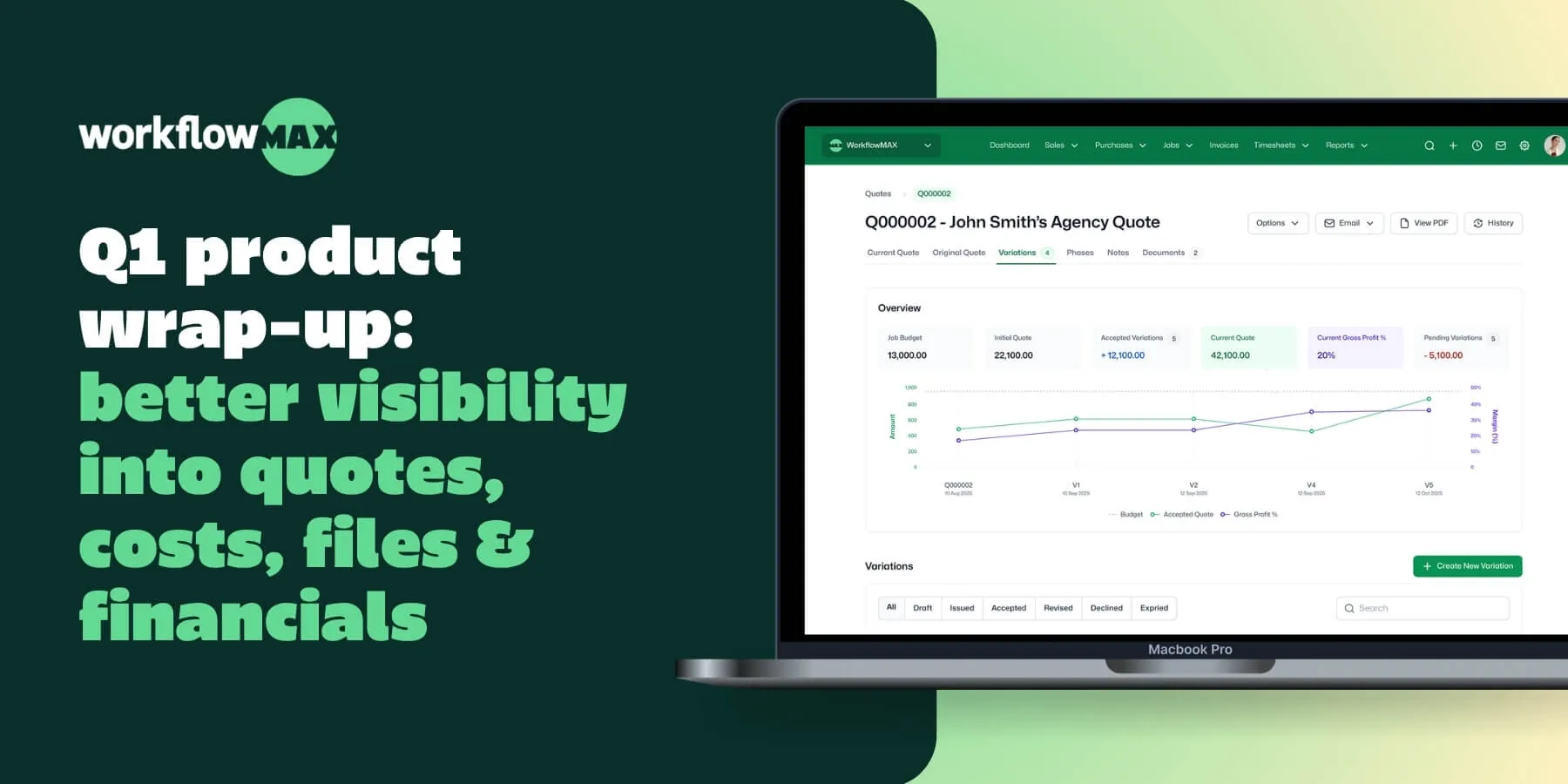
This quarter was about getting you the information you need, where you need it. Quote Variations gives you a clear audit trail when scope changes. The SharePoint Integration puts your project files in one place. AI Report Insights surface what matters in your financial reports. And API v2 is now generally available for everyone.
The problem: Projects rarely go exactly to plan. Scope creep, clients add requirements, budgets shift. But when you update the original quote to reflect those changes, the paper trail disappears - and it's harder to see what was actually agreed at the start.
What's new: Quote Variations captures every scope change as a separate variation, sitting alongside the original quote. You get a clear, chronological record of what changed, when it changed, and what it means for the budget.
Why it matters: No more "what did we agree on?" conversations. You have a complete audit trail from first quote to current project status - useful for client conversations and for protecting your margin.
Currently in beta for Advanced plan customers.
The problem: Your team is uploading documents to SharePoint, emailing files back and forth, and hunting through folder structures just to find the latest version. It slows everyone down and creates version confusion.
What's new: SharePoint Integration connects your project documents directly inside WorkflowMAX, synced with SharePoint. Upload from either side, and everything stays in sync. You can even email documents in via Collaboration Manager.
Why it matters: Every version, from every collaborator, in one place – without asking your team to change how they work. Files go into WorkflowMAX or SharePoint; everyone sees the same thing.
Currently in beta for Premium + Advanced plan customers.
The problem: You run the reports. Then you spend the next 20 minutes scrolling through rows of data trying to spot what's changed, what looks off, and what actually needs your attention.
What's new: AI Report Insights does that scanning for you. Run any custom report - invoices, WIP, profitability - and AI automatically flags what's changed, what looks unusual, and what needs action.
Why it matters: Less time reading numbers, more time acting on them. The exceptions come to you, instead of you having to hunt for them.
Currently in beta for Advanced plan customers.
What's new: API v2 is out of beta and available to everyone. Every v1 endpoint is on v2, and as new WorkflowMAX features ship, they're available via API faster – giving you broader coverage and deeper access to your data as the platform grows
Why it matters: Whether you're building custom reports, connecting to your CRM, or automating workflows between tools – v2 gives you more endpoints to work with, and that coverage grows with every feature we ship.
Available on all plans.
The problem: You’re trying to plan work in advance, but availability lives in a spreadsheet (or someone’s head). By the time you realise someone’s overbooked, deadlines are already slipping and you’re reshuffling jobs at the last minute.
What's new: Capacity Planning gives you drag-and-drop resource scheduling with real-time visibility into who’s available and where work is over-allocated - so you can balance workloads before timelines slip.
Why it matters: Fewer surprises, less firefighting, and a clearer view of what your team can actually take on - before you commit.
Available for beta later this month on Advanced plans.
The problem: You look at the WIP balance on a job and have no idea what's driving it. Is it timesheets? Costs? A deposit? Getting to the answer means digging through multiple places.
What's new: Advanced WIP adds a dedicated WIP tab to every job, breaking the balance down into individual ledger entries - timesheets, costs, and deposits all in one view. Search, filter, sort, write off entries, and export to CSV for offline analysis.
Why it matters: The detail is right there, inside the job. No more guessing, no more cross-referencing across reports.
Available for beta later this month on Advanced plans.
We can't wait to see how you put these to work. As always, keep the feedback coming - it directly shapes what we build next.

TL;DR: As agencies grow, operational visibility often breaks down because information becomes scattered across quotes, jobs, timesheets, documents, invoices, and finance systems. The result is slower decisions, weaker cost control, and more surprises at month-end. The fix is not more reporting after the fact, but a connected operating model from lead to quote to job to invoice. Growth is meant to create momentum. In many agencies, it also creates fog.
What worked when a firm had a handful of clients and a close-knit team started to break down as more people, projects and delivery stages entered the picture. A studio director can no longer keep the whole pipeline in their head. Project leads stop seeing the full financial picture. Finance teams inherit incomplete or delayed information. Suddenly, operational visibility becomes a daily challenge rather than a management advantage.
This matters because agencies do not just sell output. They sell time, expertise, scope, responsiveness and trust. When visibility weakens, profitability and client confidence usually follow. Partner interviews in WorkflowMAX’s research repeatedly point to the same issue: growing firms need visibility from initial enquiry through budgeting, job delivery, invoicing and reporting, rather than a patchwork of tools and spreadsheets.
Operational visibility sounds like a reporting problem, but it usually starts as a workflow problem.
In a smaller agency, the path from quote to job to invoice is often informal. People can chase missing details in Slack, ask finance for an update, or rely on a senior manager’s memory. As the agency grows, that stops being reliable. More leads enter the pipeline. More scopes evolve mid-project. More staff log time. More documents need to be found. More invoices depend on accurate delivery data.
The problem is not simply that there is “too much information”. It is that the information sits in different places and arrives at different times. The struggle for many service-based businesses is the 'data disconnect.' By consolidating the chaos of spreadsheets and manual tracking into a single source of truth, WorkflowMAX ensures that firms can finally see the real-time link between their team's effort and their project's profitability.
Common symptoms include:
For agencies, this is where scale starts to feel messy.
Operational visibility usually breaks in stages, not all at once.
Many firms think visibility begins when a job starts. In reality, it starts earlier.
If sales activity, scope assumptions and quoting decisions are not clearly captured, delivery teams inherit ambiguity from day one. That is why visibility at the front of the process matters. Lead Management helps teams keep track of opportunities and next steps, while Estimating and Quoting creates a clearer commercial starting point for the work that follows. Together, those features reduce the handover gap between business development and delivery.
This is especially important for agencies handling a mix of retained, fixed-fee and ad hoc work. If the original quote structure is vague, operational confusion shows up later as time overruns, billing friction and scope disputes.
As teams expand, jobs gain more moving parts: tasks, deadlines, dependencies, contributors and client requests.
This is where Job Management becomes central. Rather than treating job progress as something people discuss in meetings, the aim is to manage jobs, tasks and people from one place and track progress against agreed timelines. That does not solve every delivery issue on its own, but it gives firms a shared operational record. WorkflowMAX’s partner interviews consistently describe the value of having every live job known about in one place rather than buried in spreadsheets or separate tools.
A growing agency can look busy while losing control of cost tracking.
This is why operational visibility must include money, not just work status. Time Tracking captures delivery effort as work happens. Invoicing turns approved work into billable output.
Reporting and dashboards translate that activity into job-level financial summaries and broader business insights. When those pieces are disconnected, leadership ends up reacting too late. When they work together, agencies are better placed to see whether a job is drifting before it becomes a margin problem.
Poor project visibility does not usually announce itself dramatically. It appears as waste.
Teams re-enter data. Managers chase updates. Finance waits for missing details. Senior staff make judgement calls without enough context. By the time a problem shows up in monthly numbers, the operational cause may already be buried.
The impact often shows up in five places.
When job data, documents, time entries and billing details are spread across systems, managers spend more time validating information than acting on it.
If Time Tracking is incomplete or disconnected from Job management, agencies struggle to understand the true delivery cost of work. That makes pricing, staffing and scope control harder. WorkflowMAX’s internal narrative work frames job profitability as the missing metric in many service firms because time, cost and billing data are often viewed separately rather than together.
For agencies, compliance visibility is rarely one dramatic feature. It comes from consistent records, clear documentation and accurate financial handoff. In WorkflowMAX terms, that means using Document management to keep job-related files accessible, Reporting and dashboards to surface relevant operational and financial information, and Integrations with Xero/QuickBooks to connect delivery records with accounting processes.
The source-of-truth guidance is clear that “compliance” should be explained through those named features, not presented as a standalone product claim.
If finance has to reconstruct what happened on a job, invoicing slows down. Cash flow then depends on admin effort rather than a reliable process.
When visibility is weak, everyone compensates. Project leads create side spreadsheets. Finance exports and reconciles manually. Directors ask for extra updates. None of that scales well.
Growing agencies struggle with operational visibility because growth exposes every weak handoff in the business. What felt manageable at 10 people becomes fragile at 30. What worked across a few active jobs becomes risky across dozens.
The answer is not more heroic management. It is a more structured system.
When lead data, quotes, job records, documents, time, invoices and reporting are connected, agencies gain a clearer view of what is happening, what it is costing, and what needs attention next. That is the real value of operational visibility: better decisions, fewer surprises, and more confidence as the firm grows.

TL;DR: Many architecture firms grow faster than their operational structure can support. What begins as a workable mix of spreadsheets, inbox approvals and disconnected systems often turns into poor visibility, delayed invoicing, budget drift and avoidable delivery risk.
The key takeaway is simple: sustainable growth needs a structure that links estimating, delivery, documentation, time capture and financial reporting from the start of every job to the final invoice.
Growth rarely breaks an architecture firm all at once. More often, the cracks appear gradually. A few more projects. A few more staff. More consultants involved. More revisions. More admin. Then suddenly, leaders are spending too much time chasing updates, checking budgets manually and trying to understand where a job really stands.
That is why aligning operational structure with long-term growth in architecture firms matters so much. Growth is not only about winning more work. It is about making sure the business can deliver that work profitably, consistently and with enough visibility to protect client relationships, team performance and financial health.
Partner interviews and internal strategy documents point to the same recurring issue: firms outgrow fragmented processes before they outgrow demand. Teams often move from spreadsheets or disconnected tools because they need one place to manage jobs, costs, documents and invoicing, rather than stitching together information after the fact.
At its core, WorkflowMAX is designed to solve the three biggest hurdles for service-based firms: operational visibility, precise job costing, and total financial clarity. For architectural practices, this means moving away from 'best guesses' and toward a data-driven reality where every hour is accounted for and every project is profitable.
Architecture firms are complex by nature. Even relatively small practices must manage multiple stages, shifting scopes, consultant input, fee tracking, document control and client communication. When those moving parts live in separate places, leaders lose the line of sight they need to make timely decisions.
The issue is not simply that information is scattered. It is that scattered information slows down every commercial decision around a job. Teams can still be busy, deadlines can still appear under control, and clients can still be happy on the surface, while margins quietly erode underneath.
A firm may experience:
These are not isolated admin issues. They shape delivery confidence, project visibility and profitability.
A scalable operational structure creates one connected workflow from the first client conversation to final billing.
In practical terms, that means:
Long-term growth only works when firms can protect margin as project volume increases. In architecture, that usually comes down to controlling three things well: scope, time and billing.
If any one of those breaks down, the firm starts carrying a hidden cost.
Growth becomes risky when firms rely on rough quoting habits that are never revisited once delivery begins. A stronger process starts by making estimating detailed enough to guide delivery, not just win the job.
With Estimating and Quoting, firms can break quotes into tasks and costs, giving project leads a clearer starting point for delivery. That matters because strong estimating is not only about pricing accuracy. It sets expectations for effort, structure and commercial control from day one. WorkflowMAX’s source-of-truth materials also specifically position Estimating and Quoting as the feature that supports revised quotes and scope changes, rather than vague claims about variation workflows.
Many firms still discover cost problems too late because time is treated as a reporting exercise rather than a live operational signal. By the time someone reviews the numbers, the margin is already gone.
This visibility is delivered through a combination of official features, not a single invented dashboard:
Together, these features support better cost tracking and financial clarity without forcing firms to rebuild their workflow around disconnected tools. That focus on joining up operational and financial data is consistent with internal sales and positioning documents, as well as partner feedback around the need for an end-to-end workflow solution with strong financial visibility.
Architecture firms do not create long-term growth by winning more projects alone. They create it by building an operating model that can absorb complexity without losing control of cost, delivery quality or financial visibility.
That is the real reason operational structure matters. It is the backbone behind profitable delivery. It gives leaders confidence that quotes are grounded, jobs are visible, documents are connected, time is captured and invoices reflect the reality of the work completed.

TL;DR: As architecture firms grow, delivery often becomes inconsistent. Different teams run projects in different ways, margins get squeezed, and leaders lose visibility over scope, time, invoicing and handover readiness. The answer is not more admin. It is a repeatable delivery framework that sets a consistent way to quote, run, track and bill work across every project.
Architectural work is rarely simple. Every project has its own scope, client expectations, consultants, deadlines and documentation requirements. Yet firms that scale well do not run every project from scratch. They build a delivery framework that gives project teams a consistent starting point, while leaving room for professional judgement where it matters.
That matters for more than operational neatness. When delivery varies from team to team, firms feel the impact of missed time entries, inconsistent quoting, delayed invoices, document confusion and weak visibility over job performance. In practice, that creates three business problems at once: less predictable delivery, harder compliance oversight and weaker financial control.
Creating repeatable delivery frameworks for architecture projects helps solve all three. It gives your team a common way to move work from quote to completion, and it gives leadership a clearer view of what is happening across the practice.
A repeatable framework is not about turning design work into a rigid process. It is about standardising the parts of delivery that should be standard.
That usually includes:
When those steps are inconsistent, the same problems appear again and again. One project manager writes a detailed quote, another sends something too broad. One team tracks time daily, another catches up at month end. One project folder is clean and easy to audit, another relies on scattered email trails and local files.
The result is not simply operational friction. It is slower decision-making. Leaders spend more time chasing information and less time improving delivery.
This is where WorkflowMAX becomes useful as an operational system. Estimating and Quoting creates a more consistent commercial starting point. Job Management gives every project a structured home once work begins. Time tracking and Invoicing connect delivery to revenue. Reporting and dashboards then help leaders review job performance with more confidence.
Most delivery problems begin before a job is even live. If the quote is vague, the team inherits ambiguity. If the budget structure is too broad, cost control gets harder later. If assumptions are not visible, project managers are forced to fill the gaps during delivery.
That is why repeatability should start at the front end.
A practical framework for scope discipline usually includes three steps.
Your firm does not need identical quotes for every job. It does need a consistent way to build them.
That means agreeing how you will define:
In WorkflowMAX, this structure is supported through Estimating and Quoting. You can build quotes in a more consistent format, break them into specific tasks and costs, and revise them as the scope develops. That matters because better quoting is not just about winning work. It is about giving delivery teams a clearer commercial baseline to work from.
A quote should not sit in isolation from delivery. Once approved, it needs to become the working structure for the project.
That handover is where many firms lose control. Scope is approved in one format, but jobs are managed in another. The team then relies on memory, side documents or spreadsheets to bridge the gap.
Job Managementhelps close that gap by giving teams one place to manage jobs, tasks and people, and track progress against agreed timelines. For architecture firms, that means less reliance on ad hoc workarounds and a more reliable link between what was sold and what is being delivered.
Architectural projects evolve. Clients change priorities. Consultants add complexity. Approvals take longer than expected. The question is not whether change will happen. It is whether your team can capture it in a controlled way.
WorkflowMAX should be used here as a connected workflow. A project manager can use Estimating and Quoting to issue revised quotes and use Customisation to record the commercial or operational context behind those changes. That creates a clearer chain between revised scope and delivery decisions without inventing a separate “variation module” that is not officially named in the platform.
The firms that scale best do not wait until operations feel messy. They put a repeatable structure in place early, then refine it as the practice grows.
For architecture firms, that means agreeing how work should move from lead to quote, from quote to live job, from live job to invoice, and from delivery data to management decisions. Once that framework exists, software should reinforce it.
WorkflowMAX provides the operational backbone for that work. It helps firms bring estimating, delivery, documents, time, invoicing and reporting into one connected system so leaders can make better decisions with less guesswork.
Discover how WorkflowMAX can help you gain better project visibility.

TL;DR: As agencies grow, senior staff often become the fallback for pricing decisions, job oversight, client updates and financial control. That creates a bottleneck: the business adds more work, but not more operational clarity. The fix is not simply to hire more managers. It is to build a system where quoting, job delivery, time capture, invoicing and reporting all connect, so decisions can happen earlier and with more confidence.
Most agencies do not struggle because demand disappears. They struggle because growth adds complexity faster than the business adds structure. New jobs come in. Teams expand. More estimates need review. More client communication needs oversight. More time needs approval. More invoices need checking. Before long, senior staff are not just leading the work. They are holding the whole operation together.
That is a risky way to scale.
When experienced people become the unofficial workflow, decisions slow down, handovers weaken, and profitability becomes harder to protect. The challenge is clear: firms are looking for end-to-end visibility, from budgeting to invoicing, to replace the fragmented spreadsheets and manual processes that currently hold them back.
The goal is not simply to “keep everyone busy”. It is to make work easier to delegate without losing financial control.
Scaling operations without exhausting senior people starts with one principle: junior and mid-level staff need enough structure to move work forward without waiting for constant intervention.
That means building repeatable workflows around five areas:
When those pieces are disconnected, senior staff step in to fill the gaps. When they are connected, leaders can focus on coaching, commercial decisions and client relationships instead of firefighting.
For agencies, that matters commercially as much as operationally. WorkflowMAX’s strategic narrative centres on a familiar problem for service firms: fragmented systems make it difficult to see what work is worth until it is too late to fix margin leakage.
A lot of operational drag begins before a job even starts.
If every quote needs a senior person to rebuild assumptions, correct scope or reformat pricing, the agency has already created a bottleneck. The answer is not to rush quoting. It is to make estimating more structured.
This is where Estimating and Quoting becomes important. WorkflowMAX supports agencies by letting teams break quotes into specific tasks and costs, issue revised quotes and track scope changes as work evolves.
In practice, that helps agencies scale in three ways:
That does not remove senior oversight. It makes that oversight more efficient.
For design agencies, consultancies and architecture practices, this matters because weak scoping usually turns into downstream pressure on the people with the most experience. When scope is clearer at the start, senior staff spend less time rescuing jobs later.
A common pattern in growing firms is that the CRM, job tracker, timesheet process, document store and finance records all live in different places. On paper, each tool solves a problem. In reality, the agency creates a maze that only experienced staff can navigate.
That is why WorkflowMAX’s positioning work keeps returning to one core need: an end-to-end workflow that gives businesses visibility from initial enquiry through to reporting.
Delegation breaks down when the team cannot see what needs doing, who owns it or where the job stands.
You can’t scale without structure. True job management is about bringing your people, tasks, and deadlines into one clear view. WorkflowMAX is built specifically to provide exactly that. It offers a sophisticated environment for tracking progress, with the flexibility to align with RIBA templates where specific documentation is required."
For agencies, the value is straightforward:
The goal is not simply to assign tasks. It is to create a single, accurate record that the whole firm can work from.
When timesheets are late, incomplete or disconnected from the job, senior people end up doing manual reconciliation. They chase missing hours. They query budget overruns after the fact. They rewrite invoices to match reality.
That is expensive leadership time.
Senior staff should not need to inspect every invoice because the underlying process is unreliable.
As firms scale, invoicing becomes one of the biggest drains on experienced people. Not because invoicing itself is strategic, but because it exposes everything upstream that was not captured properly: poor scoping, missing time, unclear scope changes and inconsistent job records.
The firms that scale well are rarely the ones with the busiest senior team. They are the ones that make delegation easier, job data clearer and financial control more consistent.
That is the real lesson here.
If your agency depends on senior staff to price every job, answer every workflow question, chase every missing timesheet and correct every invoice, growth will keep feeling heavier than it should. But if you put the right structure around quoting, job delivery, time capture, reporting and invoicing, senior people can focus on higher-value decisions instead of operational recovery.
WorkflowMAX supports that shift by giving agencies a more connected way to manage work from quote to invoice, with the visibility needed to make better decisions earlier.
Explore how WorkflowMAX streamlines job management from quote to invoice.

TL;DR: As architecture firms grow, inconsistent internal processes create delays, reduce visibility, and make cost control harder. Standardising how work is quoted, delivered, documented, tracked, and invoiced helps teams work more consistently without losing flexibility.
As firms expand, process inconsistency becomes more than a delivery issue. It affects profitability, team coordination, client confidence, and financial control. One team may scope work carefully, while another relies on informal notes. One project lead may track time daily, while another catches up at the end of the week. Those differences create gaps that become harder to manage as the business grows.
Standardising internal processes across architecture teams gives firms a more reliable way to manage work from first enquiry through to final invoice. The goal is not to make every project identical. It is to create a shared structure that improves visibility, reduces rework, and supports better decision-making.
Architecture projects involve multiple stages, stakeholders, and deliverables. Without a consistent way of working, small process gaps can quickly lead to larger operational problems.
Common issues include:
These issues do not just slow delivery. They make it harder for leadership to understand job performance, track costs accurately, and respond early when a project starts to drift.
A standard process helps firms create a clear operational baseline. Everyone follows the same core workflow, even when projects differ in complexity or size.
Standardisation should begin before a project is won. If teams handle enquiries and quotes differently, delivery often starts with ambiguity.
A stronger approach is to use one clear workflow:
WorkflowMAX supports this through Lead management and Estimating and quoting.
Lead management helps firms keep new opportunities organised in one place. Estimating and quoting helps teams prepare quotes using a shared structure, improving consistency in scope, pricing, and handover. That matters because better quoting supports better delivery later.
This is how firms improve estimating accuracy in practical terms: not through guesswork, but through a more repeatable quoting process.
As projects move into delivery, consistency matters even more. Different project managers will always have different styles, but the underlying job structure should remain consistent.
Teams need a shared way to answer key questions:
WorkflowMAX supports this through Job managementand Customisation.
Job management provides the shared framework for managing jobs, tasks, timelines, and progress. Customisation allows firms to adapt quotes, invoices, and reports to suit how the business operates, while still maintaining a consistent structure across teams.
This balance matters. Standardisation should improve control without making delivery feel rigid.
Document control is often treated as an admin problem, but it is really an operational one. When files, approvals, and project records are scattered across inboxes and folders, teams lose time and confidence.
That leads to questions such as:
WorkflowMAX supports better control through Document management linked with Job management.
Job management gives each project a central operational record. Document management supports the storage and retrieval of files related to that job. Used together, they help teams keep information connected to the work itself rather than relying on individuals to remember where things are.
This is also how firms strengthen compliance visibility. Not through an invented compliance feature, but through clearer job records, better document organisation, and more reliable oversight using Reporting and dashboards.
Time tracking is one of the clearest examples of why standardisation matters. If time is recorded inconsistently, firms cannot trust their numbers.
That affects:
Many firms do the work on time but still invoice late. Usually, that happens because project and finance records are not aligned.
Teams may still be checking time, confirming scope, or reviewing job details before billing can happen. That slows cash flow and creates unnecessary admin.
The firms that scale successfully do not rely on informal workarounds. They build systems that make consistent delivery easier across every team.
Standardising internal processes across architecture teams helps firms improve project visibility, strengthen cost tracking, support compliance, and create more dependable financial control. WorkflowMAX provides that operational backbone through connected features that support clarity, control, and more confident decisions from quote to invoice.

TL;DR: As architecture firms move into larger, more complex engagements, the pressure usually shows up in three places first: quoting accuracy, cost control, and visibility across jobs, documents, and invoicing. What worked for smaller projects often starts to break down when more people, more phases, and more client scrutiny are involved. The firms that scale well do not rely on heroics or spreadsheets; they put structured workflows around how work is estimated, tracked, documented and billed.
Architecture firms do not usually struggle with complexity because the work is unclear. They struggle because the work is clear to the design team, but not always structured clearly enough across operations, finance, and delivery.
That gap gets bigger as projects get larger.
A small practice can often hold critical information in the heads of a few people. A larger engagement changes that. More phases, more revisions, more stakeholders, tighter financial oversight, and heavier documentation requirements create more room for missed scope, delayed invoicing, inconsistent cost capture, and weak handovers. Partner feedback in WorkflowMAX’s orbit reflects that same operational reality: firms often move to a system because they want to get off spreadsheets, keep clients and live jobs in one place, and improve visibility into quoting, costing, invoicing and reporting.
The point is not simply to organise information better. It is to build an operating model that lets your firm take on larger engagements without losing control of margin, delivery discipline, or client confidence.
Larger projects expose weak operating habits quickly. A quote that looked reasonable at the start becomes hard to defend six weeks later. Time is recorded inconsistently. Variations are agreed in conversations but not reflected cleanly in the job record. Documents sit across too many systems. Finance gets involved too late. Delivery teams are left trying to reconcile progress with budget after the fact.
This is why scale is not just a resourcing problem. It is a systems problem.
The architecture firms that handle growth well usually have five foundations in place:
Bigger projects increase the cost of early-stage assumptions. If fee structures, deliverables, tasks and expected effort are not defined well at the quote stage, the team ends up managing ambiguity during delivery.
This is where Estimating and Quoting matters. The practical advantage is not just producing a quote. It is being able to break the job into specific tasks and costs from the start, so operational expectations are established before the work goes live. That creates a cleaner handover into Job management, where the team can track progress against the agreed structure.
For architecture firms, this becomes especially important when a project includes multiple phases, external consultants, or recurring client revisions. The goal is not to predict everything perfectly. It is to create a quote structure that gives the project manager something usable to manage against.
A system only improves project visibility if people use it consistently. If the structure is too loose, reporting becomes unreliable. If it is too complex, teams stop updating it properly.
Use Job management to create a clear operational record for each engagement: who is involved, what tasks are active, where progress sits, and how timelines are tracking. Use Customisation to tailor quotes, invoices, reports and other records to suit how your firm works, without inventing a separate process outside the platform.
This matters because architecture firms rarely fail from lack of effort. They fail from fragmented execution. One team is working from the latest revision. Another is using outdated assumptions. Finance is waiting on information. Leadership only sees the real position once the project is already under pressure.
On larger jobs, delivery risk often sits inside the document trail. Drawings, approvals, notes, and supporting files are not just admin. They are part of the commercial record.
That is where Document management helps. It gives firms a more consistent place to keep job-related files connected to the work itself, rather than leaving critical information scattered across inboxes, desktops, and ad hoc folders.
Most firms do not lose control all at once. They lose it gradually.
A little scope movement here. A delayed timesheet there. A document that is saved but not linked to the right job. A quote revision that never fully makes it into the working budget. Then invoicing falls behind because nobody is fully confident about what should be billed.
That pattern is common in service firms more broadly. Internal WorkflowMAX strategy work frames the underlying issue as disconnected operational and financial data, where firms track what has been done but struggle to see what that work is worth while the job is still live.
A larger engagement almost always changes as it progresses. New requests appear. Existing assumptions are refined. Internal effort shifts. Client expectations evolve.
The answer is not to pretend variation will not happen. The answer is to make sure changes are reflected in the operational workflow.
Many firms think they have cost tracking because staff submit timesheets. That is not the same thing as having useful operational visibility.
To manage larger jobs well, leadership needs more than raw activity data. They need to understand how time, job progress, invoicing and financial performance connect.
In practice, better financial clarity comes from combining several confirmed components:
That is how cost control becomes operational, not theoretical.
Preparing architecture firms for larger, more complex engagements is not really about adding complexity. It is about removing avoidable uncertainty.
The firms that scale well are the ones that make work easier to estimate, easier to track, easier to document, and easier to bill. They do not rely on scattered files, informal updates, or retrospective reporting to tell them whether a project is healthy. They build structured systems that create clarity early and maintain it as the job grows.
That is where WorkflowMAX fits as the backbone that helps firms connect estimating, job control, documentation, invoicing and reporting into one clearer way of working.
Explore how WorkflowMAX streamlines job management from quote to invoice.

TL;DR: As firms grow, delivery often becomes harder to control. More clients, more jobs and more handovers usually mean more admin, slower approvals and less confidence in margins. The firms that scale well do not rely on more spreadsheets or more checking. They build repeatable delivery around clear quoting, consistent job control, timely time capture, organised documents and dependable financial visibility.
Scaling should make delivery stronger, not heavier.
For many professional services firms, that is not how growth feels. Winning more work is one thing. Delivering it consistently, profitably and without creating a layer of admin drag is another. Architects, engineers, accountants, designers and consultants often find that each new client or project adds more chasing, more manual updates, more duplicated data entry and more room for errors. The result is slower delivery, reduced visibility and more pressure on team leads to hold everything together manually.
The true challenge is operational complexity. Once work moves across quoting, scoping, scheduling, time capture, documentation and invoicing, every disconnect creates friction. That is why firms looking to scale client delivery without increasing admin drag need systems that connect the commercial side of the job with the delivery side. WorkflowMAX tackles that need by reducing repetitive admin so firms can focus on the work they do best, while using functional, industry-relevant workflows rather than generic project management language.
Most firms do not hit an admin wall because they lack effort. They hit it because growth exposes process gaps.
A smaller team can often manage with memory, inboxes and a few shared documents. A larger delivery team cannot. Once more people touch the same client job, firms need a reliable way to answer basic questions quickly:
Without clear answers, managers become human middleware. They spend their time confirming details, reconciling documents and checking whether operational data matches financial data. That is where admin drag begins.
Partner interviews around WorkflowMAX consistently point to the same underlying value: firms want to move off disconnected spreadsheets and manual systems into a central operating system for jobs, clients and financial visibility. They are not always looking for the most feature-heavy tool. They are looking for one place that makes the work easier to run and easier to trust.
Admin drag often starts upstream, at quote stage. If estimates are vague, assumptions are buried in emails and scope is not clearly structured, delivery teams end up recreating the job later.
A better approach is to treat the estimate as the operational starting point, not just a sales document. That means:
This is where Estimating and Quoting and Job management work together. Estimating and Quoting helps teams structure the commercial side of the work, while Job management gives the delivery team a defined job record to manage once the work is live. If firms need different quote layouts, job structures or document formats for different service lines, that flexibility is delivered through Customisation rather than improvised manual workarounds.
As firms grow, the real cost of admin is not the number of tasks. It is the number of places where job information lives.
Project notes in one system, client emails in another, timesheets somewhere else and invoice queries in finance create avoidable friction. Teams spend time hunting for context instead of moving work forward.
The stronger model is a single operational record around the job. In practice, that means:
That structure matters because it reduces re-entry and rework. People do not need to rebuild job history every time they hand off work internally. They can see the current state of the job, the supporting documents and the captured effort in a connected workflow. Internal partner feedback describes this centralisation as one of the product’s biggest strengths, especially for firms replacing a patchwork of spreadsheets and point solutions.
Growing firms rarely lose control in one dramatic moment. They lose it incrementally through late or inconsistent time capture.
When time is logged days later, the job record becomes less reliable. Managers cannot see emerging overruns early enough. Finance cannot invoice with confidence. Teams begin debating what happened instead of acting on what is happening.
To reduce admin drag, time capture has to be simple enough for teams to do consistently and close enough to the work that it reflects reality. In WorkflowMAX, that practical control is delivered through Time tracking, supported by Job management for job context and Reporting and dashboards for visibility into job performance and variance.
The point is not simply to collect hours. It is to create a dependable record of effort that managers can use before problems compound.
Firms that scale well do not rely on someone “knowing where that file is”.
Client delivery becomes heavier when every document request turns into a search exercise. Briefs, approvals, attachments and supporting files need to be easy to locate and tied back to the correct job.
This is not about creating more processes for its own sake. It is about removing wasted motion. Document management helps keep supporting material connected to the work, while Job management keeps the delivery record structured. For firms with different client requirements, service lines or reporting formats, Customisation helps teams adapt templates and layouts without creating separate manual systems for each variation.
The goal is not simply to win more work, but rather deliver more work without losing margin, visibility or control.
That is why the firms that scale client delivery well tend to look similar operationally. They quote with more structure. They manage jobs in one system. They capture time closer to work. They organise documents properly. They invoice from cleaner records. And they rely on reporting that helps them act earlier, not just review history.
WorkflowMAX supports that kind of operating model by giving service firms a practical backbone from quote to job to invoice. For firms that want growth without heavier admin, that is the real advantage: more clarity, better control and more confident decisions at each stage of delivery.
Explore how WorkflowMAX streamlines job management from quote to invoice.

TL;DR: Many architecture and creative agencies do not struggle because they lack talent. They struggle because work, costs, documents and billing are managed across too many disconnected systems. That makes it harder to control scope, protect margins and keep delivery predictable.
The key takeaway is simple: operational maturity is not about adding more process for the sake of it. It is about creating a reliable way to move from lead to quote to delivery to invoice, with clear data at every step.
Architecture and creative agencies often hit the same wall as they grow. What worked for a small team stops working once there are more jobs, more revisions, more consultants, more billing arrangements and more compliance pressure. Quotes become inconsistent. Time is captured late. Project documents sit in too many places. Finance teams work from one view of the job while delivery teams work from another.
That is where operational maturity models become useful. They give firms a practical way to assess how work moves through the business today, where risk sits, and what systems need to improve next. For agencies that want to scale professional services operations, maturity is not a theory exercise. It is the link between better project visibility, stronger cost tracking and more confident decision-making.
WorkflowMAX is well suited to this conversation because its value is not simply task coordination. The stronger story is end-to-end workflow and financial visibility: from initial enquiry and quoting through to job activation, delivery, invoicing and reporting.
A maturity model helps you answer one question: how controlled is your operation, really?
At a basic level, most firms move through four stages.
At this stage, work is still largely person-dependent. A senior designer, project architect or account lead knows where everything is, but the business does not. Quotes vary by person. Files are stored inconsistently. Teams track time differently. Reporting happens after the fact.
This is usually where spreadsheets, inboxes and ad hoc workarounds start to pile up. One implementation partner described the core value of WorkflowMAX at its most basic level as getting firms off spreadsheets and into one place where clients and live jobs are visible across the business.
Defined firms have agreed ways of working, but those processes are not always connected. You may have quote templates, naming conventions and approval habits, but delivery and finance can still drift apart.
This is a common point for architecture and creative firms. The process exists, but the data story breaks between departments. A quote is approved, yet scope changes are tracked elsewhere. Hours are logged, yet cost control is reviewed later. Invoices go out, yet no one has a simple view of how the job is performed.
Managed firms do not just follow a process. They can see whether the process is working.
This is where project visibility becomes operationally useful. Not as a vague promise of “better insights”, but through the official combination of Reporting and dashboards and Job management
One partner interviewed described this as the ability to follow the operational story from enquiry through budget, job activation, invoice and reporting, with financial visibility strong enough to support business decisions.
Optimised firms use process and data to improve performance continuously. They do not wait until month-end to understand what happened. They use standard workflows, reliable documentation and current reporting to adjust earlier.
For architecture practices, that might mean tighter control of fee stages, documentation and commercial handover. For creative agencies, it often means better control over scope shifts, utilisation and quote-to-invoice discipline. The goal is not simply to store information in one place. It is to create a single, accurate record that becomes the firm’s operational backbone.
Operational immaturity rarely comes from one dramatic failure. It usually comes from several small breaks in the workflow.
If a quote is commercially sound but does not translate cleanly into the job, the team starts delivery with ambiguity. That is where scope creep, poor cost tracking and billing friction begin.
A stronger approach is to build quotes with enough structure to support the next step. WorkflowMAX supports this through Estimating and Quoting, which can break quotes into specific tasks and costs, and through Job management, which turns that structure into an active job record.
Creative and architecture teams generate a high volume of files, revisions and approvals. When those sit outside the job record, the business loses context. Teams waste time searching, finance lacks evidence, and handovers become riskier.
That is where Document management matters. It helps keep working files and job-related documentation attached to the job itself, rather than spread across inboxes and disconnected folders.
Time tracking alone is not maturity. Mature firms use time data to understand delivery performance and commercial reality.
That is why Time tracking should connect directly to Job management. Time tells you what happened. Reporting helps you interpret whether the work was delivered efficiently and whether the job is still commercially healthy.
A lot of software talks about dashboards. The safer and more accurate way to talk about WorkflowMAX is through Reporting and dashboards and job financial summaries, not inflated claims about features that are not officially named that way. Internal audit guidance is explicit on this point: product claims should be anchored to named features, and reporting language should not overstate capability.
Operational maturity models are useful because they replace guesswork with structure. They help architecture and creative agencies see where processes are fragile, where data is disconnected and where profit leaks begin.
The firms that scale best do not rely on one brilliant project to hold everything together. They build repeatable systems that make quoting clearer, delivery more visible, billing more accurate and reporting more useful.
That is the real role of WorkflowMAX. Not as a layer of software on top of messy operations, but as the operational backbone that helps firms move from reactive delivery to controlled, confident growth.

TL;DR: Growth often looks healthy from the outside, but inside many professional services firms, it exposes weak handovers, inconsistent cost capture, delayed invoicing and poor visibility across jobs. As teams, clients and projects increase, small process gaps turn into margin leakage, compliance risk and slower decisions. The key takeaway is simple: scaling well depends on structured systems that connect estimating, delivery, documentation, time and financial reporting.
Professional services firms rarely break all at once. More often, they grow into complexity faster than their operating model can handle it.
A team of five can compensate for gaps with memory, spreadsheets and constant conversation. A team of 25 cannot. Once you add more jobs, more clients, more approvers and more billing events, hidden inefficiencies start to show up everywhere: quote assumptions do not make it into delivery, time is logged late, documents live in too many places, invoices wait for manual checks, and leadership loses confidence in the numbers.
That matters because firms such as architects, engineers, accountants, designers and consultants do not just sell outputs. They sell time, expertise, scope control and trust. When operations become fragmented, profitability becomes harder to protect and compliance becomes harder to evidence. Partner interviews and internal positioning work repeatedly point to the same issue: growing firms need one connected operational backbone, not a patchwork of tools and manual workarounds.
Growth multiplies operational friction. It does not create every weakness, but it makes existing weaknesses impossible to ignore.
At a smaller scale, firms can often absorb inconsistency. A project lead remembers what was promised. Finance knows which invoice needs chasing. A director spots an overrun before it becomes serious. But once work is spread across more people and more jobs, that informal control disappears.
Common pressure points include:
The issue is not simply “admin overload”. It is the lack of a single, accurate operational record. WorkflowMAX describes it as the difference between visibility and control: firms do not just need to know work is happening; they need to understand what was quoted, what has changed, what has been spent, what can be billed and what the job looks like financially right now.
Many scaling problems begin before the work starts.
When Estimating and quoting is inconsistent, teams inherit vague budgets, unclear scope and weak assumptions. That makes downstream delivery harder, especially where projects involve staged work, multiple specialists or frequent client changes.
A better approach is to treat the quote as the starting point of operational discipline, not just a sales document. That means:
Use Estimating and Quoting to break work into specific tasks and costs rather than relying on broad totals. That creates a clearer financial baseline for delivery and a better reference point when scope changes. The source of truth specifically recommends precise wording around breaking quotes into tasks and costs, rather than inflated claims about broader functionality.
The benefit of better project visibility is delivered through Job management, which manages jobs, tasks and people in one place, and through Customisation, which lets firms personalise fields, quotes, invoices and reports to reflect how they operate. Together, these features make it easier to preserve the commercial logic of the original quote once work begins.
Growth increases the number of variations, exceptions and urgent requests. The answer is not to rely on memory. It is to document changes consistently. In WorkflowMAX, that can be supported through Estimating and Quoting for revised quotes, and Customisation or job notes to record the context behind a change. That gives project leads a cleaner trail from original estimate to revised delivery plan.
As firms scale, cost leakage rarely comes from one large mistake. It usually comes from hundreds of small misses.
Late timesheets, weak job coding and inconsistent delivery updates all reduce confidence in job performance. By the time someone reviews the numbers, the opportunity to course correct may already have passed.
The goal is not simply to capture more data. It is to capture the right data early enough to act on it.
The operational benefit of early margin control is delivered through Time tracking linked to Job management. Teams log time against live jobs, and managers can review progress against the structure of the job instead of piecing the story together later. This matters because WorkflowMAX’s positioning consistently centres on connected workflow from inquiry through budgeting, activation, invoicing and reporting.
The visibility people often describe as “WIP insight” should be translated more accurately as Reporting and dashboards, which provide job financial summaries, real-time variance tracking and broader business reporting. Rather than calling this a special dashboard category, the source-of-truth guidance anchors that benefit to the existing reporting feature set.
Support for cost control comes from several connected components:
For many firms, growth also increases delivery risk. More staff, more subcontractors, more files and more approval points mean more chances for information to be missed.
That does not always create a formal compliance breach, but it does weaken compliance visibility. Firms struggle to prove what was agreed, where supporting documentation sits, and whether the financial record matches the delivery record.
This is where structured record-keeping matters.
The benefit of cleaner auditability is delivered through Document management, which centralises project files, and Job management, which keeps work activity attached to the relevant job. When project correspondence, files and live delivery data are easier to find, handovers become less risky and teams spend less time searching for evidence.
Growth is not the problem. Hidden inefficiency is.
When professional services firms outgrow informal processes, the symptoms show up fast: weaker margins, slower invoicing, inconsistent records and less confidence in decisions. The firms that handle growth well are usually the ones that build structure early, so quoting, job delivery, document control, time capture and reporting all support each other.
That is where WorkflowMAX fits. Not as a vague promise, but as the operational backbone that helps firms create a single, more reliable record of work from quote to invoice.

TL;DR: Building resilient operations for architecture firms is about managing projects correctly and keeping control when portfolios become more complex, margins tighten and delivery risks multiply. The firms that scale well create one clear operational thread from first enquiry through estimating, delivery, time capture, invoicing and reporting.
Architecture firms rarely struggle because they lack work. More often, they struggle because growth makes operations harder to see and harder to control.
A complex portfolio brings overlapping stages, changing scopes, external consultants, deadline pressure, fee sensitivity and a constant need to balance design quality with commercial discipline. When those moving parts sit across inboxes, spreadsheets and disconnected systems, teams lose clarity. Leaders only spot delivery issues when fees are already under pressure, invoices are delayed or project teams are working beyond plan.
That is why building resilient operations for architecture firms matters. Resilience is not just about absorbing disruption or adapting to change. It is about creating an operating model that lets your practice respond quickly, protect margin and keep projects moving without adding administrative drag.
For many firms, the real challenge is not a lack of effort. It is fragmented information. Partner conversations in the WorkflowMAX research repeatedly point to the same need: a central system that connects workflow visibility with strong job costing and financial reporting, especially for firms managing multiple live jobs at once.
When an architecture practice grows, handoffs become a risk point. A lead becomes a quote. A quote becomes an active job. A job generates time, documents, variations, invoices and reporting. If each stage lives in a different place, teams spend too much time checking versions, chasing context and reconciling numbers.
The goal is not simply to store project information. It is to create one operational record that gives your team a clear view of what has been promised, what has been delivered and what remains commercially exposed. That need for a central operating system came through strongly in partner interviews, especially around end-to-end workflow visibility and job costing.
When the same job carries its commercial and operational context from first conversation to final invoice, decision-making becomes faster and less reactive.
Complex portfolios put pressure on the same five areas again and again.
A quote may be clear at the start, but the reality of delivery changes. Clients ask for revisions. Project stages expand. Additional coordination appears. If teams do not keep the working record aligned with the agreed commercial position, small changes accumulate into margin loss.
The practical answer is to keep estimating and delivery connected. Estimating and quoting sets the original commercial framework. Job management then carries that structure into the live job so project managers can track delivery against what was agreed.
If the scope changes, the quote can be revised and the job record updated using the same connected process rather than informal workarounds. The source-of-truth guidance is clear that high-level claims around “variation management” should always be translated back to approved feature language like Estimating and quoting, Job management and Customisation.
Architecture firms do not lose control only on fee size. They lose control when time, effort and supporting costs are captured late or inconsistently.
This is where Time tracking matters. Not because time entry is exciting, but because resilient operations depend on accurate cost capture at job level. When time sits inside the same operational record as the job, it becomes easier to compare effort against budget and spot pressure earlier. That aligns with WorkflowMAX’s broader positioning around profitability visibility, job costing and financial control.
Many firms think they have visibility because they hold status meetings and review financials monthly. That is not enough when multiple jobs are moving quickly.
Project visibility becomes useful only when leaders can connect three things:
That combination gives firms a practical way to monitor whether a portfolio is healthy, not just busy.
When finance works from one set of records and delivery works from another, invoicing slows down and commercial decisions become harder.
A more resilient model connects project activity to commercial outputs. Invoicing turns job progress into billable activity, while Integrations with Xero/QuickBooks support broader financial workflows. The benefit is not just speed. It is consistent between what project teams are doing and what finance teams are billing.
Resilient firms usually work in a repeatable sequence.
Not every project is equally attractive. Use Lead management to keep enquiries organised, qualify opportunities and create a cleaner path into estimating. That helps firms avoid rushing straight into pricing without enough context.
Use Estimating and quoting to break work into defined tasks and costs. That makes the quote more than a sales document. It becomes the commercial reference point for delivery. This matches the source-of-truth preference for plain, active language around quote structure and job costing.
Use Job management to keep live work, timelines and responsibilities visible. For architecture firms handling multiple concurrent commissions, this matters because it reduces reliance on personal memory and scattered updates.
Use Document management to keep supporting material connected to the job. That reduces friction when teams need to check briefs, approvals or supporting documents during delivery.
Use Time tracking consistently across the team. Accurate time data improves cost tracking, strengthens reporting and gives leadership clearer evidence for pricing, staffing and project review.
Use Invoicing and Integrations with Xero/QuickBooks to move from completed work to billing with fewer manual gaps. Then use Reporting and dashboards to review job financial summaries, portfolio trends and decision-making priorities. This emphasis on end-to-end workflow and reporting is consistent with both partner feedback and the strategic sales narrative.
Architecture firms do not build resilience by asking people to work harder. They build it by giving teams a system that makes good decisions easier.
That means one place to manage jobs. One clearer path from lead to quote to live delivery. One reliable way to capture time, organise documents, raise invoices and review performance. It also means fewer blind spots between project delivery and finance.
The firms that handle complex portfolios best are not simply better organised. They are more deliberate about structure. They know that resilience comes from visibility, cost discipline and consistency at job level, not just from talent and effort.
Discover how WorkflowMAX can help you gain better project visibility.

TL;DR: When agencies move up-market, the challenge is not only winning larger clients. It is running more disciplined operations once bigger budgets, tighter governance and more stakeholders arrive. Partners interviewed by the WorkflowMAX team consistently point to the same issue: firms outgrow spreadsheets, disconnected tools and informal ways of managing jobs long before they outgrow demand.
The secret to moving up-market lies in operational visibility. It requires transitioning from a 'hustle' mindset to a structured system where quoting, time capture, and reporting live in a single, controlled ecosystem.
WorkflowMAX supports that shift by connecting Estimating and quoting, Job management, Time tracking, Invoicing, Reporting and dashboards, Document management and integrations with Xero, while keeping feature claims grounded in the current source of truth.
As agencies move up-market, the work changes before the org chart does. You start seeing more fixed-fee work with tighter scopes, more procurement scrutiny, more approval layers, and more pressure to explain exactly where time and margin went. What used to work when a founder could keep the whole job list in their head stops working when multiple teams, client contacts and billing structures are involved.
That is why the operational shift required when agencies move up-market matters. It is not simply about the adding process. It is about building one reliable operating rhythm across the full client lifecycle. WorkflowMAX’s own market direction is clear on this point: build a connected operational system rather than broad, generic project management.
Smaller agencies can often absorb inconsistency. A senior account lead might catch a missed timesheet. A finance manager might patch together invoice data manually. A founder might step in when scope starts drifting.
That becomes harder once job values rise.
Larger clients usually expect:
Partner interviews reinforce this. Liz Tobin described the platform’s value at a practical level as getting firms off spreadsheets and into a single place where clients and live jobs are visible together. Daniel Roggenkamp framed the same challenge as the need for an end-to-end workflow solution that connects the journey from initial enquiry to budget, job activation, invoicing and reporting.
That matters because up-market agencies do not just need more capacity. They need cleaner operational memory.
In early-stage agencies, delivery often runs on trust, memory and heroic effort. That feels fast, but it breaks under complexity. Larger accounts need repeatable workflows that survive staff changes, multiple approvers and longer project cycles.
This is where structured delivery matters. In WorkflowMAX, that structure is not delivered by one catch-all promise. It comes from Job management to organise jobs, tasks and people, Document management to keep supporting files attached to the work, and Customisation to tailor quotes, invoices and reports to the way the agency operates.
In practice, that means you can:
The goal is not simply to add admin. It is to create one accurate operating record that gives delivery, finance and leadership the same view of the job.
Moving up-market usually increases quoting risk. The cost of under-scoping a small job may be annoying. The cost of under-scoping a larger retainer, phased project or multi-stakeholder engagement can damage margin for months.
Agencies need a tighter estimating process before work starts. That means defining scope clearly, breaking work into sensible tasks and costs, and giving delivery teams a commercial baseline they can actually manage against. WorkflowMAX’s own writing guide points to this exact language: you can break quotes into specific tasks and costs, rather than relying on vague promise-led copy.
WorkflowMAX supports this through Estimating and quoting, then carries that structure forward into Job management.
A practical up-market workflow looks like this:
That is estimating accuracy in operational terms. Not prettier quotes. Better commercial control after the quote is signed.
Agencies that move up-market successfully do not just sell bigger projects. They build a delivery system that can absorb more complexity without losing margin, speed or trust.
That is the real operational shift required when agencies move up-market. You stop managing work as a series of exceptions and start running it as a connected system. You quote with more discipline. You capture time with more consistency. You manage jobs with more structure. You invoice with better support. And you review performance before issues become expensive.
WorkflowMAX fits that shift well because it is strongest when firms need one connected workflow across Estimating and quoting, Job management, Time tracking, Invoicing, Reporting and dashboards, Document management, Lead management and integrations with Xero.
The agencies that scale well are rarely the ones with the most hustle. They are usually the ones with the clearest operational system.
Explore how WorkflowMAX streamlines job management from quote to invoice.




