




Product
Featured



.jpg)
TL;DR: In most architecture practices, the transition from a completed quote to an active job, and again from a completed job to a sent invoice, requires manual re-entry of data that already exists somewhere in the system. This repeated handling creates errors, delays, and a financial picture that's always slightly behind reality. Automating these handoffs means building a connected workflow where the quote feeds the job and the job feeds the invoice, without anyone manually recreating information at each stage. WorkflowMAX delivers this connection across its Estimating and quoting, Job management, Time tracking, Invoicing, and Reporting and dashboards features.
Every architecture commission moves through the same basic sequence: a scope gets agreed and priced, the work gets delivered, and at the end of each stage or the completion of the engagement, an invoice goes out. This sequence appears straightforward. The reality in most practices is that each transition, from quoting to delivery, and from delivery to billing, involves someone manually transferring information from one place to another.
The quote lives in a document. When the job starts, someone creates a new record in the project management system with phases and tasks that roughly reflect what was scoped but aren't formally connected to the original estimate. When invoicing time arrives, a practice manager pulls timesheet data together, checks it against the scope, and manually builds an invoice in the accounting system.
Each of these handoffs takes time, introduces the possibility of error, and means the data in each system is only as accurate as the person who last updated it. Automating the handoff between stages doesn't require complex technology. It requires a single connected system where each stage of the job lifecycle flows forward naturally from the previous one, using data that's already been captured rather than data that needs to be re-entered.
Before addressing how to automate the handoff from quoting to job tracking to invoicing, it helps to understand exactly where the friction sits in each transition.
In most practices, the quote is accepted and then effectively archived. Someone takes the agreed scope and recreates it as a project structure, either in a project management tool, a spreadsheet, or a job management system. In the best case, this takes half an hour and produces a reasonably faithful reproduction of the quote. In the worst case, the person setting up the job doesn't have the original quote to hand, builds the task structure from memory, and creates a job that doesn't match the commercial agreement.
The result is a fundamental disconnect between what was sold and how the delivery is being tracked. When the job overruns, no one can easily say whether it overran against the quoted scope or against the job structure that was set up separately. The comparison that would reveal this, actual time versus quoted time by task, requires reconciling two systems that were never formally connected.
WorkflowMAX's Estimating and quoting feature addresses this by connecting directly to Job management. The structure of the quote, its phases, tasks, and cost items, becomes the structure of the job at the point of acceptance. There is no separate setup step. The commercial baseline is already in the system, and actual performance is tracked against it from the first day of delivery.
The transition from completed delivery to invoice generation is where most of the billing delay and error in architecture practices is concentrated. To produce an accurate invoice at the end of a stage, someone needs to know what was quoted, what was actually delivered, how much time was logged against each task, and whether any scope changes occurred that should affect the billing.
When this information lives in multiple places, gathering it is a project in itself. Timesheets need to be compiled, checked for completeness, and reconciled against the original scope. The process can take hours, and the invoice that eventually goes out may still contain errors or omissions that only become apparent when a client queries a line item.
WorkflowMAX's Time tracking feature captures actual hours at the task level throughout delivery. Because those hours are logged directly against the job, the data needed to produce an accurate invoice is already in the system when the billing milestone arrives. There is no separate compilation step. The job record contains a complete picture of what was delivered, and the invoice draws directly from it.
The final handoff, from a completed invoice to the accounting system, is in many practices another manual step. Someone exports invoice data, re-enters it in the accounting platform, or transfers figures between systems that don't share data. This creates reconciliation overhead and the ongoing risk that the financial records in the accounting system don't precisely match what was actually tracked in the practice management system.
WorkflowMAX's Integrations with Xero/QuickBooks close this gap by connecting job data directly to the accounting system. When an invoice is raised in WorkflowMAX and synced through the integration, it flows into the accounting system without manual re-entry. The practice's financial records reflect the same source of truth as the job records, and reconciliation becomes straightforward.
Automating the handoff from quoting to job tracking to invoicing isn't a single feature or a one-time configuration. It's a connected workflow where each stage is set up correctly from the start.
The first requirement is a quote that's structured in a way that translates directly into job delivery. This means breaking the scope into phases and tasks at the quoting stage, rather than producing a single-line fee with a description. Each phase or task should have a time estimate and a cost, and the naming and structure should reflect how the work will actually be tracked during delivery.
WorkflowMAX's Customisation feature allows practices to build quote and job templates that reflect their specific service structures. An architecture firm that runs fee proposals through RIBA stages, for example, can build a quote template that breaks the scope by stage, with tasks nested within each stage. When the quote is accepted and converted to a job, the stage structure is already in place, and the team delivers against it from day one.
The connected workflow only produces reliable invoice data if time is being logged consistently and accurately throughout the delivery phase. A job that's tracked well produces an invoice that can be generated quickly and is unlikely to be queried. A job where time logging was inconsistent or retrospective produces an invoice that requires significant manual reconciliation and is more likely to contain errors.
WorkflowMAX's Time tracking feature is designed to support the kind of consistent, task-level logging that makes invoice preparation straightforward. Team members log time against specific tasks within the job, building an accurate record of what was delivered as the work progresses. When a stage completes or a billing milestone is reached, the data needed to invoice is already current and complete.
For architecture firms where client-facing documents, scope agreements, variation records, and correspondence all form part of the billing record, having these accessible within the job is important. WorkflowMAX's Document management feature keeps documents attached to the job record, ensuring that when an invoice is being prepared, the relevant supporting documentation is in the same place as the financial data.
This matters particularly when variations have occurred. A scope change that was agreed and documented but not captured in the job record creates an invoicing problem at the end of the stage. When variation records are attached to the job alongside the updated scope, the invoice can accurately reflect what was delivered and agreed.
WorkflowMAX's features work together to create the connected workflow that eliminates manual handoffs:
Estimating Accuracy
WorkflowMAX turns accepted quotes into job structures, setting a clear commercial baseline from day one.
Cost Control
Continuous, task-level time tracking gives practice managers real-time alerts the moment actuals drift from the estimate.
Financial Clarity
Live dashboards compare actuals to quotes at any moment, replacing manual end-of-month reporting.
Operational Efficiency
Centralized jobs, tasks, people, and progress create a single source of truth from quote to delivery to invoice.
Accounting Integration
Direct sync with Xero and QuickBooks passes invoices straight to your ledger without manual data transfer.
The manual handoffs between quoting, job tracking, and invoicing in architecture practices don't just create administrative overhead. They create the conditions for error, delay, and the kind of financial uncertainty that makes it difficult to manage a practice confidently.
Connected, automated handoffs give principals immediate financial clarity without the manual legwork. Invoices go out faster because billing data is ready the moment milestones land, while profitability stays visible in real time as actual performance is continuously measured against initial estimates. Ultimately, your financial records automatically reflect true project progress, eliminating double data entry, late-night report compiling, and guesswork.
WorkflowMAX is the operational backbone that makes this kind of connected workflow achievable for architecture firms, providing the tools to manage every stage of the job lifecycle in one system and the integrations to keep financial records accurate from quote through to final invoice.
Explore how WorkflowMAX streamlines job management from quote to invoice.
.jpg)
TL;DR: Architecture firms that rely on spreadsheets to manage time, costs, and project finances aren't just using outdated tools; they're making important decisions without accurate data, because spreadsheets can only reflect what someone remembered to enter and had time to update.
PSA software replaces this patchwork with a connected system where data flows through each stage of the job lifecycle automatically. WorkflowMAX delivers this connectivity across its Job management, Time tracking, Estimating and quoting, Invoicing, and Reporting and dashboards features, giving practices the real-time visibility that spreadsheets can never provide.
The spreadsheet is the default operational tool for most architecture firms, and it's easy to understand why. It's flexible, familiar, and free. When a practice is small and most information lives in the principal's head, a spreadsheet is often sufficient. A tab for project hours, a column for budget, another for what's been invoiced. It works, after a fashion.
The problem surfaces as the firm grows. More projects running simultaneously means more spreadsheets, more manual updates, and more opportunities for the data to fall out of sync. Someone logs hours in one place, but the project budget lives in another. Invoicing happens in an accounting system that doesn't talk to the project tracker. When a principal wants to know whether a live project is on budget, they have to visit three different places, reconcile the data manually, and hope that everything was entered correctly and recently.
This is the reality that PSA software addresses. And for architecture firms specifically, where projects are long, complex, and commercially sensitive, the gap between what spreadsheets can do and what the practice needs to know is where profitability gets lost.
Spreadsheets don't fail dramatically. They fail quietly, through accumulated inaccuracies, missing entries, and the time spent maintaining data that should be updating itself.
Every spreadsheet-based system depends on someone entering data at the right time, in the right place, in the right format. In a busy architecture practice, this rarely happens perfectly. Timesheets get filled in retrospectively at the end of the week, or not at all. A scope change gets agreed verbally but doesn't make it into the budget tracker before the invoice goes out. A new cost item gets recorded in the wrong column and skews the monthly reporting.
None of these individual failures is catastrophic. But each one represents a small error that compounds over the life of a project. By the time the job closes and someone tries to work out whether it was profitable, the spreadsheet data is too incomplete and too inconsistent to give a reliable answer.
PSA software removes the dependency on perfect manual data entry by capturing information as part of the workflow rather than as a separate task. When a team member logs time in WorkflowMAX's Time tracking feature, that data is immediately available in the job record and in the financial reporting. There's no separate update to make. The entry and the reporting are the same step.
In practices that run across multiple people or offices, spreadsheets create version control problems that waste significant time and occasionally cause genuine errors. The project budget spreadsheet exists in someone's email, on a shared drive, and possibly as a local copy on someone's laptop. Colleagues are working from different versions without knowing it. The invoice goes out based on the wrong set of numbers.
PSA software resolves this by keeping all job-related information in a single, shared system where there is always one current version. WorkflowMAX's Job management feature keeps all jobs, tasks, costs, and people in one place, accessible to the right team members in real time. There is no question of which version of the project budget is current, because there is only one.
When practice performance data lives in multiple spreadsheets maintained by different people, producing meaningful reports requires significant manual work. Someone has to consolidate the data, check it for consistency, and build a summary view that didn't exist anywhere before they created it. By the time the report is ready, the data is already days old.
For principals who need to understand which projects are profitable, which team members are over capacity, and which jobs are at risk of overrunning their fee, this retrospective picture is better than nothing but not as useful as it should be. Decisions that could have been made while there was still time to intervene get made after the fact.
WorkflowMAX's Reporting and dashboards feature delivers real-time job financial summaries without manual assembly. The data that team members enter during normal workflow activities, time logs, cost records, quoted values, and invoiced amounts, all feed directly into reporting that's current whenever you look at it.
The fundamental difference between a spreadsheet-based practice management system and PSA software isn't sophistication or complexity. It's connection. PSA software connects the stages of a job lifecycle so that data flows forward automatically rather than being manually transferred from one tool to the next.
The following WorkflowMAX features work together to deliver the connected practice management that spreadsheets cannot:
Estimating accuracy: WorkflowMAX's Estimating and quoting feature produces structured, task-level estimates that become the job budget, eliminating the manual translation step between quote and delivery.
Cost control: WorkflowMAX's Time tracking feature captures actual hours at the task level throughout delivery, providing continuous, accurate comparison between actual and estimated performance without requiring separate spreadsheet entries.
Financial clarity: WorkflowMAX's Reporting and dashboards feature provides real-time job financial summaries drawn from live data, replacing the periodic manual reporting that spreadsheets require with always-current visibility.
Operational efficiency: WorkflowMAX's Job management feature keeps all jobs, tasks, people, and progress in a single shared system, eliminating the version control problems and data inconsistencies that multi-spreadsheet environments create.
Accounting integration: WorkflowMAX's Integrations with Xero/QuickBooks connect job data directly to the firm's accounting system, removing the manual data transfer step that most spreadsheet-based invoicing workflows depend on.
The Customisation feature allows practices to configure job templates, document formats, and reporting views to match their specific service structures, ensuring that the system reflects how the firm actually works rather than forcing it to adapt to a generic template.
The appeal of spreadsheets is that they're immediately accessible and infinitely customisable. The problem is that they become less accurate, less current, and less connected every time someone forgets to update them, enters something incorrectly, or works from a version that isn't the latest.
PSA software doesn't just replace spreadsheets. It replaces the manual effort that keeps spreadsheets functioning with a system that maintains its own accuracy as a by-product of how the work gets done. Every time a team member logs time, records a cost, or progresses a job through a stage, the data that principals need to manage the practice is updated automatically.
For architecture firms that have outgrown their spreadsheet stack but haven't yet adopted a connected practice management system, WorkflowMAX provides the operational backbone to make that transition: a purpose-built platform where quoting, delivery, time tracking, and billing all work from the same data, and where the reporting is always as current as the last entry.
Explore how WorkflowMAX streamlines job management from quote to invoice.
.jpg)
TL;DR: Professional services automation (PSA) is the practice of connecting the operational systems that run a professional services firm into a single, coherent workflow, from lead and quote through to job delivery and invoicing. For architects, the absence of this kind of connected system means time, cost, and financial data all live in separate places, which makes accurate decision-making difficult and profitability hard to protect. WorkflowMAX is built to deliver this connected workflow for architecture firms, without the complexity or cost of enterprise PSA tools that weren't designed for practices of this size.
Most architecture firms run on a collection of tools that work reasonably well in isolation but don't talk to each other. There's a spreadsheet for tracking project hours, a separate accounting system for invoicing, a folder structure for documents, and email threads for managing client communication and scope changes. Each of these tools does what it's supposed to do. The problem is the gaps between them.
When a quote is accepted and a job starts, someone manually recreates the scope in the project management system. When timesheets need to be compiled for invoicing, someone pulls data from the time tracking tool and reconciles it against the original estimate. When a principal wants to know whether a live project is on budget, they have to check multiple places and do the maths themselves. And when something goes wrong, the trail of what happened and when is scattered across systems that don't share data.
Professional services automation addresses this directly. Understanding what it is, and why it matters specifically for architecture firms, is the starting point for building a practice that can deliver excellent work at scale without drowning in operational overhead.
Professional services automation, commonly abbreviated to PSA, is a category of software and operational practice designed to connect the core workflows of a professional services firm into a single system. The idea is that the key business activities of a firm, winning work, scoping and quoting it, delivering it, tracking time and costs, invoicing, and reporting on financial performance, should all be visible from one place and flow from one stage to the next without manual re-entry or reconciliation.
In practice, PSA covers the full lifecycle of a client engagement:
Business development and lead tracking, so new opportunities are captured and followed up consistently
Estimating and quoting, so every job begins with a clear commercial framework
Job delivery, so tasks, progress, and team responsibilities are managed in one place
Time and cost tracking, so actual performance against estimates is visible in real time
Invoicing, so billing reflects what was delivered and flows cleanly to the accounting system
Reporting, so principals and practice managers have the financial and operational visibility they need to make decisions
When these functions are connected, data flows through the lifecycle of a job without being manually transferred or reconstructed. Decisions are made with current information. Invoices are accurate because they draw on actual tracked data. Reporting is meaningful because it reflects what's actually happening.
Architecture is precisely the kind of professional service that benefits most from a connected operational system. Projects are long-duration, multi-phase engagements with complex scope, multiple fee structures, and a consulting team to coordinate. They involve detailed estimates that need to be tracked against actual costs throughout delivery. They require invoicing that reflects stage completions, time spent, and agreed variations. And they generate reporting requirements to both clients and the practice's own leadership.
All of these activities are connected in practice, even when the tools that support them are not. 1. Quote → Budget
An accepted quote immediately sets the working budget for the job.
2. Budget → Guardrails
That budget dictates what is acceptable to spend across every task and phase.
3. Execution →Tracking
What is actually spent must be tracked and compared against that budget in real time as work happens.
4. Progress → Invoicing
The invoice sent out at the end of a stage needs to directly reflect the actual costs and time logged against it.
5. Performance → Insight
Finally, the financial summary of how each job performed feeds into the practice’s overall understanding of where it is profitable, and where it isn't.
When these connections exist in a single system, the principal doesn't have to spend the weekend compiling data from four different sources to understand whether the practice is on track financially. The information is already there, accurate and current, whenever it's needed.
The operational fragmentation that PSA solves is so common in architecture practices that most principals have simply accepted it as the natural state of running a firm. A few of the most common consequences:
In many practices, the quote is produced in one tool or document, accepted by the client, and then effectively archived. The job gets set up separately, with tasks and budgets that may or may not reflect the original estimate. When the job finishes and the invoice is produced, someone has to look back at the original quote to work out what was agreed. The connection between what was sold and what was delivered runs through human memory and manual cross-referencing, not through the system.
WorkflowMAX's Estimating and quoting feature addresses this by connecting quoted scope directly to the job record. The structure of the estimate becomes the structure of the job, and the quoted values form the baseline against which actual performance is tracked.
Time tracking in architecture practices is often inconsistent, retrospective, or disconnected from the financial picture of a job. Team members log hours at the end of the week, if at all. Those hours are captured somewhere, but they're not automatically compared to the estimate or the budget. The principal has no way of knowing, mid-project, whether the team is delivering within the hours that were quoted.
WorkflowMAX's Time tracking feature captures actual hours at the task level within a job, providing a continuous, real-time comparison between estimated and actual effort. This is what makes proactive cost management possible: not reviewing the situation after the invoice has gone out, but seeing where things stand while there's still time to act.
At the end of each month, or when a partner asks for a project update, someone in most architecture practices has to compile data from multiple sources into a report. This takes time, introduces the possibility of error, and means the information is already out of date by the time it's ready to read.
WorkflowMAX's Reporting and dashboards feature provides real-time job financial summaries without manual assembly. Actual costs, time logged, quoted values, and invoiced amounts are all visible together, at the job level, at any point in the delivery cycle. This is the visibility that distinguishes practices that manage their finances proactively from those that discover problems at month-end.
WorkflowMAX is designed to provide the connected operational workflow that PSA promises, at a scale and level of simplicity that's appropriate for architecture practices. Rather than implementing a complex enterprise PSA system that requires significant configuration and ongoing administration, WorkflowMAX delivers the core connections that matter most to a professional services firm:
Estimating AccuracyWorkflowMAX connects quotes directly to jobs, carrying your original baseline into delivery so you can track actuals against estimates.
Cost ControlTask-level time tracking gives practice managers real-time visibility into costs, making it easy to stay within budget.
Financial ClarityLive dashboards provide instant job financial summaries, replacing manual end-of-month reporting with accurate, up-to-the-minute data.
Operational EfficiencyCentralizing jobs, tasks, team members, and progress in one place eliminates double data entry and cuts non-billable overhead.
Accounting IntegrationSeamless sync with Xero and QuickBooks ensures accurate invoicing and aligns job tracking with your general ledger under one source of truth.
WorkflowMAX's Lead management feature completes the lifecycle by capturing new opportunities at the start of the pipeline, ensuring that the connected workflow begins before the first quote is produced.
Professional services automation is not a technology trend for large firms with dedicated IT teams. It's a practical operational principle that applies directly to architecture practices of any size: the idea that the information generated by quoting, delivering, and billing a project should flow through a single connected system rather than being manually transferred between disconnected tools.
The firms that implement this principle, whether through formal PSA software or through a well-configured practice management platform like WorkflowMAX, consistently have better visibility into their financial performance, spend less time on administrative overhead, and make better decisions about where to focus capacity and effort.
WorkflowMAX provides the operational backbone for this connected approach, giving architecture firms the tools to manage every stage of the job lifecycle in one place, without the complexity or cost of enterprise systems that weren't built for the way architecture practices actually work.
Explore how WorkflowMAX streamlines job management from quote to invoice.
.jpg)
TL;DR: Architecture practices that want to attract commercial clients can't rely on portfolio aesthetics alone to make the case for their capability. Content marketing targeted at commercial decision-makers, developers, institutions, and property owners, needs to answer the specific questions those clients are asking before they select a firm. The strategy is different from content aimed at residential clients or industry peers, and WorkflowMAX supports the operational credibility that commercial content marketing depends on, through features including Lead management, Estimating and quoting, and Reporting and dashboards.
Commercial clients evaluate architecture firms differently to residential clients. Where a homeowner might spend weeks admiring photography and imagining living in a beautifully designed space, a property developer, corporate occupier, or institutional client is asking a different set of questions entirely: Can this practice manage a project of this scale and complexity? Do they understand our sector? Can they work within budget, manage a consultant team, and navigate the planning process without creating operational problems for us?
These are not questions that a portfolio of high-quality photography answers particularly well. They're questions that content marketing, done with commercial clients in mind, can address directly and persuasively before the first meeting happens.
Architecture practices win commercial clients by shaping their content directly around what matters most to potential buyers. By tailoring your messaging to address the specific evaluation criteria, budget concerns, and operational goals of decision-makers, you position your firm as the obvious choice to commission. This article sets out the strategies that work and how to put them into practice.
The decision-making structure around commercial architecture commissions is typically more complex than in the residential sector. There are usually multiple stakeholders involved: the property director or managing director who owns the decision, the project manager or development manager who evaluates technical capability, and the finance or operations lead who scrutinises commercial terms and risk.
Each of these people has different concerns, and content that speaks only to one of them misses the others. The managing director wants confidence that the firm can be trusted with a significant, complex project. The project manager wants evidence of relevant process capability and sector experience. The finance lead wants clarity on how fees are structured, how variations are managed, and how the firm reports on budget and programme.
Content marketing that reaches and convinces commercial clients needs to address all three perspectives, in different formats, across different channels, and at different stages of the client's decision-making process.
Case studies are the single most powerful content format for attracting commercial clients, and most architecture practices either don't have them or don't structure them to do their job effectively.
A case study for a commercial client audience is not a project feature in the way that an awards submission might be. It's a structured account of a business problem that was solved. It should describe the brief and the commercial context, explain the complexity or constraints the firm navigated, describe how the project was managed (not just designed), and articulate the outcome from the client's perspective.
The most convincing case studies include a client voice, even in brief. A single sentence from a property director noting that the practice stayed within budget and was easy to work with does more to build confidence in a commercial prospect than three paragraphs of design description.
WorkflowMAX's Job management feature supports the disciplined project delivery that makes compelling case studies possible. When jobs are structured with clear phases, tasks, and accountability, the story of how a project was managed is documented within the delivery process itself. Drawing on that record to write a case study is considerably more reliable than reconstructing from memory after the project closes.
WorkflowMAX's Document management feature keeps all project-related documents, including scope agreements, variation records, and handover materials, accessible within the job record. This creates a reference archive for case study content that would otherwise be scattered across email threads and filing systems.
Commercial clients who are commissioning significant architecture projects often have knowledge gaps that create anxiety in the decision-making process. They may not fully understand how planning processes work, what drives project cost escalation, how architect fees are structured relative to the overall project budget, or what the difference between design stages actually means for their timeline.
Content that fills these knowledge gaps positions the firm as an informed, trustworthy partner before any conversation has happened. A well-written guide on how planning applications work for commercial projects, a clear explanation of how fees are structured across design stages, or an accessible overview of what happens during construction administration are all examples of educational content that commercial clients actively need.
This type of content serves multiple functions simultaneously. It reduces the friction that comes from clients feeling they don't know enough to ask the right questions. It signals the firm's willingness to be transparent and communicative throughout an engagement. And it provides a reason for prospective clients to engage with the firm's website and return to it, increasing the likelihood that the practice comes to mind when a commission decision is being made.
LinkedIn is the professional channel where commercial architecture clients are most consistently active. Developers, corporate property teams, institutional decision-makers, and the professional contacts who refer architecture work, all use LinkedIn professionally, which makes it the highest-return social channel for practices targeting this audience.
Content that performs well on LinkedIn for commercial architecture audiences is typically structured around genuine insight rather than project announcements. Analysis of planning policy changes and their implications for commercial development. Commentary on how design standards in a particular sector are shifting. Process-level insights from a current or recently completed project that illustrate how the firm thinks about a particular challenge. Observations about what drives cost overruns on commercial fit-outs, and how they can be avoided.
This kind of content demonstrates expertise in the client's problem space, not just capability as a designer. It positions the principal or the firm as a thinking partner, not just a service provider, which is the positioning that builds the trust commercial clients need before they're ready to commission.
Consistent presence matters more than high production values. A practice that publishes relevant, well-considered content twice a week will outperform one that posts a beautifully produced project update once a month.
One of the most underused content strategies for commercial architecture practices is transparency about how fees are structured and how the engagement process works. Commercial clients are accustomed to dealing with suppliers who are clear about pricing and process. An architecture firm that publishes clear explanations of how its fees are structured, what clients can expect at each stage, and how variations are handled signals the kind of commercial professionalism that larger organisations need from their professional service providers.
This doesn't mean publishing a price list. It means producing content that helps prospective clients understand the commercial framework of an architecture engagement before they make contact. A guide to understanding architecture fees for commercial projects, or a walkthrough of what happens from appointment to planning submission, removes uncertainty and reduces the friction that can delay an enquiry.
WorkflowMAX's Estimating and quoting feature supports this transparency in practice. It enables structured, clearly scoped fee proposals that break scope into defined phases and tasks. The Customisation feature allows these documents to be formatted to the firm's brand and communication standard consistently. When a prospective client who has read the firm's content on fee structures then receives a proposal that reflects exactly that clarity, the content's promise is reinforced by the operational reality.
Content marketing for commercial clients makes claims about the practice's capability, professionalism, and reliability. Those claims need to be backed by the operational reality of what it's actually like to commission the firm. WorkflowMAX provides the backbone for that operational credibility:
Estimating accuracy: WorkflowMAX's Estimating and quoting feature produces structured, transparent fee proposals that translate the practice's commitment to clear communication into a document commercial clients can evaluate and act on.
Financial clarity: WorkflowMAX's Reporting and dashboards feature gives principals real-time visibility into job financial performance, enabling the confident, well-informed client conversations about budget and programme that build the trust commercial content marketing promises.
Operational efficiency: WorkflowMAX's Job management feature keeps all jobs, tasks, and people organised in one place, supporting the delivery consistency that generates the project outcomes worth writing about.
Cost control: WorkflowMAX's Time tracking feature captures actual costs against tasks throughout delivery, providing the financial data that makes accurate fee proposals and honest case study narratives possible.
Accounting integration: WorkflowMAX's Integrations with Xero/QuickBooks ensure that the commercial rigour communicated through content is reflected in how the practice manages its own finances, maintaining the professional standard that commercial clients expect.
When a commercial client who has been following the firm's content decides to make an enquiry, WorkflowMAX's Lead management feature provides the structure to capture and track that lead properly, guaranteeing the investment in content marketing connects directly to a managed pipeline outcome.
The most effective content marketing strategy for a commercial architecture practice is one where every piece of content accurately represents what it's like to work with the firm. Case studies that reflect genuine project delivery quality. Process guides that describe how the firm actually operates. Fee transparency that's backed up by proposals and invoices that match the description.
That alignment between content and operational reality is what builds lasting credibility with commercial clients. WorkflowMAX provides the operational foundation that makes this alignment achievable, ensuring that the practice the content promises is the practice the client experiences from the first fee proposal to the final invoice.
Discover how WorkflowMAX can help you gain better project visibility.
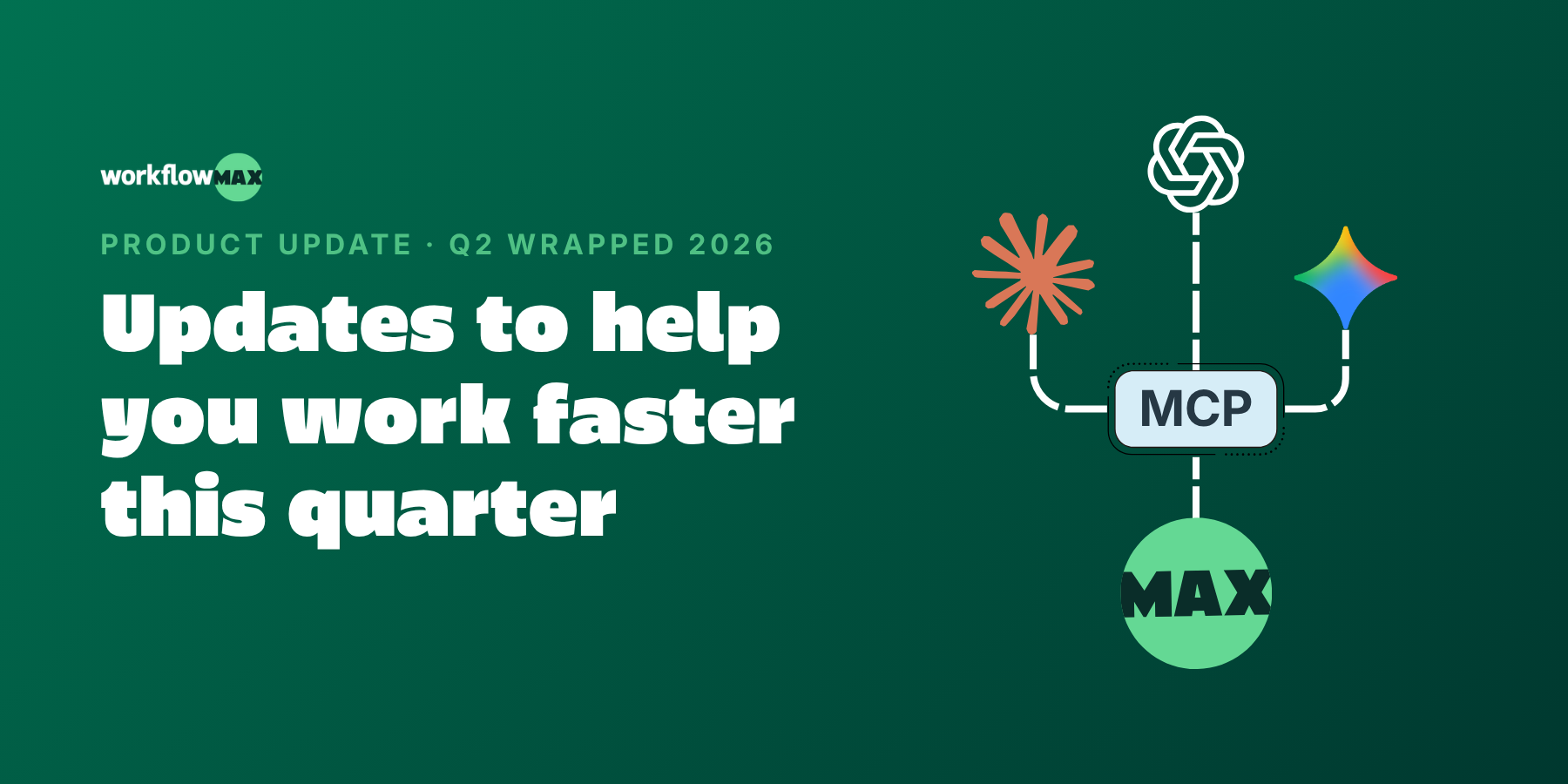
This quarter was about closing the gaps between winning work and getting paid for it, and bringing AI closer to where you actually work. MCP connects WorkflowMAX to the AI tools you already use. Online Quote Acceptance (eQuote) turns quote sign-off into a click. Sales Pipeline gives you a clear view of what's coming. And a batch of workflow upgrades (email templates, job cost moves, and more) take the friction out of the everyday.
The problem: Your project and job data lives in WorkflowMAX, but the questions you want to ask it ("which jobs are over budget?", "what's my WIP this month?") mean logging in, running a report, and reading it yourself.
What's new: MCP (Model Context Protocol) securely connects your WorkflowMAX data to AI assistants, so you can ask questions in plain language and get answers pulled straight from your live data.
Why it matters: For engineering, architecture, IT and consulting firms juggling dozens of live jobs, it's the difference between hunting for an answer and just asking for it. Less time in reports, more time on the work that bills.
Available on the Advanced plan. Free 14-day trial on all other plans.
The problem: You send a quote as a PDF, then wait. The client means to reply, forgets, and you're chasing an email thread to find out whether you've won the work.
What's new: eQuote lets clients review and accept your quote online all in WorkflowMAX. They open it, review it, approve it. No printing, no PDFs, no back-and-forth.
Why it matters: For firms where every quote is billable time waiting to start, faster sign-off means faster starts and cleaner cash flow. And you always know exactly where a quote stands.
Available in beta on Pro and Advanced plans. Free 14-day trial on all other plans.
The problem: You schedule the work, then find out halfway through that a key person is on leave. Availability lives in a separate system (or nowhere at all), so planning is always one surprise away from a reshuffle.
What's new: Now in beta, Leave Management brings requests, approvals, and availability into WorkflowMAX. Your team requests leave, managers approve it in-app, and availability updates automatically, feeding straight into how you plan jobs.
Why it matters: Project planning based on real data instead of a spreadsheet or a hunch. Fewer clashes, fewer last-minute scrambles, and a clearer view of who can actually take on the next job.
Available in beta on Pro and Advanced plans. Free 14-day trial on all other plans.
The problem: You know roughly what work is in the pipeline, but it lives across inboxes, spreadsheets and memory. When you need to forecast capacity or cash, you're guessing.
What's new: Sales Pipeline gives you a single visual view of every lead and opportunity, from first conversation to won work, so you can track what's likely to land and when.
Why it matters: Better forecasting means better planning. You can line up resourcing and cash flow around work you can actually see coming, instead of reacting when it arrives.
Available on Pro and Advanced plans, or with the Lead Manager add-on.
The problem: You send the same "here's your quote" or "invoice attached" note twenty times a week, retyping it, tweaking it, and hoping it reads consistently across everyone on the team. And exported files land in your client's inbox as "Invoice_export_final(3).pdf."
What's new: Admins can build reusable email and custom print templates once, so every client-facing message goes out on-brand no matter who hits send. Custom file naming lets you control how exported documents are labelled, too.
Why it matters: Consistency without the copy-paste. Your team sends polished, uniform communications in less time, and the files you send are named the way your clients actually want to file them.
The problem: Anyone running multiple concurrent projects has done it: logged a cost or a purchase order against the wrong job. Fixing it used to mean deleting and re-entering, or leaving it and quietly distorting the margin on two jobs at once.
What's new: You can now move costs and purchase orders to the job they belong to in a few clicks, no deleting and re-keying required.
Why it matters: Your profitability reporting reflects what actually happened, not what got mis-keyed on a busy Friday. Cleaner numbers, less rework, and margins you can trust.
The problem: Every industry has that one detail the standard PO never captured: a required delivery date for a construction site, a drawing reference for a design job, a supplier account code for finance. So it ends up in a follow-up email instead of on the document.
What's new: Add the custom fields your team needs to capture on every PO, so the important detail lives right on the purchase order itself.
Why it matters: Fewer chasing emails and less missing information. Everything a supplier or your finance team needs is captured up front, on the document, every time.
The problem: When you're scanning a job list or a WIP report, the data you care about is often the column you can't quite see, so you're scrolling sideways or squinting at cramped screens.
What's new: Full-width views and resizable columns let you fit more on screen and adjust each column to suit the view you're working in.
Why it matters: The numbers that matter (budget, spent, remaining) sit right where your eye lands. A small change, but a meaningful one when you're living in these screens all day
Here's a taste of what we're working on:
We can't wait to see how you put these to work. As always, keep the feedback coming - it directly shapes what we build next.

TL;DR: Most architecture firms already have the data needed to quote more accurately. The problem is that it sits in completed projects in a form that is difficult to analyse and rarely consulted when the next quote is being prepared.
Every completed project contains information that would improve the next estimate: how long each phase actually took, where costs exceeded expectations, which project types required more coordination than anticipated, and where the gap between quoted and actual effort was largest. Most architecture firms have accumulated years of this data. Very few use it systematically when preparing new quotes.
The reason is usually structural. Historical project data exists but is fragmented, inconsistently captured, or stored in a form that makes meaningful comparison difficult. Pulling insights from it requires manual effort that most firms do not have time for mid-business-development cycle, so estimators fall back on experience and judgment instead.
The usefulness of historical job cost data depends entirely on how consistently it was captured in the first place. These are some of the most common problems that make historical data unusable:
This is why the fix for poor quoting accuracy starts with how current projects are tracked, not just how historical data is analysed. Job Management in WorkflowMAX organises every project within a consistent structure of phases and tasks. Time Tracking links every recorded hour to the correct job, phase, and task in real time. Use Customisation to standardise those structures across project types so that the data accumulating today is comparable across projects and will be usable as a reference point for quotes prepared in a year’s time.
Once project data is captured consistently, Reporting and Dashboards surfaces the patterns that are invisible when projects are reviewed individually:
These are not questions that can be answered from memory or from reviewing one or two recent projects. They require data across a comparable portfolio, structured consistently enough to allow meaningful aggregation. Firms that have that data can move from intuition-based estimating to evidence-based estimating, which is a different quality of accuracy altogether.
The practical application is straightforward once the data is available. Before preparing a quote for a residential extension of a particular scale and complexity, a firm can review the actual performance of the last several comparable projects: average hours per phase, typical cost variance, common sources of overrun. That review takes minutes when the data is structured and accessible through reporting. The resulting estimate reflects how that type of work actually performs in practice rather than how it is hoped to perform.
Estimating and Quoting in WorkflowMAX supports this by providing the structure to build phase-level estimates that align directly with how work is tracked during delivery. The quote and the Job Management structure share the same framework, which means the comparison between estimated and actual performance is automatic from the moment the project begins. Each completed project then adds to the historical dataset, making the next quote a little more grounded than the last.
Quoting accuracy is also a consistency problem. When different team members prepare estimates using different approaches, the variance in outcomes is partly a function of individual judgment rather than project reality. Standardising the estimating process through consistent job structures, shared historical benchmarks, and a common framework in Estimating and Quoting means that quotes reflect organisational knowledge rather than individual experience. A senior architect’s accumulated understanding of how long documentation takes becomes accessible to the whole team rather than staying implicit.
The firms that benefit most from historical job cost data are the ones that started capturing it consistently earliest. Each project adds to the dataset. Each quote becomes more accurate as the benchmarks improve. Over time, the gap between estimated and actual costs narrows not because estimators got better at guessing but because the guesswork was replaced with evidence.
WorkflowMAX provides the structure for that compounding improvement, connecting Job Management, Time Tracking, Estimating, and Reporting into a workflow where every completed project makes the next quote a more reliable reflection of how the work will actually unfold.
Explore How WorkflowMAX Streamlines Job Management From Quote To Invoice.

TL;DR: Static reports tell you what went wrong. Real-time dashboards give you the chance to do something about it. For architecture firms managing complex, long-running projects, the difference between the two is the difference between reactive and proactive financial management.
Architecture firms operate on projects that evolve over months, sometimes years. Budgets shift, scope changes, and the financial picture at month three rarely resembles what was estimated at the start. In that environment, a report that reflects last month’s data is not a management tool. It is a post-mortem.
Real-time financial dashboards change the equation by ensuring that decision-makers have an accurate view of project performance as it develops, not after it has already diverged from plan.
The barrier is rarely a lack of data. It is that the data exists in separate systems that were never designed to update each other automatically. Project information lives in the project management platform. Financial data lives in Xero. Between them sits a manual process of extraction, consolidation, and reconciliation that takes time, introduces errors, and produces a picture that is already outdated by the time it reaches anyone who can act on it.
The result is that firms:
A real-time dashboard is only as reliable as the data flowing into it. That reliability depends on two things: consistent data capture and continuous integration between project and financial systems.
Consistent capture means that:
Use Customisation to standardise how time and costs are recorded across teams and project types, and to align cost categories with the reporting structure that Xero expects. The integration piece is handled through our Xero Integration, which ensures that invoicing data flows into the accounting system automatically, reflecting live activity rather than a manually consolidated snapshot.
Effective financial dashboards for architecture firms need to answer the questions that matter during delivery, not just at close. That means:
Our Reporting And Dashboards feature provides these real-time summaries by drawing directly from Job Management, Time Tracking, Invoicing, and the Xero Integration simultaneously. Because the data flows through connected systems rather than being pulled together manually, the dashboard stays current without requiring anyone to update it.
The practical value of real-time dashboards is not just visibility. It is the ability to intervene. When a project is tracking over budget, the useful moment to know that is mid-delivery, not at invoicing. When resourcing decisions need to be made, they are better made with current financial data than with figures from the last reporting cycle.
Firms that operate with real-time dashboards can:
Real-time dashboards backed by integrated data also solve a compliance problem that many firms handle separately. When project scope is defined in Estimating And Quoting, delivery is tracked in Job Management, time is recorded against specific tasks, invoices are generated from that data, and financial records are synchronised with Xero, the audit trail is built as a natural output of the workflow. Document Management keeps supporting files and approvals linked to each job, so the evidence required for compliance is already organised rather than assembled under pressure.
Architecture firms that rely on delayed or fragmented reporting are always a step behind the financial reality of their projects. Those that implement connected, real-time dashboards gain something more valuable than better reports. They gain the operational confidence to manage projects proactively, make resourcing and scope decisions based on accurate current data, and maintain control over profitability across a complex portfolio of work.
WorkflowMAX provides the foundation for that shift, connecting Estimating, Job Management, Time Tracking, Invoicing, and Xero Integration into a single workflow where every dashboard insight is based on data that reflects what is actually happening.
Discover How WorkflowMAX Can Help You Gain Better Project Visibility.

TL;DR: Cost underestimation in architecture firms is rarely a one-time mistake. It is a structural problem rooted in how estimates are built, how actuals are captured, and whether the two are ever meaningfully compared. Fixing it requires changing the process, not just trying harder.
Most architecture firms have experienced the same pattern: a project that looked profitable at the proposal stage gradually erodes margin through delivery, arriving at completion with costs that exceeded the estimate by enough to matter. Post-project, the cause is usually attributed to scope changes or client complexity. The next estimate is built with roughly the same approach as the last one, and the pattern repeats.
The problem is rarely carelessness. It is that the estimating process is disconnected from the data that would make it accurate.
Estimates built on intuition rather than evidence. When estimates are based on experience and judgment rather than on structured analysis of how similar projects actually performed, the same errors recur across every proposal.
A firm that consistently underestimates documentation time will keep doing so until that pattern is visible in the data and deliberately corrected. Without access to historical job performance through Reporting and Dashboards, estimators are working from memory rather than from evidence.
Phases that look simpler than they are. Architecture projects have a tendency to accumulate complexity during delivery in ways that were not visible at the quoting stage. These are not random events. They are patterns that repeat across project types and client profiles, and they are invisible to firms that do not track costs at the phase level consistently enough to see them.
Actual costs that are never fully captured. An estimate can be as detailed as possible and still produce misleading comparisons if the actuals are incomplete. Common gaps include:
When actuals are understated, the estimate looks more accurate than it is, which means the underlying problem never gets addressed.
The fix starts with connecting estimates to delivery rather than treating them as separate documents. Estimating and Quoting in WorkflowMAX defines project budgets at the phase and task level, and that structure carries directly into Job Management. The estimate becomes the framework against which actual costs accumulate, which means the comparison between planned and actual performance is automatic rather than something that requires manual reconstruction.
Time Tracking links every recorded hour to the correct job and phase in real time. The completeness of that data determines the reliability of any profitability or variance analysis. Use Customisation to standardise how time and costs are captured across teams and project types, so the actual cost data that flows into reporting is consistent enough to be trusted.
The most durable fix for systematic underestimation is closing the feedback loop between past performance and future estimates. Reporting and Dashboards provides real-time summaries of cost and variance data across active and completed projects. Over time, that data reveals the patterns that intuition misses:
Each new estimate should be informed by that history. Estimating and Quoting supports this by providing the structure to build granular, phase-level estimates that can be directly compared to historical actuals from similar work.
Underestimation is compounded when invoicing does not accurately reflect work completed. When billing lags behind delivery, or when invoices are based on milestone assumptions rather than tracked progress, the revenue side of the profitability calculation becomes as unreliable as the cost side.
Invoicing in WorkflowMAX generates billing from actual time and job progress, with the Xero Integration keeping financial records consistent automatically.
Underestimating project costs is not an inevitable feature of architecture practice. It is a result of estimating processes that are disconnected from delivery data and actual cost capture that is too inconsistent to support meaningful analysis. Firms that address both by connecting their estimating, job management, time tracking, and reporting into a single workflow stop repeating the same errors and start building the kind of estimating accuracy that protects margin reliably rather than by luck.
WorkflowMAX provides that connected structure, ensuring that every estimate is informed by real performance data and every project generates the cost visibility needed to improve the next one.

TL;DR: Overall revenue can look healthy while certain project types quietly erode margin. Without structured data across a comparable portfolio of projects, firms cannot tell which work is actually worth pursuing and which is being systematically underpriced or overserviced.
Architecture firms typically develop a sense over time of which projects feel profitable and which feel difficult. Residential work moves fast but scope creep is common. Commercial projects carry more complexity but often command better fees. Refurbishments are unpredictable. These impressions shape business development decisions, pricing conversations, and resource allocation, but they are impressions rather than analysis.
The problem with intuition-based portfolio management is that it tends to confirm existing assumptions rather than challenge them. A project type that has always felt difficult gets avoided even if the data would show it performs well. A project type that feels comfortable gets prioritised even if the margins are consistently thin. Without structured profitability data across project types, firms cannot tell the difference.
Comparing profitability across project types requires that projects have been structured consistently enough to be comparable. If residential projects are tracked differently from commercial ones, if some jobs break costs down by phase and others do not, if time is recorded against different task categories across different teams, the resulting data cannot be reliably aggregated into meaningful patterns.
The prerequisite for profitability analysis by project type is consistent data capture across all projects. Use Customisation in WorkflowMAX to define project categories and apply them consistently across all jobs in Job Management. Standardise how time is recorded, how costs are allocated, and how estimates are structured so that the data accumulated across the portfolio is genuinely comparable rather than a collection of individually tracked projects that happen to share a system.
Once projects are categorised and structured consistently, profitability analysis by type requires aligning three components across the portfolio:
When these three components are aligned within the same workflow across all project types, Reporting And Dashboards can surface profitability patterns that would otherwise require significant manual analysis:
The value of knowing which project types are most profitable is not primarily backward-looking. It changes how the firm makes decisions going forward:
Over time, the same data improves estimating accuracy across the board. Historical performance by project type becomes a reference point for new estimates, which reduces the gap between planned and actual profitability and builds the kind of pricing confidence that comes from knowing the numbers rather than approximating them.
Individual project profitability matters. Portfolio profitability is what determines whether the firm is building a sustainable business. A firm that consistently wins work in project types with thin margins, even if it executes well, is working harder than it needs to for returns it could improve by shifting its focus.
WorkflowMAX provides the operational foundation for that portfolio view, connecting Estimating, Job Management, Time Tracking, Invoicing, and Xero Integration into a workflow where profitability data accumulates consistently across every project. The firms that use that data to inform strategic decisions about which work to pursue, how to price it, and where to allocate their best people are the ones that turn project management capability into a genuine competitive advantage.
Discover How WorkflowMAX Can Help You Gain Better Project Visibility.

TL;DR: Revenue minus cost is a starting point, not a profitability model. For architecture practices, true profitability requires capturing all costs accurately, aligning revenue with actual work delivered, and monitoring the relationship between the two throughout the project rather than only at the end.
Architecture practices can finish a project, invoice the client, and still not know whether that project was actually profitable. It is a more common situation than most principals would admit. The revenue is visible. The direct costs are approximately known. But the full picture, including all the time that went unrecorded, the phases that ran over without triggering a scope conversation, and the administrative overhead that never made it into any cost calculation, remains unclear.
That gap between apparent and true profitability tends to widen as firms grow and projects become more complex.
The revenue minus cost formula breaks down in architecture practices because both sides of the equation are typically incomplete. On the cost side:
On the revenue side, invoicing that does not accurately reflect completed work creates misalignment between what has been delivered and what has been recognised financially. When billing is tied to milestones rather than to tracked progress, the revenue figure in any given period may not correspond to the actual cost incurred in that same period.
True profitability requires both sides of the calculation to be accurate and aligned, which means the systems capturing them need to be connected.
The foundation is a structured estimate that defines expected costs and revenue at a granular level, broken down by phase and task. Estimating And Quoting in WorkflowMAX sets that financial baseline with the level of detail needed for meaningful comparison later. Use Customisation to structure estimates in a way that reflects how the firm actually allocates resources across different project types, so the estimate is a realistic model rather than a high-level approximation.
That estimate then carries forward into Job Management, where the same phase and task structure organises delivery. Time Tracking links every recorded hour to the correct job and phase, guaranteeing that actual labour costs accumulate against the structure the estimate defined. When estimate and actuals share the same framework, comparing them is a reporting function rather than a manual reconciliation exercise.
Incomplete cost capture is the single biggest threat to accurate profitability calculation. A firm that consistently underrecords time is systematically overestimating its margins across every project. That error does not appear in any individual report. It compounds quietly across the portfolio until the firm notices that projects which looked profitable on paper are not generating the returns they should.
Embedding Time Tracking into the daily workflow, linked directly to specific jobs and tasks, is the structural fix. Reporting And Dashboards provides real-time summaries of cost accumulation against budget, so the completeness of cost capture is visible continuously rather than only when someone runs a report.
Profitability is not just a cost problem. When invoicing is based on assumptions about progress rather than on tracked work, revenue recognition drifts away from actual delivery. A project that is sixty percent complete but has been invoiced at forty percent is carrying a profitability gap that will not show up until the billing catches up.
Invoicing in WorkflowMAX generates billing based on actual time and job progress, ensuring that revenue reflects work delivered. Through the Xero Integration, financial records stay consistent with project data automatically. The profitability picture in reporting reflects both sides of the equation from the same source, which means the margin calculation is reliable rather than approximate.
The most significant shift in how architecture practices approach profitability is treating it as an ongoing management process rather than a final calculation. When Reporting and Dashboards provide real-time visibility into cost and revenue by job, phase, and task, profitability becomes something that can be influenced during delivery rather than only assessed after it.
That visibility enables concrete decisions:
None of those decisions are available to a firm that only looks at profitability once the project is closed.
Over time, the same data builds a picture of where value is created and where it is lost across the practice. Which project types, which phases, which client relationships generate reliable margins? Which consistently underperform against estimates? Those patterns are only visible to firms that have been capturing consistent, structured data across multiple projects through a connected workflow.
WorkflowMAX provides that structure, connecting Estimating, Job Management, Time Tracking, Invoicing, and Xero Integration into a system where true profitability is not something to be calculated retrospectively but something that is visible, comparable, and manageable throughout every project.

TL;DR: An estimate that is never compared to actuals during delivery is just a document. The value of detailed project estimates is only realised when they are continuously measured against real costs as work progresses, not reviewed once the project is closed.
Most architecture firms invest significant effort in project estimates. The scope is broken down, costs are modelled, timelines are mapped. Then the project starts and the estimate effectively stops being used as a management tool. Costs accumulate, time passes, and the comparison between planned and actual performance happens at the end, when the only thing left to do is note the variance and move on.
Estimates are usually correct, that’s not the real problem. The thing is that by the time anyone knows how wrong they were, the opportunity to act on that knowledge has already passed.
The most common reason estimates become irrelevant once delivery begins is structural: they are not connected to the systems where actual costs are recorded. An estimate built in a quoting tool that does not feed into job management means that the budgets and task structures defined at the start have no direct relationship to the time entries and costs accumulating during delivery. Comparing the two requires a manual exercise that most teams do not have time for mid-project.
WorkflowMAX addresses this by carrying the structure of Estimating And Quoting directly into Job Management. Budgets and task breakdowns defined during quoting become the framework against which time and costs are tracked during delivery, so the comparison between estimated and actual performance is continuous rather than retrospective.
Real-time comparison between estimated and actual costs depends entirely on the quality of the actual cost data. Common problems that distort actuals include:
Time Tracking in WorkflowMAX links every recorded hour to the correct job and task, ensuring that labour costs are captured accurately and in real time. Use Customisation to standardise how teams record time and costs across projects, so the actual cost data that flows into reporting is consistent and comparable rather than a patchwork of different practices.
Reporting and Dashboards provides real-time summaries of estimated versus actual performance at the job level, drawing directly from time tracking, job management, and invoicing data. The practical value of that visibility is not the report itself. It is what it enables.
When a firm can see that a particular phase is tracking over its estimated cost with time still to run, the options are still open:
When that same information arrives in an end-of-project review, those options have closed. The only question left is how to absorb the overrun.
Continuous tracking of actual versus estimated costs accumulates into something more valuable than project-level oversight. Over time, it reveals patterns that inform how estimates are built in the first place:
These questions cannot be answered reliably from memory or from occasional post-project reviews. They require consistent data captured across multiple projects through the same structured workflow. Firms that track actual versus estimated costs systematically develop estimating practices grounded in their own operational reality, which translates directly into more accurate bids, better-managed margins, and fewer conversations with clients about unexpected cost increases.
Accurate cost tracking needs to be matched with accurate revenue recognition. Invoicing in WorkflowMAX generates billing based on actual tracked work, and the Xero Integration synchronises financial records automatically. This means the profitability picture in reporting reflects both sides of the equation, with costs and revenue drawn from the same integrated data source rather than reconciled manually from separate systems.
Document Management keeps supporting files and approvals linked to each job, ensuring that the audit trail connecting recorded costs to billed amounts is complete and accessible.
Tracking actual versus estimated costs in real time is not primarily a financial exercise. It is a management discipline that determines whether project leads have the information they need to make good decisions during delivery rather than only after it. Firms that build that discipline into their daily workflow through connected systems gain a meaningful advantage over those that rely on periodic reviews to tell them what went wrong.
WorkflowMAX provides the structure for that approach, connecting Estimating, Job Management, Time Tracking, Invoicing, and Xero Integration into a workflow where the gap between planned and actual performance is always visible and always actionable.
Discover How WorkflowMAX Can Help You Gain Better Project Visibility.

TL;DR: Architecture projects are phased by nature, but most firms treat job costing as a single figure across the whole project. That approach masks where budgets are being consumed, which phases are profitable, and where cost overruns are developing until it is too late to address them.
Architecture projects move through distinct phases: concept design, developed design, documentation, delivery. Each phase has different resource requirements, different cost structures, and different relationships between effort and value. Treating them as a single financial unit means that a budget problem developing in documentation can remain invisible until it has already affected delivery, and that the lessons from one phase never inform the management of the next.
Phase-based job costing changes this by making each stage of a project a distinct unit of financial management, not just a milestone on a timeline.
Most architecture firms create detailed estimates at the start of a project and then track costs against a single overall budget as delivery progresses. The estimate and the actuals exist in parallel but are rarely compared at the phase level, which means the granular insight the estimate was designed to provide never materialises.
The fix is structural. Estimating And Quoting should define budgets at the phase level from the outset, with each phase carrying its own cost targets and deliverables. Job Management then organises delivery against that structure, so time and costs are recorded against the correct phase rather than pooled into a project-level total. When the estimate and the actuals share the same structure, comparing them is straightforward rather than an exercise in reconstruction.
Phase-based job costing is only as reliable as the time data behind it. When time is recorded inconsistently, or without clear links to specific phases and tasks, the cost picture at the phase level becomes unreliable regardless of how well the project structure is defined.
Time Tracking in WorkflowMAX links every recorded hour to the correct job and phase, ensuring that labour costs flow into phase-level reporting accurately and in real time. When time tracking is embedded in the daily workflow rather than treated as a periodic obligation, the cost data that feeds profitability analysis reflects what is actually happening on the project rather than what someone estimated at the end of the week.
One of the most valuable outputs of phase-based job costing is the ability to compare estimated versus actual costs at the phase level across multiple projects. Not all phases contribute equally to profitability, and the patterns that emerge from that comparison are not visible when costs are tracked at the project level only.
Our Reporting And Dashboards feature consolidates time tracking, job management, and invoicing data into real-time phase-level summaries. Firms can:
When billing is tied to milestones or phase completion, invoicing needs to reflect the structure of the project accurately. Generating invoices based on phase completion through WorkflowMAX, linked to Job Management and Time Tracking, ensures that billed amounts align with recorded work rather than with a manual assessment of progress. Through our Xero Integration, those invoices synchronise with the accounting system automatically, keeping financial records consistent with project activity.
Phase-based job costing also strengthens the compliance record. When scope is defined by phase, delivery is tracked by phase, time is recorded against specific phase tasks, and invoices reflect phase completion, the audit trail connects each billed amount to the work that generated it.
Document Management keeps supporting files and approvals linked to each job, so the evidence required to demonstrate that billed amounts align with work performed is already organised within the project structure rather than scattered across shared drives and email threads.
Firms that track costs at the project level understand whether a project was profitable after it closes. Firms that track costs at the phase level understand why, and can use that understanding to manage the next project more effectively from the start.
WorkflowMAX provides the structure for that approach, connecting Estimating, Job Management, Time Tracking, Invoicing, and Xero Integration into a workflow where phase-level financial performance is visible, comparable, and actionable throughout delivery rather than only in retrospect.




