Zapier INTEGRATION

Automate approvals, updates, and handoffs with Zapier

Connect WorkflowMAX to 8,000+ apps to reduce manual work and keep projects in sync.

No Credit Card Required.

How WorkflowMAX works with Zapier

Both of these two tools goes hand in hand to make your job and work more easier and better. Here’s how:

Automate workflows your way

Automate within WorkflowMAX
Kick off new jobs automatically from forms, emails, or activity - no manual entry. Keep jobs accurate with automatic status updates, time logging, and event tracking. Send reminders or team notifications so nothing slips through the cracks.

Automate with Your Business Tools
Connect WorkflowMAX with your favourite business apps:

  • Sync quotes, jobs, and activity with your CRM - no double-handling.
  • Automatically notify finance teams when jobs are ready to invoice.
  • Push timesheets to spreadsheets for payroll review.
  • Send instant chat alerts or trigger e-signature requests as soon as documents are ready.

Build reliable, integrated workflows that save time, reduce mistakes, and keep your business in sync.

Lead manager

How to connect Zapier with WorkflowMAX

  1. Create or log in to your Zapier account.
  2. Select WorkflowMAX as the app you want to connect in Zapier.
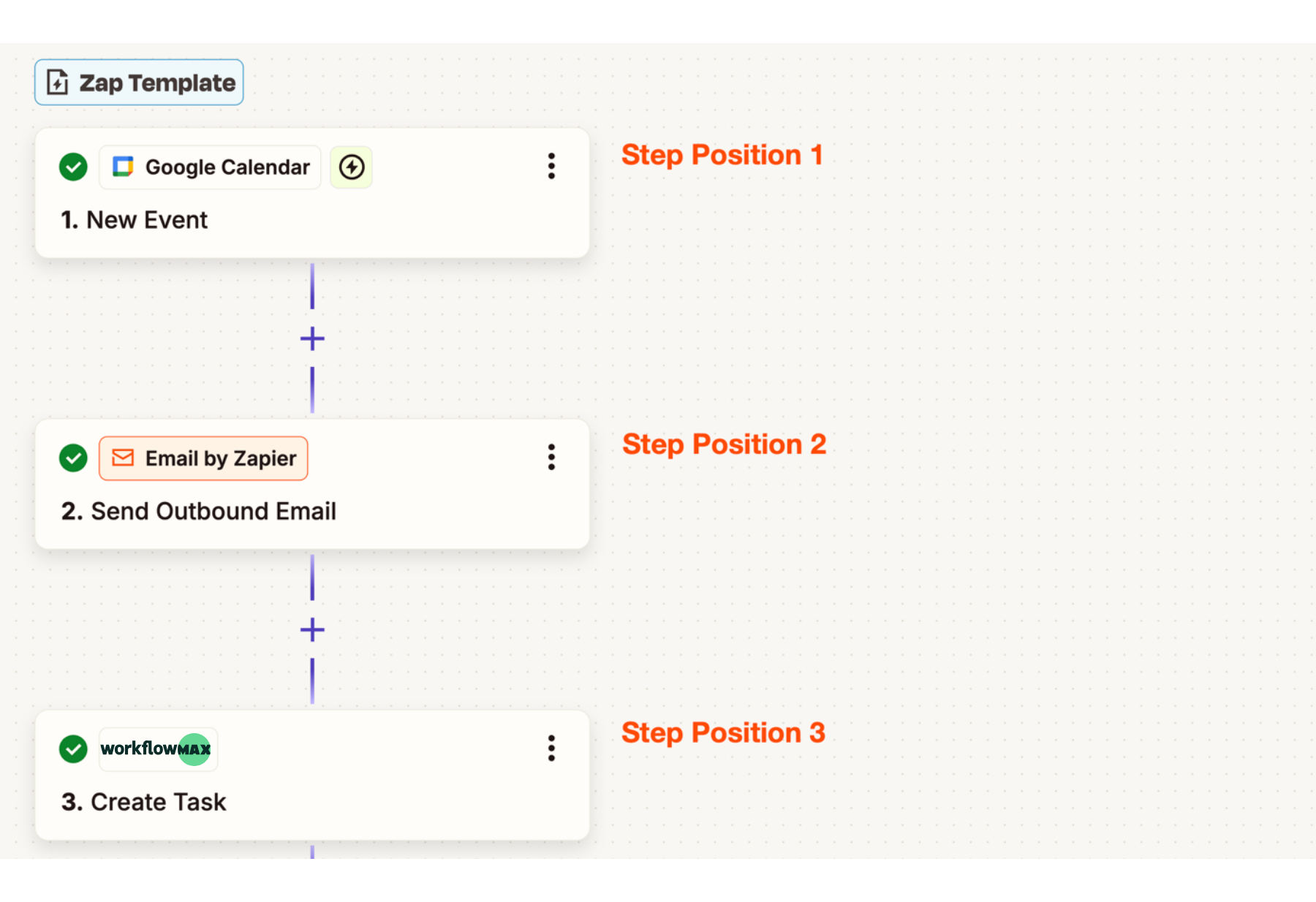
  3. Set up your automation (called a Zap) by following the on-screen prompts.
  4. Test your Zap to make sure it works as expected.
  5. That’s it – let WorkflowMAX and Zapier take care of the repetitive tasks so you can focus on your projects and clients.
Lead manager

What is Zapier?

Zapier is a no-code automation platform that automates workflows between WorkflowMAX and thousands of other apps, without writing a single line of code.

Lead manager
WorkflowMAX has transformed how my clients manage projects. Its powerful features streamline every aspect of job management at an unbeatable value. The pricing is incredibly reasonable for the efficiency and control it brings to business operations.

Michelle JV Rensberg

Nimacc Business Intelligence

Client Imageclient-img-mobile

Frequently asked questions

How does the Zapier integration help professional services firms scale operations?

As firms grow, manual processes between systems break down. Zapier automates handoffs between WorkflowMAX and your CRM, communication tools, and reporting platforms. Operational processes scale with headcount rather than requiring proportionally more admin effort.

Does connecting WorkflowMAX to Zapier cost extra?

The WorkflowMAX side is included at no extra cost. Zapier has its own pricing based on the number and complexity of automations including a free tier for simple use cases.

Is the WorkflowMAX Zapier integration secure?

Yes. Zapier uses encryption and secure authentication to protect data as it moves between platforms. Your WorkflowMAX data is accessed via authenticated API connections.

Do I need to know how to code to use Zapier with WorkflowMAX?

No. Zapier's interface uses a step-by-step builder where you select triggers and actions from dropdown menus. Pre-made templates are available for common WorkflowMAX workflows.

What are some examples of useful WorkflowMAX Zaps?

Common automations include: creating a job in WorkflowMAX when a lead is captured via a web form; sending a Slack or Teams message when a new job is created; syncing contacts between WorkflowMAX and your CRM; creating a calendar event in Google or Outlook when a new job with a deadline is created; and sending an SMS to a client via Twilio when their invoice is issued.

Why should I connect WorkflowMAX to Zapier?

Zapier eliminates manual data transfer between WorkflowMAX and the other tools your business relies on. Automate job creation, contact syncing, notification routing, and reporting triggers saving time and reducing the risk of data falling between systems.

What is Zapier and how does it work with WorkflowMAX?

Zapier is an automation platform that connects WorkflowMAX to over 8,000 other apps without code. You create 'Zaps' automated workflows triggered by events in one app that perform actions in another. For example, a new deal won in your CRM can automatically create a job in WorkflowMAX.

addt-bg-left

Additional features

addt-bg-right