📈 New report: 2026 State of Job Profitability for service firms.Download free ->


🌏
Oceania, US West Coast & Asia Pacific
Australia · New Zealand · US West Coast · Western Canada · Singapore · India · Japan

🌏
Europe, US East Coast, Middle East & Africa
UK · Ireland · UAE · US East Coast · Eastern Canada · South Africa · Central & South America
Free demo


FEATURES
View All Features ->
Estimating and quoting

Xero and QuickBooks integration

Customisation

Time tracking

Document management

Reporting and dashboard


INDUSTRIES

Architects

Engineers and designers


INTEGRATIONS
View All Integrations ->Xero
Elevate your business efficiency by integrating with Xero. Enjoy seamless data synchronisation, eliminate double-handling and save valuable time.
Airwallex
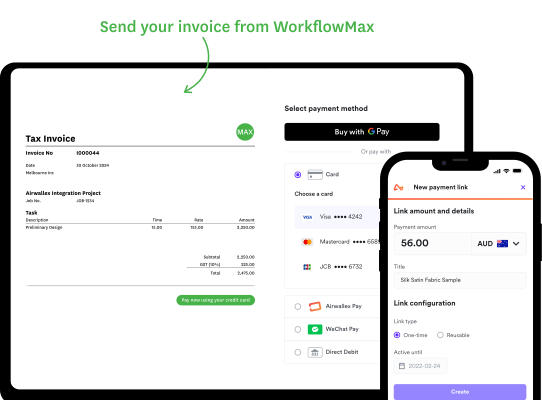
Connect Airwallex with WorkflowMAX to collect customer payments easily by credit card, speeding up cash flow and simplifying reconciliation.
Suitefiles
Integrate SuiteFiles with WorkflowMAX to seamlessly manage and share documents via SharePoint, keeping client files secure and accessible.
QuickBooks
Integrate QuickBooks with WorkflowMAX to simplify your financial processes. Key data flows between platforms, reducing manual work and helping you stay on top of your business performance.
Google Drive
Integrate Google Drive is a safe and secure file storage platform that allows you to store all your files in one place.
Box
Upload documents to WorkflowMAX and they automatically push into Box. Great for collaboration and storage.
Hubspot
Streamline operations & boost growth with WorkflowMAX & HubSpot integration. Sync data, automate workflows, get insights for informed decisions.
Dropbox
Integrate WorkflowMAX with Dropbox, you can quickly and simply share files with clients. Store and share your files from any device, wherever you are in the world.
EzzyBills
EzzyBills allows you to automatically import data from invoices and receipts and connect it directly to your jobs in WorkflowMAX.
Resources

Visit the blog

Watch a webinar


.webp)