
{"@context":"https://schema.org","@graph":[{"@type":"CollectionPage","@id":"https://www.workflowmax.com/blog","url":"https://www.workflowmax.com/blog","name":"WorkflowMAX Blog","description":"Articles on job profitability, time tracking, quoting, invoicing and managing service firms with WorkflowMAX.","isPartOf":{"@id":"https://www.workflowmax.com/#website"},"about":{"@id":"https://www.workflowmax.com/#organization"}},{"@type":"BreadcrumbList","itemListElement":[{"@type":"ListItem","position":1,"name":"Home","item":"https://www.workflowmax.com/"},{"@type":"ListItem","position":2,"name":"Blog","item":"https://www.workflowmax.com/blog"}]}]}

WorkflowMAX Blog

Welcome to our blog

Articles, resources and content designed to boost your productivity, profitability and performance. Subscribe to the get the latest resources right at your inbox!

Thank you! Your submission has been received!
Oops! Something went wrong while submitting the form.

TL;DR: Many agencies want to move to value-based pricing but struggle to control cost once hourly tracking is removed from billing. The risk is not pricing higher. It is losing visibility into delivery effort and margin. A successful transition requires strong internal structure, not just a new pricing model. WorkflowMAX supports this by connecting all operations in one place, facilitating financial clarity and leading to profitability.

Shifting from hourly billing to value-based pricing is often framed as a commercial decision. In practice, it is an operational shift.

Hourly billing ties revenue directly to time. Value-based pricing separates the two. This creates flexibility in how work is priced, but it also removes a built-in control mechanism. Without that control, agencies risk improving pricing while losing margin.

Why agencies move away from hourly billing

Hourly billing creates predictable revenue logic. More hours lead to more revenue. Less time reduces billing.

This creates limitations.

  • Efficiency reduces revenue
  • Scope is defined by time, not outcome
  • Clients focus on hours rather than value

Value-based pricing changes the conversation. It allows agencies to price based on outcomes, expertise, and impact rather than time spent.

However, removing time from billing does not remove time from cost. That is where most transitions fail.

The operational challenge of value-based pricing

Value-based pricing introduces a gap between revenue and effort. The agency sets a price based on perceived value. Delivery still consumes time, resources, and coordination.

If those inputs are not tracked and managed, the agency loses control of margin.

This creates three common risks:

  • Projects expand without cost visibility
  • Teams continue working without clear boundaries
  • Profitability is only understood after delivery

The pricing model changes, but the internal workflow does not.

Value-based pricing still depends on structured estimating

Estimating defines internal control

Even when pricing is not based on hours, estimating remains critical.

Estimating and Quoting allows agencies to define the expected effort required to deliver the outcome. This is not shown to the client as an hourly breakdown. It is used internally to:

  • Set expectations for delivery
  • Allocate resources
  • Define budget limits

Without this internal structure, value-based pricing becomes guesswork.

Aligning value pricing with delivery structure

The estimate must reflect how the work will be executed. Using Estimating and Quoting, agencies can break projects into tasks or phases with expected effort attached, ensuring that even when pricing is fixed, the work is still measured.

Time tracking becomes more important, not less

The misconception about value pricing

A common assumption is that time tracking becomes unnecessary under value-based pricing. In reality, it becomes more important.

Time tracking is no longer used to bill clients. It is used to understand cost.

Without Time Tracking, agencies cannot answer:

  • How much effort was required to deliver the work
  • Whether the project stayed within internal expectations
  • Where inefficiencies occurred

Using time tracking to protect margin

With Time Tracking, teams record hours against job tasks. This allows agencies to:

  • Compare planned effort against actual effort
  • Identify where projects exceed internal budgets
  • Improve future estimating accuracy

Time tracking becomes a management tool rather than a billing tool.

Visibility is the difference between profit and loss

Delayed visibility creates risk

Under hourly billing, issues are visible through reduced utilisation or billing discrepancies. Under value-based pricing, these signals are weaker.

Agencies may deliver more work without immediate financial impact on revenue. The risk only becomes visible when cost is reviewed later.

Real-time visibility through reporting

This visibility is delivered through the Reporting and Dashboards feature, which provides real-time insight into job performance.

Agencies can monitor:

  • Actual cost against internal budgets
  • Progress across project stages
  • Resource allocation across jobs

Evidence-based control

The benefit of financial visibility is supported by:

  • Real-time job data via Reporting and Dashboards
  • Budget tracking through Job Management
  • Accurate cost capture using Time Tracking
  • Financial reconciliation via integrations with Xero or QuickBooks

Agencies can manage performance during delivery, not after it.

Invoicing changes, but structure must remain

The shift in invoicing approach

Under hourly billing, invoices are based on time recorded. Under value-based pricing, invoices are based on agreed outcomes or milestones. This changes how billing is presented, but not how it should be managed internally.

Maintaining control through invoicing workflows

With Invoicing, agencies can structure billing around milestones or agreed deliverables. The underlying workflow remains consistent:

  1. Define scope using Estimating and Quoting
  2. Manage delivery through Job Management
  3. Track effort with Time Tracking
  4. Generate invoices based on agreed structure

Integrations with Xero or QuickBooks ensure that financial data remains consistent. The key is that invoicing reflects the pricing model, while internal workflows protect margin.

Managing scope under value-based pricing

Scope control becomes more critical when pricing is fixed. Without clear processes, additional work is often delivered without adjustment to price.

A structured workflow allows agencies to manage this. A project manager can:

  1. Update the scope using Estimating and Quoting
  2. Record changes using Customisation
  3. Track additional effort through Job Management and Time Tracking
  4. Reflect changes in billing through Invoicing

This ensures that value-based pricing does not lead to uncontrolled scope expansion.

A practical shift in how agencies operate

Moving to value-based pricing is about changing how time is used. Time is no longer the basis for billing. It becomes the basis for control.

Agencies that succeed in this transition maintain strong internal structure. They align estimating, delivery, time tracking, and invoicing into a single workflow. This allows them to price confidently while maintaining visibility over cost and margin.

Building a more controlled pricing model

Value-based pricing offers flexibility and potential for higher margins. However, it requires discipline. Without structured workflows, agencies risk replacing one set of limitations with another.

WorkflowMAX provides the operational backbone needed to support this model. It connects estimating and quoting, job management, time tracking, invoicing, and reporting into a consistent system.

Explore how WorkflowMAX streamlines job management from quote to invoice.

TL;DR: Project-based billing often fails because it is designed as a pricing decision, not an operational system. When the entire business cycle is disconnected, agencies lose visibility and margin. A structured model connects these stages into one workflow. WorkflowMAX enables this with end-to-end operations integration.

Project-based billing works when the structure behind it is clear.

Most agencies define a price, but do not define how that price will be controlled during delivery. That is where margin starts to erode.

The real issue is not pricing

The issue is alignment.

Projects are priced one way and delivered another.

  • Estimates group work broadly
  • Teams execute work in detail
  • Time is captured inconsistently
  • Invoices are built at the end

This creates a gap between what was sold and what was delivered.

A structured billing model follows the work

A reliable model mirrors how projects actually run.

  • Estimating and quoting defines tasks, time, and cost
  • Job management carries that structure into delivery
  • Time tracking records effort against those tasks
  • Invoicing reflects the work completed

When these steps align, billing becomes a direct output of the workflow.

Where control is usually lost

Estimates are not built for execution

If estimates are not structured into clear tasks, they cannot guide delivery.

Estimating and Quoting allows you to define work in a way that can be tracked. Without this, the estimate becomes a reference, not a control.

Time tracking lacks structure

Time tracking only works if it matches how the project was priced.

With Time Tracking, teams log hours against job tasks. This creates a direct link between planned and actual effort.

Without that link, time data cannot support billing decisions.

Visibility comes too late

Most agencies only review performance after the project ends.

This visibility is delivered through the Reporting and Dashboards feature, which shows real-time job financial summaries.

This allows teams to see:

  • Cost against budget
  • Time against tasks
  • Performance across jobs

Decisions move from reactive to active.

Invoicing is disconnected

Invoicing often depends on reconstruction.

With Invoicing, billing is generated from tracked job data:

  1. Define scope using Estimating and Quoting
  2. Manage work through Job Management
  3. Capture effort with Time Tracking
  4. Generate invoices from that data

Integrations with Xero or QuickBooks keep financial records consistent.

WorkflowMAX connects the model

A structured billing model depends on continuity.

WorkflowMAX provides that by linking:

  • Estimating and Quoting for pricing structure
  • Job Management for delivery control
  • Time Tracking for cost capture
  • Reporting and Dashboards for visibility
  • Invoicing for accurate billing

This ensures that financial data stays consistent from start to finish.

A more practical way to manage revenue

The goal is not simply to bill correctly.

It is to ensure that the billing model reflects how work actually happens.

When workflows are aligned, margin becomes visible during the project, not after it.

That is what allows agencies to operate with control, not assumptions.

Explore how WorkflowMAX streamlines job management from quote to invoice.

TL;DR: Creative agencies often lose revenue not through pricing, but through disconnected billing workflows. When estimating, delivery, time tracking, and invoicing are not aligned, work is untraceable and profitability becomes harder. The solution is not more reporting, but structured workflows that connect each stage. WorkflowMAX enables all parts of operations, from quote to cash, to work in-sync, creating consistent financial visibility from start to finish.

In most professional service firms, billing is not a single process. It is the outcome of multiple workflows operating across different teams.

Estimating defines the expected scope and value. Delivery teams execute the work. Time is tracked separately. Finance prepares invoices at the end.

Each step functions independently, but the connection between them is often weak or non-existent.

This is where revenue loss begins. Not as a single error, but as small gaps between systems and processes. Over time, these gaps reduce visibility, delay decisions, and impact profitability.

Why disconnected billing workflows create revenue loss

Disconnected billing workflows occur when financial data does not move consistently from one stage of a project to the next.

Agencies often rely on separate tools or informal processes to manage all stages in operations. This leads to fragmented information.

The data is there, it's just not aligned.

In practical terms, this appears as:

  • Estimates that are not structured for execution
  • Time tracking that does not align with budgets
  • Project activity that is not linked to financial outcomes
  • Invoices that require manual reconstruction

Without a clear workflow, financial control becomes reactive.

Where the breakdown begins: estimating and quoting

The role of structured estimates

Estimating is the starting point for financial control.

When estimates are created at a high level, without clear task or phase breakdown, they are difficult to track against during delivery.

Using Estimating and Quoting, agencies can define scope, allocate time, and assign rates in a structured format. This creates a foundation that can be carried into job management.

The benefit is not only accuracy at the start. It is the ability to measure performance throughout the project.

How poor estimates affect downstream workflows

If estimates are not aligned with how work will be delivered:

  • Tasks are interpreted differently by delivery teams
  • Budget tracking becomes inconsistent
  • Scope changes are harder to capture

This disconnect means that even accurate time tracking cannot provide meaningful insights. The estimate becomes a reference document rather than a control mechanism.

Time tracking: connecting effort to cost

Why time tracking often fails

Time tracking is essential for understanding project cost, but it is often treated as an administrative task.

When time is recorded inconsistently or against generic categories, it does not provide useful financial data.

The problem is not the act of tracking time. It is the structure behind it.

Structured time tracking with WorkflowMAX

Time tracking becomes effective when it is aligned with the structure defined during estimating and carried through job management.

With Time Tracking, teams can record hours against specific tasks within a job. This guarantees that effort is directly linked to the original budget.

This allows agencies to:

  • Compare estimated and actual hours
  • Identify overruns during delivery
  • Understand where effort is concentrated

Without this alignment, time tracking cannot support profitability analysis.

Project delivery: where financial visibility is lost

During delivery, the focus shifts to completing work. Scope changes, additional requests, and internal coordination all affect project cost. However, these changes are not always registered in a structured way.

Job Management provides a framework to organise work and maintain alignment with the original estimate.

Through Job Management, teams can:

  • Track progress against defined tasks
  • Assign responsibility across the team
  • Maintain consistency between planned and actual work

Document management supports this by ensuring that project files, revisions, and communications are organised and accessible. This helps maintain operational clarity, which is essential for accurate financial tracking.

Without this structure, delivery activity becomes disconnected from financial data.

Visibility and reporting: why decisions are delayed

The limits of retrospective reporting

Agencies are experts in reporting for client performance, but for their own billing, they often rely on reporting at the end of a project. At that point, it is too late to influence outcomes.

Without real time visibility, project managers and principals cannot identify issues early.

How reporting changes decision making

This visibility is delivered through the Reporting and Dashboards feature, which provides real time insight into job performance.

Agencies gain a clearer view of:

  • Budget versus actual cost
  • Progress against project timelines
  • Resource allocation across jobs
  • Financial performance across multiple projects

This supports proactive decision making. Instead of reacting to completed work, teams can adjust during delivery.

Evidence based visibility

The benefit of full project visibility is supported by:

  • Real time job data via Reporting and Dashboards
  • Budget tracking through Job Management
  • Accurate cost capture using Time Tracking
  • Financial reconciliation via integrations with Xero or QuickBooks

This combination makes data both accurate and accessible.

Invoicing: closing or widening the gap

Why invoicing becomes disconnected

In many agencies, invoicing is a separate process. Finance teams rely on estimates, time records, and project updates to prepare invoices. When these inputs are inconsistent, billing becomes complex.

This leads to:

  • Delayed invoices
  • Conservative billing decisions
  • Revenue that is not fully captured

Creating a connected invoicing workflow

With Invoicing, agencies can generate invoices directly from job data. This requires a structured workflow where estimating, time tracking, and job management are aligned.

The process is as follows:

  1. Define scope and budget using Estimating and Quoting
  2. Track work and progress through Job Management
  3. Capture effort using Time Tracking
  4. Generate invoices based on tracked data through Invoicing

Integrations with world-renowned financial platforms guarantee that this data flows into accounting systems without duplication, removing manual reconciliation.

Managing variations and scope changes

Scope changes are a common source of revenue leakage. To manage this effectively, agencies need a clear workflow.

A project manager can:

  1. Update the scope using Estimating and Quoting to reflect revised work
  2. Document the change using Customisation to capture relevant details
  3. Track additional work through Job Management and Time Tracking
  4. Include the updated scope in billing through Invoicing

This way, all changes are captured and billed appropriately. Without this structure, variations are often absorbed into the project without financial recognition.

Building a system that supports profitability

The issue is not that agencies lack data. It is that their workflows are not structured to use that data effectively.

Disconnected billing workflows create gaps between estimating, delivery, and invoicing. These gaps lead to lost revenue, delayed decisions, and reduced visibility.

By aligning these workflows, agencies can manage profitability as part of daily operations. WorkflowMAX provides the structure needed to support this approach. It connects estimating, job management, time tracking, invoicing, and reporting into a single system.

A more reliable way to manage revenue

Revenue loss in creative agencies is rarely caused by a single issue. It is the result of small inconsistencies across multiple workflows.

When estimating, time tracking, project delivery, and invoicing are connected, those inconsistencies are reduced. Financial data becomes accurate, visible, and actionable.

This creates a more reliable foundation for growth.

Explore how WorkflowMAX streamlines job management from quote to invoice.

TL;DR: Many architects track total project costs but miss the profit margins within individual design phases, leading to unexpected overruns. This creates delayed decisions and hidden overruns. By structuring job costing around design phases, firms gain continuous visibility into performance. WorkflowMAX supports this through Estimating and Quoting, Job Management, Time Tracking, and Reporting, creating clarity at every stage of delivery.

One thing that architectural projects follow is a clear project set in stages. One that architectural projects don't follow is financial control with the same structure. Well, at least not most of them.

Concept design, developed design, and documentation are treated as clear operational phases. However, job costing is often tracked at a total project level. This disconnect makes it difficult for principals to understand where margin is gained or lost.

The issue is not a lack of data. It is a lack of alignment between how work is delivered and how costs are tracked.

When job costing is connected to design phases, margin becomes visible during the project, not after it.

Why job costing breaks down across design phases

Most firms begin with a structured estimate, but that structure is not maintained during delivery.

The breakdown typically occurs in three areas.

  • First, estimates are created at a high level. Phases may be defined, but budgets are not always detailed enough to track against.
  • Second, time tracking is inconsistent. Teams record hours, but not always against the correct phase.
  • Third, reporting focuses on overall project performance rather than phase level insight.

This leads to a common situation.

A project appears on track financially, but one phase has already exceeded its budget while another remains underutilised. Without phase level visibility, this imbalance is not identified early.

What it means to connect job costing to design phases

Connecting job costing to design phases means structuring financial tracking in the same way projects are delivered.

Each phase becomes a defined financial unit with its own budget, cost tracking, and performance measurement.

This requires alignment across core workflows:

  • Estimating and quoting defines budgets at the phase level
  • Job management reflects those phases as structured tasks
  • Time tracking records effort against each phase
  • Reporting and dashboards provide visibility at both phase and project level

This approach ensures that financial performance can be reviewed at any stage of the project lifecycle.

Structuring estimates to reflect real delivery

The process starts with estimating.

Many firms still produce estimates as a single figure or broad categories. This limits the ability to track performance later.

Using Estimating and Quoting, projects can be broken down into clear design phases, each with defined scope, hours, and rates.

This creates a direct link between what is sold and how the work will be delivered.

If a principal wants to understand the financial performance of concept design, the structure already exists to measure it.

Without this level of detail, the estimate becomes disconnected from execution.

Aligning job management with design phases

Once the estimate is structured, it must carry through into delivery.

Job management allows firms to organise work according to the same phase structure defined during estimating.

Each phase can be set up as a distinct part of the job, ensuring that tasks, responsibilities, and timelines align with the financial plan.

This provides operational clarity.

Teams know which phase they are working in, and project managers can monitor progress within that context.

Document management supports this by keeping drawings, revisions, and project files organised by phase. This ensures that both operational and financial activity remain aligned.

Capturing cost accurately through time tracking

Time tracking is the point where planned cost becomes actual cost.

If time is not recorded against the correct phase, the financial structure breaks down.

With Time Tracking, teams record hours directly against the tasks defined within each design phase.

This creates accurate cost capture at the point of work.

The difference between structured and unstructured time tracking is clear. Unstructured tracking results in generalised data that cannot be analysed effectively.

Structured tracking allows project managers to compare estimated and actual hours at a phase level essential to making informed decisions during delivery.

Making margin visible with reporting and dashboards

Data only becomes useful when it is visible.

Reporting and Dashboards provide real time insight into job performance.

This visibility is delivered through the Reporting and Dashboards feature, which provides:

  • Job financial summaries showing cost against budget
  • Phase level comparisons between estimated and actual time
  • Ongoing tracking of project progress against financial targets
  • Consolidated views across multiple projects

This allows owners, partners, and leadership to see margin at each stage, not just at project completion.

It also supports better forecasting, as trends can be identified during delivery rather than after the fact.

Closing the loop with invoicing and financial integration

Invoicing is the final step in the financial workflow.

When job costing is connected to design phases, invoicing becomes a direct reflection of work completed.

With Invoicing, firms can generate invoices based on tracked time and defined project stages.

Integration with Xero or QuickBooks ensures that financial data flows seamlessly into accounting systems.

This creates a consistent financial record from estimate to invoice. There is no need to reconcile disconnected data, as all information originates from the same structured workflow.

Building financial clarity into every phase

Architectural projects are complex, but financial control does not need to be.

The firms that manage margin effectively are those that align their financial systems with how work is actually delivered.

Connecting job costing to design phases ensures that performance can be measured and managed at every stage.

It moves financial management from a retrospective activity to an ongoing process.

This creates better outcomes for both project teams and leadership.

Explore how WorkflowMAX streamlines job management from quote to invoice.

TL;DR: In small architecture firms, the decision to invest in job management software often stalls not because the need is unclear, but because the case has not been made in terms that resonate with the people holding the budget. A strong business case connects specific operational problems to measurable outcomes, and shows how a structured system pays for itself.

Small architecture firms operate with lean teams, tight budgets, and multiple responsibilities per person. In that context, proposing new software can feel like asking for a commitment the firm is not ready to make. The irony is that the firms most resistant to investing in better systems are often the ones absorbing the highest hidden costs from the ones they already have.

Spreadsheets and manual processes work until the complexity of the work outpaces the capacity of the system to track it. At that point, the costs show up as delayed invoices, undetected budget overruns, time spent on reconciliation instead of delivery, and decisions made on incomplete information. Building a business case means making those costs visible and showing what changes when they are addressed.

Step 1: Define the problems in operational terms

Vague inefficiency is hard to argue against and even harder to justify solving. The first step is to document specific, recurring problems across the project lifecycle:

  • Where is time being lost to manual data entry?
  • At what point do projects lose financial visibility?
  • How long does it typically take from work completed to invoice issued?
  • Where do documentation gaps create risk?

The goal is establishing a baseline that makes the impact of a structured system concrete and comparable. The more specific the problems, the more credible the case.

Step 2: Translate inefficiencies into time and cost

Once the problems are documented, quantify them. Estimate how many hours per week are spent updating spreadsheets, reconciling financial data, or manually compiling reports. Calculate the average delay between project completion and invoicing, and what that delay costs in cash flow terms. Identify how often billing errors occur and what correcting them requires.

These numbers do not need to be precise to be persuasive. Even conservative estimates of time lost to manual processes tend to produce figures that dwarf the cost of the software. The goal is to shift the conversation from "can we afford this" to "can we afford not to."

Step 3: Show what improved visibility actually enables

Limited project visibility is one of the most cited operational problems in architecture firms, but it is often described in abstract terms. Make it concrete:

  • Without real-time financial data, project leads discover budget overruns after the fact
  • Without accurate time tracking linked to job budgets, profitability per project is an estimate at best
  • Without consolidated reporting, identifying which clients or project types are most profitable requires manual analysis that rarely gets done

Our Reporting and Dashboards feature addresses this by providing real-time job financial summaries that draw on Time Tracking, Job Management, and Invoicing data simultaneously. The business case argument is straightforward: decisions made with accurate, current information produce better outcomes than decisions made without it.

Step 4: Map the connected workflow from enquiry to invoice

One of the most effective ways to build a business case is to show the difference between how work currently flows through the firm and how it would flow through a connected system.

In most firms relying on manual processes, each stage of a project requires some form of manual handoff: data re-entered, files moved, reports compiled by hand.

A connected workflow through WorkflowMAX runs from:

  • Lead Management to capture opportunities
  • Estimating and Quoting to define scope
  • Job Management to structure delivery
  • Time Tracking to record effort against the job
  • Invoicing to generate billing from that tracked work

Each stage feeds the next without duplication. It changes how much time the team spends on delivery versus administration.

Step 5: Include documentation and compliance in the case

Small firms often underestimate documentation risk until it becomes a problem. Scope changes that were not formally recorded, approvals that cannot be evidenced, project histories scattered across email threads: these create commercial and legal exposure that is disproportionately costly when it materialises.

Document Management keeps all project files linked to their respective jobs, creating a structured and accessible record of scope, delivery, and completion. For firms working with larger clients or in regulated contexts, this is not a nice-to-have. Including it in the business case positions the platform as a risk management tool, not just an efficiency one.

Step 6: Demonstrate financial alignment with accounting systems

If the firm uses Xero or QuickBooks, the business case should address the cost of keeping those systems aligned with project data manually. Duplicate entry, reconciliation errors, and delayed reporting are all direct consequences of disconnected systems, and all of them have measurable costs.

Our integration with Xero and QuickBooks eliminates the manual transfer of invoicing data, keeps financial records consistent, and reduces the reconciliation workload significantly. For decision-makers focused on financial accuracy, this is often one of the most compelling arguments in the case.

Step 7: Propose a phased implementation to reduce perceived risk

The most common objection to adopting new software in a small firm is disruption to ongoing work. Address it directly by including a phased implementation plan:

  • New projects go through the platform first
  • Active projects transition progressively
  • Historical data is retained separately where needed

Reporting and Dashboards maintain visibility across both old and new projects during the overlap period, so nothing falls through the gap. A phased plan demonstrates that the transition has been thought through, which significantly reduces the perceived risk for anyone who needs to approve the investment.

The case is ultimately about operational confidence

Building a business case for job management software is not about justifying a tool. It is about demonstrating that the firm is ready to operate with greater clarity and control, and that the cost of the current approach exceeds the cost of changing it.

WorkflowMAX connects Estimating and Quoting, Time Tracking, and Invoicing into a single workflow, giving small architecture firms the operational foundation to manage more complex work, make better decisions, and grow without rebuilding their systems from scratch.

Discover how WorkflowMAX can help you gain better project visibility.

Migrating to a new job management platform feels risky when projects are already in motion. A phased approach focused on workflow alignment, data consistency, and team adoption lets firms make the transition without losing delivery momentum.

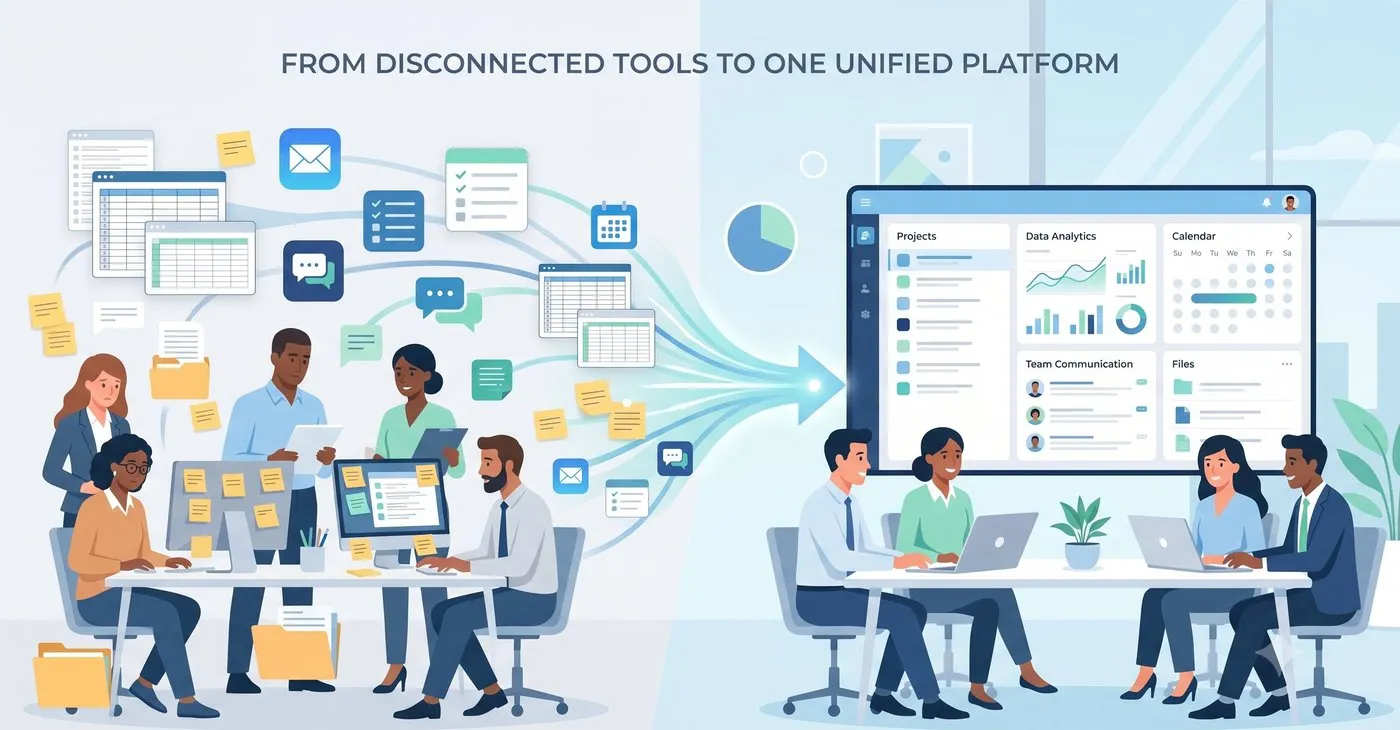
As firms grow, their systems tend to evolve by accident rather than by design. A time tracking tool gets added here, a separate invoicing system there, project tracking moves into spreadsheets. Each decision made sense at the time, but the cumulative result is a fragmented operational environment where data lives in multiple places, reconciliation is manual, and the gap between what is happening on a project and what the numbers show keeps widening.

The case for consolidating into a single job management platform is usually clear. The concern is how to get there without disrupting the work already in progress.

Start by mapping where disconnection is actually costing you

Before touching any system, understand exactly where the fragmentation is creating problems. Not all disconnection carries the same cost.

  • Re-entering data between systems is inefficient and time-consuming
  • Losing visibility into project financial performance mid-delivery is a profitability risk
  • Missing the window to invoice accurately because billing is disconnected from tracked work affects cash flow directly

Map your current workflow from lead to invoice and identify the specific points where information falls out of the system, requires manual handling, or produces unreliable outputs. That map tells you where a single platform will deliver the most immediate value and helps you prioritise what to configure first.

Standardise workflows before you migrate anything

The most common mistake in platform migrations is moving broken processes into a new system and expecting the technology to fix them.

It doesn't.

If different team members handle project setup, time tracking, or invoicing differently, those inconsistencies will carry over and become harder to address once the migration is underway.

Before migrating, define standard workflows for how opportunities are captured, how estimates are structured, how jobs are set up, how time is recorded, and how invoices are generated. WorkflowMAX is built around a connected sequence of:

  • Lead Management
  • Estimating and Quoting
  • Job Management
  • Time Tracking
  • Invoicing

Mapping your standardised processes to that sequence before you begin guarantees the migration reinforces good habits rather than embedding existing inconsistencies.

Move new projects first, then transition active ones in phases

Attempting to migrate everything simultaneously is the most reliable way to create confusion, data inconsistencies, and delays. A phased approach is significantly lower risk.

Start by running all new projects through WorkflowMAX from the outset. This lets teams build familiarity with the system on work that is not already mid-delivery. Active projects can then be transitioned progressively, with historical data retained separately if needed. During the overlap period, Reporting and Dashboards provides real-time job financial summaries across active projects, giving you visibility into performance even while the transition is still in progress.

Integrate your accounting system early

Financial misalignment during migration is one of the highest-risk outcomes. If project data and accounting data fall out of sync during the transition, the reconciliation work on the other side can be significant.

Integrate with Xero or QuickBooks early in the process rather than treating it as a final step. When invoicing data flows directly between systems from the start, financial records stay consistent throughout the migration and billing continuity is maintained without manual intervention.

Centralise documentation as part of the transition

Migrations surface a documentation problem that was always there but easy to ignore: project files scattered across legacy systems, shared drives, and email threads with no reliable connection to the projects they belong to. Moving to a new platform is the right moment to fix this rather than carry the problem forward.

Document Management in WorkflowMAX links all project files directly to their respective jobs. Combined with estimating and quoting for scope definition, job management for delivery tracking, and reporting for confirming completion, the result is a structured project record where nothing critical gets lost in the transition.

Invest in team adoption, not just settings

An optimized system with the right settings will still fail if teams revert to old tools out of habit or uncertainty.

Adoption challenges are rarely about the platform itself. They are about clarity: people need to understand not just how to use the system, but why the new workflows are structured the way they are and what they are expected to do differently.

Focus training on workflows rather than features. When teams understand the logic of how a lead becomes a quote, a quote becomes a job, and a job becomes an invoice, the individual features make more sense in context. Use Customisation to align the system with your existing processes where possible, which reduces friction and shortens the learning curve.

The transition is an opportunity, not just a risk

Migrating from disconnected tools to a single platform is disruptive by definition. But firms that approach it with a structured plan, standardised workflows, and a phased timeline consistently find that the transition period is shorter and less painful than anticipated, and that the operational clarity on the other side justifies the effort.

WorkflowMAX connects end-to-end operations, including Estimating and Quoting, Time Tracking, and Invoicing into a single cohesive workflow, giving firms a foundation that supports better decisions, more reliable financial control, and a system that scales as the business grows.

By Ryan Kagan 

TL;DR: Spreadsheets work until they don’t. For architecture firms, the breaking point usually comes when projects multiply, teams grow, and the gap between what the data shows and what is actually happening becomes too wide to ignore.

Architecture firms often begin with spreadsheets because they are flexible, familiar, and require no onboarding. In the early stages, they can support basic project tracking and financial oversight well enough. The problem is that “well enough” has a ceiling, and firms tend to hit it before they realise it.

The shift from manageable to problematic is rarely sudden. It happens gradually, through small inefficiencies that accumulate until they start affecting profitability and delivery quality. These are the signs that the ceiling has been reached.

Your project data is always slightly out of date

Spreadsheets are static by nature. They require manual updates, exist in multiple versions across teams, and reflect the state of a project as of the last time someone edited them, not as of right now. When project leads need to make decisions, they are working from information that may already be wrong.

Real-time visibility requires a system where job management, time tracking, and financial data are connected and updated continuously. Our Reporting and Dashboards feature consolidates this into live job financial summaries, so the picture you see reflects what is actually happening on the project.

Time is recorded late, inconsistently, or not at all

When time tracking lives in a spreadsheet or a separate tool with no connection to the project, it becomes something people do when they remember, usually at the end of the week with whatever detail they can reconstruct. The result is time data that cannot be trusted for cost tracking or billing.

Time Tracking needs to be part of the daily workflow, linked directly to specific jobs. When it is embedded into the project process rather than treated as a separate administrative task:

●recorded hours feed directly into budget comparisons

●invoicing requires no manual reconstruction

●project leads have accurate cost data throughout delivery, not just at the end

Project managers are spending time on administration instead of delivery

Manual project management creates its own workload. Updating progress across multiple spreadsheets, reconciling resource allocation, and compiling financial reports by hand all take time that should be spent on actual delivery. And because each of those tasks is done separately, the risk of errors and inconsistencies is constant.

A centralised Job Management system replaces this with a single, consistent record for each project. Teams work from shared, up-to-date information, and the administrative overhead of keeping multiple documents in sync disappears.

You find out a project is over budget after it is too late to act

Spreadsheets are inherently backward-looking. They tell you what happened, not what is happening. By the time a budget overrun becomes visible in a manual system, the project may already be significantly over, with no opportunity to course-correct.

Proactive financial management requires connecting:

estimating and quoting to define budgets before work begins

time tracking to capture actual effort as it accumulates

reporting to compare the two in real time and surface problems while there is still room to adjust

Invoices go out late and do not always reflect the work done

When billing relies on manually compiling information from spreadsheets, delays are inevitable. So are errors. Reconstructing what was done on a project in order to invoice for it is a symptom of a disconnected system, and the consequences show up directly in cash flow.

Our Invoicing feature connects billing directly to tracked time and job progress, so invoices are generated from actual work completed rather than assembled from memory. Billing cycles shorten, errors reduce, and the gap between work delivered and revenue received closes.

Project documents are scattered across emails and shared drives

Architecture projects generate significant documentation: briefs, scope agreements, drawings, revisions, and client approvals. When those files live in different places with no connection to the project itself, traceability suffers. Finding the right document at the right moment becomes a time-consuming exercise, and demonstrating what was agreed or when something changed becomes difficult.

Document Management keeps all relevant files linked to the job, creating a structured and accessible project record that supports both day-to-day coordination and longer-term compliance requirements.

Your project data and accounting data never quite match

Spreadsheets and accounting systems do not talk to each other. Keeping them aligned requires manual data entry, regular reconciliation, and ongoing corrections when the two diverge. This is time-consuming under normal circumstances and increasingly unreliable as project volume grows.

Our integration with Xero and QuickBooks removes this gap. Invoicing data transfers directly between systems, financial records stay consistent, and the reconciliation workload that currently falls on your team largely disappears.

Your systems are slowing down rather than supporting growth

The final sign is the most telling. If adding a new project, a new team member, or a new client creates more administrative complexity rather than just more work, the system is not scaling with the business. Spreadsheets that were manageable with three projects become unwieldy with ten.

Use Customisation to adapt job structures and workflows as the firm evolves, ensuring the platform fits how you work rather than the other way around.

Spreadsheets are a starting point, not a destination

Outgrowing spreadsheets is not a failure of process. It is a signal that the firm has grown to a point where informal systems can no longer provide the structure, visibility, and reliability that complex project management requires. The firms that recognise this signal early and act on it gain a meaningful operational advantage over those that wait until the problems become impossible to ignore.

WorkflowMAX provides the foundation for that transition, connecting estimating, delivery, time tracking, and invoicing into a single workflow that scales with the firm.

Explore how WorkflowMAX streamlines job management from quote to invoice.

By Ryan Kagan 

TL;DR: Most creative agencies choose project management software based on features or team preference, not on how well the system supports end-to-end workflows. The result is a platform that handles tasks but leaves cost tracking, invoicing, and financial visibility disconnected from the work itself.

Creative agencies operate in fast-moving environments where scope changes, deadlines shift, and client expectations evolve constantly. Choosing the wrong project management platform does not just create friction. It directly erodes profitability, slows down billing, and forces teams to compensate with spreadsheets and manual workarounds.

The mistakes agencies make when choosing these tools tend to follow a predictable pattern.

Choosing a task tool instead of a project management system

Task tracking and project management are not the same thing. Many agencies select platforms that are excellent at showing who is doing what, but offer no visibility into budgets, resource allocation, or financial performance. When the project is delivered and it is time to invoice, nobody has a clear picture of what was actually spent.

A system built around jobs rather than tasks gives you a single source of truth for each project. Job Management in WorkflowMAX organises tasks, resources, and timelines within a structured framework, so project leads can track progress and financial performance in the same place.

Treating estimating as an afterthought

Weak estimates create problems that compound throughout a project. When scope is not clearly defined, costs are underestimated, and teams start work with incomplete information, the quote becomes useless as a management tool. By the time the gap between estimate and reality is visible, it is too late to close it.

Estimating and Quoting should define tasks, deliverables, cost assumptions, and pricing structure before a project begins. That estimate then becomes the operational baseline against which delivery and billing are measured, connecting directly into job setup and time tracking rather than sitting in a separate document nobody refers back to.

Disconnecting time tracking from project delivery

Time tracking is treated as an administrative task in many agencies, something recorded at the end of the week with whatever detail can be remembered. That approach produces time data that cannot be trusted, which means cost tracking is unreliable and invoicing becomes a reconstruction rather than a reflection of actual work.

Time Tracking needs to be embedded in the daily workflow and linked directly to specific jobs. When it is:

  • recorded hours feed into real-time budget comparisons
  • invoicing becomes faster and more accurate
  • project leads have visibility to identify cost overruns before they become significant

Ignoring financial visibility until it is too late

Many project management platforms are built around delivery and offer little insight into financial performance. Agencies using these tools often have no clear view of whether a project is profitable, how actual costs compare to estimates, or where spending is exceeding expectations until the project is closed.

Our Reporting and Dashboards feature addresses this by providing real-time job financial summaries that draw on time tracking, job management, and invoicing data. The ability to spot a problem mid-project and adjust is far more valuable than a detailed post-mortem.

Letting invoicing drift from project reality

When invoicing is handled outside the project management system, the consequences are predictable: delayed billing cycles, errors that require correction, and an administrative burden that compounds with every project. Reconstructing what was done in order to bill for it is a sign that the system is not working.

Invoicing should connect directly to tracked time and job progress. WorkflowMAX generates invoices based on actual work recorded against each job, which shortens billing cycles, reduces errors, and improves cash flow without additional administrative effort.

Storing documents outside the project workflow

Creative agencies generate significant documentation throughout a project: briefs, scope agreements, revisions, approvals, and client communications. When those files are scattered across email threads, shared drives, and separate tools, traceability suffers. Proving what was agreed, what changed, and when becomes difficult when it should be straightforward.

Document Management keeps all relevant files linked to the job, so the full history of a project is accessible in one place. This matters both for:

  • day-to-day coordination across teams
  • situations where scope changes need to be justified
  • confirming completion and demonstrating what was delivered

Failing to connect project data with accounting systems

Manual data transfer between project tools and accounting systems is one of the most persistent sources of errors and delays in agency operations. Reconciling two systems that were never designed to work together adds administrative work and introduces inconsistencies that take time to find and fix.

Our integration with Xero and QuickBooks eliminates this gap. Invoicing data transfers directly, project and financial records stay aligned, and the reconciliation workload drops significantly.

Choosing platforms that cannot adapt to how the agency works

Creative agencies manage fixed-fee projects, retainers, and time-based work, often simultaneously. Platforms that lack flexibility force agencies to reshape their processes around the tool rather than the other way around. Over time, that friction accumulates and teams find workarounds that undermine the system’s value.

Use Customisation to adapt job structures and workflows to your specific needs, whether that means different billing models, varied project scopes, or unique delivery processes.

The pattern behind the mistakes

Most of these mistakes share a common root: evaluating software by its feature list rather than by how well those features connect. A platform where estimating, job management, time tracking, invoicing, and reporting operate as a single workflow is fundamentally different from one where those capabilities exist in isolation, even if the feature list looks similar on paper.

Agencies that build on an integrated foundation gain:

  • visibility they can act on, not just review after the fact
  • cost tracking they can trust throughout the full project lifecycle
  • billing processes that reflect the work they actually do

Discover how WorkflowMAX can help you gain better project visibility. 

By Ryan Kagan 

TL;DR: There’s a specific point where making it work stops working. For growing architecture firms, generic project tools eventually hit a ceiling. They’re great for checking off tasks, but they leave a giant hole where your financial visibility and document control should be. To scale without the chaos, you need a system that understands the whole lifecycle, not just a digital to-do list.

Architecture firms rarely struggle because of a lack of design expertise. Challenges emerge when project complexity increases and existing systems can no longer keep up. Generic tools may hold up in the early stages, when teams are small and projects are relatively straightforward. But as firms grow, the gaps become harder to ignore.

Managing multiple project phases, tracking costs accurately, handling scope changes, and billing clients correctly are not problems you can solve with a to-do list. They require systems built around the full lifecycle of a project, not just its tasks.

The difference between task management and job management

Most generic platforms are built around tasks and deadlines. That is useful up to a point, but architecture projects involve much more:

  • iterative scope changes that affect cost and timeline
  • complex billing arrangements across multiple phases
  • multi-phase delivery with overlapping teams
  • ongoing collaboration that requires a single source of truth

A tool that tracks whether a task is complete cannot tell you whether the project is profitable. Structured job management changes this. WorkflowMAX organises tasks, resources, and job progress within a single environment, so all project information lives in one accurate record rather than scattered across spreadsheets and inboxes. Project leads can track progress without switching between tools, and teams work from consistent job structures that reduce ambiguity and improve coordination.

Financial visibility that keeps up with project complexity

One of the most significant limitations of generic tools is financial opacity. Without real-time insight into job performance, firms often discover budget issues after the work is done, when there is nothing left to adjust.

Effective financial oversight depends on connecting several components:

Our Reporting and Dashboards feature brings these together into real-time job financial summaries, giving project leads the visibility to identify drift early, adjust resource allocation, and improve billing accuracy before it becomes a problem.

Managing scope changes without losing traceability

Architecture projects change. Scope evolves, revisions accumulate, and approvals need to be documented. Generic tools rarely provide a clear record of what was originally agreed, what changed, and how those changes affected cost and timeline. That creates both commercial and legal risk.

A structured approach connects the full arc of a project:

Every stage is documented and traceable, which matters when a client questions an invoice or a scope change needs to be justified.

Time tracking as part of the daily workflow

In many architecture firms, time is recorded at the end of the week, outside the main workflow, and without any direct link to job budgets. By that point, the detail is lost and the damage to financial accuracy is already done.

Time tracking needs to be embedded in the day-to-day job process to be useful. Our Time Tracking feature links recorded time directly to jobs, enabling:

  • real-time comparison between estimated and actual effort
  • faster and more accurate invoicing
  • clearer visibility for project leads throughout delivery, not only at the end

Keeping project and financial data in sync

Generic tools almost always sit separately from accounting systems, which means someone has to manually transfer data between them. That creates duplicate work, reconciliation errors, and delayed reporting.

Our integration with Xero and QuickBooks eliminates this gap. Invoicing data transfers directly, project and financial records stay aligned, and the administrative workload drops significantly. The result is a more reliable financial workflow with less room for error.

Flexibility for the way architecture firms actually work

Architecture firms take on fixed-fee projects, time-based engagements, and multi-stage contracts, sometimes all at once. Rigid platforms force firms to reshape their processes to fit the tool rather than the other way around.

Use Customisation to adapt job structures and workflows to your specific needs, whether that means different billing models, unique delivery processes, or evolving business requirements.

Building systems that scale with your firm

Outgrowing generic tools is not a failure. It is a sign that the firm is taking on more complex work and needs infrastructure that matches that complexity. The firms that scale successfully are not the ones with the most features in their stack. They are the ones that have connected their estimating, delivery, time tracking, and financial reporting into a single, coherent workflow.

WorkflowMAX provides that foundation, helping firms move beyond patchwork systems and build operations that support long-term growth with clarity and control at every stage.

Explore how WorkflowMAX streamlines job management from quote to invoice.

By Ryan Kagan 

TL;DR: Architecture is too volatile for a static checklist of features. While generic platforms offer a bag of tools, they rarely offer a way to connect them, leaving firms to bridge the gaps manually as scopes shift and projects evolve. The real divide isn't between those who have a system and those who don't; it’s between firms stuck in a "feature hunt" and those building a unified engine that links estimating, delivery, and time tracking in a single, breathless flow.

Growth demands more than just a place to store tasks; it requires a live pulse on financial performance. The goal isn’t to find the "perfect" individual feature, but to capture the entire story of a project from the first handshake to the final invoice. When your workflow is a single, unbroken thread, you aren't just managing data, you're protecting the margins that allow your firm to actually build.

Estimating and quoting: Setting the Stage for Success

Most project problems originate before work even begins. When scope, tasks, and costs are not clearly defined at the quoting stage, teams start with incomplete information and billing becomes a best guess rather than a reflection of actual work.

Use Estimating and Quoting to:

  • break projects into clear tasks and cost components
  • define scope with precision before work begins
  • create repeatable quoting processes that reduce inconsistency
  • establish the baseline against which delivery, time tracking, and invoicing are measured

A well-structured estimate does more than win a job. It becomes the commercial foundation for the entire project.

Job management: a single source of truth for every project

Generic tools tend to separate planning from execution. The result is that project leads end up reconciling information across multiple systems to get a picture of where things actually stand.

Structured Job Management in WorkflowMAX solves this by giving teams a centralised view of tasks, timelines, and resources, so everyone works from consistent data and project leads can track progress without chasing updates.

Time tracking: accuracy depends on when and how time is captured

Time recorded at the end of the week, outside the main workflow, and without any link to job budgets is time data that cannot be trusted. It distorts cost tracking, undermines invoicing accuracy, and leaves project leads making decisions based on incomplete information.

Effective Time Tracking needs to be embedded in the day-to-day job process. Our platform links recorded time directly to specific jobs, enabling:

  • real-time comparison between estimated and actual effort
  • faster and more accurate invoicing
  • reliable cost data that project leads can act on throughout delivery

Reporting and dashboards: visibility that enables action

End-of-month reviews tell you what went wrong. Real-time reporting gives you the chance to do something about it. Without clear visibility into job financial performance, budget versus actual comparisons, and profitability per project, decision-making stays reactive.

Our Reporting and Dashboards feature consolidates time tracking, job management, and invoicing data into real-time job financial summaries. Project leads can:

  • identify budget drift early and act before it compounds
  • adjust resource allocation before budgets are exhausted
  • enter billing cycles with accurate, up-to-date numbers

Invoicing: billing that reflects the work actually done

When invoicing is disconnected from project data, the consequences are predictable: delayed billing cycles, errors that require correction, and an administrative burden that slows down cash flow. Linking invoicing directly to tracked work removes the manual step of reconstructing what was done and what should be charged.

WorkflowMAX generates invoices based on actual time and costs recorded against each job, reducing errors and speeding up the billing process.

Document management: traceability built into the workflow

Architecture projects generate significant documentation, from initial briefs and scope agreements to drawings, revisions, and client approvals. When those files are scattered across email threads and shared drives, traceability suffers and compliance becomes difficult to demonstrate.

Document Management keeps all relevant files linked to the job, so the full history of a project is accessible in one place. Combined with:

Documentation becomes part of the workflow rather than something assembled after the fact.

Integration with accounting systems: eliminating the gap between project and financial data

Manual data transfer between project tools and accounting systems is one of the most common sources of errors and delays in architecture firms. Reconciling two systems that were never designed to talk to each other adds administrative work and introduces inconsistencies that take time to resolve.

Our integration with Xero and QuickBooks allows invoicing data to transfer directly, keeping project and financial records aligned without manual intervention.

Customisation and lead management: fitting the platform to the firm

Architecture firms take on different project types with different workflows and billing models. A platform that cannot adapt to that variation forces firms to compromise their processes to fit the tool.

Use Customisation to adapt job structures and workflows to your specific needs. And with Lead Management, the connection between a new opportunity and a structured job happens within the same system, creating continuity from the first client conversation through to delivery and billing.

The features that matter are the ones that work together

Selecting the right platform is not about ticking off a feature list. It is about ensuring those features connect in a way that supports clarity, consistency, and control across every project. Firms that build on that kind of integrated foundation gain:

  • visibility they can act on, not just review after the fact
  • cost tracking they can trust throughout delivery
  • financial outcomes that reflect the quality of the work they deliver

Discover how WorkflowMAX can help you gain better project visibility. 

By Ryan Kagan 

TL;DR: In the creative world, a project is only as strong as its handoffs. Most agencies get slowed down by blind spots, where the quote doesn't talk to the delivery team, and the delivery team doesn't talk to finance. When picking a platform, look past the feature list and ask one question: Does this turn my disparate tasks into a single, fluid motion from start to finish?

For creative and design agencies, project management platforms are the backbone of profitability and client delivery. Unlike product-based businesses, agencies operate in a project-driven environment where time, scope, and cost are constantly shifting.

The right system supports the full project lifecycle, from initial enquiry through to final invoice. The wrong one leaves teams quoting in one tool, tracking time in another, and reconciling everything manually at month-end.

Understand what your agency actually needs

Most evaluation processes fail. Why? Because firms compare features instead of workflows. Before looking at any platform, map where your inefficiencies actually live.

Common pressure points include:

  • inconsistent quoting across project managers or teams
  • incomplete or delayed time tracking
  • lack of real-time financial visibility at the job level
  • slow or error-prone invoicing processes
  • documents and approvals scattered across inboxes and shared drives

These problems rarely come from one broken tool. They come from tools that don’t communicate with each other.

A more useful exercise is mapping your ideal end-to-end workflow: lead captured, quote approved, job delivered, time and costs recorded, invoice issued, performance reviewed. A strong platform supports each of those stages without requiring manual handoffs between systems. WorkflowMAX is built around exactly this structure, connecting lead management, Estimating and Quoting, Job Management, Time Tracking, Invoicing, and Reporting into one cohesive workflow.

Look beyond features to how information flows

When evaluating platforms, the right questions aren’t about feature lists. They’re about continuity:

  • Does an approved quote automatically become an active job?
  • Are time entries linked directly to job budgets?
  • Can you generate an invoice from tracked work without re-entering data?

If your tools don't talk to each other, your team has to do the talking for them. That’s where the mistakes happen. Tools like WorkflowMAX create a straight line from quote to cash. By linking recorded hours directly to your budgets and invoices, it eliminates the guesswork and the double-handling. It’s simple: you can’t build a big agency on a shaky foundation.

Financial visibility and cost control

One of the most critical evaluation criteria is how well a platform supports financial oversight. Many creative agencies operate without clear visibility into real-time job performance, which means decisions are reactive rather than proactive.

Look for a system that gives you:

  • real-time job financial summaries
  • clear cost and billable time tracking
  • easy comparison between estimated and actual performance
  • profitability visibility per client or project

Reporting and Dashboards in WorkflowMAX delivers this by consolidating time tracking, job management, invoicing, and financial data into a single view, so you can monitor profitability continuously rather than retrospectively.

Documentation and scope management

Agencies increasingly need to prove what was agreed, when it changed, and who approved it, especially when working with larger clients. Without structured systems, it becomes difficult to confirm completion, demonstrate scope changes, or maintain a clear record of approvals.

A suitable platform should allow you to:

  • store project documents centrally and tied to each job
  • track scope changes with a clear audit trail
  • maintain a history of communications and approvals

Document Management in WorkflowMAX handles this by keeping files organised within each job. Combined with Estimating and Quoting to define original scope, Job Management to track execution, and Reporting to confirm completion, documentation becomes part of the workflow rather than an afterthought.

Integration with your accounting software

Many agencies already use Xero or QuickBooks but struggle with the manual work of keeping project and financial records in sync. Duplicate data entry, reconciliation errors, and delayed reporting are all symptoms of disconnected systems.

When evaluating platforms, prioritise direct integration with your accounting software. WorkflowMAX’s Xero and QuickBooks integration allows invoicing data to transfer seamlessly, keeps project and financial records aligned, and significantly reduces manual reconciliation.

Flexibility for different billing models

Creative agencies vary widely in how they structure work, whether fixed-fee projects, retainers, or hourly billing. Platforms that lack flexibility force you to adapt your processes to the tool rather than the other way around.

Customisation in WorkflowMAX lets firms personalise quotes, invoices, reports and more, so the process fits the business without inventing unsupported workflows or one-off workarounds.

Choosing a platform that scales with your agency

Selecting project management software is not just about solving today’s problems. As you grow, you will run more projects simultaneously, manage larger teams, and face greater financial oversight requirements.

The firms that scale well are rarely the ones with the most capable teams in isolation. They are the ones with the clearest systems. A platform that connects estimating, delivery, and financial tracking gives you the foundation to scale without rebuilding your systems from scratch.

Evaluating platforms for creative and design agencies ultimately comes down to one principle: structure. Agencies that rely on disconnected tools struggle with visibility, profitability, and documentation. Those that implement integrated systems make faster, more confident decisions.

WorkflowMAX provides that operational backbone, connecting every stage from lead management and quoting through to invoicing and reporting into a single, cohesive system.

Discover how WorkflowMAX can help you gain better project visibility.

By Ryan Kagan 

TL;DR: The bigger the client, the higher the expectations. But is your firm prepared to manage scope, costs, documentation and billing with consistency when project volume, stakeholder scrutiny and delivery risk?

The firms that handle this well do not rely on memory, spreadsheets or disconnected tools. They build repeatable workflows around estimating and quoting, job management, time tracking, document management, invoicing, and reporting and dashboards.

Professional services firms rarely struggle because they lack expertise. More often, they struggle because growth exposes weak internal systems. What worked for a ten-person team handling straightforward jobs starts to break down when you take on larger clients, more stakeholders, more commercial pressure and tighter expectations around visibility.

Why enterprise-level clients expose operational gaps faster

Larger clients buy more. They also expect more structure.

They expect clearer quotes, tighter commercial controls, better document handling, more reliable reporting and fewer delays between delivery and billing. When those expectations hit a business that still relies on manual workarounds, problems surface quickly:

  • Quotes are approved before assumptions are fully documented
  • Teams start work without a clean job structure
  • Time gets logged late or inconsistently
  • Key files sit in email threads or shared drives without context
  • Finance teams chase project teams for missing job information before invoicing
  • Leaders only spot margin pressure after the work has already been delivered

This is where the strain of growth really hits. The shift to platforms like WorkflowMAX is about getting firms off fragile spreadsheets and into a single source of truth where every client and every live job is visible on one central board. It creates a connected thread of visibility that follows the work from the first enquiry through to budgeting, invoicing, and final reporting.

True scalability begins the moment when your data is no longer scattered.

Preparing internal operations for enterprise-level client expectations starts before delivery

The biggest mistake firms make is treating operational readiness as a delivery problem. In reality, it starts much earlier.

Tighten estimating before jobs begin

Many delivery issues begin with a loose quote. If scope, tasks, costs and assumptions are not clear at the estimating stage, job teams inherit uncertainty from day one.

Use Estimating and Quoting to build more structure into the commercial start of the job. This is where you can break quotes into specific tasks and costs, so the delivery team starts with clearer expectations and finance has a stronger basis for invoicing later. That matters when enterprise clients want detail, traceability and fewer billing disputes.

Turn the quote into an operational record

A quote should not sit apart from delivery. It should become the start of a controlled workflow.

That is where Job Management matters. Once the job is active, teams need a single place to manage tasks, people and timelines. The goal is not simply to create a job record. It is to create a structure the whole firm can work from, so operations, delivery and finance are not interpreting the same project in three different ways. That “single, accurate record” principle is central to the WorkflowMAX writing guidance and reflects how the product should be positioned.

Build visibility without making the system harder to use

A lot of firms respond to enterprise pressure by adding more processes. More fields. More spreadsheets. More approval steps outside the system.

That usually backfires.

The better approach is to make the right information easier to capture inside the workflow people already use.

Keep time capture close to the job

If time is logged late, job profitability becomes harder to read and invoicing slows down. That is not just an admin problem. It is a commercial problem. And nobody wants that.

Use Time Tracking as part of the daily job routine, not as an end-of-week clean-up task. When time sits close to live work, project leads can see whether effort is tracking against expectations earlier. Finance gets cleaner records. Leaders get a more reliable picture of job performance.

Keep the record with the work

Enterprise clients often expect stronger evidence of what was agreed, what changed and what was delivered. You do not need to invent a separate “compliance” system to support that. You need better operational record-keeping.

Use reporting to spot pressure earlier, not decorate decisions later

Larger clients increase the cost of late decisions. If leaders only discover margin pressure after the invoice goes out, the fix comes too late.

Effective reporting is about clarity, not complexity. WorkflowMAX provides the essential visibility firms need through job financial summaries and real-time variance tracking. Rather than vague dashboards, it offers a practical way to review job performance and keep financials on track in real time.

For growing firms, that visibility supports three practical behaviours:

  • project leads can review whether actual effort is moving away from the original estimate
  • operations leaders can compare live jobs by status, workload or financial position
  • finance teams can reduce the lag between work completed and invoice raised

One implementation partner described this kind of financial visibility as a major reason firms value the platform, especially when they need stronger job costing and reporting across the full workflow.

What good internal preparation looks like in practice

Preparing for enterprise-level expectations is less about a 'big bang' change and more about operational discipline.

  • Start with the hand-off: if moving from a lead to an active job requires rekeying data or chasing context, your process is leaking time. The same applies to how you track time and store documents, if these live outside your core workflow, you're carrying hidden risks to your margins.

True visibility shouldn't be a month-end surprise. Growth requires a connected operating model, a central 'engine' like WorkflowMAX, that bridges the gap between the first enquiry and the final invoice, turning your data into a single, cohesive story.

The firms that meet bigger expectations build stronger systems first

Enterprise clients raise the standard, but they also reveal where your business is already under strain.

The firms that cope best are not necessarily the largest or the most complex. They are the ones with clearer estimating, tighter job control, cleaner records and better financial visibility across the life of the job.

That is the real shift behind preparing internal operations for enterprise-level client expectations. You are not just adding processes. You are building a system your team can trust.

Explore how WorkflowMAX streamlines job management from quote to invoice.