
{"@context":"https://schema.org","@graph":[{"@type":"CollectionPage","@id":"https://www.workflowmax.com/blog","url":"https://www.workflowmax.com/blog","name":"WorkflowMAX Blog","description":"Articles on job profitability, time tracking, quoting, invoicing and managing service firms with WorkflowMAX.","isPartOf":{"@id":"https://www.workflowmax.com/#website"},"about":{"@id":"https://www.workflowmax.com/#organization"}},{"@type":"BreadcrumbList","itemListElement":[{"@type":"ListItem","position":1,"name":"Home","item":"https://www.workflowmax.com/"},{"@type":"ListItem","position":2,"name":"Blog","item":"https://www.workflowmax.com/blog"}]}]}

WorkflowMAX Blog

Welcome to our blog

Articles, resources and content designed to boost your productivity, profitability and performance. Subscribe to the get the latest resources right at your inbox!

Thank you! Your submission has been received!
Oops! Something went wrong while submitting the form.

TL;DR:  Professional services firms often struggle with misalignment between finance and delivery teams, leading to margin leakage, delayed invoicing, and inconsistent reporting. The key to resolving this is structured enterprise project governance & control built on shared rules for estimating, tracking, approving, and billing work.

WorkflowMAX enables this alignment through connected workflows, from estimating and quoting to job management, time tracking, invoicing, and reporting and dashboards, giving both finance and delivery teams a centralised data system.

Why governance alignment matters in professional services

In architecture firms, engineering consultancies, creative agencies, and accounting practices, project delivery and financial oversight are deeply interconnected, yet often managed separately.

Delivery teams focus on scope, timelines, and client satisfaction. Finance teams focus on budgets, revenue recognition, cost tracking, and compliance. When these functions operate without coordination, the result is predictable:

  • Scope creep without margin visibility
  • Delayed or inaccurate invoicing
  • Disputes over WIP and revenue forecasts
  • Compliance risks from inconsistent documentation
  • Leadership decisions based on partial data

This is not a tooling issue alone, it is a governance issue.

Enterprise project governance & control provides the structure that aligns operational decisions with financial outcomes. It defines how projects are approved, tracked, billed, and reported and ensures that everyone follows the same rules.

The challenge for growing firms is implementing governance without adding friction. That’s where structured systems matter.

The governance gap between finance and delivery

Where misalignment typically begins

In many firms, governance breaks down at predictable points:

  1. Estimating and quoting is handled by senior consultants or directors, often without structured margin controls.
  2. Delivery teams manage projects day-to-day with limited financial visibility.
  3. Finance teams reconcile costs and revenue retrospectively.
  4. Reporting is produced at month-end, when corrective action is already too late.

This reactive approach makes real-time control nearly impossible.

From partner discussions, it’s clear that firms value systems that centralise jobs and remove spreadsheet dependency. The moment project data lives in multiple tools, governance weakens.

What shared governance rules actually look like

Effective enterprise project governance & control is not about bureaucracy. It’s about clarity.

Shared governance rules typically cover:

  • Who approves quotes and at what margin thresholds
  • How budgets are structured and tracked
  • When time must be recorded
  • How variations are captured
  • When invoices can be issued
  • What documentation is required for compliance

The key is that both finance and delivery teams operate within the same system, not separate ones.

Structuring governance from quote to invoice

1. Governance starts at estimating

Many governance issues originate at the quoting stage.

A structured workflow should:

  • Standardise cost assumptions
  • Apply consistent pricing logic
  • Define expected margins
  • Lock approved scope before delivery begins

This is delivered in WorkflowMAX through theEstimating and quotingfeature, which allows firms to structure quotes clearly and convert them directly into live jobs.

By converting approved estimates into operational jobs within the same system, governance continuity is preserved. There is no re-keying of data or manual reinterpretation by finance later.

2. Enforcing budget discipline during delivery

Once work begins, governance depends on visibility and accountability.

This requires:

  • Budget tracking at job level
  • Controlled cost allocation
  • Clear time capture policies
  • Controlled access to financial data

This is delivered through a combination of:

  • Job management: centralising all job details, tasks, budgets, and cost tracking
  • Time tracking:guaranteeing accurate recording of billable and non-billable time
  • Customisation: allowing firms to tailor job fields, cost categories, and workflows to match their governance requirements

Rather than relying on manual reconciliation, finance teams can see job performance in real time.

From implementation partner insights, one of the most valued capabilities is visibility across the full job lifecycle from initial enquiry to final invoice. That end-to-end visibility is essential to governance.

3. Managing variations and scope changes

Scope creep is not a delivery failure, it’s a governance failure when it isn’t documented and approved.

A structured workflow for variations should include:

  1. Recording the change within the job
  2. Updating the estimate using Estimating and quoting
  3. Adjusting budgets in Job management
  4. Tracking additional time via Time tracking
  5. Issuing updated invoices through Invoicing

By linking these features, firms create a traceable financial record that satisfies both operational and compliance requirements.

No single feature solves this. Governance emerges from how these components work together.

Creating real-time financial clarity

Moving from retrospective to proactive control

Many firms only assess profitability at month-end.

True enterprise project governance & control requires:

  • Real-time cost capture
  • Live budget comparison
  • Margin visibility before invoicing
  • Clear WIP oversight

When job data flows directly into accounting systems via integrations, finance teams avoid manual duplication and reconciliation risk.

This creates alignment: delivery teams see performance metrics, and finance teams trust the numbers.

Strengthening compliance visibility

Professional services firms operate under increasing regulatory scrutiny, particularly in architecture, engineering, and financial services.

Governance requires:

  • Controlled documentation
  • Audit trails
  • Clear approval records
  • Consistent invoice documentation

When documentation and financial records live within the same system, compliance becomes embedded rather than reactive.

Supporting operational efficiency without adding friction

Governance systems often fail because they slow teams down.

The goal is operational efficiency alongside control.

This balance is achieved by:

  • Simplifying time capture through Time tracking
  • Automating invoice generation via Invoicing
  • Reducing duplicate data entry using Integrations with Xero/QuickBooks
  • Centralising client information with Lead management

By connecting lead management to estimating and job management, firms ensure that project data flows from initial enquiry through to financial reporting, without breaking governance rules.

This unified approach reflects the value of end-to-end workflow visibility highlighted by partners .

WorkflowMAX as an enabler of structured governance

WorkflowMAX supports enterprise project governance & control by enabling:

Estimating accuracy

Cost control

Compliance visibility

Financial clarity

Operational efficiency

  • Connected workflow from Lead management to invoicing
  • Reduced manual rework across teams

This is not about adding layers of approval. It’s about embedding shared governance rules into daily workflows.

Governance is the operational backbone

Firms that scale successfully do not rely on individual heroics or spreadsheet workarounds.

They rely on structured systems.

Enterprise project governance & control aligns finance and delivery teams around shared rules, real-time visibility, and connected workflows. It ensures that quotes translate into profitable jobs, that scope changes are captured properly, and that invoices reflect the true value delivered.

WorkflowMAX provides the operational backbone that supports this structure, from estimating and quoting to reporting and dashboards.

Discover how WorkflowMAX can help you gain better project visibility.

TL;DR:  Enterprise firms face a constant tension: teams need flexibility to deliver complex projects, but leadership requires control to protect margins, ensure compliance, and maintain financial clarity. Without strong enterprise project governance, this balance quickly tips into either chaos or bureaucracy. 

The key is structured systems that provide real-time visibility into costs, time, and job performance, without slowing teams down. WorkflowMAX enables this balance by combining job management, time tracking, reporting and dashboards, and integrations with Xero and QuickBooks into one connected operational foundation.

When growth outpaces control

For architects, engineers, accountants, designers and consultants operating at scale, project delivery is rarely straightforward. Enterprise environments introduce layers of complexity: multi-stage approvals, strict compliance requirements, evolving client scopes, and tight margin expectations.

At this level, enterprise project governance is essential. It’s the framework that guarantees projects are delivered consistently, profitably and in line with contractual and regulatory requirements.

Yet governance often carries a negative reputation. Too much control can slow down delivery teams, frustrate project managers, and create unnecessary admin. Too little control, however, leads to scope creep, unbilled time, delayed invoicing and margin erosion.

The challenge is clear:

  • How do you maintain operational flexibility for delivery teams?
  • While preserving financial oversight and compliance at leadership level?

The answer lies in structured systems that unify quoting, delivery, cost tracking and financial reporting, without forcing teams into rigid workflows.

What Enterprise project governance really means

The problem: Governance that exists only on paper

Many firms define governance policies, approval stages, budget limits, documentation standards but fail to embed them into daily operations.

This creates gaps:

  • Quotes approved without structured budget breakdowns
  • Project variations not properly documented
  • Time recorded inconsistently
  • Invoices delayed due to missing cost clarity

Governance becomes reactive instead of proactive.

The solution: Governance built into workflow

Effective enterprise project governance requires systems that embed structure into how work is created, tracked and billed.

In practice, this means:

  • Standardised project setup
  • Clear budget visibility
  • Controlled document handling
  • Real-time financial oversight

WorkflowMAX supports this structure through:

  • Estimating and quoting: creating controlled, documented budgets before work begins
  • Job management: centralising every active job in one system
  • Document management: attaching supporting files, approvals and client documentation directly to jobs

This shifts governance from policy documents into operational reality.

Balancing flexibility at delivery level

The problem: Teams need autonomy

Enterprise firms often manage diverse project types, fixed-fee engagements, time-and-materials work, phased architectural projects, consulting retainers.

Rigid systems frustrate project managers who need to adapt in real time.

Common friction points include:

  • Inflexible task structures
  • Manual rework when scopes change
  • Duplicate data entry across tools

Best practice: Controlled flexibility

Flexibility should not mean lack of structure. Instead, firms benefit from custom-built and adaptable frameworks that maintain oversight while allowing adjustment.

WorkflowMAX enables this balance through:

Customisable job structures

Using Customisation, firms can tailor fields, workflows and data capture to suit different service lines or departments, without breaking overall reporting consistency.

Variation management workflow

A project manager can handle scope changes by:

  1. Updating the job budget using Estimating and quoting
  2. Adjusting job details within Job management
  3. Recording additional effort through Time tracking
  4. Monitoring financial impact via Reporting and dashboards

Rather than relying on spreadsheets, the change is visible immediately in job-level financial summaries.

This is flexibility within governance, not outside it.

Financial control without micromanagement

The problem: Margin leakage at enterprise scale

As firms grow, small inefficiencies compound:

  • Under-recorded time
  • Delayed billing
  • Incomplete cost allocation
  • Limited visibility of work-in-progress

Leadership often discovers issues at month-end, too late to correct them.

The solution: Real-time financial clarity

True enterprise project governance requires financial control embedded in daily workflows.

This visibility is delivered through the combination of:

  • Time tracking: capturing actual effort against jobs
  • Job management: tracking budgets versus actuals
  • Reporting and dashboards: surfacing job financial summaries and performance trends
  • Integrations with Xero/QuickBooks: ensuring financial reconciliation between operational and accounting systems

Together, these features provide:

  • Real-time job cost tracking
  • Clear visibility of work-in-progress
  • Faster, more accurate invoicing
  • Reduced reliance on manual reconciliations

Project managers maintain autonomy, while leadership gains accurate financial insight.

Compliance and audit readiness

The problem: Documentation gaps

Enterprise firms frequently operate under:

  • Regulatory requirements
  • Contractual documentation standards
  • Internal audit processes

When documentation is stored across inboxes, shared drives and disconnected systems, compliance risk increases.

Best practice: Centralised job records

Compliance becomes manageable when all job-related data lives in one structured environment.

WorkflowMAX supports this through:

  • Document management: storing contracts, approvals, drawings and supporting documentation within the job record
  • Time tracking: providing auditable records of work done
  • Reporting and dashboards: generating consistent job summaries for internal or external review
  • Invoicing: ensuring billing reflects approved work and documented time

By tying financial records directly to operational data, firms improve both transparency and audit confidence.

Enterprise project governance in action

An effective governance workflow typically follows this structured path:

1. Structured estimating

Using Estimating and quoting, firms define scope, pricing and expected costs before work begins.

2. Live delivery oversight

Through Job management and Time tracking, project managers monitor progress and effort in real time.

3. Financial monitoring

Using Reporting and dashboards, leadership reviews margin performance and job health.

4. Accurate invoicing and reconciliation

Via Invoicing and integrations with Xero/QuickBooks, billing aligns directly with recorded work and budgets.

Each stage reinforces enterprise project governance without introducing unnecessary friction.

Control and flexibility can coexist

Enterprise firms cannot afford to choose between flexibility and control. Without flexibility, delivery suffers. Without control, margins erode and compliance risk increases.

Strong enterprise project governance ensures that quoting, delivery, cost tracking and invoicing operate as one connected system.

The firms that succeed are those that embed governance into their operational workflows, not those that rely on policy documents alone. WorkflowMAX provides the structured foundation that enables confident, transparent and profitable project delivery at enterprise scale.

Discover how WorkflowMAX can help you gain better project visibility and control across every job.

MAX Impact:  

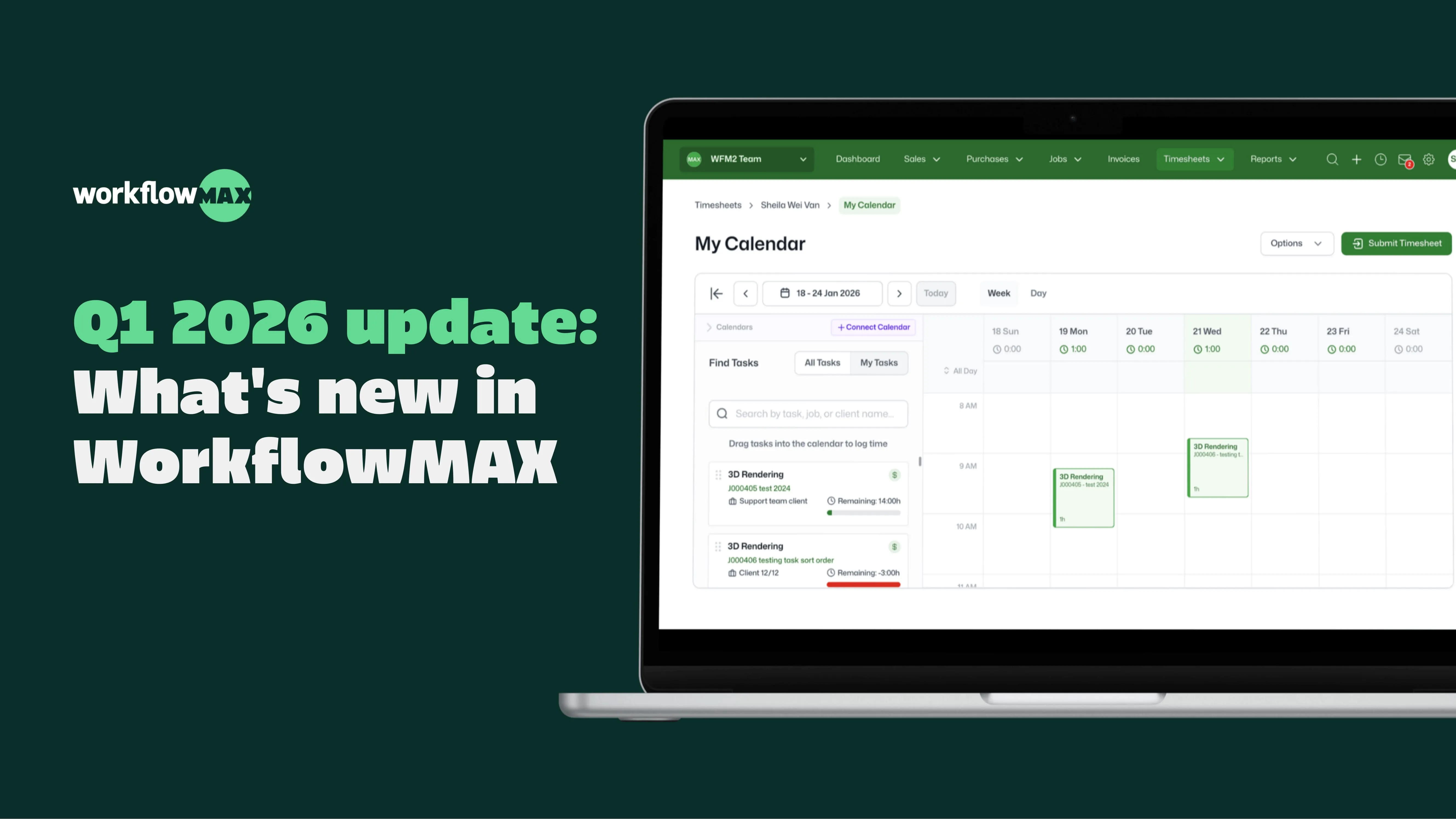
  • Integrated Calendar turns meetings into timesheets, so billable time doesn’t get missed.
  • Timesheet reminders and approvals automate follow-ups, so invoicing happens sooner.
  • Zapier integration connects WorkflowMAX to 8,000+ apps – automate job creation from your CRM, sync contacts, and trigger notifications without code.
  • Scheduled Reports delivers your key reports – WIP, profitability, utilisation – to your inbox automatically, on whatever cadence you set.
  • Multi-currency purchase orders let you create POs and bills in any currency, with WorkflowMAX handling conversions automatically.

Watch the Q1 2026 product update video for a quick tour of the latest WorkflowMAX features.

📅 Integrated Calendar - Stop double-handling your calendar

The problem: Your team spends half the day in meetings, then manually recreates that schedule in timesheets at the end of the week. It's redundant, time-consuming, and leads to forgotten billable hours.

What's new: Our Integrated Calendar feature now syncs directly with Microsoft Outlook and Google Calendar. Your meetings, appointments, and events appear in WorkflowMAX automatically, ready to convert to timesheet entries with a few clicks.

Why it matters: No more double data entry. If it's on your calendar, it can be billable. One beta customer reported saving 2-3 hours per week on timesheet entry.

Currently in beta for Advanced plan customers

Learn more -> 


⏰ Timesheet Approvals and Reminders - Automate the timesheet chase

The problem: It's Monday morning, and half your team still hasn't submitted last week's timesheets. You're sending reminder emails, chasing people individually and delaying invoicing.

What's new: Timesheet Approvals & Reminders lets you set up automated reminder workflows and approval chains. The system does the chasing for you, escalating reminders until timesheets are submitted and approved.

Why it matters: Timesheets get submitted on time. Approvals happen faster. You invoice sooner. That's one weekly task off your plate.

Reminders available in beta for Premium & Advanced plans; Approvals available for Advanced plans

Learn more ->


🔗 Zapier Integration - Connect WorkflowMAX to everything else

The problem: Your business runs on multiple tools, and you're manually copying data between them.

What's new: WorkflowMAX is now on Zapier, which means you can connect it to over 8,000 other apps without writing code. Automatically create jobs from CRM deals, sync contacts, trigger Slack notifications, or push data to your BI tool.

Why it matters: Automation eliminates manual data transfer and keeps your systems in sync. Build the workflows your business actually needs.

Available for Premium & Advanced plans

Learn more ->


💱 Multi-Currency Purchase Orders - Handle international projects without the headache

The problem: You're working with suppliers overseas, juggling multiple currencies, and trying to keep exchange rates straight while issuing quotes and invoices.

What's new: Multi-currency support for purchase orders and bills. Create POs and bills in any currency, and WorkflowMAX handles the conversions automatically.

Why it matters: If you work with international suppliers, this removes a major pain point. Create a PO in their currency, bill in their currency, and let the system do the math.

Currently in beta for Premium & Advanced plans

Learn more -> 


📧 Scheduled Reports - Reports delivered to your inbox, automatically

The problem: You need the same reports every week - WIP, project profitability, resource utilisation - but you're manually generating and distributing them each time.

What's new: Scheduled Reports lets you set up any custom report to run and deliver automatically. Daily, weekly, monthly, or yearly - configure it once and the system handles the rest.

Why it matters: Consistent reporting without the manual work. Your leadership team gets the data they need, when they need it, without you having to remember to send it.

Available for Advanced plan customers

Learn more ->

The bigger picture

Each of these features tackles a specific pain point, but together they represent something bigger: less time on admin, more time on the work that matters.

Project-based businesses run on accurate data - time, expenses, costs, and schedules. But gathering that data shouldn't consume your day. These updates are designed to automate the busywork, reduce errors, and give you real-time visibility into how your projects are actually performing.

What's coming next

Here's a taste of what else we're working on this quarter:

  • Capacity Planning - visual resource management to see who's available and when
  • AI Expense Extraction - take a photo of any receipt and AI extracts the data automatically into your job costs - no typing, no manual entry, just instant job costs.
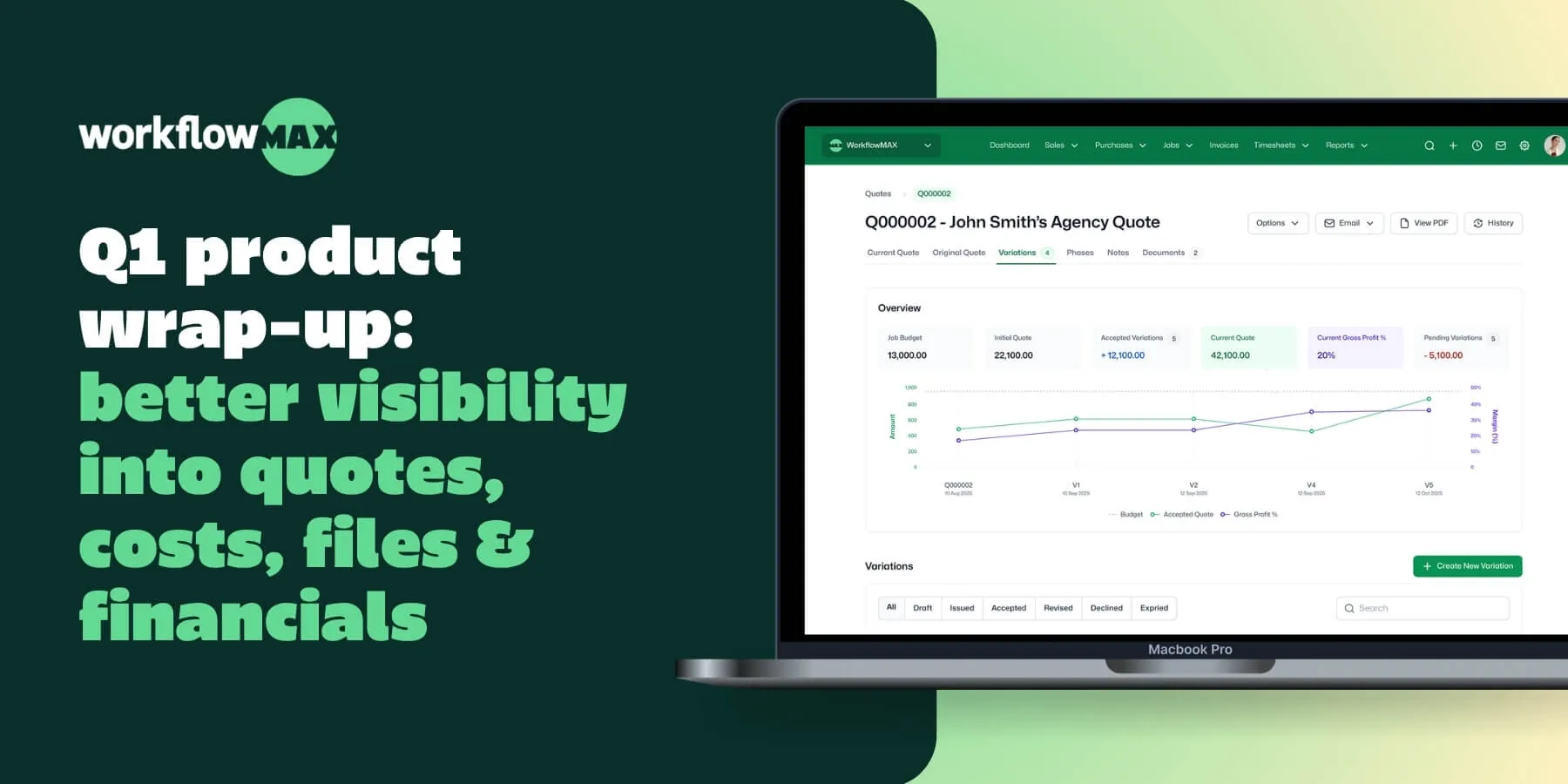
  • Quote Variations - track scope and budget changes as projects evolve, with each variation linked to the overarching job budget
  • SharePoint Integration - seamless document management for Microsoft 365 users
  • AI Report Insights - surface anomalies and trends across your financial reports automatically – so you spend less time reading numbers and more time acting on them.
  • New branding - We're refreshing our brand and palette across the platform - same powerful features, cleaner experience.

We can’t wait to see how you use these features in practice. Please continue to share your feedback, use cases, or challenges - your input is key to helping us refine WorkflowMAX together.

TL;DR: Managing invoices manually exposes service businesses to errors, delays, and potential fraud. AI‑powered invoice validation and fraud detection offer a smarter, more secure approach to e‑invoicing, reducing risk and streamlining financial workflows. With WorkflowMAX, professionals gain control over project finances through seamless integration, real-time insights, and automation that keeps billing accurate and compliant.

Why Invoice Validation and Fraud Detection Matter More Than Ever

Across architecture, creative, engineering, and accounting firms, accurate and timely payment is fundamental to staying in business.Yet, invoicing remains one of the most error-prone, manually intensive processes in many businesses.

Late payments. Double billing. Fraudulent invoices. Small errors snowball into serious financial headaches, affecting cash flow and profitability. As e‑invoicing becomes standard across Australia, New Zealand, and the UK, so too does the expectation for speed, accuracy, and compliance.

Enter AI‑powered invoice validation and fraud detection, an emerging necessity in the modern job management stack. It’s not just about automation anymore; it’s about making sure every invoice is correct, legitimate, and paid fast.

Manual Invoicing Opens the Door to Mistakes and Misuse

Even the most detail-oriented professionals can’t catch every discrepancy manually. In fact:

  • 38% of billable hours go untracked, leading to underbilling and lost revenue.
  • Scope creep and missing details are common, especially when invoicing is disconnected from job costing and time tracking.
  • Fraudulent or duplicate invoices cost UK and AUS businesses millions annually and most of these could be prevented with early detection.

Traditional invoicing processes are reactive. You send an invoice, wait for a response, and fix issues after they’ve already become bottlenecks. Worse, multiple tools, spreadsheets, email, accounting software often don’t "talk" to each other, creating data silos and risks.

AI‑Driven E‑Invoicing Transforms Accuracy and Trust

AI‑powered invoice validation tools are reshaping how modern firms handle invoicing. Rather than relying on human input alone, AI systems:

  • Auto-match invoices to timesheets, job codes, and quotes, detecting inconsistencies in real-time.
  • Flag duplicate, suspicious, or inflated line items before invoices go out.
  • Catch missed billables or scope creep by comparing invoices with job progress data.
  • Support compliance with government-backed e‑invoicing standards across AU, NZ, and UK (like Peppol).

The result? Fewer disputes. Faster payments. And confidence that your numbers reflect reality.

Best Practices for AI‑Powered Invoice Validation and Fraud Detection

1. Centralise Project and Financial Data

To enable accurate invoice validation, data from job tracking, quoting, and time logs needs to live in one place. This allows AI systems to "see the full picture" and compare line items with actual work delivered.WorkflowMAX integrates quoting, time tracking, job costing, and invoicing ensuring that the data AI tools needed for validation are accurate, connected and up-to-date.

2. Enable Real-Time Checks

Instead of reviewing invoices at the end of the month, modern systems allow validation as you build the invoice. This means any anomalies are flagged before the invoice is sent saving time and reputation.

Because WorkflowMAX tracks project costs and time in real-time, it can pre-validate invoice totals against what was actually worked creating a "right the first time" approach to billing.

3. Automate Fraud Detection Triggers

AI tools can automatically flag:

  • Unusual billing patterns (e.g. sudden rate spikes)
  • Re-used invoice numbers
  • Mismatched vendor details

These alerts help internal teams prevent fraud before funds leave the account.While not a dedicated fraud detection platform, WorkflowMAX’s integration with Xero and other accounting tools creates a unified source of truth. When combined with audit trails and role-based access controls, it provides the foundation for secure billing.

4. Embrace E‑Invoicing Standards for Compliance

Regulatory bodies are increasingly mandating e‑invoicing standards for tax compliance, particularly for government suppliers. AI‑driven systems help ensure compliance with formats, rules, and reporting requirements.WorkflowMAX integrates with e‑invoicing-friendly platforms (like Xero and QuickBooks), enabling smooth compliance workflows and reducing the burden on finance teams.

5. Educate Staff and Clients

Technology alone doesn’t solve invoicing challenges. Make sure your team understands the AI prompts, flags, and alerts they’re seeing. Clients also benefit from clearer, faster invoices that match expectations.

Efficiency Meets Financial Control

Built for service businesses that live on tight margins, WorkflowMAX connects invoicing, costs, and profitability in one system.

Here’s how it supports AI‑powered invoice validation:

  • Time tracking: Ensure all billable hours are captured and linked directly to jobs.
  • Job costing: Get a real-time view of expenses, labour, and project profitability.
  • Invoicing: Build invoices from actual data quote-to-time-to-invoice minimising room for human error.
  • Integrations: Connect seamlessly with Xero or QuickBooks for automated billing and reconciliation.

This unified workflow eliminates guesswork, speeds up billing, and reduces the risk of disputes or fraud. As one partner shared during onboarding, “It’s not just about getting invoices out it’s about trusting the numbers inside them”.

Smart Invoicing It’s Essential

For architecture firms quoting multi-phase builds, or agencies juggling dozens of client retainers, invoicing isn’t just admin, it’s your cash flow. With AI‑powered validation and fraud detection, you can send invoices with confidence, protect your business, and free up your team to focus on what they do best.

WorkflowMAX delivers the clarity, control, and efficiency needed to make smarter billing a reality.Ready to invoice smarter and faster? Try workflowMAX’s full quoting‑to‑invoicing workflow today, designed to reduce risk, improve accuracy and protect your profit.

TL;DR: Handling multi-currency transactions and cross-border taxes in e-invoices is a growing challenge for service-based businesses. Firms operating internationally, especially architects, engineers, designers, and consultants, need tools that manage complex tax rules and currency conversions without slowing down operations. This article explains how to handle multi-currency and tax compliance efficiently, and how WorkflowMAX supports this process with streamlined invoicing and reporting tools.

Why This Matters

As firms grow and expand across borders whether it’s an Australian design agency billing a client in London, or a UK-based engineering firm subcontracting teams in New Zealand the complexity of financial operations grows as well. Different tax regimes. Fluctuating exchange rates. Local compliance obligations. It’s a lot to manage.

For service-based professionals, managing these complexities in their invoicing systems isn’t just about being compliant, it's about staying efficient and profitable. But without the right systems in place, firms risk manual errors, delayed payments, and even penalties.

This is where multi-currency e-invoicing and automated tax handling become game changers.

Manual Complexity Meets Global Growth

1. Currency Conversions Are More Than a Finance Problem

Many growing firms operate in one home currency (e.g. GBP, AUD, or NZD) but serve clients across globally. Without real-time currency updates, teams may quote one rate and invoice another, eroding margins and creating disputes.

Exchange rate errors or delays in currency conversion result in lost revenue or friction with clients.

2. Cross-Border Tax Rules Add Friction

Every jurisdiction handles tax differently. For example, VAT in the UK, GST in Australia and New Zealand, and state-based sales tax in parts of the US. For architecture or engineering firms working globally, this introduces inconsistent tax rules across different projects.

Tax misclassification or wrong rates can trigger compliance risks and delays in payments.

3. Disjointed Systems Make It Worse

Many firms still juggle quotes in spreadsheets, time in one app, and invoicing in another. This fragmented stack means key tax settings or currency details don’t carry over seamlessly.

Duplication of data, human error, and wasted hours reconciling systems.

Best Practices for Multi-Currency and Cross-Border Tax Compliance

1. Centralise Your Financial Operations

One of the most effective ways to reduce errors is to consolidate quoting, time tracking, and invoicing into one platform. This ensures that the correct currency and tax settings are applied from the first quote to the final invoice.

Tip: Use a system where you can set the billing currency at the job level and apply consistent tax rates per region.

2. Automate Tax Calculations Per Jurisdiction

Each client should be billed with the correct tax treatment based on their location and your own. The right e-invoicing tool will automatically apply GST/VAT exemptions where applicable (e.g. exports), or ensure tax is correctly calculated for each invoice line item.

Tip: Choose an invoicing system that allows region-based tax rules and handles both inclusive and exclusive tax models.

3. Track Exchange Rates in Real-Time

Using real-time currency conversion avoids revenue loss when invoicing in a foreign currency. This also prevents client disputes caused by inconsistent amounts due to outdated exchange rates.

Use platforms that sync daily exchange rates and allow historic rate locking for consistent quoting.

4. Generate Localised and Compliant E-Invoices

Invoices aren’t one-size-fits-all. They need to comply with the formatting and tax rules of the client’s location.That includes correct tax IDs, line-level tax breakdowns, and compliance with e-invoicing standards like Peppol (used across AU, NZ, EU).

Your system should output country-specific invoice formats and capture the right client tax information from the outset.

How WorkflowMAX Supports Global Invoicing Needs

Cross-border invoicing creates real operational challenges for mid-sized service businesses. WorkflowMAX supports these needs with built-in capabilities.

Multi-Currency Billing

  • Quote, cost, and invoice in different currencies.
  • Set billing currencies per client or job.
  • Automatically convert based on daily exchange rates.
  • Integrates seamlessly with Xero, which handles multi-currency accounting and FX gains/losses.

Tax Configuration by Region

  • Define tax rates by country and apply per job or invoice line.
  • Set up GST, VAT, or custom taxes for each location.
  • Enable tax compliance for exports and inter-regional billing.

Localisation and Custom Fields

  • Add tax ID numbers to client profiles.
  • Create invoice templates that meet regional compliance standards.
  • Custom fields enable tracking of local financial data (e.g. regional cost centres, tax jurisdictions).

Integrations That Close the Loop

  • Connect with Xero or QuickBooks for accounting and reconciliation.
  • Automatically push invoices, tax data, and FX calculations into your general ledger.

Reporting for Clarity and Control

  • Run reports on revenue by currency or tax type.
  • Analyse profitability across international projects.
  • Forecast cash flow considering regional taxes and FX impacts.

Control Your Global Financial Workflow

For architects, engineers, creative agencies, and consultants, global business opens new doors and new challenges.Getting paid across borders, in different currencies, and under different tax regimes doesn’t have to be hard but it does require smart systems.

WorkflowMAX helps centralise and automate multi-currency e-invoicing and tax handling, so your teams can focus on the work, not the admin.

Control Your Global Financial Workflow

Multi-currency and cross-border tax handling is no longer a “nice-to-have” but a business necessity for professional service firms working globally. With increasing compliance requirements and client expectations, firms need clarity, control, and confidence in every invoice they send.

WorkflowMAX is designed to make that possible. With its flexible invoicing, tax automation, and seamless integrations, it acts as the financial engine behind your international growth.

Ready to simplify multi-currency invoicing and tax compliance? Explore how WorkflowMAX can help your firm bill globally with clarity and confidence.

TL;DR:  Service firms lose significant time and profit not because they’re under-resourced, but because their workflows aren’t doing enough of the heavy lifting. Smart workflow design can dramatically improve productivity, reduce admin noise, and give teams clearer control over projects and compliance. By combining structured processes with the right automation, tools like WorkflowMAX help architects, engineers, accountants, and designers gain visibility, bill accurately, and operate with confidence, not chaos.

In a professional services firm, productivity is the difference between a project that's profitable and one that just "breaks even." Whether you’re an architect juggling regulatory hurdles or an engineer coordinating a massive technical team, the struggle is the same: the work gets done, but the process feels like wading through mud.

A well-designed workflow t streamlines tasks. and reduces rework, improves compliance, and creates clarity across the entire organisation. When supported by automation and the right tools, workflows become systems that free people from repetitive admin so they can focus on higher-value work.

This article explores how smarter workflow design leads to genuine productivity gains and how WorkflowMAX supports firms in making those gains real.

Why workflow design matters more than ever

A “workflow” is more than a set of tasks. It’s the engine behind how your business operates day-to-day. When it’s clogged or confusing, you see the symptoms quickly:

  • Delays between project phases
  • Double-handling of work or approvals
  • Time entries made late (or not at all)
  • Disconnected communication
  • Admin tasks piling up in email or spreadsheets
  • Inconsistent documentation and compliance trails

These issues aren’t signs of poor performance,they’re usually workflow issues. Many firms operate with processes that were designed years ago for fewer clients, smaller teams, or less compliance obligations.

A well-designed workflow doesn’t just move tasks along; it kills off rework, automates the "boring bits," and gives your team the mental space to do the high-value work they actually enjoy.

The 4 productivity killers hiding in your firm

What are the common workflow gaps limiting productivity across service-based organisations?

Manual admin that could (and should) be automated

How many hours a week does your team spend chasing timesheets, exporting data for invoices, or preparing status reports? That’s "Manual Admin Tax.”.

Automation isn’t about removing human judgement. It’s about removing repetitive friction. When your firm automates routine steps, like generating invoices based on actual time, or triggering reminders for key dates, your team gets real hours back.

How WorkflowMAX helps: Automation across job templates, invoicing, time reminders, and reporting reduces back-and-forth admin so teams can focus on the work clients actually pay for.

Poor visibility across jobs, people, and profit

Many firms operate with fragmented views of performance. Your architects may see tasks, your finance manager sees invoices, your project lead sees resourcing, but nobody has the full picture.

This makes it hard to act with confidence:

  • Are we over-servicing this client?
  • Is this phase still profitable?
  • Who’s overloaded next week?
  • Are we on track for compliance?

If you don’t know where your hours are disappearing, you don’t know your profit margins. Productivity doesn't just vanish; it leaks out through duplicated effort and hesitant decisions. We help you bridge that gap, giving you a clear, honest look at the relationship between your time and your bottom line

How WorkflowMAX helps: Job costing, real-time reporting, and integrated time tracking give every role.

Workflows that don’t match how teams actually work

A high-performing workflow relies on a cohesive system rather than an ever-growing pile of software.Yet many tools require workarounds, patch-ons, or complex templates that slow teams down.

When processes don’t align with how people naturally work, productivity suffers. Tasks get bypassed. Approvals go missing. Tracking becomes optional. And compliance headaches grow.

How WorkflowMAX helps: Customisable job templates, flexible task structures, and configurable workflows that match the real operational rhythm of A/E/C and professional service firms.

Data trapped in disconnected systems

Many firms still move data between tools manually: copying time entries to invoicing systems, exporting financials to spreadsheets for analysis, shifting documents between shared drives and project folders.

Disconnected systems create:

  • Version control issues
  • Delayed reporting
  • Compliance risks
  • Admin bottlenecks
  • Unnecessary project friction

How WorkflowMAX helps: Native integrations with accounting platforms like Xero and QuickBooks reduce double-entry and keep financial workflows accurate and current.

Principles of smarter workflow design

Improving your workflow isn't about buying more tools; it's about building a better system.

Start with clarity: map your end-to-end process

Before you automate anything, you need to understand every step of the workflow from enquiry to invoice.

A simple mapping exercise reveals:

  • Where approvals stall
  • Where tasks are duplicated
  • Where communication gaps cause rework
  • Where compliance steps should be built in

With the right view, you can redesign workflows for speed, accuracy, and accountability.

We support clarity at every stage, that’s why we say: “Clarity creates confidence.”

Automate the repeatable, standardise the essential

Not everything should be automated, but a surprising amount can be. The goal is to free teams from low-value work without compromising quality or compliance.

Examples of effective automation:

  • Pre-built job templates for similar project types
  • Auto-generated invoices from time logs or milestones
  • Automated reminders for deadlines, approvals, or documentation
  • Pre-configured compliance steps within each project phase
  • Custom fields that keep every job consistent

WorkflowMAX features that support this:

  • Job templates
  • Recurring jobs
  • Automated invoicing
  • Integrations for accounting and reporting

Make time tracking effortless

If it’s clunky, people won't do it. If it's integrated and mobile-friendly, it just happens.When time entries are simple, mobile-friendly, and connected directly to job phases, accuracy improves without effort.

Better time tracking leads to:

  • Better job costing
  • Clearer profitability insights
  • More accurate billing
  • Stronger forecasting

Our platform makes this easy: Its integrated time tracking connects directly to job tasks, making it effortless to record time and understand its impact on profit.

Ensure workflows support compliance, not fight it

In architecture, engineering, and accounting, compliance isn’t optional but it doesn’t have to be a headache. Most firms treat compliance as a "side-quest" that people forget until a deadline hits.

Smarter workflows embed those steps into the work itself. With WorkflowMAX, you can:

  • Build compliance steps into each phase
  • Attach required documents to tasks
  • Use mandatory fields for certifications or approvals
  • Store audit trails in one place

Provide the right visibility to the right people

Good workflow design empowers roles across the business, not just managers.

For example:

  • Directors need margin and capacity visibility
  • Project managers need live updates and budget status
  • Team leads need workload insights
  • Finance needs accurate time + cost tracking
  • Staff need clarity on priorities and deadlines

Project leaders need a clear line of sight to make good calls. When they can see exactly where a project stands, they can hand out tasks with precision and keep the team moving. Visibility is the difference between a team that’s constantly second-guessing and one that’s operating in total lockstep.

How automation amplifies well-designed workflows

Automation works best when it’s built on a workflow that already makes sense. Once your process is set, automation turns it into a high-performance engine:

Reduces admin load

Admin tasks like creating invoices, chasing timesheets, and preparing progress reports can be automated or triggered automatically.

This reduces:

  • Manual hours
  • Human error
  • Delays in billing and approvals

Increases profitability through real-time insight

Automated data capture gives you a financial snapshot of every project,before issues turn into losses.

With workflowMAX:

  • Time flows straight into job costing
  • Costs connect to budget tracking
  • Forecasts update instantly
  • Reports generate in seconds

Improves consistency and compliance

Automated workflows standardise best practice:

  • Every job starts from a consistent template
  • Mandatory steps can’t be skipped
  • Documentation is stored centrally
  • Approvals follow the same pathway every time

This reduces operational risk and maintains quality across the organisation.

Enhances team confidence and reduces cognitive load

When workflows are clear and automated:

  • Staff know exactly what to do next
  • Managers don’t need to chase updates
  • Finance doesn’t need to guess what’s billable
  • Directors trust the data

In other words, automation reduces mental clutter. And mental clarity leads to productivity gains.

Making the shift: practical steps for service firms

Ready to shift? Here is the roadmap to getting it done with WorkflowMAX:

Step 1: Map your current process

Document the workflow end-to-end. Identify friction points. Capture where delays, confusion, or duplication occur.

Step 2: Define your “ideal” workflow

Involve the people who do the work. Determine:

  • What can be automated
  • What should be standardised
  • What must be mandatory for compliance
  • What data needs to be captured along the way

Step 3: Build job templates in WorkflowMAX

Let these templates handle:

  • Tasks
  • Costs
  • Milestones
  • Dependencies
  • Compliance steps
  • Required documents

Step 4: Connect your systems

Integrate WorkflowMAX with:

  • Xero
  • QuickBooks
  • Other reporting or CRM tools

This removes double-handling and ensures everyone works from one truth.

Step 5: Roll out time tracking, reporting, and automation

Start simple. Then increase automation and visibility as the team gets comfortable with the system.

Conclusion

Firms don’t become more productive because they push teams harder. They become more productive when the workflow lifts the load: removing friction, reducing rework, and producing clearer insights.

Smarter workflow design paired with thoughtful automation transforms how teams coordinate, deliver, and make decisions. And with its human-centred approach, financial clarity, and powerful job management features, WorkflowMAX provides the foundation for service firms to operate with confidence,not chaos.

Ready to design workflows that actually work for your business?
Try WorkflowMAX for free and create clarity, control, and confidence across every project.

TL;DR: Many service firms unknowingly lose profit, time, and client confidence because their CRM and project management tools don’t talk to each other. Disconnected systems create double-handling, inaccurate forecasting, and unnecessary chaos,especially for architecture, engineering, consulting, accounting, and creative teams that manage complex workflows. This article breaks down the hidden costs of these fragmented systems and outlines the operational improvements firms can gain from unifying sales, jobs, time, and billing.

WorkflowMAX helps service firms regain control and clarity by connecting CRM, job management, time tracking, and financial data in one place, giving teams the visibility and confidence they need to run a high-performing practice.

Why fragmentation is quietly draining profit

Every service business runs on a single engine: the flow of work from the first "hello" (the lead) to the final "thank you" (the invoice).

When your CRM lives in one world, your project management in another, and your financials in a lonely spreadsheet, that engine misfires. Architects lose track of client changes. Engineers re-enter the same data three times. Creative studios run beautiful boards that have no idea what was actually sold in the contract.

This isn't a dramatic business failure; it's a constant, invisible leak. And for firms with tight margins, that leak is expensive.

This is why WorkflowMAX positions clarity, confidence, and calm as core to the brand. When tools work together, businesses can work smarter.

The real problem: fragmented systems create fragmented businesses

Many teams assume using separate tools for sales, projects, time tracking, and billing is normal. But fragmentation creates a ripple effect of operational issues that compound over time.

1. Double-handling becomes the default

Switching between systems is just frustrating and it creates unnecessary admin:

  • Re-entering client details
  • Copying job notes into project plans
  • Syncing dates and status updates manually
  • Maintaining multiple spreadsheets to “fill the gaps”

For technical teams already stretched thin, admin absorbs time that should be spent delivering work.

This contradicts one of WorkflowMAX’s core principles: your tools should work for you, not the other way around.

Scenario

An engineering consultancy wins a new client in their CRM. The project lead then has to manually create the job in a separate PM tool, update phase budgets in a spreadsheet, and draft a fee proposal again based on details already captured.

That’s 30–60 minutes of duplicated effort per project  multiplied by every job, every month.

2. Sales promises and delivery reality fall out of sync

When CRM and delivery tools don’t share data, the handover from sales to project teams becomes risky:

  • Scope details go missing.
  • Key client requirements aren’t visible.
  • Estimates don’t match actual delivery capacity.
  • Expectations are misaligned before work even begins.

The result? Margin leakage before the job even starts.

We believe in 'owning the result,' but you can’t take ownership of what you can't see. Disconnected tools give you a fractured story, bits of data scattered across different apps. We pull it all together, giving you the full narrative of a project from the initial pitch right through to the money hitting the bank.

3. Time tracking becomes inaccurate and inconsistent

Professionals don’t skip time tracking because they don’t care, they skip it because the process is clunky.
When tasks aren’t synced across systems, staff often:

  • Log time against the wrong job
  • Miss entries entirely
  • Batch their timesheets at the end of the week (and guess)

Inaccurate time tracking wipes out the ability to understand profitability, improve workflows, or provide transparent reporting.

WorkflowMAX’s mission emphasises that clarity creates confidence. That clarity is impossible when data is fragmented across tools.

4. Financials lose accuracy and insight

Disconnected systems result in:

  • Inconsistent cost tracking
  • Delayed invoicing
  • Jobs going over budget without anyone noticing
  • Poor understanding of performance across clients or project types

This undermines leadership’s ability to make strategic decisions based on real numbers.

Being able to understand “where time is going, what it’s costing, and what it’s earning” is a core brand commitment, and disconnection blocks it.

5. Teams operate in silos instead of collaboration

When tools don’t talk, teams don’t either. Architects work in one app, accountants in another, and creatives on a visual board. This lack of shared visibility leads to the dreaded "Wait, I thought you were doing that" conversation.

And a lack of shared visibility leads to:

  • Miscommunication
  • Late handovers
  • Rework
  • Frustration
  • Delays for clients

WorkflowMAX intentionally uses human-first, grounded communication to unite teams not divide them with tools that don’t talk.

The hidden costs of disconnection

Most firms only notice the symptoms (stress, late nights), but the true costs are deeper:

1. Lost revenue through missed billable hours

Every untracked hour is lost profit. Every duplicated hour is wasted cost.
For high-value professional services, losing even 2–5% of billable time materially impacts annual revenue.

2. Margin erosion on every job

If actual labour costs, scope changes, and expenses aren’t captured accurately, projects quietly leak money.

3. Project overruns that could have been avoided

Lack of shared visibility means issues are caught late, sometimes too late to correct.

4. Employee frustration and burnout

Professionals want to use tools that support efficiency, not restrict it.  Fragmented workflows create unnecessary pressure on already busy teams.

5. Poor client experience

Clients feel the effects of disconnection through:

  • Slow response times
  • Missed details
  • Inconsistent communication
  • Delayed invoicing

Service firms grow through reputation. Disconnected systems put that reputation at risk.

6. Strategic decisions made on poor or incomplete data

Leadership needs accurate, real-time information about:

  • Pipeline value
  • Job profitability
  • Staff utilisation
  • Project performance

Fragmented systems cannot provide this.

Control, visibility, and confidence are the first things to go when your systems are scattered. If your tools don't talk, you’re the one stuck doing the manual heavy lifting to connect the dots

Why this challenge matters right now

The world for architects, engineers, and consultants has changed:

  • Rising labour costs
  • Increased client expectations
  • More remote and hybrid teams
  • Growing compliance pressures
  • Competition from more agile firms
  • Tighter margins across the board

In the past, you could get away with disconnected tools because everyone was in the same room. Today, if your data is siloed, your team is flying blind. Many tools on the market are either too shallow for complex projects or so "enterprise-heavy" that they feel like a second job just to manage. WorkflowMAX sits in that sweet spot: deep enough for the details, but simple enough to actually use.

The solution: integrating CRM and project management into one source of truth

Integrating your CRM and project management it’s a business strategy. When your systems talk to each other, the "quiet drag" disappears and is replaced by a single, seamless flow.

One seamless workflow: from lead → quote → job → invoice

Your client lifecycle looks a little like this when you use our platform:

  • Lead manager for early conversations
  • Estimating and quoting with accurate data
  • Job management that reflects real scope
  • Time tracking from any device
  • Invoicing connected to actual time and costs
  • Xero and QuickBooks integrations for clean financials

A complete view of every job 

Because CRM, quoting, and capacity data are connected, teams can reliably see:

  • Whether the firm has the capacity to take on the project
  • Whether the proposed fee is profitable
  • Which team members are needed
  • What the expected timeline and cost structure should be

This supports our core promise: empowering managers with accurate, actionable data.

Smarter, simpler time tracking

Tasks flow automatically into timesheets. Whether your team is on a mobile at a site visit or at their desk, logging time becomes a natural part of the day, not a Friday afternoon guessing game.

Real-time profitability insights

Our reporting, dashboards, job costing, and WIP features provide clarity on:

  • Job health
  • Team utilisation
  • Margins
  • Performance by client
  • Budget vs actuals

This is how professional service firms shift from reactive to strategic, and why “clarity creates confidence” is a brand pillar.

A unified, human-centred experience

Most systems feel like a second job, but this is designed to feel like a relief. By keeping things grounded and human, we’ve cut out the 'overwhelming' part of operations. It’s about creating a connected world where your team can stop fighting the tools and start collaborating with confidence.

How WorkflowMAX directly supports this integrated approach

We created this tool to give mid-sized firms the "big engine" power of enterprise tools, without the enterprise headache. It’s about giving you the depth to manage a complex project and the simplicity to actually enjoy the process.

Here’s how it helps each stage of the business:

  • Lead manager for organised sales pipelines
  • Estimating & quoting to price jobs accurately
  • Job management for scope, tasks, budgets, and milestones
  • Time tracking across devices
  • Invoicing tied to actual work completed
  • Document management to centralise communication
  • Custom fields and templates to match firm-specific workflows
  • Reporting and dashboards for real-time financial clarity
  • WIP management for better cash flow control
  • Scheduling and capacity planning for confident resourcing
  • Integration with Xero and QuickBooks for clean financials

Behind every feature is a team that leads with empathy, expertise, and a genuine commitment to helping firms “own the result”.

Integration isn’t a software decision, it’s a business strategy

Disconnected CRM and project management tools don’t just slow teams down; they affect:

  • Profitability
  • Collaboration
  • Decision-making
  • Client satisfaction
  • Staff morale
  • Strategic growth

For firms that value clarity, confidence, and control, unifying your workflow it’s essential.

Our mission is to help you transform chaos into profit and complexity into confidence. Unifying your world is the first step toward that reality.

Ready to bring clarity and confidence back into your workflow? Book a demo or try WorkflowMAX for free

TL;DR: Design firms often avoid standardising processes because they fear it will stifle creativity, but the opposite is true. With the right structure, teams gain clarity, reduce rework, and make more time for creative thinking. This article outlines practical ways architects, engineers, consultants, accountants, and creative professionals can streamline workflows without turning their studio into a production line. WorkflowMAX supports this balance by providing flexible job management, time tracking, document control, and custom fields/templates that let firms create structure their way.

Why Standardisation Matters More Than Ever

Every design-led firm, from architecture to engineering, is a constant tug-of-war between 'The Spark' and 'The System.' While your team is busy with the big-picture imagination and collaboration that makes the work great, the business is screaming for consistency, compliance, and predictable delivery. 

When those two worlds don’t speak the same language, even the most brilliant teams end up playing 'digital detective', wasting their talent on hunting for documents, reinventing wheels, and guessing at job statuses. It’s how miscommunication creeps in and profitability becomes a 'vibe' rather than a number, eventually making your clients feel the wobble

Standardising processes it’s a need as it gives teams a stable foundation so they can focus on the work that actually moves the project forward. In other words: good structure creates space for creativity, not the other way around.

What “Standardising Processes” Really Means for Design Firms

Standardisation sometimes gets misunderstood as “everything must be identical”. In reality, it’s about defining the essentials so project teams have:

  • a common starting point
  • predictable ways to collaborate
  • clarity around responsibilities
  • consistent quality standards
  • transparency across the business

It’s less “paint-by-numbers” and more “everyone knows the chords  now go riff”.

Think of it less like 'paint-by-numbers' and more like a band that finally knows the chords once the rhythm section is locked in, everyone is free to riff. In the high-stakes worlds of architecture and engineering, you can’t afford a 'missed note' when it comes to compliance or safety. 

Creative teams feel that same heat as deadlines shrink and expectations soar. By setting a few clear, effortless standards, you move from being overwhelmed to being the conductor. 

This is where WorkflowMAX shines: we provide the 'rhythm' of clarity and calm, so your team can focus on the solo without losing the beat.

4 Myths About Standardisation (and why they’re wrong)

1. “It’ll kill our creativity.”

This is the most common fear, and the least accurate.

Creativity thrives with constraints. A clear framework removes the admin noise that distracts talented people from doing great work. When teams aren’t drowning in emails, missing documents, or unclear briefs, they have more brainspace for innovation.

How to overcome it: Create flexible templates rather than rigid scripts. Build processes that clarify what needs to happen without dictating how designers and engineers interpret the brief.

WorkflowMAX in action:

  • Custom templates let firms create project structures that fit their discipline while allowing freedom within stages.
  • Custom fields ensure teams capture what matters (project notes, constraints, compliance checks, creative requirements) without slowing the creative flow.

2. “Every project is different: templates won’t work.”

Yes, every project has its quirks. But 70–80% of the work is repeatable: the proposal, onboarding, briefing, scoping, approvals, budget tracking, client communication, documentation, and review cycles.

When these elements are consistent, teams can spend more time on the truly bespoke parts of the work.

How to overcome it: Start by standardising only the phases that never change. Then build optional pathways for specialised or complex jobs.

WorkflowMAX in action:

  • Job templates help create repeatable workflows while leaving room for the unique details of each commission.
  • Scheduling and task assignment ensure the right people are aligned early, even in highly customised work.

3. “It’ll just create more admin.”

Manual processes absolutely do,  but automated processes don’t.

The key is replacing repetitive tasks with automated ones, not adding more layers of paperwork. The goal is to create systems that reduce cognitive load, not increase it.

How to overcome it: Use a single source of truth where information flows naturally from lead → quote → job → time tracking → invoicing.

WorkflowMAX in action:

  • Lead Manager provides a consistent intake and qualification process.
  • Estimating & quoting automatically feed into job creation, reducing double handling.
  • Time tracking and job costing connect delivery activity directly to profitability, without extra admin.
  • Invoicing + Xero/QuickBooks integration eliminates manual reconciliations.

4. “Our team won’t follow the process.”

People resist processes when:

  • they’re unclear
  • they feel irrelevant
  • they slow the work
  • they’re hidden in emails or spreadsheets nobody updates

Good processes reduce friction and help people do their jobs better.

How to overcome it: Introduce standardised processes as time-savers, not “rules”. Make them openly visible, easy to follow, and part of everyday tools rather than standalone documents.

WorkflowMAX in action:

  • Collaboration Manager puts communication, files, and updates in one place.
  • Document management ensures everyone works from the latest drawings, briefs, and revisions.
  • Notifications keep workflows moving without constant chasing.

How Standardisation Enhances Creativity Across Design Disciplines

This is the part many studios underestimate. Consistency doesn’t suffocate creative thinking, it strengthens it. Here’s how.

Designers and engineers spend less time on operational work

When quoting, document creation, job setup, and tracking are streamlined, creative minds get to stay in the zone.

Example scenario: A landscape architect can move from briefing to conceptual sketches faster because project templates handle the admin and the budget checks in the background.

Collaboration becomes smoother and stronger

Creative work is rarely done alone. Engineers collaborate with architects, studios collaborate with contractors, agencies collaborate with clients.

Standardising communication, approvals, and revisions avoids the dreaded “version 8_final_FINAL2.pdf” chaos.

WorkflowMAX makes this easier through:

  • shared files
  • centralised communication
  • version clarity
  • consistent approval flows

Creative ideas are better supported by reliable data

Standardisation isn’t just about process, it’s about insight.

When you consistently capture time, costs, and workflows, you learn:

  • how long concept phases actually take
  • which clients drain resources
  • where profit leaks emerge
  • how scope creep affects margins
  • where your best work originates

This helps leaders protect creative time, price projects confidently, and make smarter strategic decisions.

As our brand guidelines emphasise: clarity creates confidence.

Junior and mid-level team members grow faster

Clear processes remove ambiguity. When team members know the expected steps, quality standards, and review points, they learn faster and deliver better, freeing senior staff to focus on the higher-value strategic or creative work.

A Practical Framework for Standardising Processes (Without Losing Your Soul)

Step 1: Identify the “core repeatables”

Start with the universal stages:

  • Client onboarding
  • Briefing
  • Scoping
  • Job setup
  • Budgeting
  • Documentation
  • Review cycles
  • Invoicing

These almost never need reinvention. Standardise them first.

Step 2: Design flexible templates

Templates should act as scaffolding, not cages. Include:

  • required information
  • typical tasks
  • suggested timelines
  • quality checkpoints
  • health & safety or compliance needs

WorkflowMAX’s job templates and custom fields are ideal for this.

Step 3: Integrate automation where it benefits the team

This is where time savings compound.

Use WorkflowMAX automation for:

  • job creation from quotes
  • task notifications
  • document storage
  • standardised invoicing
  • linking time entries to job stages

Step 4: Establish a single source of truth

If files are scattered across desktops, inboxes, or one person’s brain, standardisation won’t work.

WorkflowMAX’s document management, client manager, and job manager provide a unified operational foundation.

Step 5: Review, refine, and co-create

Don’t roll out processes in isolation. Involve your team. They know where friction happens and where creativity genuinely needs space.

Good standardisation is co-designed: it reflects how your studio naturally works.

Step 6: Measure impact (and share the wins)

Once processes are standardised, visibility becomes clearer:

  • Are jobs more profitable?
  • Are deadlines tighter or smoother?
  • Are revisions reduced?
  • Are client approvals faster?
  • Are staff spending more time on billable creativity?

WorkflowMAX’s performance and profitability, job costing, and reporting dashboards make this transparent, reinforcing the value of the process, not just the steps.

How WorkflowMAX Helps Design Firms Standardise Without Losing Creative Identity

workflowMAX is built to support your processes, however structured or fluid they need to be. This aligns directly with the brand value: your tools should work for you.

Key enablers include:

Flexible structure

  • Custom job templates
  • Custom fields
  • Custom forms and documents
  • Task-level scheduling

Consistent data capture

  • Integrated time tracking
  • Job costing
  • Work in progress management

Operational clarity

  • Dashboards and reporting
  • Performance insights
  • Real-time project status
  • Centralised communication

Reduced admin overhead

  • Quote → job → invoice workflows
  • Accounting integrations (Xero, QuickBooks)
  • Automated notifications and approvals

Human-first support

Software is great, but people make the difference. We’re big on leading with heart, which is why our support goes beyond troubleshooting, we work alongside you to sharpen your processes and give your team the foundation they deserve.

Structure Creates Freedom

Standardising processes doesn’t flatten creativity,  it protects it.

For architects, engineers, consultants, accountants, and creative professionals, the right structure gives your team:

  • clarity
  • consistency
  • control
  • confidence
  • more time to think, design, and innovate

WorkflowMAX exists to give service-based firms exactly that: a foundation that’s solid, human, and flexible enough to support both creativity and commercial success.

When your processes stop getting in the way, your creativity can finally take centre stage.

Ready to bring clarity and confidence to your firm?

Book a demo or try WorkflowMAX for free and see how standardising processes can unlock both creativity and profitability for your team.

TL;DR: Multi-discipline engineering teams deal with a unique blend of complexity: varied workflows, shifting project requirements, countless stakeholders, and a heavy reliance on documentation and compliance. The result? Admin chaos: duplicated effort, lost hours and poor visibility over time, cost, and performance. This article explores practical strategies to streamline operations, improve project control, and rebuild confidence across engineering teams.

WorkflowMAX helps firms reduce operational noise by giving them clear visibility over time, jobs, documents, costs, and performance, all in one place, without forcing teams into rigid, inflexible systems.

Why engineering teams lose time to admin debt

Engineering firms, whether civil, structural, environmental, geotechnical, or building services, all share one hidden challenge: their work relies on specialists who work differently, think differently, and often use completely different tools.

Add the realities of modern project delivery:

  • Large volumes of design documentation
  • Multi-stage approvals
  • Heavy compliance and audit requirements
  • External consultants feeding information in and out
  • Complex resourcing and fee structuring

…and it’s easy to see how organisations end up buried under spreadsheets, email chains, and duplicated admin.

In conversations across architecture and engineering sectors, one theme keeps coming up: it’s not the engineering that’s complex, it’s the admin wrapped around it. And when that admin becomes chaotic, it slows delivery, shrinks margins, and undermines team confidence.

WorkflowMAX’s mission is to bring clarity and calm to service firms struggling with complexity, to turn operational chaos into confidence and control.

The real reason multi-discipline engineering teams struggle with admin

Admin chaos doesn’t come from laziness or disorganisation. It stems from the way most engineering work is structured.

1. Every discipline has its own workflow

A geotechnical engineer’s day looks nothing like an MEP engineer’s. Neither resembles a structural drafter’s. Yet they all contribute to the same project, drawing from the same fee budget.

Without a unified job management system:

  • Tasks are duplicated
  • Information gets siloed
  • Document versions go missing
  • Approvals take far too long

This fragmentation kills visibility, and visibility is the backbone of confident project delivery.

2. Too many manual touchpoints

Typical workflow:

  • Email request 
  • Manual task creation 
  • Spreadsheet tracking 
  • PDF mark-ups 
  • Hours recorded days (or weeks) later 
  • Invoices assembled from a dozen data sources

Multiply that across 5–10 disciplines and 20–50 jobs, and admin becomes a full-time job for half the team.

3. Time tracking is inconsistent or retrospective

If engineers log time at the end of the week (or month), firms often end up with:

  • Inaccurate costings
  • Missed variations
  • Unknown overruns until it’s too late
  • Gap between actual effort and fee expectations

You can’t manage what you can’t see and late time tracking creates a blind spot that damages margins.

4. Compliance introduces extra layers of documentation

In engineering, if it isn't documented, it didn't happen. But when your calculations live on a desktop and your site notes live in an email, your 'single source of truth' is actually a fragmented mess. 

Stop the digital scavenger hunt. By centralizing every drawing and certificate, you turn a chaotic pile of files into a professional audit trail that actually protects your firm.

5. Tools rarely talk to each other

Many firms use a mix of:

  • CAD/BIM tools
  • Email
  • Spreadsheets
  • Accounting software
  • Document servers
  • Legacy databases

This patchwork approach creates admin drift: time lost moving information between systems instead of doing the actual work.

The cost of admin chaos (and what it means for engineering firms)

Admin waste is the first domino. When it falls, it takes the pillars of your firm with it: First goes your profitability, then your accuracy, and eventually, the client trust you’ve spent years building. 

Lost billable hours

If a 20-person engineering firm loses just 15 minutes per person per day to admin inefficiency, that’s:

  • 5 hours per day
  • 25 hours per week
  • 1,200 hours per year

At $150/hour, that’s $180,000 in pure lost revenue.

Overruns that the team can’t see coming

If time isn’t tracked in real-time, project managers can only spot overruns after the damage is done.

Variations that never get billed

Without centralised documentation and audit trails, firms miss legitimate variation claims because they lack the proof or the visibility.

Inconsistent client experience

Slow response times, missing information, and mixed messages create frustration — even when the engineering work itself is excellent.

Team fatigue and low confidence

When engineers spend too much time on admin, they lose momentum. And momentum is everything in a multi-discipline workflow.

WorkflowMAX’s brand values speak directly to this: clarity creates confidence, and teams deserve tools that work for them, not the other way around.

How to reduce admin chaos in multi-discipline engineering teams

Below are practical, proven strategies engineering firms can adopt to simplify operations and regain control.

Each section includes real-world scenarios and clear links to how WorkflowMAX supports the solution without sliding into a hard sell.

1. Standardise the job workflow without forcing uniformity

Engineering teams don’t need identical processes. They just need shared structure at the job level.

What this looks like in practice

  • A consistent framework for every job
  • Discipline-specific tasks and milestones
  • Custom fields for regulatory or technical requirements
  • Templates for common project types (e.g., feasibility → concept → detailed design → construction support)

Why it reduces admin

It eliminates confusion, reduces back-and-forth, and ensures every team member knows what “good” looks like.

How WorkflowMAX helps

  • Custom job templates
  • Discipline-specific task lists
  • Custom fields for certifications, compliance notes, design stages
  • Consistent “source of truth” for every project

Engineering teams stay aligned while still working the way they need to.

2. Automate time tracking reminders and normalise real-time logging

Real-time tracking is the easiest way to increase visibility and protect margins.

Practical tactics

  • Set daily reminders that nudge teams to log their hours
  • Use short, discipline-friendly task descriptions
  • Make time entry available on mobile for site visits
  • Explain why time data matters (engineers appreciate logic)

WorkflowMAX connection

  • Mobile time tracking for engineers on-site
  • Daily reminder notifications
  • Stopwatch timers for live tracking
  • Automatic roll-up into job costing, WIP, profitability reporting

This ensures your PMs have live, accurate insight into where a job really stands, not where you hope it stands.

3. Centralise documents and version control

The fastest way to reduce admin chaos is to control where documents live.

Best practices

  • One location per job
  • Use naming conventions
  • Control document access
  • Store RFIs, drawings, certificates, and mark-ups together

WorkflowMAX makes this easier

  • Inbuilt document management
  • File version history
  • Integration with cloud storage
  • Attach files directly to jobs, tasks, or clients

No more hunting through inboxes for the “latest” drawing.

4. Improve visibility with automated reporting and dashboards

Knowing a task is 'done' isn't enough; PMs need the visibility to know if it was done profitably."

Most valuable reports for engineering teams

  • Estimated vs actual hours
  • Cost-to-complete
  • Staff utilisation
  • WIP
  • Discipline profitability
  • Variation tracking
  • Budget burn rate

WorkflowMAX supports this with

  • Customisable reporting
  • Real-time dashboards
  • Job costing
  • Performance and profitability analytics

Clearer data = stronger decisions = more confident project delivery.

5. Replace manual handovers with digital workflows

Handover points are where engineering projects go off the rails.

Typical bottlenecks

  • Design review to drafting
  • Structural to civil
  • Mechanical to electrical
  • Geotech to structural foundations
  • Design to construction monitoring

How to fix it

  • Use task dependencies
  • Standardise approval steps
  • Assign responsibility clearly
  • Set alerts for overdue tasks

WorkflowMAX features that support this

  • Task scheduling and dependencies
  • Notifications and automated alerts
  • Job manager for real-time oversight

Digital workflows reduce miscommunication and keep projects moving smoothly.

6. Integrate estimating, quoting, and invoicing into the same system

Admin chaos often shows up at the financial end:

  • Quotes built in Word
  • Time tracked in a spreadsheet
  • Invoices built manually
  • Accounts reconciled in accounting software

This disconnect creates rework, misaligned budgets, and missed billing.

WorkflowMAX unifies this by:

  • Turning estimates into jobs instantly
  • Rolling actual hours into invoices
  • Syncing with Xero and QuickBooks
  • Giving PMs live fee visibility

This gives firms a complete “quote → job → invoice → profitability” cycle without admin duplication.

Real scenario: How a multi-discipline firm reduces 20+ hours of admin per week

Let’s take a 35-person engineering consultancy with civil, structural, geotechnical, and building services teams.

Before streamlining:

  • PMs spent 3–5 hours per week chasing timesheets
  • Engineers lost hours searching for documents
  • Finance staff rebuilt invoices manually from scratch
  • Variation claims were regularly missed
  • Directors had no live view of job profitability

After adopting structured workflows supported by WorkflowMAX:

  • Time tracking is near real-time
  • Documents live in one central space
  • PMs review job performance instantly
  • Invoicing takes minutes, not days
  • Variations are captured early
  • Directors review accurate profitability for each discipline

The result isn’t just less admin,it’s more confidence, better margins, and a calmer team.

Engineering teams deserve clarity, not chaos

Admin chaos isn’t a sign of a poorly run engineering firm, it’s a sign of complexity without structure.

By centralising time, documents, workflows, reporting, and financials, multi-discipline teams regain the control they need to deliver high-quality work without burning hours on admin. WorkflowMAX exists to help firms achieve exactly that: clarity, confidence, and complete control over time, projects, and profit.

Ready to reduce admin chaos and bring confidence back to your team?

Willing to try WorkflowMAX for free?
Or book a demo and see how WorkflowMAX helps engineering teams work with greater clarity, control, and calm.

TL;DR: Repetitive handovers slow projects down, increase the risk of rework, and drain billable capacity from architecture, engineering, consulting, accounting, and creative firms. This article explains how poor handover processes erode profitability and collaboration, and how thoughtful automation can transform accuracy and team flow. You’ll learn practical ways to streamline cross-department transitions using job templates, notifications, scheduling, file control, and reporting. WorkflowMAX helps firms replace manual follow-ups with clarity, control, and confidence, so teams can focus on delivering great work rather than chasing missing information.

Why handovers make or break project performance

In any project-based business, the quiet moments between departments are often the loudest source of chaos.

  • Architects pass concepts to documentation.
  • Engineers wait for client approvals.
  • Consultants move from scoping to delivery.
  • Creative teams hand files to accounts for billing.

These transitions are where detail leaks, deadlines drift, and profit evaporates. The problem isn’t a lack of skill, it’s friction. People repeat steps, search for files, and nudge colleagues for information. Automating these moments doesn’t replace human judgment; it reinforces it, ensuring the right person gets the right data at the right time.

The real cost of manual handovers

1. Lost billable hours

Manual handovers often mean:

  • Recreating documents.
  • Reconfirming instructions.
  • Rechecking scope or budgets.
  • Chasing status updates across email, Slack, or spreadsheets.

Individually, these tasks look trivial. Across a year, they can swallow weeks of billable time.

2. Reduced profitability through rework

A small oversight early on can create expensive problems later. When design assumptions don’t reach engineering, or fee notes don’t pass clearly to accounts, teams often rework deliverables that were “technically fine” but based on outdated information.

WorkflowMAX’s brand platform calls this out clearly: “If you don’t know your numbers, you don’t know your business.” Clarity is what creates confidence.

3. Stress and inconsistent experience for clients

Clients feel gaps immediately:

  • Delays between phases.
  • Inaccurate updates.
  • Conflicting version control.

Smooth handovers build trust. Friction erodes it.

4. Compliance and audit risks

In regulated environments like accounting or engineering, missing approvals, undocumented variations, or incomplete notes can lead to serious compliance headaches or contractual disputes. Clear, automated workflows mitigate these risks by recording exactly what was done, when, and by whom.

Why automating handovers matters now

The modern firm is no longer defined by its office, but by how effortlessly its people connect. In an industry where margins are tight and talent is distributed, manual handovers are a liability you can no longer afford. Your competitors are already building a digital nervous system that links every task to every phase in real-time. 

WorkflowMAX’s mission is to help firms take “full control of their time, team, and profit” through a human-centred platform that adapts to how real service businesses operate.

Handovers are one of the most impactful places to deliver that control.

Understanding the handover automation opportunity

Automation in this context doesn’t mean robotic, rigid processes. It means removing repetition, strengthening clarity, and ensuring every handover is:

  • Documented
  • Prompt
  • Consistent
  • Context-rich
  • Connected to project realities (budget, time, scope, deadlines)

There are three types of handovers where automation pays off quickly:

1. Phase-to-phase handovers

For example:

  • Concept → Design Development
  • Engineering → QA
  • Creative → Client Service
  • Consultant Strategy → Implementation
  • Project Manager → Accounts

2. Department-to-department handovers

Such as:

  • Sales handing opportunities to delivery teams
  • Project managers handing timesheets to accounts
  • Delivery handing variations to finance
  • Site teams handing updates back to the office

3. Responsibility handovers within teams

Including:

  • Approvals
  • Check-ins
  • Internal QA
  • Subcontractor coordination

Most of these projects currently live in a messy cocktail of 'per my last email' threads, frantic Slack pings, and checklists that are three miles long. Automation takes that noise and turns it into a symphony. It collapses the chaos into predictable, 'set-it-and-forget-it' steps driven by smart triggers and instant notifications. .

How repetitive handovers break down  and how automation fixes them

Breakdown #1: Missing information at the handover point

Example: A design team passes a drawing package to engineering, but the latest client comment resolution isn’t attached. Engineering starts on outdated files. Revisions follow. Nobody is happy.

Automation fix

  • Use job templates that include mandatory documents and checklists for each stage.
  • Require files, approvals, or notes before a status can change.
  • Automate notifications when a required item is missing.

WorkflowMAX features to enable this: Job templates, document management, custom fields, status change notifications.

Breakdown #2: Lack of clarity about “who’s up next”

Example:
A consultant completes a deliverable but forgets to notify the next team. Work stalls for days until someone remembers

Automation fix

  • Trigger automatic alerts to the next responsible role as soon as the task or job status updates.
  • Display upcoming responsibilities on dashboards and scheduling tools.
  • Create recurring handover steps in job templates.

WorkflowMAX features:
Notifications, scheduling, collaboration manager, dashboards.

Breakdown #3: Duplication of effort across departments

Example:
Accounts rebuild quoting detail for invoicing because they weren’t given the original breakdown or variation notes.

Automation fix

  • Create shared data flows from estimating → delivery → invoicing.
  • Ensure all teams work from a single source of truth.
  • Trigger invoice creation steps automatically when phases complete.

WorkflowMAX features:
Estimating and quoting, job costing, invoicing, Xero/QuickBooks integration.

Breakdown #4: Poor visibility of progress across departments

Example:
Project managers update timesheets and budgets weekly, but finance needs daily data to manage WIP and billing cycles.

Automation fix

  • Use real-time reporting to make job status transparent across all functions.
  • Automate WIP calculations and profitability reporting.
  • Set alerts for budget overruns or delayed tasks.

WorkflowMAX features:
Time tracking, reporting & dashboards, work in progress, job costing.

Breakdown #5: Manual chasing and updates

Example:
A senior architect spends an hour each day reminding teams to log time, approve drawings, or update schedules.

Automation fix

  • Automate reminders for timesheets, approvals, deadlines, and document uploads.
  • Use custom triggers to notify people when a phase is ready for their input.
  • Replace check-in emails with structured task flows.

WorkflowMAX features:
Notifications, time tracking reminders, task and team scheduling.

Best practices for implementing automated handovers

1. Map your current handover points

List every transition where:

  • Information changes hands
  • Accountability shifts
  • A phase must be completed before another begins

You’ll likely find hidden friction points you’ve simply learned to live with.

2. Build standardised job templates

For architects, engineers, and consultants, templates might include:

  • Required documents
  • Mandatory approvals
  • Standard subcontractor instructions
  • Pre-handover checklists
  • File naming conventions
  • Estimated times per phase

For accountants:

  • Timesheet cut-offs
  • PO requirements
  • Final checks before invoicing

Our values emphasise tools that “fit your workflow, not force you into someone else’s.” Templates are how you create that fit.

3. Define clear triggers

Typical automation triggers include:

  • Status change
  • Task completion
  • File upload
  • Approval given
  • Budget threshold reached
  • Time logged or missing

4. Keep automation human

Automation should clarify, not complicate. The brand guidelines are explicit: be human, not robotic. Clarity over cleverness.

Pair automation with simple messaging, not jargon or corporate speak.

5. Always connect automation to a measurable outcome

Ask:

  • Does this reduce delay?
  • Does this cut admin?
  • Does this eliminate rework?
  • Does this improve profitability insight?

If not, revise it until it does.

How WorkflowMAX supports automated, confident handovers

WorkflowMAX  it’s a platform designed to reduce friction, create visibility, and give teams control over time, costs, and performance.

Key features that strengthen handover automation include:

1. Job templates

Standardise phases, deliverables, checklists, and dependencies.

2. Collaboration manager

Connects teams across departments, ensuring everyone sees the same project information.

3. Notifications & triggers

Automatically alert the right people when responsibilities shift.

4. Scheduling & task assignment

Ensure workloads are balanced and upcoming handovers are visible.

5. Document management

Centralises project files, version history, and attachments,  no more inbox searching.

6. Custom fields & custom templates

Capture unique requirements for architecture, engineering, consulting, creative, or accounting workflows.

7. Time tracking & job costing

Link time, cost, and budget information directly to project phases.

8. Invoicing & accounting integration

Create seamless handovers from delivery to billing via Xero or QuickBooks.

9. Dashboards & reporting

Give managers real-time clarity on what’s done, what’s stuck, and what’s coming next.

This is exactly what we mean by 'total control.' It’s about giving your managers and project leads the full picture in real-time. When you aren't guessing about the status of a project, you can make big moves with total confidence.

Automation creates clarity and clarity creates confidence

Repetitive handovers may feel mundane, but they are the backbone of consistent delivery. When they work smoothly, your teams work calmly, your clients feel cared for, and your projects protect their margins.

Automating these transitions isn’t about removing people, it’s about removing the drag that slows them down. It frees architects to design, engineers to solve, consultants to think, creatives to create, and accountants to analyse.

WorkflowMAX helps teams move from manual handovers toward a clearer, more controlled project rhythm. With structured workflows, real-time visibility, and smart automation, your firm can focus less on chasing information and more on delivering work that grows the business.

Ready to bring more clarity and confidence to your workflows?

Willing to try WorkflowMAX for free?
Or book a demo and see how smoother handovers can lift your entire project performance.

TL;DR: Remote and hybrid work environments make it harder for project-based firms to track task dependencies, maintain momentum, and keep every discipline aligned. This article explains how to manage dependencies more effectively, reduce delays, and protect profitability through clearer visibility, communication, and workflows. You’ll learn practical strategies used by architects, engineers, consultants, accountants, and creative professionals, plus how WorkflowMAX brings control and confidence to remote collaboration.

Why dependency management becomes harder when no one’s in the same room

In a physical studio, you can glance across the desk to see if the structural engineer is finished or if the brief is ready. In a remote environment, these dependencies become opaque.

  • A delayed feasibility study stalls the concept design.
  • An unapproved timesheet holds up the entire month’s invoicing.
  • A missing brief blocks the creative lead.

When teams aren’t in the same room, communication fragments. People assume someone else has "passed the baton," and projects hit the "quiet stall" that erodes client trust and profitability.

What “project dependencies” really mean for remote teams

To manage them, you first have to categorise them:

  1. Task dependencies: "I can't start X until you finish Y." (e.g., An architect can't finalise floor grids until the site survey is in).
  2. Resource dependencies: A subject-matter expert shared across multiple projects.
    A senior reviewer is only available two days per week.
  3. Information dependencies: Drawings, briefs, financial data, client approvals, or compliance documentation that must be shared before work can progress.
  4. Timing dependencies: Schedules that rely on sequential workflows: feasibility → concept → detailed design → procurement.

When teams work remotely, these dependencies become more opaque. You can’t glance across the office to check progress. Communication fragments across channels. People assume someone else has completed the handover.

The result? Bottlenecks, rework, strained client relationships and profit leakage.

Why dependency management matters now more than ever

The office is no longer the center of the firm. AEC and creative industries, collaboration happens across time zones and distributed teams. Whether it's a global creative hire or a consultant working from home to cut costs, the modern firm is built on a hybrid reality

Across these sectors, dependency management directly affects:

  • Project velocity: The pace at which work moves from one discipline to the next.
  • Client confidence: Clear, predictable workflows reduce the number of “just checking in” emails.
  • Profitability: Bottlenecks cause overruns; overruns eat margin. Workflow clarity protects it.
  • Team wellbeing: Remote teams thrive when expectations, priorities, and blockers are visible, not buried in inboxes.

WorkflowMAX positions itself as a platform built to give service firms clarity, confidence and control across time, team, and profit . This makes it naturally suited to solving dependency challenges.

The challenges: What goes wrong when remote teams manage dependencies poorly

1. Hidden blockers stall progress

When a dependency isn’t surfaced, such as waiting on survey data or a client’s approval, teams unknowingly idle. Remote environments hide these blockers better than office environments ever did.

2. Excessive context switching

Without clear sequencing, people jump between tasks to find “whatever’s not blocked.” Productivity drops and quality slips.

3. Duplication of effort

Two people can easily work on the same deliverable without realising it. Version control issues follow close behind.

4. Missed deadlines

Dependencies form the skeleton of a project timeline. When one breaks, the whole body sags.

5. Slower financial cycles

Inaccurate timesheets, missing documents, or delayed task completion lead to delayed invoicing, impacting cashflow and client experience.

The good news? These challenges are avoidable with the right systems and habits.

How to manage project dependencies when teams work remotely: A practical framework

The following framework brings together operational best practice with WorkflowMAX capabilities to help your teams stay aligned, confident, and on schedule.

1. Start with dependency mapping, not assumptions

Most professionals know their own workflow, but few know every dependency that affects cross-team delivery.

Create a dependency map for each job

Include:

  • Task-order sequencing (what depends on what)
  • Required inputs for each stage
  • People involved (and their availability)
  • Approval gates
  • External dependencies (councils, clients, subcontractors)

For example:

Architecture firm: A planning report depends on survey data → survey depends on client’s site access approval → approval depends on documentation prepared by the consultant.

With our platform, you can use Custom Fields, Job Templates, and Scheduling tools to encode these sequences so they’re repeatable across similar project types.

2. Make responsibilities unmissable

Remote teams require exceptional clarity around “who owns what.”

Use explicit task ownership

Assign a single accountable person per dependency,even if multiple people contribute.

Set expectations upfront

Include:

  • What “done” looks like
  • Required file formats or documentation
  • Handover instructions

In WorkflowMAX, Job Manager, Collaboration Manager, and Custom Templates help teams assign ownership with precision, while keeping all job notes, instructions, and documents in one place.

3. Create visibility with shared, real-time schedules

Static spreadsheets do not survive remote work. They fragment quickly, fall out of date, and hide dependencies.

Use a single scheduling source of truth

This is essential for professional services firms, where multiple deadlines sit across multiple disciplines.

In WorkflowMAX, the Scheduling, Job Costing, and Work In Progress dashboards present real-time project health and upcoming deadlines, reducing uncertainty and preventing missed handovers.

4. Standardise handover rituals

A dependency isn’t truly complete until the next person can start their part.

Effective remote handovers include:

  • A short summary of what’s been completed
  • Links to required documents
  • Any unresolved questions
  • What the next person needs to do immediately
  • Risks or assumptions

You can create Job Templates or Task Checklists in WorkflowMAX that embed these handover requirements into every project, ensuring consistency across teams and project types.

5. Surface blockers early and make it part of the culture

If blockers aren’t reported, they can’t be resolved.

  • Build the habit of proactive flagging
  • Use daily stand-ups, weekly job reviews, or asynchronous check-ins.

Our platform supports this through Notifications, Activity Logs, and centralised Document Management, making it easy for remote teams to raise issues without losing context.

6. Connect your financial and operational workflows

Dependency delays are both operational and financial.

Link task completion to financial milestones:

  • Estimate dependencies in your Estimating and Quoting process
  • Track time visibility through Time Tracking
  • Automate billing schedules with Invoicing
  • Integrate with Xero or QuickBooks for smooth financial operations

This closes the loop between operational flow and cashflow confidence, one of WorkflowMAX’s strongest value propositions for mid-sized service firms .

7. Use documentation to eliminate ambiguity

Remote teams rely heavily on written clarity.

Centralise all documentation:

  • Designs, drawings, briefs
  • Compliance documents
  • Meeting notes
  • Change requests
  • Videos or screen recordings
  • Approval records

WorkflowMAX’s Document Management keeps all of this in one job record:no searching across email threads, shared drives, or messaging apps.

8. Standardise workflows to reduce dependency risk

High-performing firms (across A/E/C, accounting, consulting, and creative industries) eliminate chaos by building repeatable operational patterns.

Build standard templates for:

  • Project kickoff
  • Discovery or research phases
  • Design workflows
  • Review cycles
  • Client approval processes
  • Billing and reporting cadence

With WorkflowMAX, Job Templates, Custom Fields, and Custom Forms allow firms to encode consistent workflows, reducing dependency errors and protecting delivery timelines.

9. Maintain cultural cohesion to support dependency confidence

Dependencies are easier to manage when relationships are strong. Remote teams can’t rely on hallway chats, so culture must be intentionally designed.

Strengthen remote culture with:

  • Clear communication norms
  • Predictable meeting rhythms
  • Shared language around blockers
  • Recognition for completing key dependencies
  • Transparency across work-in-progress

Our tone and positioning emphasise confidence, clarity and human-first collaboration (rather than cold, enterprise-style management) . This human approach supports healthier dependency management.

10. Report on dependency performance and learn from every job

Finally, effective dependency management requires feedback loops.

Analyse:

  • Where dependencies frequently stall
  • Which teams require more support
  • Which task sequences need rework
  • Where financial slippage originates
  • How long approvals truly take

WorkflowMAX offers Reporting & Dashboard, Performance & Profitability, and WIP tools that reveal operational bottlenecks and provide clarity for continuous improvement.

This is where firms gain strategic control, not just task-level visibility.

Clarity, control and confidence for remote teams

Managing project dependencies remotely doesn’t need to feel chaotic or unpredictable. With clear workflows, transparent schedules, reliable handovers, and unified documentation, remote teams can operate with the same momentum than traditional in-person setups.

And with WorkflowMAX, firms gain:

  • A single source of truth for tasks, documents, owners, and schedules
  • Visibility across every dependency that affects delivery and profit
  • Tools that adapt to the way your business works
  • Confidence to deliver remote projects with precision and peace of mind

It’s your foundation for confident growth, and a partner in helping your team move from complexity to clarity.

Ready to run remote projects with more confidence?

Book a demo or try WorkflowMAX for free and see how your firm can manage dependencies with clarity, control, and calm.

TL;DR:  Project change requests are unavoidable in architecture, engineering, consulting, accounting, and creative services. The real challenge isn’t the change itself, it’s controlling the approval process so timelines, budgets, and client relationships stay intact. This article walks through a clear, practical framework for managing and approving change requests with less confusion and fewer delays.

With WorkflowMAX’s job management, document control, custom fields, notifications, and profitability reporting, firms can reduce administrative churn and approve changes confidently and consistently.

Change happens, chaos doesn’t have to

In the real world, projects rarely unfold exactly as planned. Whether it’s a material upgrade in an architectural drawing or additional modelling for an engineering compliance check, scope shifts.

  • For architects, it might be a client asking for material upgrades halfway through documentation.
  • For engineers, it may be additional modelling or compliance checks.
  • For consultants and accountants, it’s often a change in deliverables or analysis depth.
  • For creative teams, it’s extra concepts, rounds of edits, or wider campaign scope.

In every case, the risk is the same: without structure, change requests become profit leaks.

A clear, streamlined approval process protects your team, your margins, and your client relationships,and it gives everyone confidence that changes are handled transparently and professionally.

Why change request approvals are often painful

1. Scattered communication and missing paper trails

Change requests come in through emails, calls, chat threads, and informal conversations. Without a centralised system, teams lose key details:

  • What exactly changed?
  • Who approved it?
  • Was the client informed of the cost impact?
  • Did the team update timelines and budgets?

This fragmentation increases project and financial risk.

2. Slow internal approvals

When approvals depend on directors, project leads or finance teams  the bottleneck forms instantly. Without workflow automation or structured notifications, review cycles drag on.

3. Ambiguous cost and timeline impact

A small change may look harmless, but the knock-on effect on labour, materials, or subcontractors can be significant. Many firms don’t have a real-time view of job costing, making it hard to approve confidently.

4. Client misunderstandings

Clients don’t always see why a change needs an additional budget. When firms lack a formal, evidence-backed change request process, it becomes harder to justify the adjustment and maintain trust.

5. Poor visibility across the team

Job managers, designers, finance staff, and administrators need to know when a change request has been submitted, approved, or rejected. Without shared visibility, work progresses on outdated assumptions.

The business impact: delays, margin erosion, and team frustration

Sloppy change management rarely shows up as a single catastrophic issue. Instead, it presents as:

  • time that can’t be invoiced
  • uncertainty around whether work is actually approved
  • budget overruns hidden until late stages
  • rework due to miscommunication
  • tension between client-facing and delivery teams
  • reduced profitability that no one can pinpoint

There is a core truth in business: if you don't know your numbers, you don't know your business. Because change requests have a direct impact on those figures, the approval process can’t be left to chance. It needs to be tight, consistent, and visible to everyone involved."

A clear framework for managing project change requests

This framework is designed for project-based professionals who need structure without bureaucracy. Use the sections as is, or adapt them to your firm’s workflow.

Step 1 – Centralise how change requests are captured

It all starts with clarity. You need a single home for change requests whether that’s a simple form, a dedicated portal, or a management tool. By using custom fields and tailored templates, you can define exactly what information you need from the start. It puts an end to vague instructions and missing details, so your team can stop guessing and start doing.

Essential information typically includes:

  • reason for the change
  • description of requested work
  • cost implications
  • timeline implications
  • risks or dependencies
  • who initiated the request
  • supporting documents or drawings

With all of this captured upfront, the approval process becomes faster and more accurate.

Step 2 – Standardise internal review and approval steps

Even small teams benefit from a clear internal workflow. Larger firms depend on it.

Define who approves what

Approvals might vary depending on:

  • the size of the change
  • the department
  • the job phase
  • the financial threshold
  • regulatory or compliance requirements

Our permissions, role-based controls, and notifications make it easy to direct approvals to the right people automatically, keeping decisions timely and traceable.

Automate the review process where possible

Notifications ensure no one “sits” on a request unknowingly. For example:

  • project lead receives the change request
  • finance reviews cost impact
  • director reviews client communication draft
  • administrator prepares the updated proposal or variation

This keeps everyone aligned and speeds up decision cycles.

Step 3 – Clarify cost and timeline impact using real job data

This is often the make-or-break stage. Clients are far more likely to approve a change when the cost and timing implications are explained clearly and backed by accurate data.

Use job costing and time tracking to quantify impact

WorkflowMAX’s job costing, time tracking, purchase orders, and performance and profitability reporting help firms understand:

  • how much extra labour will be required
  • whether subcontractors are affected
  • whether existing timelines become unrealistic
  • how the change will influence the project margin

These insights are presented in real time, reducing guesswork and preventing underquoting.

Build clarity into your variation or updated quote

Clients appreciate transparency. Include:

  • the original scope
  • the requested change
  • the rationale
  • cost difference
  • revised deadlines
  • approvals required

Our quoting, estimating, and document management features streamline this process, ensuring change documentation is consistent, accurate, and easy for clients to understand.

Step 4 – Seek client approval with confidence and clarity

The client-facing stage should feel simple, predictable, and professional.

Present changes in a structured, transparent format

Clients respond better when the firm explains:

  • why the change was requested
  • what work is included
  • how it affects the project outcome
  • what additional costs or delays look like
  • what the approval process involves

WorkflowMAX allows you to send structured change proposals or updated quotes directly, keeping all communication tied to the job.

Provide a clear decision pathway

Whether clients approve electronically or via signed documentation, make the next step obvious.

The goal here is to avoid back-and-forth email threads and keep the approval history clean and auditable.

Step 5 – Update the project structure immediately after approval

Once the client signs off, your team must know instantly. This prevents misunderstandings and ensures the revised scope is reflected in:

  • schedules
  • budgets
  • resource planning
  • invoicing workflows
  • job phases and deliverables

Our job management, scheduling, collaboration tools, and WIP tracking help teams transition smoothly from approval to execution.

Step 6 – Maintain audit trails to protect your firm

A proper audit trail isn’t bureaucracy, it’s business protection.

Capture every approval in one place

Using WorkflowMAX:

  • approvals stay attached to the job
  • client sign-off documents remain stored alongside related files
  • team members can revisit the rationale behind any decision
  • leaders gain visibility across multiple jobs or departments

This aligns with our core value: Clarity creates confidence: confidence for your team, your leadership, and your client.

Practical examples across industries

Architecture

A client requests a new façade material mid-design. With WorkflowMAX, the architect logs the change, quantifies additional modelling hours using time tracking data, updates costs, and routes the variation to the director for approval. The client receives a clear, structured proposal for sign-off.

Engineering

A structural engineer needs to add seismic checks due to new council requirements. WorkflowMAX’s job costing and scheduling tools help quantify additional hours and allocate team members without guesswork.

Consulting

A consulting firm is asked to include a wider market analysis. WorkflowMAX’s quoting and documentation tools help generate a formal variation quickly, ensuring transparent billing and avoiding scope creep.

Creative agencies

The client requests another round of revisions. WorkflowMAX’s time tracking reveals the historical effort for similar tasks, supporting an evidence-based change proposal.

Accounting and advisory

A business client requires a deeper cashflow scenario model. WorkflowMAX’s job management and billing features help present the expanded scope clearly, ensuring the advisory team gets paid fairly for additional work.

How WorkflowMAX makes change request approvals effortless

While the process above can be implemented manually, our platform streamlines every stage:

  • Centralised job information keeps all change requests, files, and comments in one place.
  • Custom fields & templates ensure every request is captured consistently.
  • Notifications & workflows accelerate internal approvals.
  • Time tracking, job costing & profitability insights show real impacts instantly.
  • Document management & quotes create professional variation forms.
  • Client manager tools maintain a clear communication trail.
  • Scheduling & collaboration features help teams act on approved changes right away.
  • Reporting & dashboards highlight trends in scope changes, helping leaders refine processes.

This aligns directly with our purpose: turning chaos into clarity, and clarity into confident decision-making.

A better change request process protects your profit and your people

Change requests are inevitable. Confusion, delay, and margin erosion are not. By standardising how changes are captured, reviewed, costed, communicated, and approved, firms gain more control over their project performance and client relationships.

WorkflowMAX brings the structure, visibility, and human-first experience needed to manage change confidently. You get clear data, streamlined workflows, and an approval process your team can actually rely on.

Because at its core, WorkflowMAX exists to help service firms operate with confidence and control.

Ready to streamline your change approval process?

Book a demo and see how WorkflowMAX helps your firm deliver projects with clarity, confidence, and complete operational control.