{"@context":"https://schema.org","@graph":[{"@type":"SoftwareApplication","name":"WorkflowMAX – Capacity Planning","url":"https://www.workflowmax.com/job-management-software/capacity-planning","applicationCategory":"BusinessApplication","operatingSystem":"Web, iOS, Android","brand":{"@id":"https://www.workflowmax.com/#organization"},"isPartOf":{"@id":"https://www.workflowmax.com/#software"},"description":"Forecast team utilization and capacity to plan hires, balance workloads and protect margins.","featureList":"Capacity Planning"},{"@type":"BreadcrumbList","itemListElement":[{"@type":"ListItem","position":1,"name":"Home","item":"https://www.workflowmax.com/"},{"@type":"ListItem","position":2,"name":"Features","item":"https://www.workflowmax.com/job-management-software/all-features"},{"@type":"ListItem","position":3,"name":"Capacity Planning","item":"https://www.workflowmax.com/job-management-software/capacity-planning"}]}]}


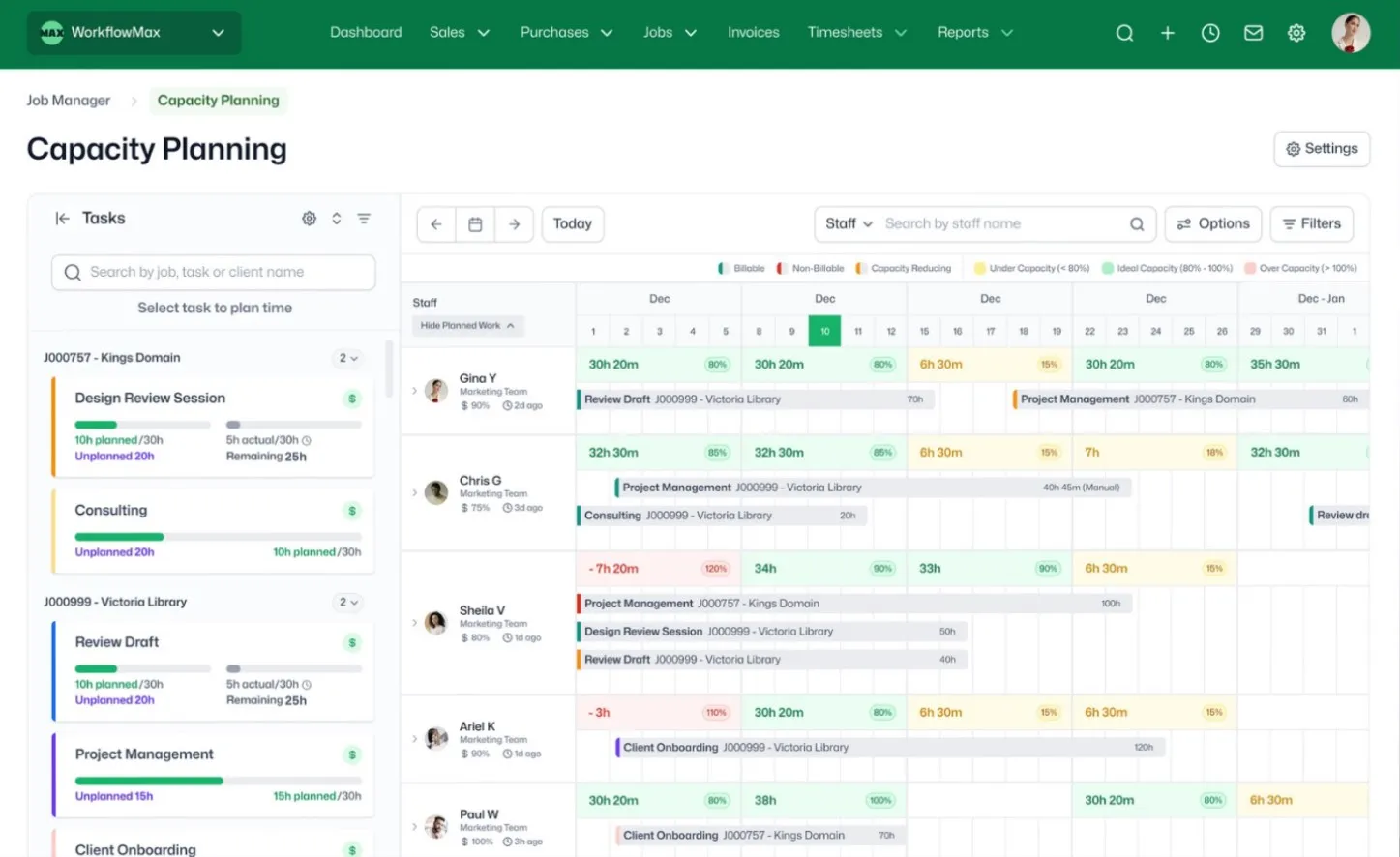
WorkflowMAX handles the numbers automatically so you can focus on planning:
Capacity thresholds are configurable – set your own percentages for what counts as under, ideal, or over for your business.


Whether you're running a team of 10 or 50, v1 of Capacity Planning gives you the visibility to answer the question that matters most before taking on new work: do we actually have the capacity?
It's designed for firms where staff are spread across multiple jobs at once – and where one double-booking can throw off an entire client delivery.
And because our v1 of Capacity Planning lives inside the same system where you quote, track time, cost jobs, and invoice, every planning decision connects directly to profitability. No exporting. No reconciling across tools. One system from quote to cash – that's the WorkflowMAX Job Profitability OS.


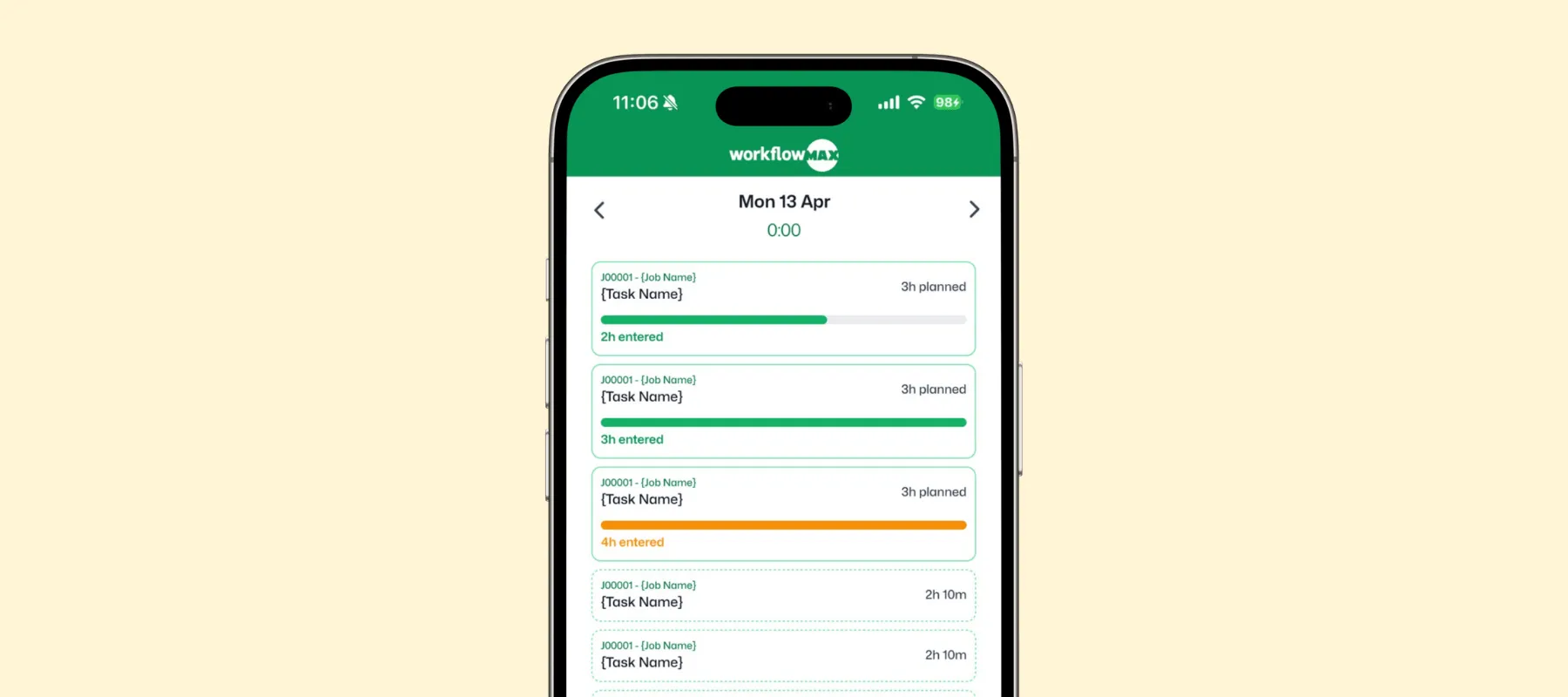
Our v1 of Capacity Planning isn't just for the people running the schedule - it's for the whole team, wherever they are. The WorkflowMAX mobile app gives every team member a clear view of what's planned for their day, right from their phone.




Users worldwide trust WorkflowMAX to track and manage their jobs.
WorkflowMAX is essential for our business. It's intuitive, easy to use, and makes us much more efficient in charging projects correctly.

Spend less time on admin work, more on valuable client work.
We moved back and the team actually loves using it—billing is faster and we can see margins live.

Users worldwide trust WorkflowMAX to track and manage their jobs.
It’s the same soul with better bones—job costing, timesheets, and invoicing finally work as one.

Purpose-built for accountants, architects, engineers, and consultants – not retrofitted from generic project management software.
WorkflowMAX has made a huge difference to how we run our projects. A great system backed by great support. Highly recommended.

Capacity Planning is available on the Advanced plan. You can start a 14-day free trial of Advanced to test it with your team before committing.
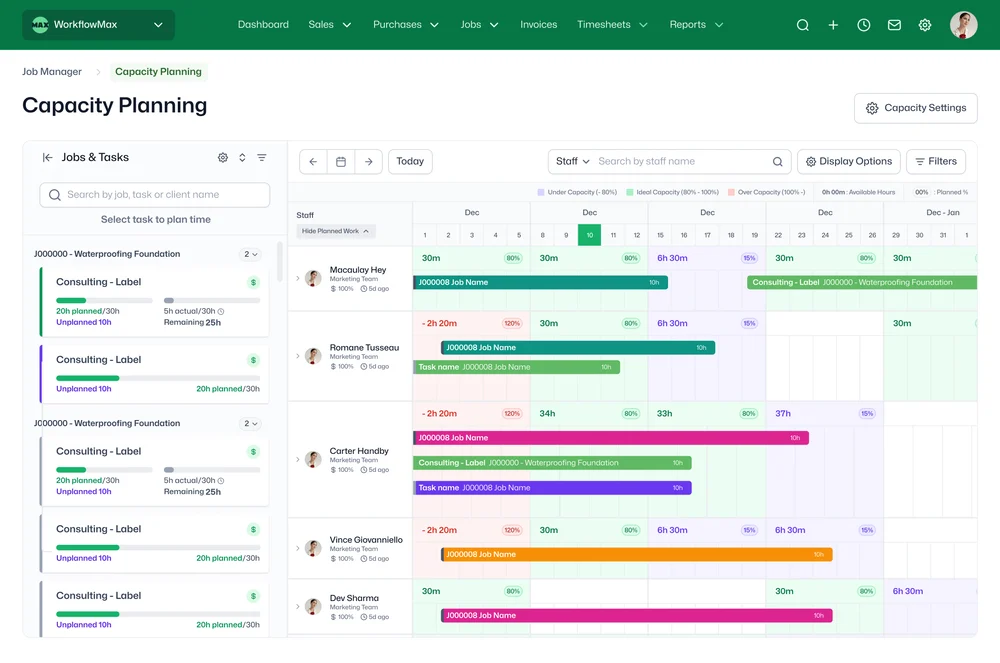
The system won't block you over-allocation is intentionally allowed so you can plan ahead and adjust. Over-allocated staff are highlighted clearly with colour coding, and capacity percentages update in real time so you can redistribute work before it becomes a problem.
Spreadsheets can track allocations, but they don't update in real time, can't show remaining capacity as timesheets come in, and break the moment two people edit simultaneously. WorkflowMAX Capacity Planning connects directly to your jobs, tasks, and timesheets so every planning decision is informed by live data and feeds into the same system where you quote, track, and invoice.
Capacity Planning provides a visual, drag-and-drop timeline showing every staff member's planned work alongside their available hours. Colour-coded indicators flag under-utilised, ideally loaded, and over-allocated team members at a glance. Assign, reassign, and resize task allocations directly in the planner, and every change updates capacity metrics instantly.
No planned time is kept separate from actual timesheet entries. This keeps your planning view stable so hours don't shift as staff log time. You can compare planned versus actual at any point, but the plan itself remains a deliberate, manager-driven allocation.
Yes. Team members can view their own schedule and see what they're expected to work on and when. Allocations also appear in the dashboard widget for a quick daily overview, and staff can check their schedule from the mobile app when they're away from their desk. Admins control view and edit permissions independently so team leads can plan for their group while individual staff see only their own workload.
Yes. Capacity is based on each person's configured working hours, so part-time team members are reflected accurately not assumed to be full-time.
Both. Allocate time to a whole job or to individual tasks within it, depending on how your team works. This flexibility means you can plan at a high level early in a project and get more granular as the work takes shape.


No credit-card required
24/7 Support
No contracts
Cancel anytime