


Priya Shah, VP Product

Q2 2026 · 3 min
Latest product update
WorkflowMAX Q2 is here: ask your job data anything with the new MCP AI Connector, get quotes signed off faster with eQuote, plus Leave Management and more.

MCP - Query your data in plain English.
Online Quote Acceptance - Quotes approved in-app, instantly.
Leave Management - Staff jobs around real availability.
Shipped recently
Improvements we've rolled into WorkflowMAX recently.
New
August 14, 2026
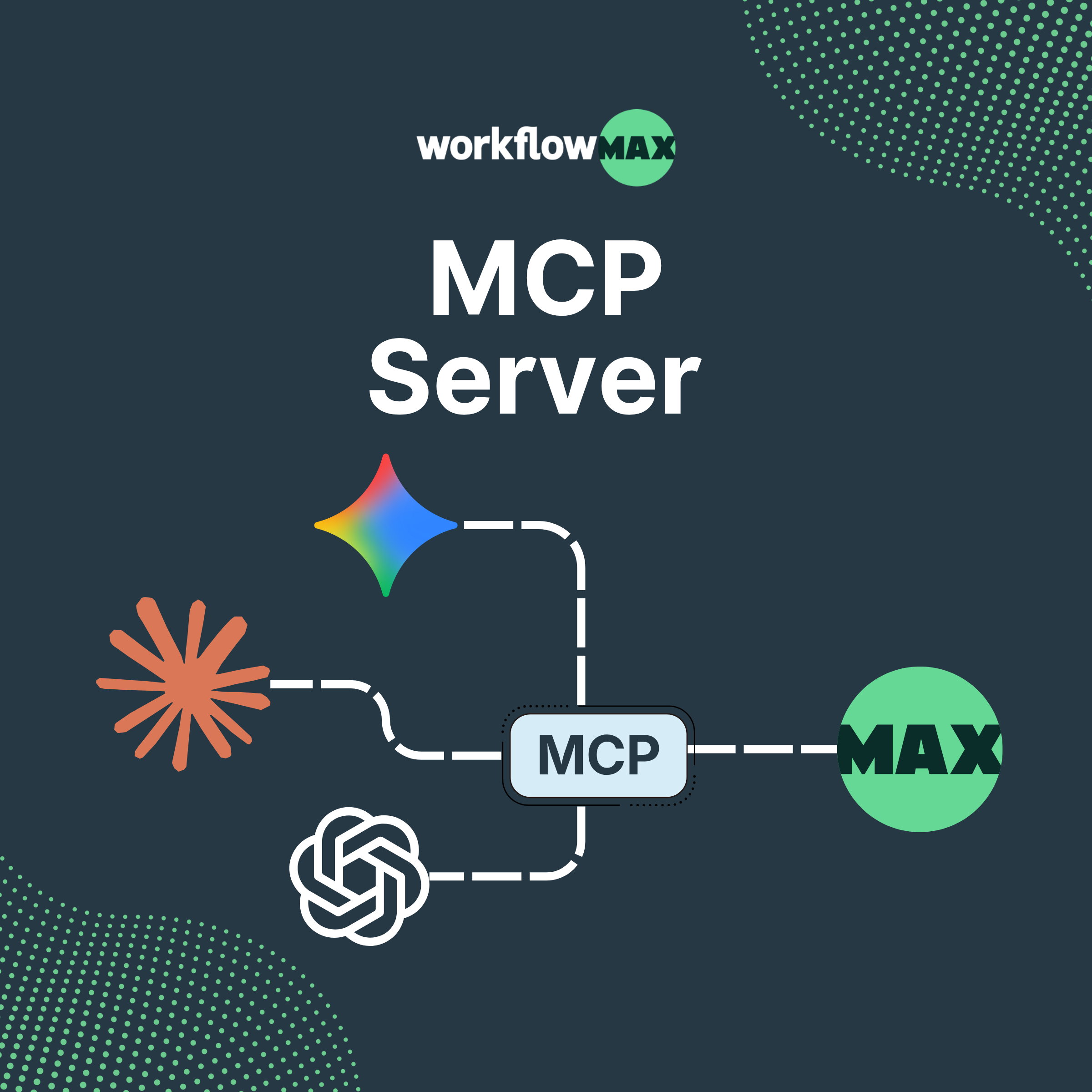
MCP (Model Context Protocol) securely connects your WorkflowMAX data to AI assistants, so you can ask questions in plain language and get answers pulled straight from your live data.
Learn more ->New
August 14, 2026
Ask your job data anything, in plain English
Ask your live job and financial data anything, in plain language
Draft quotes and invoices inside the conversation
Nothing happens without your approval
New
August 13, 2026
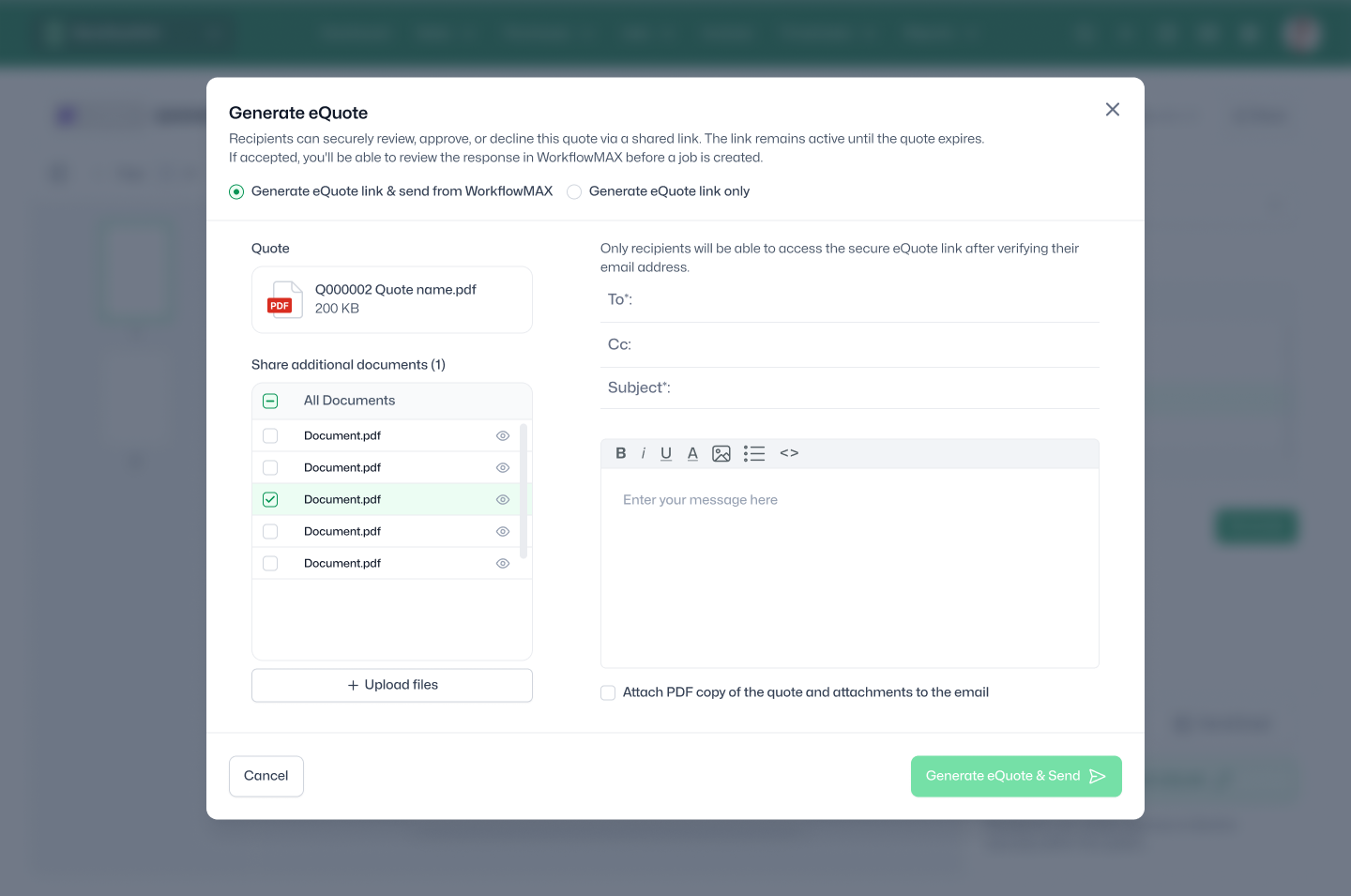
eQuote lets clients review and accept your quote online all in WorkflowMAX. They open it, review it, approve it. No printing, no PDFs, no back-and-forth.
Learn more ->New
August 13, 2026
Send a quote, get it signed, without the back-and-forth
Get to "yes" faster with online accept or decline.
Keep scope clear using optional items.
Cut admin with everything in one place.
New
August 12, 2026
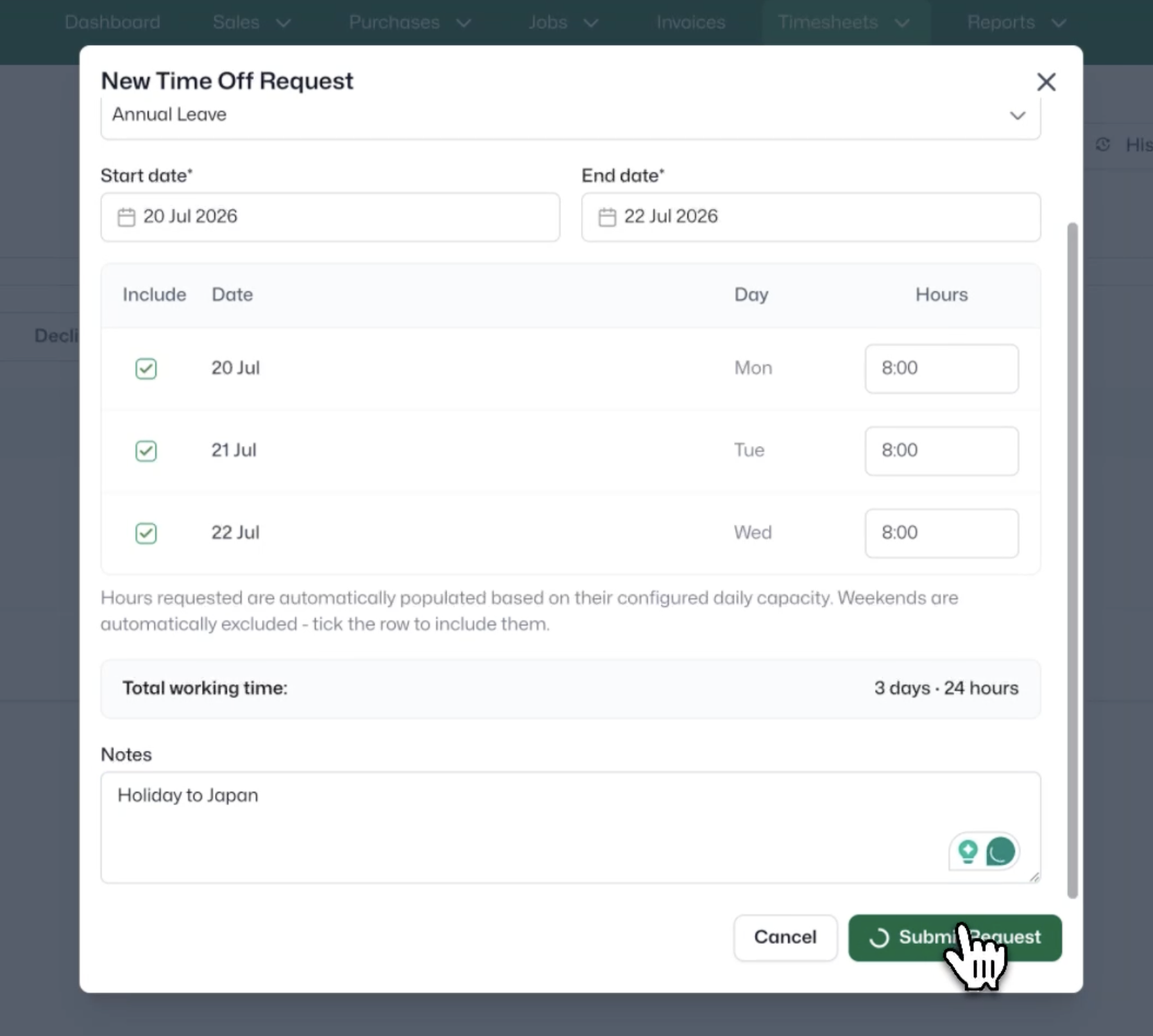
See who's available before you plan the work.
Learn more ->New
August 12, 2026
Availability, requests, and approvals in one place
Less admin, more time back
No more scheduling surprises
Faster approvals, happier staff
New
August 11, 2026
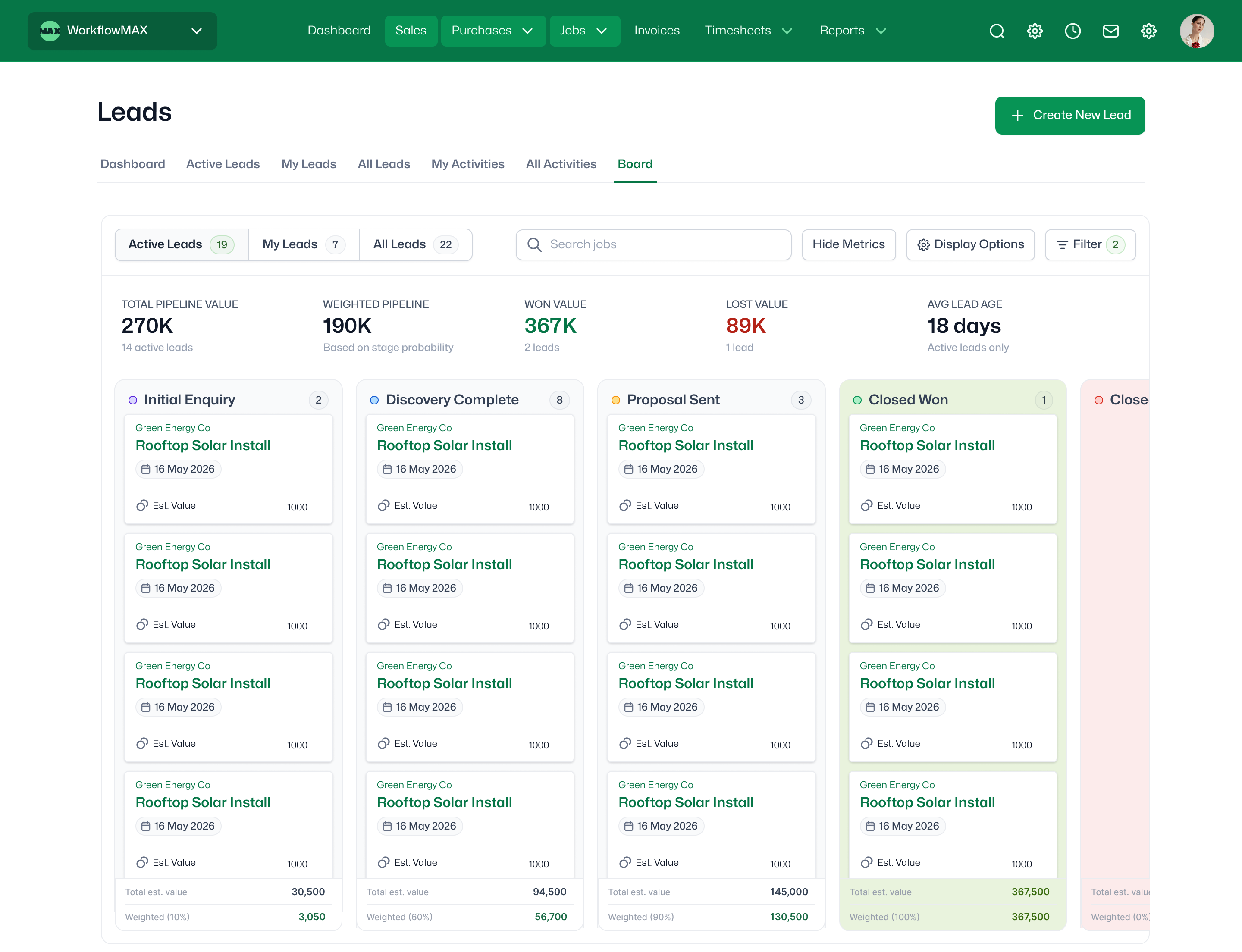
See what your pipeline is worth, at a glance.
Learn more ->New
August 11, 2026
Visual lead management
Never lose a lead
See revenue coming
Quote faster
New
August 10, 2026
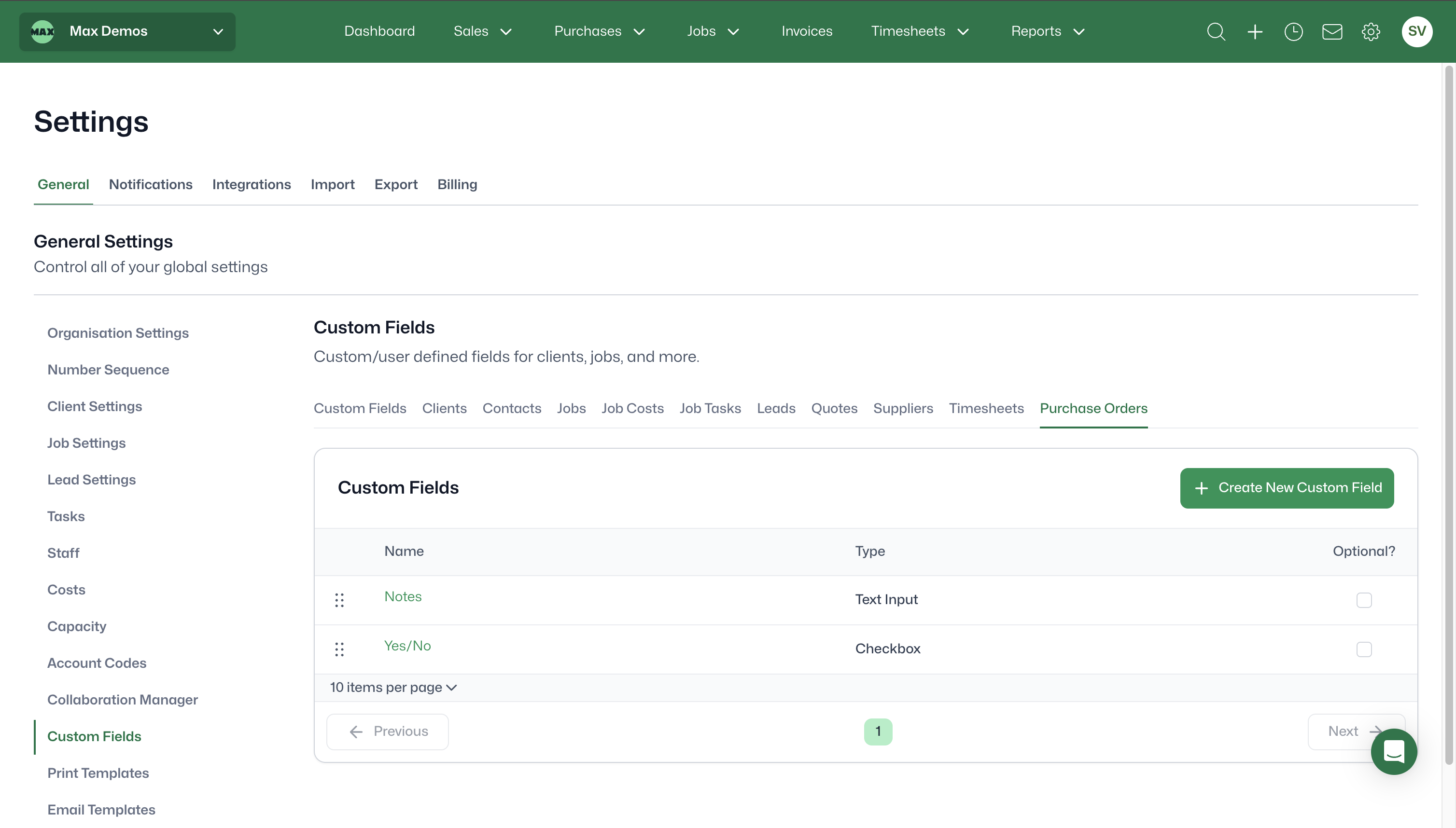
Add the fields your team needs to capture on every PO - like delivery date.
Learn more ->New
August 10, 2026
Add the fields your team needs to capture on every PO - like delivery date.
Capture info standard fields miss.
Cleaner, more consistent data.
Make it yours so WorkflowMAX works the way you do
New
August 10, 2026
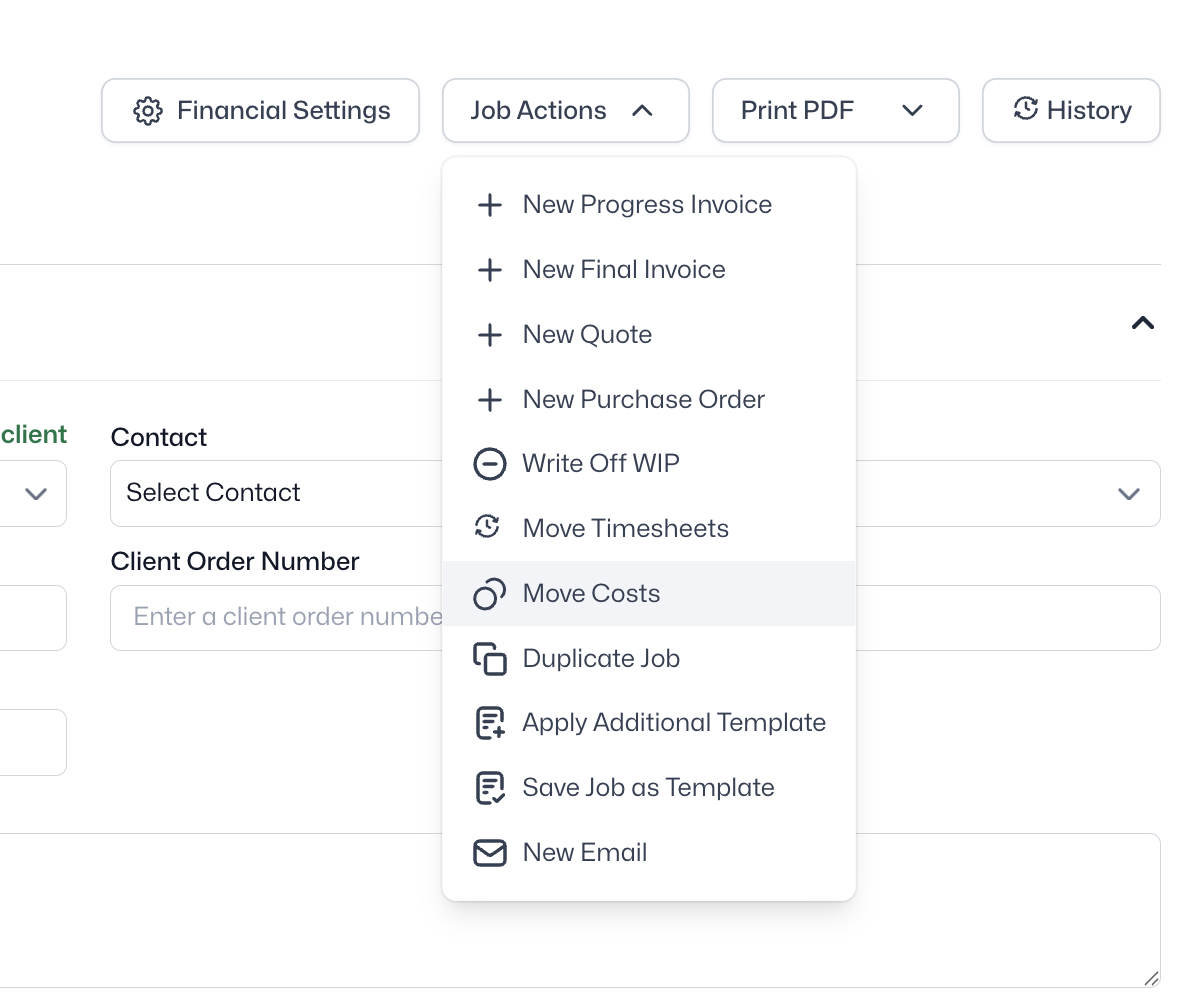
Shift costs to where they should sit when something's been logged incorrectly.
Learn more ->New
August 10, 2026
Shift costs to where they should sit when something's been logged incorrectly.
Fix mis-allocated costs in seconds, without deleting and re-entering data.
Keep job profitability accurate by moving costs to where they actually belong.
A simple, guided process anyone on the team can follow.
Coming soon
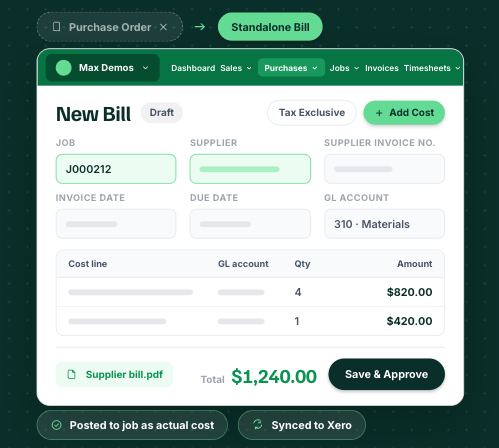
Add your bills in WorkflowMAX without the need to create a purchase order. Add your invoice or receipt document to the bill, and when the bill is exported to your financial system, the document will be exported as well.
Learn more ->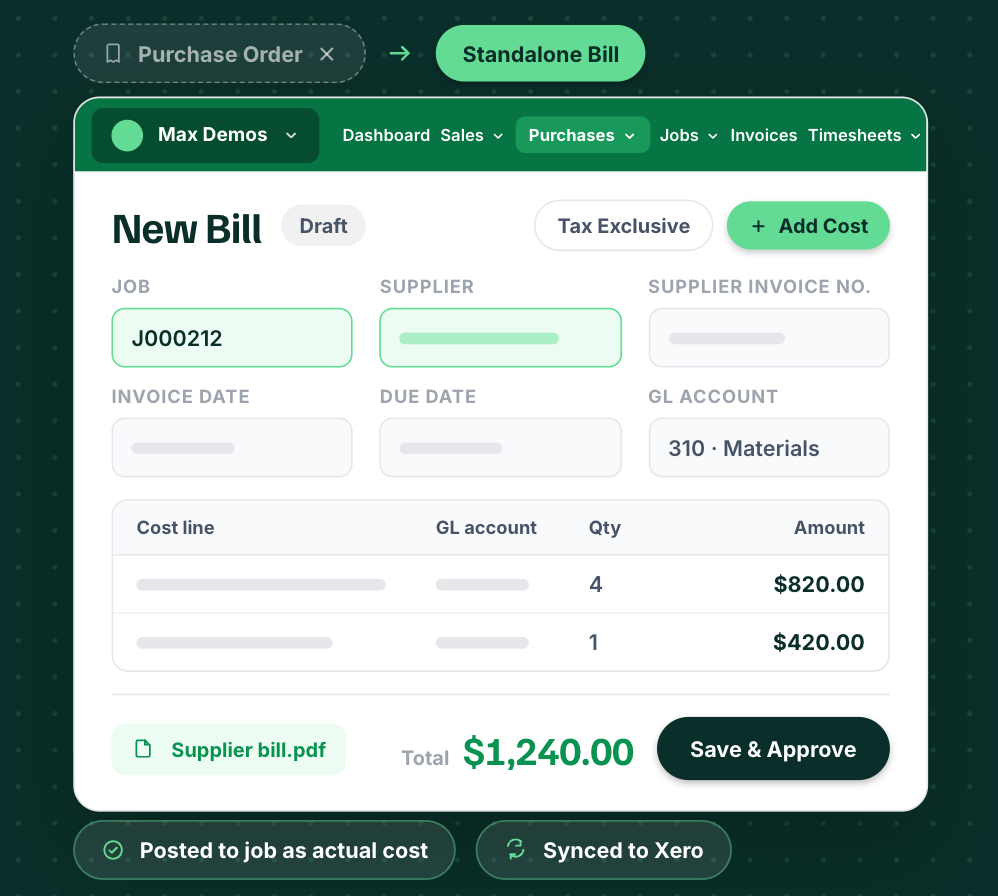
Coming soon
Add your bills in WorkflowMAX without the need to create a purchase order. Add your invoice or receipt document to the bill, and when the bill is exported to your financial system, the document will be exported as well.
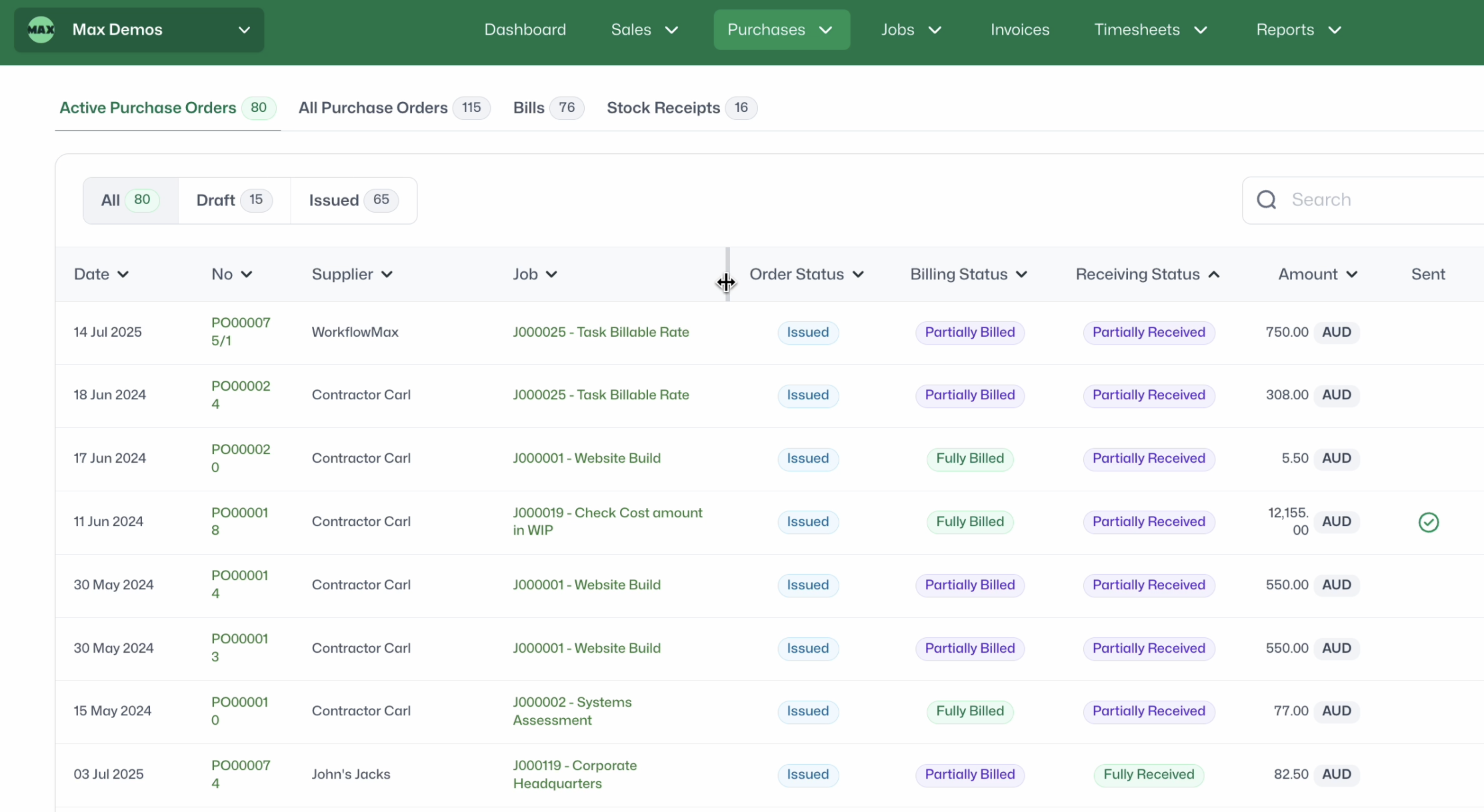
New
Get more on screen and resize columns to see what matters most.
Learn more ->New
See what matters, your way. Resize columns to fit more of the info you use most on screen, so the details you need are always front and centre.
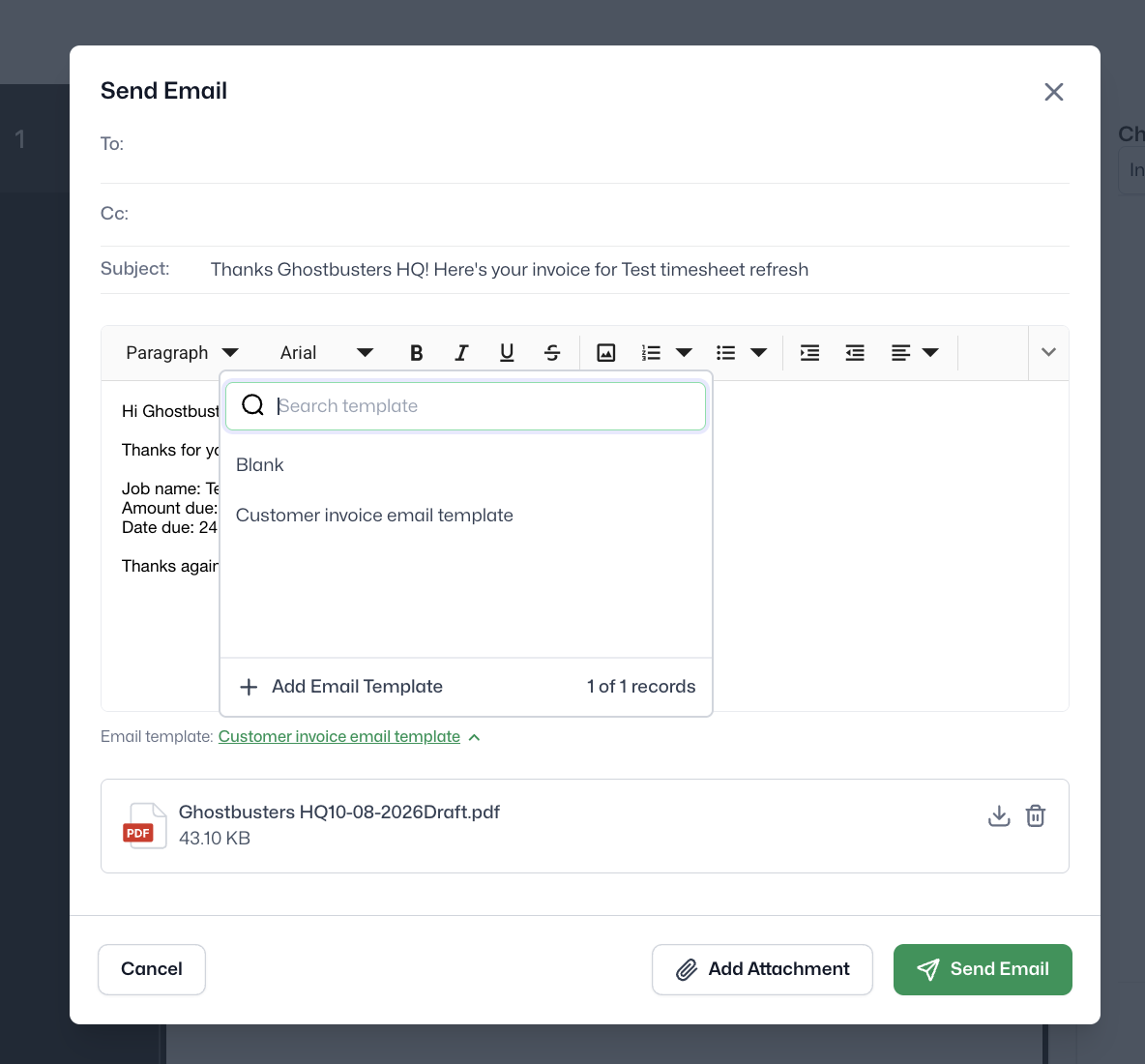
New
Set up reusable templates for your most-used emails and custom print templates, plus customisable file naming for exported documents.
Learn more ->New
Customisable email templates and file naming
Consistent, on-brand emails every time
Documents auto-named for easy filing
Set defaults, override when needed
Tips & tricks
Short, sharp, tips and tricks videos from our Customer Success team. Shortcuts, fixes and
setups that save hours every week.
MAX Bites
Liz T. - Global Head of Customer Experience
Liz T. - Global Head of Customer Experience
MAX Bites
Liz Tobin & David Oliver
Liz Tobin & David Oliver
MAX Bites
David Solley - Customer Success Manager
David Solley - Customer Success Manager
MAX Bites
MAX Bites
Liz T. - Global Head of Customer Experience
Liz T. - Global Head of Customer Experience
MAX Bites
Liz T. - Global Head of Customer Experience
Liz T. - Global Head of Customer Experience
MAX Bites
Liz Tobin & David Oliver
Liz Tobin & David Oliver
MAX Bites
David. O - Head of Customer Experience
David. O - Head of Customer Experience
MAX Bites
David. O - Head of Customer Experience
David. O - Head of Customer Experience
MAX Bites
Liz Tobin & David Oliver
Liz Tobin & David Oliver
MAX Bites
David. O - Head of Customer Experience
David. O - Head of Customer Experience
MAX Bites
David. O - Head of Customer Experience
David. O - Head of Customer Experience
